Structural context needs a separate acceptance check
code-review-graph is designed to help a coding agent follow callers, imports and related tests across files. The adoption question is whether that graph gives your reviewers useful context at an acceptable setup and maintenance cost. Our recorded run supplies some setup evidence, but no answer about graph accuracy or review savings.
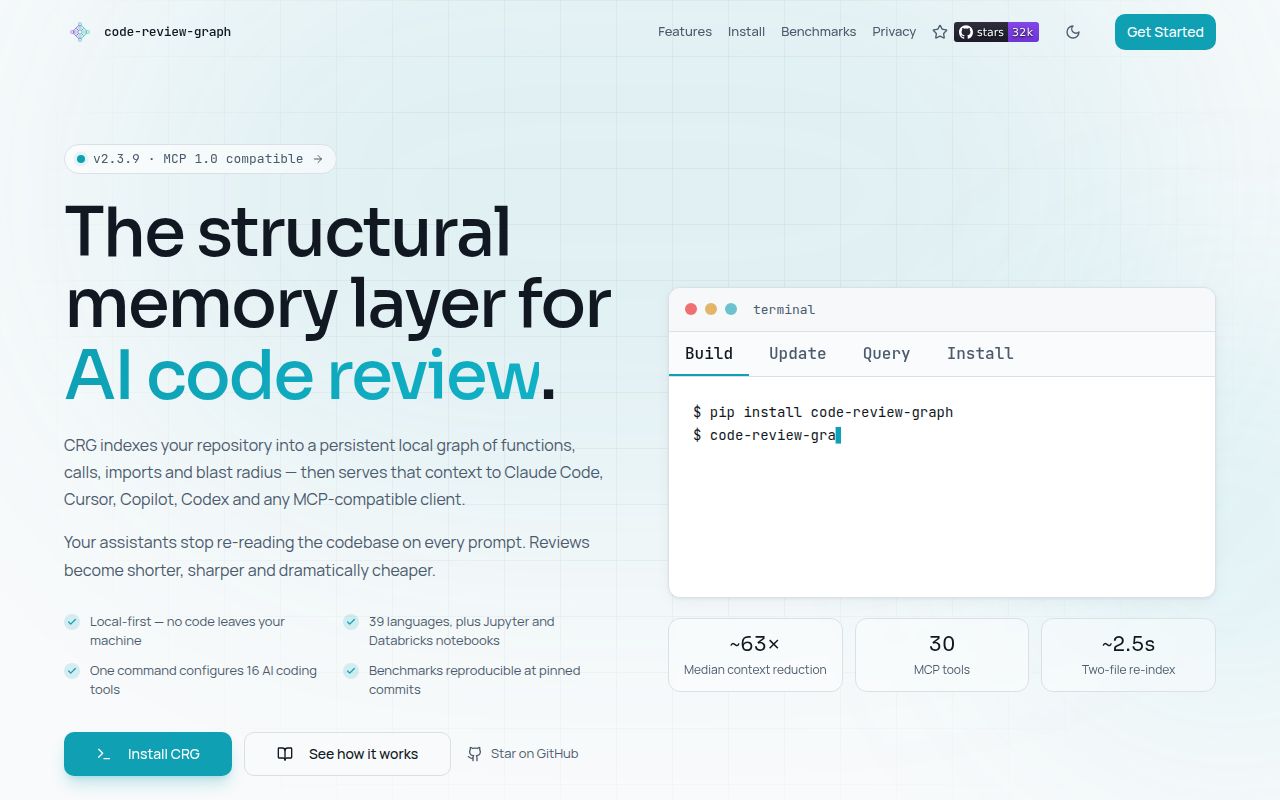
The README describes a Tree-sitter parser, local SQLite storage, incremental updates, 30 MCP tools, 5 workflow prompts, a CLI, watch mode and a GitHub Action. Those are documented capabilities. We did not exercise those workflows in a measured review task.
What our recorded run establishes
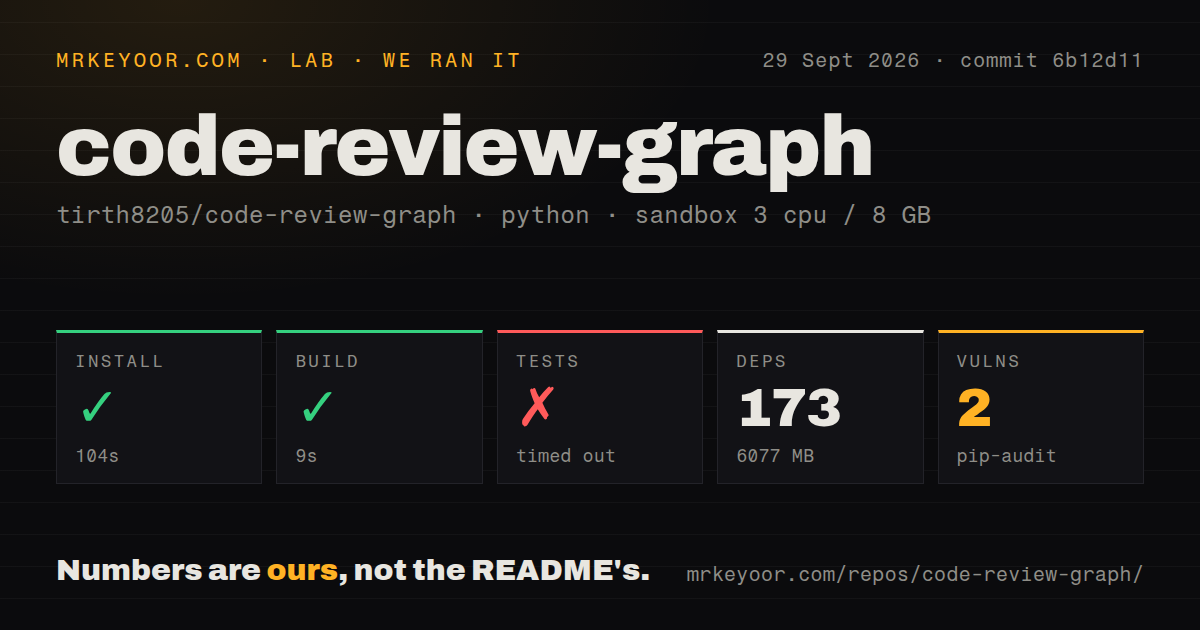
Our run took place on 2026-09-29 at commit 6b12d11625cbec3b6773e076cb3d136464fa90e5, associated with v2.3.9. The install step exited 0 in 104 seconds; the build step exited 0 in 9 seconds. The record lists 173 dependencies and 6,077 MB of installed dependency footprint, alongside a 12.9 MB checkout containing 470 files and 162,434 lines.
These figures describe the recorded environment. They do not establish the minimum production installation size, graph database size or memory used during indexing. The install tail says it used Python 3.12.12 at /work/home/venv. It contains no installed-binary check. The empty build tail provides no evidence that the build step indexed the checkout, so its 9 seconds must not be presented as graph-build latency.
The configured sandbox had 3 CPUs, 8 GB of memory and image ghcr.io/astral-sh/uv:python3.12-bookworm. The checkout had 8 CI workflow files and a tests directory, with no Dockerfile detected. The record does not establish the earlier draft's claims about privilege level or absence of secrets.
The suite result remains unresolved
The test command hit its 900-second limit and exited 124. The retained output shows skipped-test markers, passing dots and progress labels through 4%. That last visible percentage is not a verified completion percentage at termination. No complete test total or final result was recorded, and we cannot derive unique passing or skipped counts from this tail.
A timeout does not establish that the product is broken or that individual tests failed. It means this command did not provide a completed suite result within our recorded budget. Teams that require a green acceptance gate still need that evidence.
Pip-audit recorded 2 advisories affecting 1 package. The record does not identify the package, advisory severity or number of packages inspected. Audit coverage is unknown, and the dependency count cannot fill that gap. This is a dated audit observation, not a finding about exploitability or current exposure.
Context savings are an upstream benchmark claim
The README reports about 63x median per-question token reduction across 6 repositories, comparing whole-source-corpus input with graph-query output. It dates that capture to 2026-08-02, using crg 2.3.7 and pinned repository snapshots. Those are upstream benchmark results, not measurements from our v2.3.9 run.
The baseline matters: the README calls whole-corpus input an upper bound and says no canonical capture has been published for its grep-and-read agent baseline. It also says graph context can exceed a plain file read on trivial changes. The published ratio therefore does not establish savings for your agent's existing workflow.
Impact accuracy has a similar limit. The README explains that its recall of 1.0 uses ground truth derived from the same graph the predictor traverses. Its independent co-change mode returned no predicted files on every graded commit in the 2026-08-02 capture and was not yet a usable measurement. Treat affected paths as candidates to inspect, rather than proof that all affected code or tests have been found.
Installation and upgrades involve more than the package
The README requires Python 3.10+. Its integration installer detects supported clients, writes MCP entries and adds hooks, skills and graph instructions where supported. That is a separate operation from dependency setup. The README also documents tool filtering through --tools or CRG_TOOLS, which lets an operator expose a selected set of MCP tools.
The documented default graph is local SQLite storage. Optional cloud embeddings send identifiers, signatures, structural context and bounded documentation summaries to the selected provider; the README says function bodies are not sent. Choose that option with the data transfer and provider charges in mind.
The v2.3.9 release notes, dated 2026-09-18, move graph schema 9 to 13. They describe a full-table rewrite and FTS5 rebuild on first open, warn that the migration is not resumable, and advise backing up a database that matters or deleting it and rebuilding. Parser fixes require a full graph rebuild because unchanged files otherwise skip parsing. Generated hook changes require rerunning the integration installer.
The same release notes say the VS Code extension is versioned separately. They describe vscode-v0.2.1 accepting schema 6, the repository's untagged 0.2.2 accepting schema 9, and repository version 0.3.0 accepting schema 13. This is a release-time compatibility warning, not verification of which extension build is available or installed today. Our successful build step does not measure migration, re-indexing or client-upgrade time.
Choose a trial that can answer the missing question
Start by verifying that the CLI runs, then index a representative repository and inspect any partial-parse warnings. Select a change with known callers and tests. Compare the reported affected paths with the source, record missed and extra paths, and compare context consumption with your agent's normal search-and-read workflow. These are proposed acceptance checks, not work completed in our run.
The supplied issue listing includes reports dated through 2026-10-19 about watcher lifecycle, indexing and integration behavior. Reports establish topics raised by contributors; they do not independently confirm each defect or its current resolution. They are useful prompts for choosing local checks.
For deployment alternatives, codebase-memory-mcp documents a native runtime requiring no Docker or language runtime. CodeGraphContext documents embedded and external database backends plus optional SCIP indexers. Neither extract supplies a controlled comparison with code-review-graph. Choose which to evaluate by those requirements, then measure the behavior that matters to your repository.
How to read the scores
Scores are editorial evidence assessments, not benchmark results. The rubric is: 1 means little usable support for the dimension, 2 means substantial unresolved evidence gaps, 3 means documented support with limited independent verification, 4 means detailed support with explicit limits, and 5 requires broad independent verification. Setup considers verified operational readiness; docs considers actionable instructions and caveats; community considers demonstrated participation rather than popularity; maturity considers compatibility and operational evidence. Unknown adoption, responsiveness and reliability cannot earn a high score.