Docker Engine 23.0 already covers the common case
Docker Engine 23.0 and later use Buildx and BuildKit by default, according to the project README. That single fact changes the buying decision. Developers who only want faster Dockerfile builds, cache mounts, build secrets, or multi-platform output can usually stay inside docker buildx. Standalone BuildKit is for teams that need direct control over the daemon, its workers, cache stores, networking, or the low-level build graph. Operating it separately should solve a platform problem you can name.
BuildKit's range is much wider than a Dockerfile parser. LLB represents a build as a dependency graph, so independent steps can run concurrently and cache records can move between backends. The checkout at commit ab362ca contained 1,364 files and roughly 279,069 source lines in 8.3 MB. Its API supports custom frontends and several output types, including images, OCI archives, local directories, and containerd's image store. That explains both its utility and the size of its operational surface.
What happened when we ran it
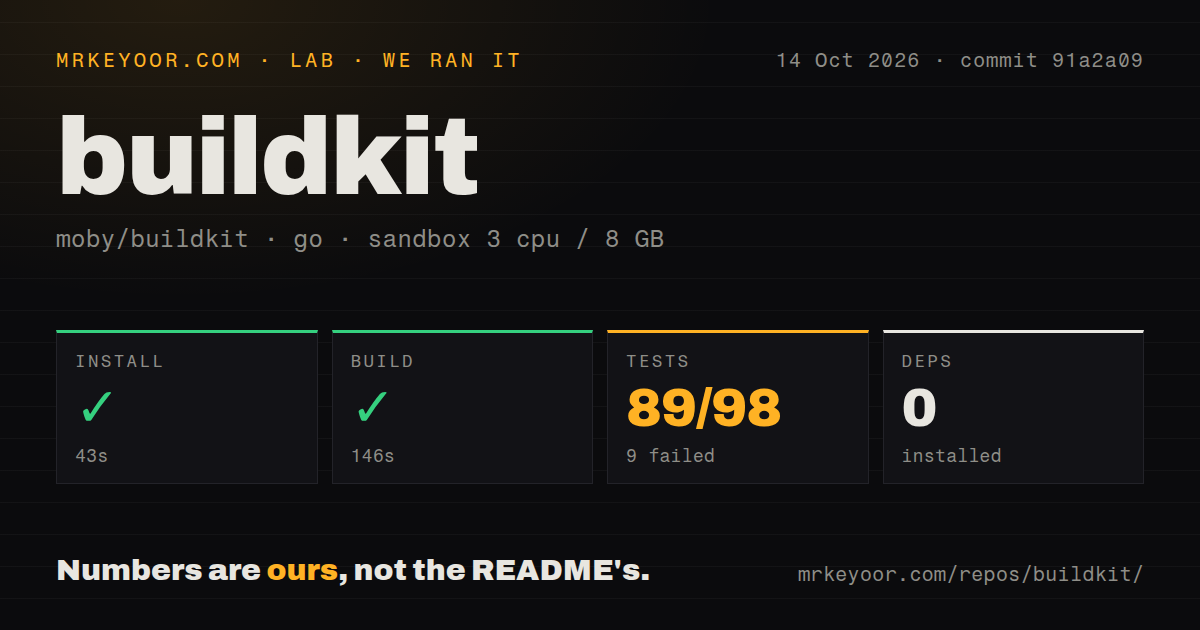
Our sandbox install step completed in 75 seconds and added 0 system packages. The Go build then succeeded in 100 seconds on a fresh Debian container with 3 CPUs, 8 GB of RAM, no secrets, and no elevated privileges. That is a good result for a repository of this size. It proves the checked-out source compiled in the stated environment; it does not prove that a daemon can execute container builds under the same unprivileged constraints.
The test command ran for 378 seconds and returned exit code 1. Go reported 91 passed packages and 13 failed packages out of 104. The visible log tail specifically named worker/containerd and worker/runc, then ended with FAIL; it did not show the underlying assertions or errors. Guessing that privileges caused them would go beyond the log. The finding is simpler: our default package run did not pass, and the worker implementations need a targeted rerun before adoption.
A 100-second build is easier than running the daemon
Source compilation uses the usual make path, and the repository has a Dockerfile plus 12 CI workflow files. Running the result adds runc or crun, with containerd required for the containerd worker. The default OCI worker starts buildkitd as root and listens on a Unix socket. Build results stay inside BuildKit unless the caller specifies an output, which is easy to miss when first using buildctl. Registry output also reads credentials from Docker's client configuration.
The contribution guide puts full integration, gateway, and Dockerfile tests inside its own harness. It can exercise OCI, rootless OCI, and containerd workers, and it advises using a separate public-read token rather than mounting a personal Docker configuration. Our 91-of-104 result came from the supplied lab command, so it should not be confused with that privileged integration matrix. Teams changing worker or exporter code need the project harness on machines where its binaries, images, and permissions are available.
Rootless mode still needs host cooperation
Rootless BuildKit requires RootlessKit and changes behavior by kernel version. OverlayFS needs kernel 5.11 or an Ubuntu kernel; older supported kernels fall back to fuse-overlayfs or the native snapshotter. Rootless networking always uses host mode unless the operator adds the documented network isolation. Troubleshooting may involve /etc/subuid, user-namespace limits, AppArmor settings, a FUSE device, or a writable BuildKit state volume. This is a real deployment mode, with host prerequisites that belong in infrastructure code.
Containerizing the rootless daemon does not remove every security choice. The documented command disables seccomp, AppArmor, and system-path restrictions, or uses --privileged. Another fallback disables the process sandbox, which the guide discourages because build containers can signal or inspect daemon-container processes under some configurations. An exposed TCP daemon has a separate warning: executor containers can reach the BuildKit API, so the README recommends mutual TLS for the server and client on port 1234.
Concurrent cache reset can invalidate an exported tag
Open issue 7102 reports that 2 concurrent local cache exports using reset=true can leave an index pointing to a deleted manifest blob. The author reproduced it on BuildKit v0.32.2 and says the affected tag then needs a full re-export. This is narrow, but CI systems are exactly where shared directories and parallel targets occur. Use separate destinations or avoid that reset pattern until the issue is resolved, and treat cache state as disposable acceleration rather than the only copy of an artifact.
Issue 7108 is more serious for reproducibility checks. Its reproducer shows ADD --checksum accepting stale cached content when 2 URLs have the same final filename and the declared digest remains old. The report covers BuildKit v0.20.2 and v0.32.2. Teams that depend on remote URL inputs should pin immutable URLs, verify output provenance outside the build cache, or confirm the eventual fix in their deployed version. A checksum clause alone does not cover the reported cache-key collision.
v0.33.0 is active, with 831 open issues
BuildKit v0.33.0 was released on September 2, 2026, and the repository was pushed on September 8. GitHub showed 10,244 stars and 920 combined open issues and pull requests. Search results separated that queue into 831 issues and 87 pull requests. The latest release updates the Dockerfile frontend to v1.27.0 and includes fixes around cache, credentials in progress output, Windows paths, and remote execution. Current commits and triage indicate active maintenance, while the queue demands precise searches before assuming a new problem is unique.
Buildx is the sensible interface for most Docker users because it already drives BuildKit. Buildah is a better fit for teams committed to daemonless OCI workflows and Podman, while Earthly adds a project-level build language over lower-level machinery. Our 100-second successful build shows BuildKit is approachable as Go source. The 13 failed package results and its privilege model show why production evaluation must use the same worker backend, kernel, rootless settings, cache exporter, and network boundary as the intended service.