mrkeyoor.com_
Tue 01 Sept 17:40 UTC
Dev Toolsevaluationupdated 30 Aug 2026

bubbletea review

Bubble Tea is a Go framework for building interactive terminal applications with the Elm-style model, update, and view loop. It handles terminal input and screen rendering while your program keeps application state and decides how each message changes it.

+29 / 1dstars / 7d
Verdict

Our Bubble Tea run installed 21 packages in 28 seconds, built in 20 seconds, and passed all 2 available tests in 10 seconds. Use it for a Go terminal application when explicit state and message handling sound cleaner than a mutable widget tree. Budget for Bubbles, v2 migration work, and terminal-specific acceptance tests if paste, Unicode, resize, or external-command behavior is important.

We ran it

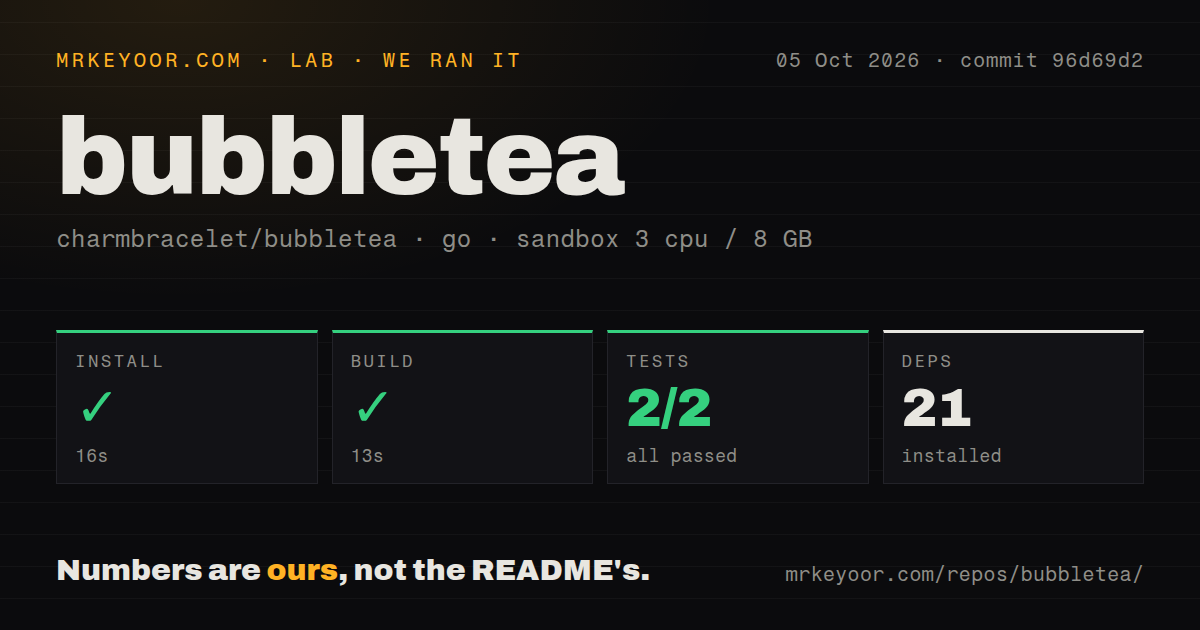
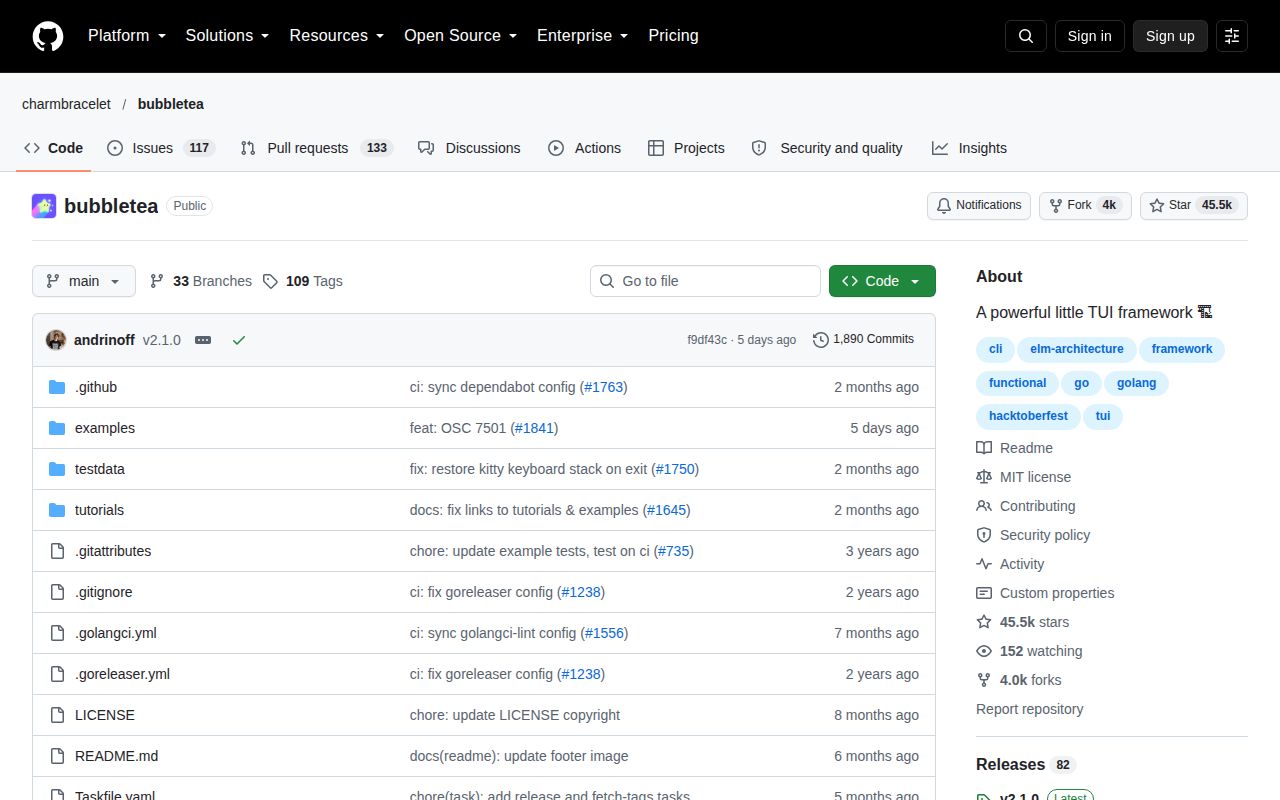
Lab card: what happened when we ran bubbleteaScreenshot of bubbletea (github.com/charmbracelet/bubbletea)
Install✓ · 28s21 packages
Build✓ · 20s
Tests✓ · 10s2 passed · 0 failed of 2 (go test)
Repo228 files~14,375 lines of source · 3 MB · 7 CI workflows

Answers from our run

Does bubbletea build from source?

Dependencies installed in 28 seconds (21 packages), and the build succeeded in 20 seconds. We cloned commit 73b6d91 into a clean Debian container with 3 CPUs and no project-specific setup.

Do bubbletea's tests pass?

Yes: 2 of 2 passed when we ran the project's own test command (go test). Some failures need services or credentials a bare container does not have.

Who should not use bubbletea?

Developers who want a complete widget toolkit in one dependency: the README points to the separate Bubbles library for common inputs, viewports, and spinners.

What are the alternatives to bubbletea?

tview, gocui, tcell. Our Bubble Tea run installed 21 packages in 28 seconds, built in 20 seconds, and passed all 2 available tests in 10 seconds.

Setup5/521 packages; build and 2 tests passed in 58 seconds total
Docs5/5Tutorial, examples, API docs, and a detailed v2 guide
Community5/544,696 stars with an August 19 push and active reports
Maturity4/5Production use is broad; v2.0.9 still has renderer reports

Discussed on

  1. hnBubble Tea: fun, functional and stateful way to build terminal apps308 points
  2. hnBubbletea: A fun, functional and stateful Go framework to build terminal apps9 points
  3. hnCharmbracelet/bubbletea: A powerful little TUI framework4 points
  4. hnA fun, functional and stateful way to build terminal apps4 points
  5. hnBubble Tea3 points

Who it’s for

Go developers building full-screen or inline terminal applications.
Teams that prefer explicit state transitions and declarative views over mutable widgets.
CLI authors who need keyboard, mouse, clipboard, color, and alternate-screen support.
Maintainers willing to test behavior across the terminals and operating systems they support.

Who it’s NOT for

Developers who want a complete widget toolkit in one dependency: the README points to the separate Bubbles library for common inputs, viewports, and spinners.
Go teams expecting a drop-in v1 upgrade: v2 changes the module path, View return type, key and mouse messages, program options, commands, and methods.
Applications that must already render every complex script correctly: issue 1777 reports Traditional Chinese and Hindi grapheme problems in v2.0.9.
Programs that frequently hand terminal control to short-lived external commands without regression tests: issue 1778 reports a renderer freeze around tea.Exec in v1.3.10 and v2.0.9.
Projects needing a web or native graphical interface rather than a terminal UI.

Setup reality

Our sandbox installed 21 Go packages in 28 seconds. The build succeeded in 20 seconds, then the test run succeeded in 10 seconds with 2 passed and 0 failed of 2.

Bubble Tea itself needs a Go module and no service credentials. Common controls come from the separate Bubbles module, with Lip Gloss commonly used for styling. Debugging an interactive app needs file logging or a headless Go debugger because the UI owns standard input and output.

Terminal behavior is the larger setup cost. Keyboard protocols, mouse modes, clipboard input, Unicode width, resize handling, and alternate-screen cleanup vary by environment. A v1 application also has a real migration because v2 moved imports and replaced several public types and controls.

Three methods define the application loop

A Bubble Tea program has a model and 3 core methods. Init can start an initial command, Update receives messages and returns the next model, and View describes what the terminal should show. Key presses, timer ticks, window changes, and server responses all arrive as messages. The framework owns the event loop and rendering, while application state stays in ordinary Go values.

This shape is easy to reason about when a terminal app has more than a prompt and one response. State changes pass through Update, and commands return messages instead of mutating the screen directly. The trade is ceremony: even a shopping-list tutorial defines a model, message switch, view builder, and quit behavior. Developers who prefer a ready-made form or table object may find a widget-led library quicker.

Common controls live in Bubbles, outside the core module

Bubble Tea handles the program loop and terminal interface. Text inputs, viewports, spinners, and other reusable controls come from Charm's separate Bubbles project. Lip Gloss supplies styling and layout, while other linked libraries cover animation, mouse zones, and charts. That split keeps the framework focused, but a real application usually depends on more than the one module shown in the basic tutorial.

The core still covers substantial terminal mechanics. The README names a cell-based renderer, color downsampling, keyboard and mouse handling, native clipboard support, and inline or full-window output. Version 2 moves terminal preferences into the returned tea.View: alternate screen, mouse mode, focus reports, window title, cursor, colors, and keyboard features can follow model state rather than imperative commands scattered through the program.

What happened when we ran it

Our sandbox installed 21 Go packages in 28 seconds at commit 73b6d91. The build completed successfully in 20 seconds. Tests finished successfully in 10 seconds, with 2 passed and 0 failed of 2. Nothing in the supplied lab result showed a dependency, compiler, or test error.

The checkout was compact: 228 files, about 14,375 lines of source, and 3 MB. Our scan found 7 CI workflow files, no Dockerfile, and no separate tests directory. A Dockerfile is not expected for an embeddable Go framework, and Go test files normally sit beside package code, so the directory signal should not be read as an absence of testing. The measured result is simply that the 2 tests our harness counted passed.

The sandbox did not judge visual output, key decoding, paste behavior, Unicode width, or cleanup across real terminal emulators. Those are central to this library and need pseudo-terminal tests plus manual checks. The successful 58 seconds of install, build, and tests is a good source baseline, not a cross-platform UI certification.

Version 2 is declarative, but the migration touches many APIs

The v2 upgrade guide changes the import from GitHub to charm.land/bubbletea/v2 and changes View() from a string return to tea.View. Key presses use tea.KeyPressMsg; paste events have their own message types; mouse messages became interfaces with separate click, release, wheel, and motion types. Space now becomes space when converted to a string.

Program options and commands for alternate-screen mode, mouse tracking, focus reporting, cursor visibility, and window title were removed in favor of fields on the view. Several methods and names changed too. The guide provides a checklist and side-by-side examples, which lowers migration risk. It does not make the upgrade automatic. A mature v1 program with custom input handling should inventory every old option, command, and message assertion before switching.

Terminal edge cases deserve product-level tests

Open issue 1712 reports garbled clipboard paste on Windows with characters that could not be removed from an input. Issue 1777 says v2.0.9 still mishandles Traditional Chinese and Hindi graphemes in the reporter's example, while v1 rendered them correctly. These reports concern specific setups, but both affect basic text entry and display, so applications serving multilingual users should include their own corpus.

Renderer timing also has current reports. Issue 1590 shows escape characters printed when a program quits after a 10 ms timer before a full frame appears. Issue 1778 provides a reproduction in which output can freeze after tea.Exec returns quickly, naming both v1.3.10 and v2.0.9. Issue 1780 describes a stale frame during resize around the renderer's 60 Hz flush. Our 2-test lab run did not reproduce or refute them.

Test on the actual Windows, macOS, and Linux terminals you claim to support. Cover bracketed paste, wide and combining characters, resize bursts, early quit, suspend and resume, and commands that temporarily take over the terminal. File logging is the practical default because writing debug text to standard output corrupts the UI. The README also explains using a headless Go debugger on port 43000.

August 2026 maintenance is active around v2.0.9

GitHub recorded 44,696 stars, 206 combined open issues and pull requests, and a last push on August 19, 2026. Release v2.0.9 arrived the same day with fixes for key mapping, a progress-bar panic, terminal artifacts, and keyboard-stack restoration. Several issues were then updated through August 28, so code and issue activity both look current.

Bubble Tea is a strong default for Go developers who like reducers and explicit state. The measured setup is small and clean, the tutorial teaches the whole loop, and the v2 guide is candid about breaking changes. The remaining decision rests on interface style and terminal coverage: choose it for the architecture, then earn confidence by testing the terminals, scripts, and control transfers your users will encounter.

Alternatives

ProjectWhat it isPick it when
tviewA Go terminal UI library centered on ready-made interactive primitives.pick this instead when forms, tables, trees, and layouts should arrive as a widget set rather than a separate component library.
gocuiA small Go package for console interfaces built around views and keybindings.pick this instead when you want a narrower view-based API and do not need Bubble Tea's Elm-style event model.
tcellA lower-level Go terminal cell library with input and screen abstractions.pick this instead when you need direct control over terminal cells and events and are prepared to build the application architecture yourself.
termdashA Go library for terminal dashboards with charts and layout containers.pick this instead when the product is mainly a metrics dashboard rather than a general interactive application.

What people are saying

  1. [github-trending] charmbracelet/bubbletea

Sources

  1. Bubble Tea README
  2. Bubble Tea v2 upgrade guide
  3. Bubble Tea v2.0.9 release
  4. Windows paste report
  5. Unicode grapheme report
  6. Renderer freeze after tea.Exec report
  7. Early quit escape-sequence report

More dev tools reviews

workmux · v2rayNG · SecLists · hashcat · eslint · fastfetch · the whole board →