BridgeClip renders locally while its AI uses paid services
BridgeClip turns podcasts, streams, and interviews into captioned clips through a desktop app. You add a local video or supported public link, choose framing and caption settings, and let its models propose moments. Rendering runs on your computer, but audio and transcripts go to OpenRouter. That division is the first adoption decision: the app gives you local exports and editing control while still asking you to approve cloud processing of the source material.
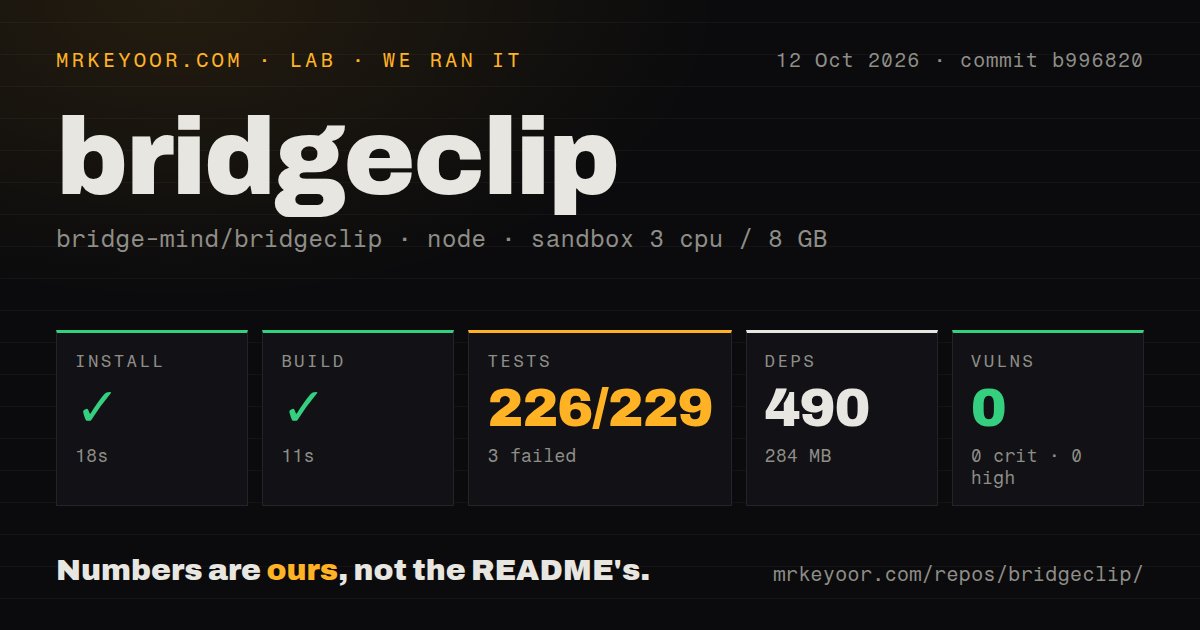
Our install added 490 npm packages and occupied 284 MB, beyond the 15.1 MB checkout. Those figures describe the measured source environment, not a finished desktop package with every media component. The README lists Mac downloads for Apple silicon and Intel, plus Windows and Linux x64 packages. Installed packages include Python, FFmpeg, and yt-dlp. Source developers have additional engine setup to handle before a successful JavaScript build becomes a usable clipping session.
What happened when we ran it
Our BridgeClip run installed successfully in 18 seconds and built successfully in 11 seconds at commit b996820. The test step failed with exit 1 after 31 seconds: node:test reported 226 passed and 3 failed out of 229. We cloned it on 2026-10-12 into an unprivileged Debian sandbox using lab-node:22, with 3 CPUs, 8 GB of RAM, and no secrets. The install and build passed, but the suite did not.
The supplied tail contains passing cases, including credential-safe crash diagnostics, network-policy checks, Jev settings migration, and YouTube metadata handling. It does not name the 3 failed cases or include their errors. We therefore cannot attribute the failures to missing packages, provider credentials, or product defects. Npm audit reported 0 known vulnerabilities across all reported severity categories. That result doesn't identify or explain the failed tests.
The scan recorded 476 files, about 78,010 lines of source, no Dockerfile, a tests directory, and 0 CI workflow files. These are repository signals from the supplied run. There is no measurement of clip quality, rendering throughput, or real provider spending in the block. The strongest runtime finding is narrow: the measured npm path installed and compiled, then reached a test command that returned a failure despite many passing cases.
The newer editor workflow is still outside v0.1.19
The BridgeClip changelog puts Review & edit, optional Jev review, and the chat assistant under Unreleased. The latest published release is v0.1.19, dated 2026-09-27. The README explicitly describes current source and asks readers to check release notes for download features. If the manual editor is your reason to choose BridgeClip, verify your installed version rather than assuming every README screenshot describes the available download.
Our 11-second build provides no editorial-quality evidence for either workflow. Current source documentation says Automatic can export without Jev, while Review & edit always uses it through OpenRouter. The editor lets you adjust cuts, framing, and captions before export. I prefer that inspection step for interviews, where removing a qualification can change the speaker's meaning. Model review scores are advisory evidence, and the documentation itself says they don't guarantee semantic correctness.
A preferred range does not limit the transcription bill
The AI data-flow and cost guide says the pipeline transcribes the entire source even when you select a preferred range. That range guides candidate discovery instead of acting as a hard processing boundary. Audio and transcript text leave the machine, with sampled frames also sent for particular visual paths. Confidential recordings and tightly controlled cloud budgets therefore need a more careful decision than the phrase local rendering suggests.
The 284 MB npm environment also excludes storage consumed by your working media and exports. Review & edit retains a source copy and playback preview, while run folders preserve transcripts, prompts, edit decisions, and review results. You should inspect those files before sharing a diagnostic folder. OpenRouter's billing remains authoritative because provider omissions and timeouts can leave the app's cost totals incomplete. Neither the local export nor an in-app total makes the provider charges disappear.
Daily automations stop when the desktop app closes
BridgeClip requires a credited OpenRouter key for its AI workflow, and optional social publishing uses your own Zernio account. The README says daily automations need the app to remain open. Issue 71's schedule-ahead proposal distinguishes that limitation from individually scheduled posts uploaded to Zernio. It requests an automation mode that continues with the computer off and explicitly describes a proposal, so I wouldn't buy into that behavior today.
Our 18-second npm install didn't launch or validate a desktop scheduler. On Linux, saving provider keys also needs an unlocked desktop secret service. Development calls for Python and FFmpeg with the caption-rendering filter, beyond Node. Supported links are public completed sources, with subscriber-only Twitch videos and live channels excluded. Those boundaries make BridgeClip a better fit for an attended workstation than a universal downloader or an always-running publishing service.
Private release automation explains the absent public workflows
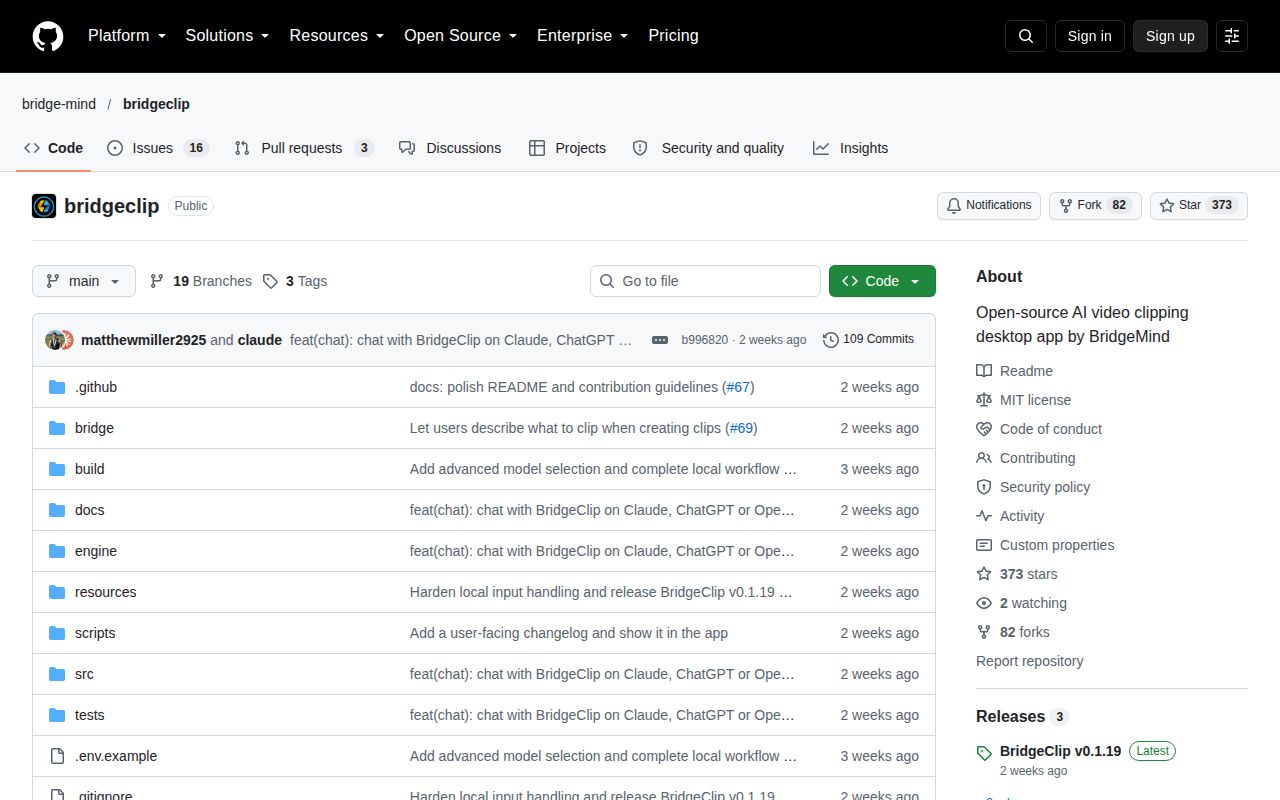
The last push was 2026-10-01, and GitHub returned 373 stars with 19 open issues and PRs. October discussion includes language support and publishing proposals. The releasing guide says tests, packaging, signing, and publication run in a private automation repository. That explains the 0 public workflow files our scan found, while limiting what outside contributors can inspect directly. It doesn't cancel our measured failing suite.
Auto-Editor is a better starting point when you mainly need automatic silence or motion cuts. Shotcut fits when you want manual timeline editing without outsourcing moment selection to a model. Choose BridgeClip when transcript-led candidate discovery could save work on footage you're allowed to send to providers. Start with a non-sensitive recording and watch every exported cut before connecting publishing accounts or leaving a queue unattended.