ASC 0.1.0 trades a full project index for targeted APK questions
Droid ASC 0.1.0 is built for the moment when you want one answer from a large Android package rather than a complete browsable project. Give it an APK and a class name, and it locates the relevant DEX, reconstructs the smaller piece needed by the decompiler, and prints source-like output. Other commands decode AndroidManifest.xml or search references to strings, types, methods, and fields across the package. That narrow workflow defines the product.
The approach makes sense for triage. Our checkout was only 4.7 MB, with 72 files and about 10,030 source lines, yet it covers the APK container, DEX parsing, reconstruction, reference lookup, a CLI, and a desktop GUI. A researcher checking where one SDK call appears can ask that question directly instead of first opening every class. ASC becomes less convincing when the work requires patient browsing, renaming, annotations, or a complete project view.
The 72-file checkout exposes useful CLI commands but only text output
The documented command set is small enough to remember. getclass accepts dotted or Dalvik-style class names, getmanifest prints decoded XML, and findrefs handles string, type, method, and field searches. You can set a worker count and write results to a file. The GUI adds class browsing and repeated searches for someone who prefers a window over terminal output. No login, cloud endpoint, or database sits between the analyst and the APK.
Machine integration is still rougher than human use. The current CLI writes plain text, and structured JSON is the subject of open pull request 15 rather than a documented released feature. That distinction matters if another program must reliably separate a DEX name, caller, method, and matched value. Text can be redirected, but parsing presentation output creates a contract the project has not promised. For an agent-facing front end, stable structured output is a requirement.
What happened when we ran it
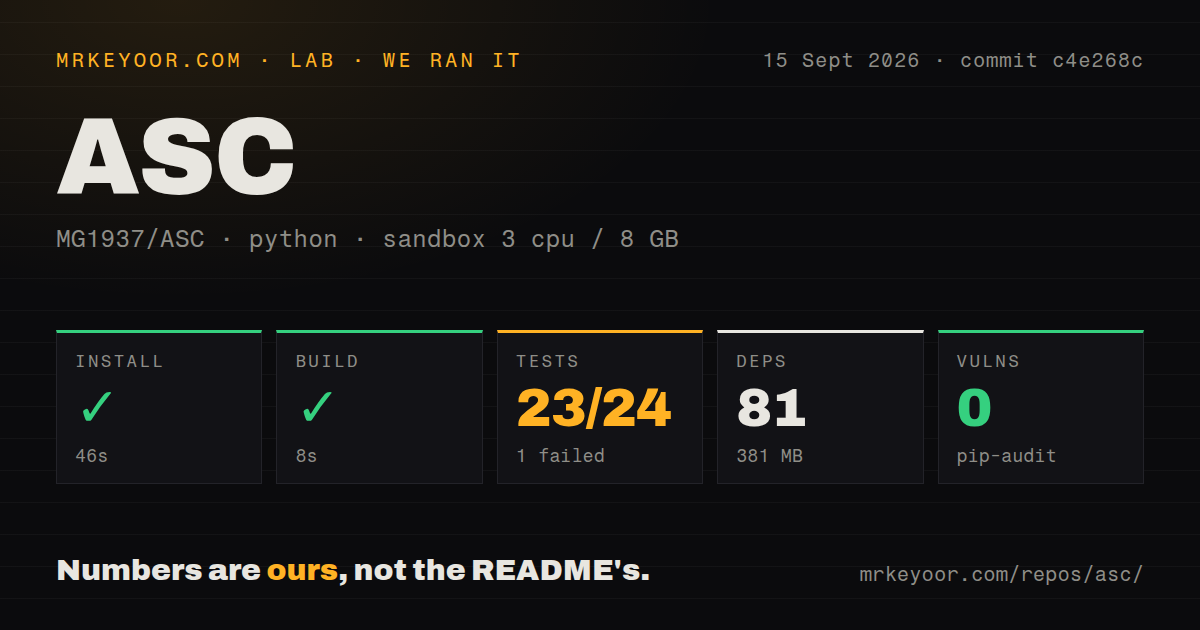
Our sandbox installed commit c4e268c in 46 seconds. It pulled 81 Python packages and occupied 381 MB on disk, much larger than the 4.7 MB checkout but still reasonable for a local analysis utility. The build completed in another 8 seconds. Pip-audit reported 0 known vulnerabilities in the installed dependency set. Those results came from an unprivileged Debian container with 3 CPUs, 8 GB of RAM, and no secrets.
The test step failed after 10 seconds. Pytest reported 23 passed and 1 failed out of 24, with 8 subtests passing. The failure was DecompilerTests::test_gui_store_can_decompile_twice_and_then_search, a repeat-use path rather than a packaging check. Python's urllib.request tested for http.client.HTTPSConnection, but the loaded http module had no client attribute. The log establishes that error; it does not establish a safe fix or show whether every APK triggers it.
Repository hygiene was mixed but visible. Our scan found 2 CI workflow files and a tests directory, while no Dockerfile was present. The suite covers enough behavior to catch a stateful GUI regression, which is useful evidence even though the result is red. A failed test here is more informative than a green import check because it reaches decompilation twice and then performs a search, close to how an analyst might reuse the same session.
The advertised skip-block path is still experimental
GitHub showed 6 open issues and pull requests. Issue 4 asks where the README's skip-block Deflate implementation can be found. The maintainer replies that the feature is experimental and has not been merged because some cases failed to find strings, then describes the proposed approach and private measurements. That answer is candid, but it changes how the headline architecture should be read: the most ambitious compressed-stream path remains research work outside the dependable feature set in this checkout.
This does not make ASC useless. The current code can still search DEX entries and extract only the class needed for decompilation, which is a practical reduction in work compared with building a complete browsing database. It does mean buyers should separate the available targeted workflow from the future optimization described at length in the README. If skipping decompression is the reason you picked ASC, test the exact APK format and query set you care about before relying on the claim.
A 1,041-star launch is moving quickly and still young
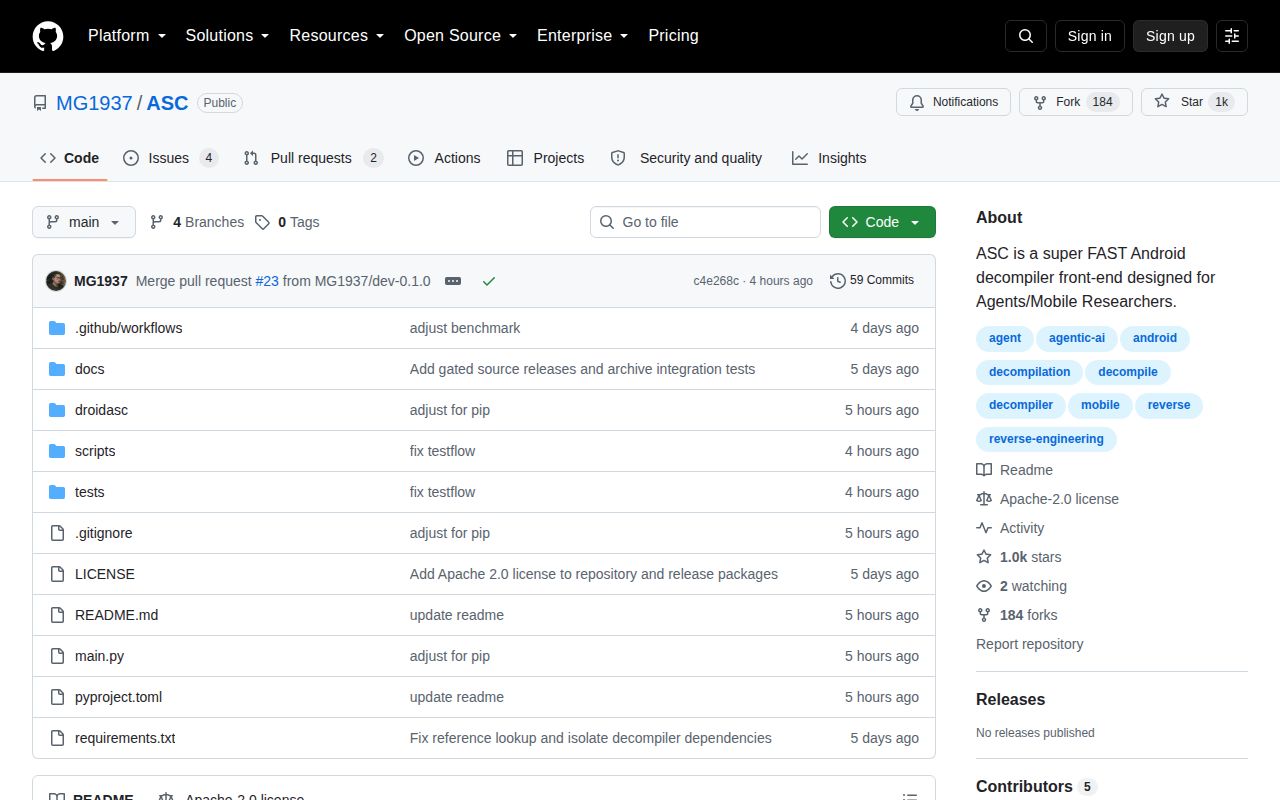
The repository was pushed on September 15, 2026, and GitHub listed 1,041 stars plus 6 combined issues and pull requests when we fetched it. Recent commits added packaging, manifest decoding, test-flow fixes, and performance work. That is clear activity. The other side is age: the repository was created in June 2026, the package version is 0.1.0, and the latest-release API returned no GitHub release. Fast change should be expected.
Apache-2.0 licensing is friendly to internal tooling and redistribution under its terms. Operationally, the CLI path is simpler than the GUI path because it needs no display and maps cleanly to individual questions. Teams should pin the commit, keep a known APK regression set, and compare important findings with JADX or another decompiler. Our 24-test run already found one repeat-session failure; your own APKs may exercise paths the included fixtures do not.
The 381 MB install makes ASC cheap to try, but the workbench is unfinished
ASC earns a trial because the cost of finding out is low: 46 seconds to install, 8 seconds to build, and 381 MB on our box. Its direct commands are pleasant for targeted class and reference work, and the codebase is small enough to inspect. The failed GUI reuse test, absent release history, text-only automation interface, and experimental skip-block path set the boundary. Use ASC as a fast second tool for focused questions. Do not make it the only record of what an APK contains.