v6.1.0 combines tracking, sources, playback, and comments
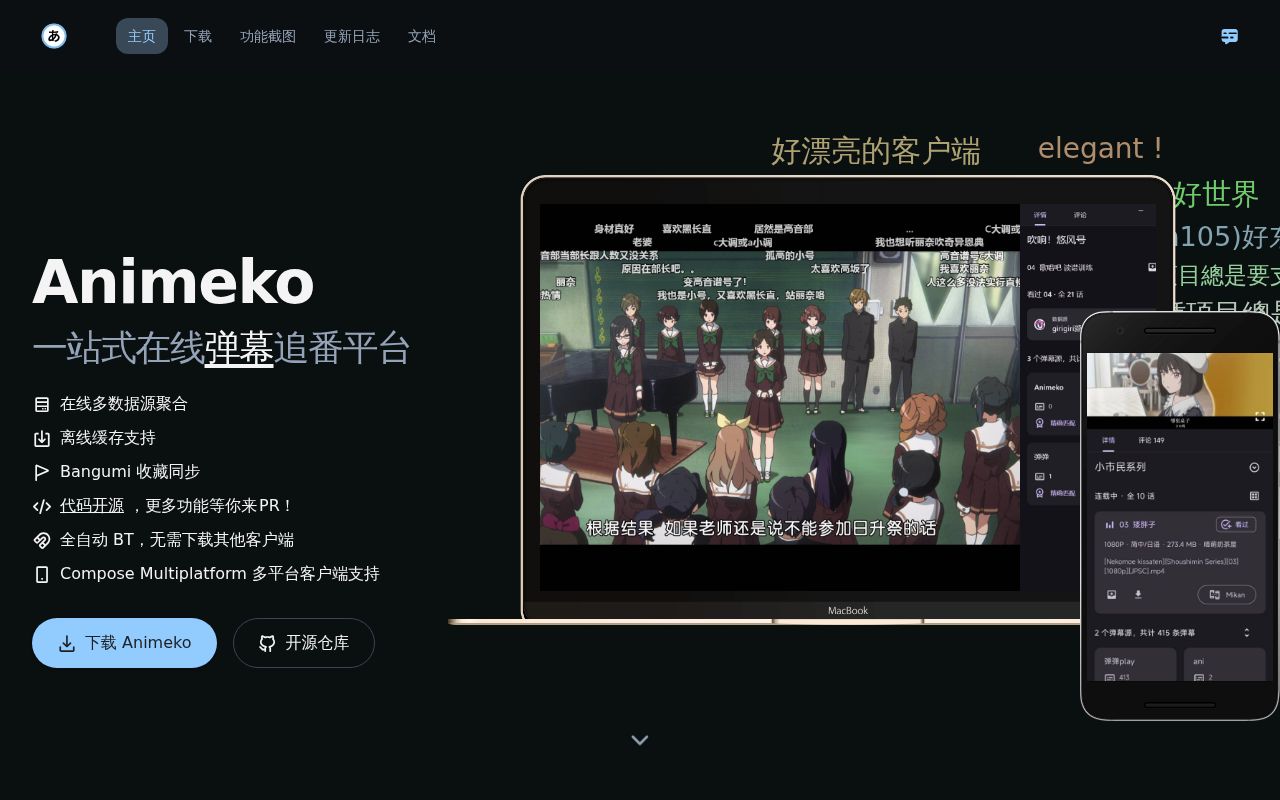
Animeko is built for someone who wants one anime app rather than separate discovery, tracker, torrent, player, and danmaku tools. It reads titles and community ratings from Bangumi, syncs collection progress, searches multiple source types, caches episodes, and overlays time-synced comments. Release v6.1.0 is available for Android, iOS, Windows, macOS, and Linux. The app was previously named Ani, so older documentation, package names, and issue reports may still use that name.
This breadth has a physical cost. Our measured checkout contained 3,768 files, about 430,588 lines of source, and occupied 171.1 MB before any build output. Kotlin and Compose Multiplatform share much of the application, but playback reaches into ExoPlayer on Android and VLC or mpv-related native pieces on desktop. A custom libtorrent-based engine handles BitTorrent. This is a serious client application with platform edges, not a thin website wrapper.
Chinese services shape the whole product
The main README is Chinese, as are the setup, build, testing, and architecture guides we read. There is no English README in the repository root. That language choice follows the product: Bangumi supplies subject data and collections, Chinese source names appear throughout media selection, and danmaku comes from Animeko's service plus Dandanplay-linked sources. An English speaker can read Kotlin and Gradle files, but product decisions and issue discussion will take translation work.
Source aggregation is the attraction and the biggest policy question. The 171.1 MB checkout includes modules for data sources, torrenting, comments, shared clients, and platform applications. Animeko itself says it does not host video. Online sites and the public BitTorrent network supply it, and the client automatically seeds when BT is selected. If your workplace, campus, ISP, or personal rules exclude peer-to-peer sharing, that documented behavior is enough reason to choose another player.
What happened when we ran it
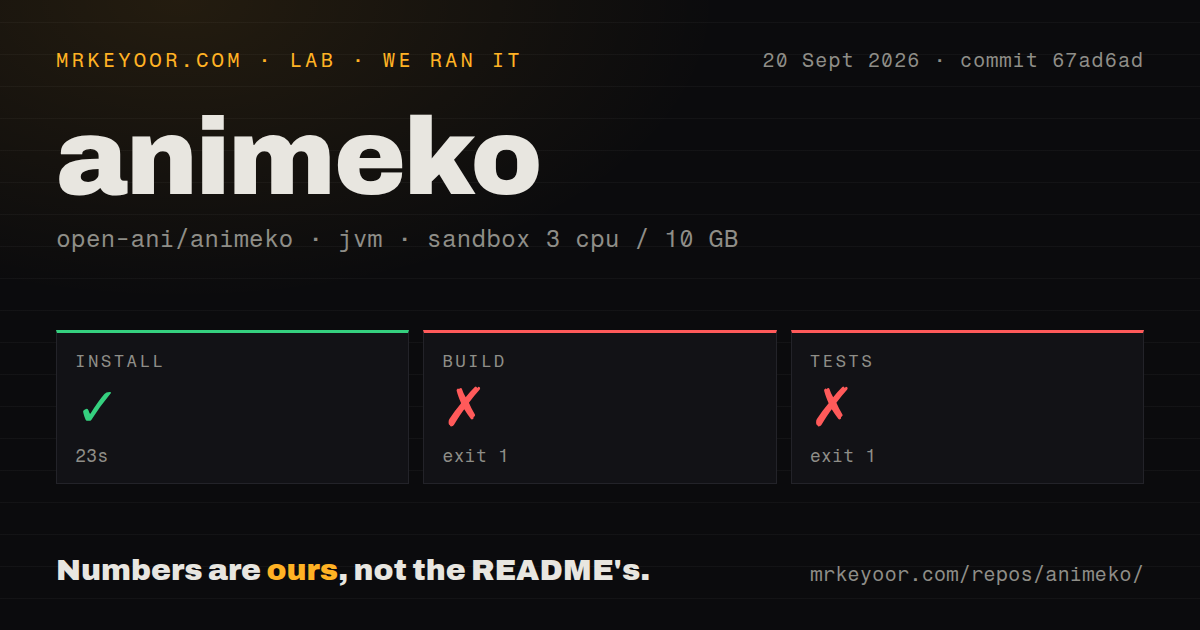
Our sandbox completed the setup step in 23 seconds. The build then exited with code 1 after 12 seconds. The tail shows Java calls through HttpsURLConnection and ends at org.gradle.wrapper.Download.downloadInternal. It does not show a compiler error or a project source failure, and it does not name the reason the HTTPS download failed. The defensible finding is that the Gradle wrapper did not finish downloading in our environment.
The test command failed the same way after 11 seconds and produced no test summary. We ran commit 67ad6ad in an unprivileged container with 3 CPUs, 10 GB of RAM, Java 21, and no secrets. Our test method therefore verified neither compilation nor the test suite. The checkout had 3 CI workflow files, no Dockerfile, and no top-level tests directory. Repository layout alone cannot turn that failed step into a passing result.
Java 21 and Android SDK 36 are only the starting point
Desktop contributors need JetBrains Runtime 21 with JCEF, not an arbitrary JDK 21 build. The setup guide also calls for Android SDK 36 or newer and a recursive Git clone because the repository uses submodules. Gradle is configured to download the expected JBR automatically. That convenience depends on external downloads working, which is exactly where our 12-second build and 11-second test attempts stopped.
Packaging varies by target. Android defaults to arm64-v8a, with a local property needed for other ABIs. iOS is off unless two properties enable the target and framework, after which Xcode and CocoaPods enter the setup. Desktop packages can only be built for the operating system doing the build. External service IDs and secrets are optional for packaging but required for their associated runtime features, so a compiled local build can still be functionally incomplete.
v6.1.0 has active platform-specific playback reports
The September issue queue shows why platform testing matters. Issue 3422 reports BitTorrent playback failing on Windows while the same source and settings work on Android. Issue 3412 reports a missing mpv runtime on Windows v6.1.0. Issue 2877 describes a macOS HEVC 10-bit file whose embedded subtitles do not render, although the same resource works on Windows. Each report is scoped to its reporter's setup; together they identify areas to test before moving a library.
Other gaps are easier to decide from the request itself. Issue 3440 asks to import local, LAN, or NAS media because the reporter's local 4K files cannot be managed in Animeko. Issue 3404 asks for a Flathub package because the Linux AppImage does not auto-update. Neither makes v6.1.0 unusable. They do make Jellyfin a better fit for a household library and a store-distributed client a better fit for centrally managed Linux machines.
A September 20 push shows maintenance, not a small support burden
GitHub recorded the latest push on September 20, 2026, less than a month after v6.1.0 shipped on August 28. The repository had 20,186 stars and 539 combined issues and pull requests when fetched. That combined count includes feature requests and code changes, so it is not a bug total. Recent commits and issue updates show an active project working across a wide hardware and service matrix.
Animeko makes sense as a finished download before it makes sense as a source build. Try the stable package with one Bangumi account and a disposable cache, then test the exact source and player path you plan to use. For code work, the 171.1 MB checkout, 430,588 source lines, JBR 21 requirement, and native playback layers demand a focused platform setup. Our wrapper failure leaves one hard gate unresolved: reproduce the build and test suite on your own network before merging a serious change.