Six AI security jobs share one internal console
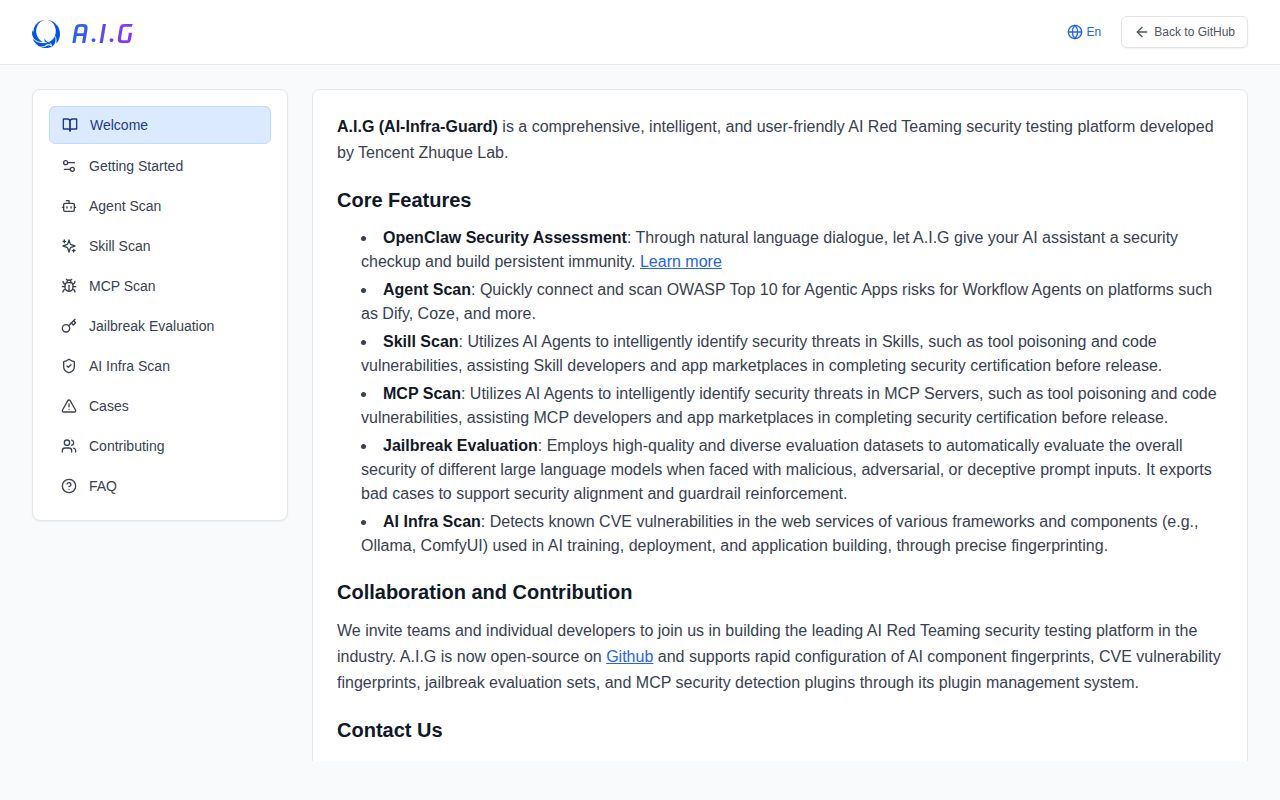
A.I.G v4.6.4 puts live-service vulnerability checks, OpenClaw scanning, agent exercises, MCP and skill inspection, jailbreak evaluation, and model-relay auditing in one project. The modes take different inputs. Infrastructure scanning connects to a running service such as vLLM, Ollama, or ComfyUI. MCP servers and skills can arrive as a remote repository or uploaded source archive. Jailbreak work sends a selected dataset to a configured model endpoint.
That breadth is the reason to consider A.I.G. A security team can examine a deployed service, review tool code, and test a model without assembling a separate interface for each job. The README says its vulnerability library covers more than 100 AI components and 2,000 known CVEs. The project supplies those coverage figures. Our sandbox did not test them. Treat a match as a lead to verify against the installed version and vendor guidance.
What happened when we ran it
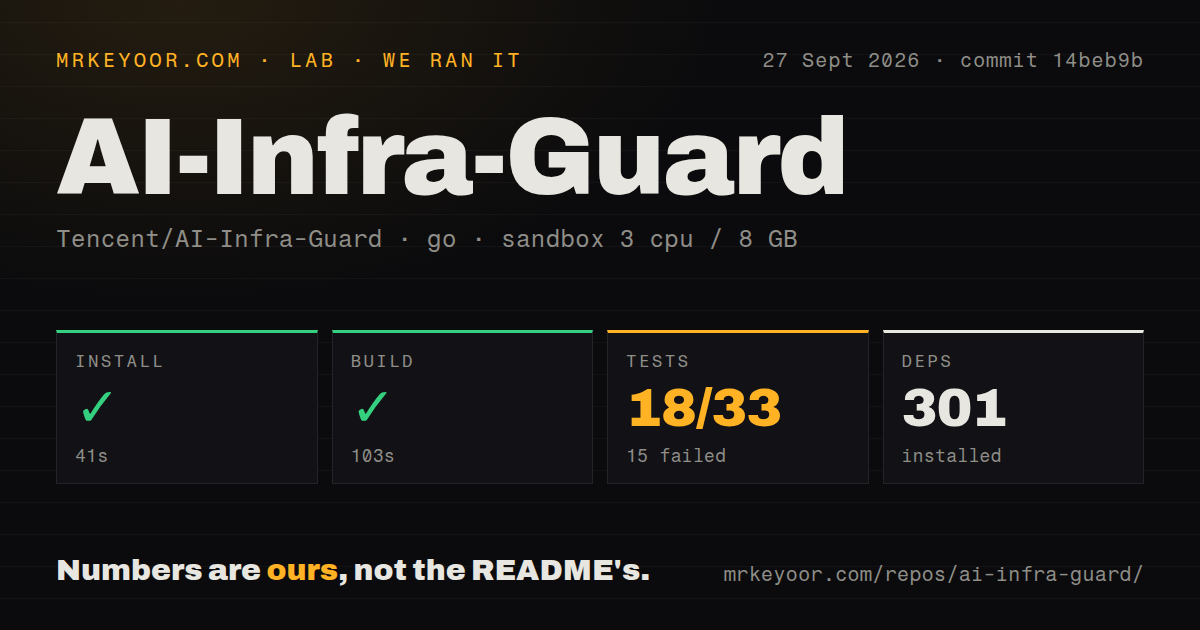
Our sandbox installed 301 packages in 41 seconds, then built commit 14beb9b successfully in 103 seconds. Our measurement setup was a fresh unprivileged Debian container with 3 CPUs, 8 GB of RAM, Go 1.24, and no secrets. The checkout contained 6,410 files, about 153,457 lines of source, and occupied 140.1 MB. We found 3 CI workflow files, a Dockerfile, and a Compose file, but no tests directory.
The test step failed with exit code 1 after 26 seconds. Go reported 18 passed and 15 failed out of 33. The last lines name TestGrepDirectory, TestReadBigFile, and TestReadSmallFile in internal/mcp/utils. The package finished in 0.086 seconds and failed. The supplied tail does not include the assertion text or an error message that establishes why those cases failed, so we will not assign a cause.
A successful build shows that this commit compiled in the stated container. It does not cancel 15 failed tests, and the failed suite does not prove that the scanner's findings are wrong. The practical response is to run known-safe and known-bad fixtures before using A.I.G in a security process. If those fixtures change result after an upgrade, stop there and inspect the release before scanning production systems.
Docker needs 4 GB of RAM and 10 GB of disk
The documented quick start asks for Docker 20.10 or newer, at least 4 GB of RAM, 10 GB of disk, and Compose. It starts prebuilt images and serves the interface at http://localhost:8088. You can also build the images from source. That is a short path to a first screen, though the 140.1 MB checkout and 103-second build show there is a sizeable system behind it.
Credentials depend on the scan. The standalone skill tool expects LLM_API_KEY and a model choice. Jailbreak evaluation asks for the target model's base URL and API key. Infrastructure scanning needs a live service address, while MCP and skill inspection can work from source. Budget provider usage before launching a large evaluation, and use test credentials that cannot reach unrelated services.
No authentication keeps port 8088 off the public internet
A.I.G v4.6.4 has no authentication, and its README says the platform should stay off public networks. That warning changes the deployment decision. The app can hold uploaded source, model credentials, target addresses, and scan results, so a public 8088 listener would expose more than a harmless dashboard. Keep it on a restricted internal network or a disposable lab host with access limited to the people running the assessment.
Isolation matters for another reason: a security scanner is built to inspect suspicious inputs and connect to targets. Give it only the network reach required for the current job. A team evaluating 1 MCP repository does not need the scanner to see every production subnet. Delete uploaded material and rotate temporary model credentials when the engagement ends. These controls are operator work because the application does not supply a login boundary.
Version 4.6.4 arrived on October 1, 2026
GitHub showed a push on October 3, 2026, two days after v4.6.4 was published. The repository had 6,746 stars and 40 open issues and pull requests when checked on October 4. The API list split that queue into 14 issues and 26 pull requests. Those dates and the active review queue support continued maintenance rather than a project coasting on an old release.
The latest release was small and specific: it added a prompt-injection research toolkit under the research directory and fixed forwarding of optional reasoning effort to a model API. Recent README entries also describe frequent changes to skill, MCP, jailbreak, relay, and CVE rules. Pin the exact release you evaluate, rerun your fixtures, and review rule changes before replacing a working scanner image. Fast rule updates are useful only when your results remain explainable.
Narrower scanners cost less attention for narrower jobs
For a 1-model job, NVIDIA's Garak concentrates on probing the endpoint. Promptfoo is the better fit when prompts, agents, or RAG behavior need repeatable evaluation in CI. Snyk's Agent Scan focuses on agents, MCP servers, and skills. All 3 leave out parts of A.I.G's scope, which is the point: fewer modes mean fewer credentials, targets, and result types to manage.
Choose AI-Infra-Guard when one isolated security team will use several of its modes and has time to verify findings. The 15 failed tests were the stop sign after a workable 41-second install and 103-second build. A.I.G can be a useful workbench, but our measured commit did not earn the trust required for an unattended release gate.