@zip.js/zip.js review
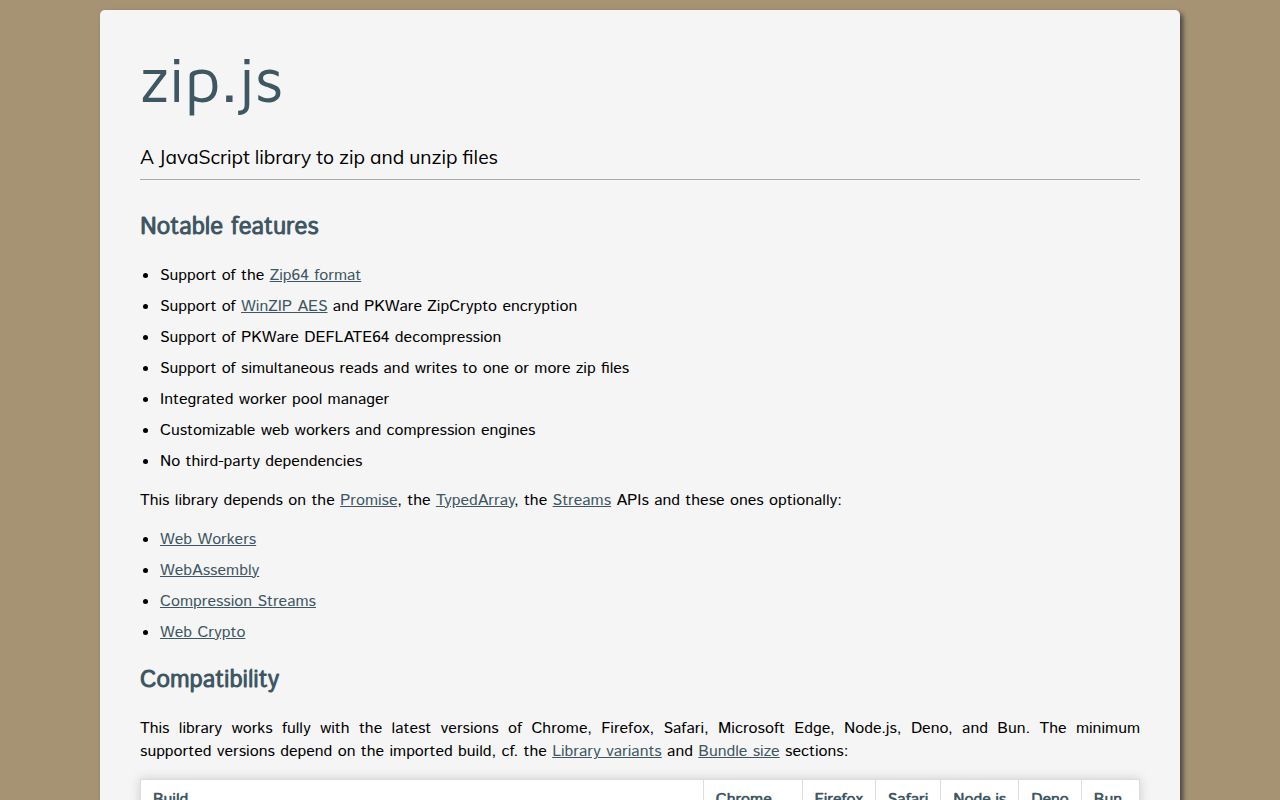
@zip.js/zip.js 2.8.60 reads and writes ZIP archives in browsers, Node, Deno, Bun, and React Native through paired Reader and Writer adapters. It supports streams, workers, native compression streams, ZIP64 archives beyond 4 GB, split archives, Deflate64 decoding, and AES-encrypted entries. Our measured 2.8.56 full import was 178.3 KB minified and 78.7 KB gzipped, so advanced capability carries a real browser cost. Version 2.8.60 adds a `VERSION` constant, registered-codec inspection, supported-compression-method inspection, full core exports from the ZIP filesystem core build, and uncompressed sizes for custom codecs.
@zip.js/zip.js 2.8.56 installed as one 8 MB package and its full import measured 78.7 KB gzipped with 0 audit findings in our sandbox. Choose the current 2.8.60 line when streaming, ZIP64, workers, encryption, or cross-runtime adapters justify that weight; use JSZip for small in-memory archives and enforce extraction limits with either library.
We installed it
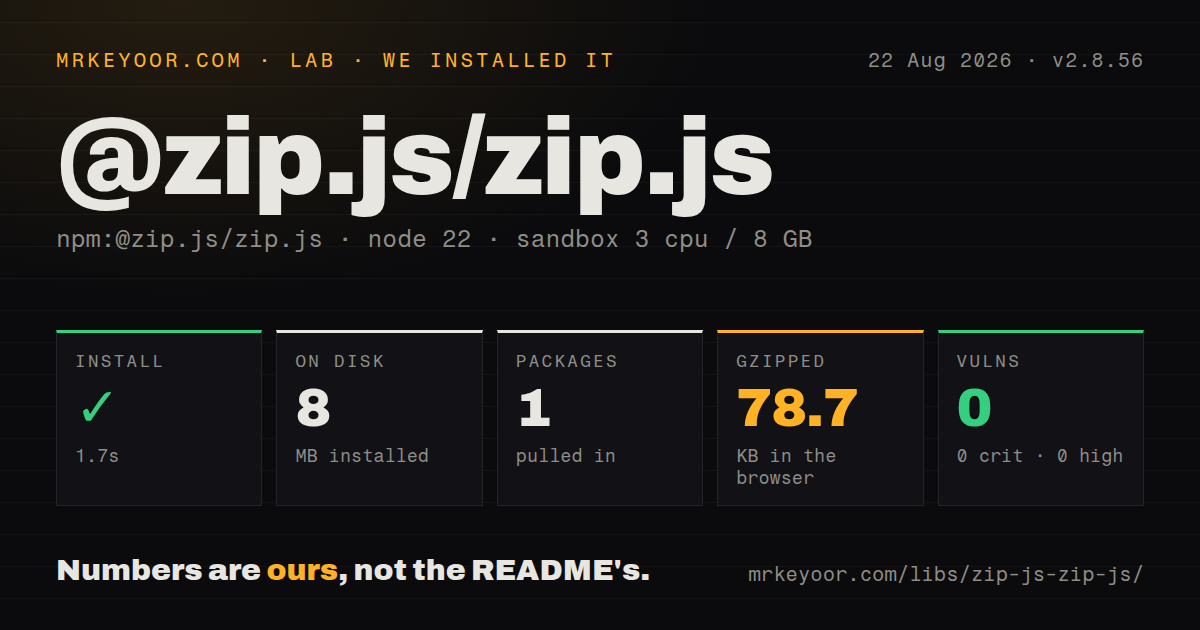
| Install | ✓ · 1.7s | 1 package on disk · 8 MB |
| Import | ✓ | ESM import works · require() works · ESM package with exports map |
| Browser | 78.7 KB | gzipped (178.3 KB minified), bundled with esbuild |
| Types | ✓ | TypeScript types bundled |
| Known vulns | 0 | 0 critical · 0 high · 0 moderate · 0 low (npm audit) |
Answers from our run
Does @zip.js/zip.js install cleanly?
Yes. In a fresh container with an empty cache, npm install @zip.js/zip.js finished in 2 seconds, leaving 1 package and 8 MB on disk. npm audit reported no known vulnerabilities.
How much does @zip.js/zip.js add to a browser bundle?
78.7 KB gzipped (178.3 KB minified) when the whole package is bundled for the browser with esbuild. Importing only part of it is usually smaller.
Does @zip.js/zip.js work with both ESM and CommonJS?
Yes. Both import '@zip.js/zip.js' and require('@zip.js/zip.js') worked in Node 22 in our run. The package is published as ESM with an exports map.
Does @zip.js/zip.js include TypeScript types?
Yes, type declarations ship inside the package, so no @types install is needed.
@zip.js/zip.js or jszip: which should you use?
jszip: Use it for small in-memory archives and a simpler object API. @zip.js/zip.js 2.8.56 installed as one 8 MB package and its full import measured 78.7 KB gzipped with 0 audit findings in our sandbox.
When should you not use @zip.js/zip.js?
One response body only needs gzip. CompressionStream or Node zlib avoids the ZIP container API and 78.7 KB gzipped full import.
Use it if
- Users must create or inspect ZIP files in a browser without uploading them.
- Archives need streaming, ZIP64, split output, concurrent compression, or custom codecs.
- One archive layer must cover browsers, Node 18+, Deno, Bun, and React Native.
- AES encryption, Deflate64 decoding, progress reporting, or abort signals are requirements.
- One response body only needs gzip. `CompressionStream` or Node `zlib` avoids the ZIP container API and 78.7 KB gzipped full import.
- Untrusted archives must be safe by default. Path containment, entry counts, output ceilings, strict headers, signatures, and overlap checks remain application work.
- Small browser archives need the easiest in-memory object model. JSZip is simpler when streaming and ZIP64 do not matter.
- Node older than 18 is in scope. The current package declares Node 18 or newer.
- CSP or asset deployment cannot accommodate workers and WASM. Those URLs may require explicit configuration or a custom core entry.
Setup reality
We installed @zip.js/zip.js 2.8.56 in 1.7 seconds in a fresh Node 22 Bookworm sandbox. It left 1 package and 8 MB on disk. That measured package had 0 direct dependencies, 0 peer dependencies, 7,224 KB unpacked, a BSD-3-Clause license, and engine floors of Node 18, Deno 1, and Bun 0.7. npm audit found 0 known vulnerabilities.
The package is ESM with an exports map and CommonJS path. Both require() and ESM import worked on our box, and declarations are bundled. No credentials or native compilation are required. Browser deployments may need worker and WASM URLs configured for their CSP, CDN, or bundler. React Native has a separate native export, while Deno examples use the JSR name.
Our full 2.8.56 import bundled to 178.3 KB minified and 78.7 KB gzipped. Prefer named or narrower core imports and measure the production chunk. BlobWriter retains finished output in memory; large archives belong on writable streams or filesystem-backed destinations. Concurrent adds may allocate temporary buffers, and the readable side of a stream must consume data to release backpressure.
Always await close() because it writes the central directory. For uploads, reject absolute and parent-traversal paths, keep output inside a chosen root, cap entry count and uncompressed bytes, and enable strictness, signature, and overlap checks where appropriate. AES hides contents, not filenames. Forward slashes delimit ZIP paths; backslashes are literal characters.
Patterns
Write one text file into a Blob create-text-archive
import { BlobWriter, TextReader, ZipWriter } from '@zip.js/zip.js';

const writer = new ZipWriter(new BlobWriter('application/zip'));
await writer.add('hello.txt', new TextReader('Hello world'));
const zipBlob = await writer.close();
`close()` appends the central directory and resolves to the finished Blob; output used before that point is incomplete.
Inspect entry metadata first list-archive-entries
import { BlobReader, ZipReader } from '@zip.js/zip.js';

const reader = new ZipReader(new BlobReader(file));
try {
  const entries = await reader.getEntries();
  for (const entry of entries) {
    console.log(entry.filename, entry.directory, entry.uncompressedSize);
  }
} finally {
  await reader.close();
}
`getEntries()` reads metadata only. Reject excessive entry counts or declared output sizes before calling `getData`.
Decode config.json as text extract-entry-text
import { BlobReader, TextWriter, ZipReader } from '@zip.js/zip.js';

const reader = new ZipReader(new BlobReader(file));
try {
  const entries = await reader.getEntries();
  const config = entries.find((entry) => entry.filename === 'config.json');
  if (!config || config.directory) throw new Error('config.json is missing');
  const text = await config.getData(new TextWriter());
  console.log(JSON.parse(text));
} finally {
  await reader.close();
}
`TextWriter` holds the decoded entry as one string; set a size ceiling before using it on uploaded archives.
Preview an archived PNG extract-entry-blob
import { BlobReader, BlobWriter, ZipReader } from '@zip.js/zip.js';

const reader = new ZipReader(new BlobReader(file));
try {
  const entry = (await reader.getEntries()).find((item) => item.filename === 'photo.png');
  if (!entry || entry.directory) throw new Error('photo.png is missing');
  const blob = await entry.getData(new BlobWriter('image/png'));
  const url = URL.createObjectURL(blob);
  image.src = url;
} finally {
  await reader.close();
}
Revoke the object URL after the preview closes, and verify file content instead of trusting the `.png` suffix.
Archive browser-selected files add-browser-files
import { BlobReader, BlobWriter, ZipWriter } from '@zip.js/zip.js';

const writer = new ZipWriter(new BlobWriter('application/zip'));
for (const file of fileInput.files) {
  const safeName = file.name.replaceAll('\\', '_').replaceAll('/', '_');
  await writer.add(safeName, new BlobReader(file), { lastModDate: file.lastModified ? new Date(file.lastModified) : new Date() });
}
const archive = await writer.close();
This example flattens both slash styles; preserve directories only after validating every path segment.
Stream a large ZIP response stream-large-archive
import { BlobReader, ZipWriter } from '@zip.js/zip.js';

const stream = new TransformStream();
const response = new Response(stream.readable, {
  headers: { 'Content-Type': 'application/zip' },
});
const writer = new ZipWriter(stream.writable);
const writing = (async () => {
  await writer.add('video.mp4', new BlobReader(videoFile));
  await writer.close();
})();
await Promise.all([writing, consumeResponse(response)]);
Consume `stream.readable` while adding data, or backpressure can block writes; a `BlobWriter` would retain the whole output.
Report byte progress track-progress
await zipWriter.add('data.bin', sourceReader, {
  onprogress: (loaded, total) => {
    if (total) progress.value = loaded / total;
  },
});

await entry.getData(destinationWriter, {
  onprogress: (loaded, total) => {
    console.log(`${loaded} of ${total} bytes`);
  },
});
A streaming source may not expose a total, so the UI needs an indeterminate state when `total` is 0.
Abort a long entry write cancel-operation
const controller = new AbortController();
cancelButton.addEventListener('click', () => controller.abort());

try {
  await zipWriter.add('large.bin', sourceReader, { signal: controller.signal });
} catch (error) {
  if (error.name !== 'AbortError') throw error;
}
After an aborted `add`, discard the target unless your tested writer path can still close a valid archive.
Encrypt one entry with AES-256 encrypt-entry-aes
const writer = new ZipWriter(new BlobWriter('application/zip'));
await writer.add('private.txt', new TextReader(secret), {
  password,
  encryptionStrength: 3,
});
const encryptedZip = await writer.close();
`encryptionStrength: 3` selects AES-256 for contents; filenames remain visible and older unzip tools may reject the method.
Decrypt and verify one entry decrypt-entry
const reader = new ZipReader(new BlobReader(encryptedFile));
try {
  const entry = (await reader.getEntries()).find((item) => !item.directory);
  if (!entry) throw new Error('archive has no file entry');
  const value = await entry.getData(new TextWriter(), {
    password,
    checkSignature: true,
  });
  console.log(value);
} finally {
  await reader.close();
}
Wrong credentials reject during `getData`; rate-limit attempts and keep the password out of logs.
Screen uploaded archive paths inspect-untrusted-archive
const reader = new ZipReader(new BlobReader(upload), { strictness: 'strict' });
try {
  for (const entry of await reader.getEntries()) {
    const name = entry.filename.replaceAll('\\', '/');
    if (name.startsWith('/') || name.split('/').includes('..')) {
      throw new Error(`unsafe entry path: ${name}`);
    }
    if (!entry.directory) {
      await entry.getData(destinationFor(name), {
        strictness: 'strict',
        checkSignature: true,
        checkOverlappingEntry: true,
      });
    }
  }
} finally {
  await reader.close();
}
Strict parsing does not cap expanded bytes or prove destination containment; enforce both before writing any entry.
Point workers and WASM at built assets configure-worker-assets
import { configure } from '@zip.js/zip.js';

configure({
  workerURI: new URL('./zip-web-worker.js', import.meta.url).href,
  wasmURI: new URL('./zip-module.wasm', import.meta.url).href,
  maxWorkers: 2,
});
Copy matching distribution assets during the build and allow both URLs in the site's CSP.
Alternatives
| Package | Registry | Pick it when |
|---|---|---|
| jszip | npm | Use it for small in-memory archives and a simpler object API. |
| fflate | npm | Use it for compact lower-level compression with sync, async, and streaming choices. |
| client-zip | npm | Use it only to generate browser ZIP downloads from blobs, streams, or responses. |
More utils guides
lru-cache · type-fest · ajv · zod · p-limit · find-up · the whole shelf →
How this guide is made: grounded in the library's documentation, release notes, changelog, and issue history, on a fixed rubric — not a hands-on install of every release. The 50 most-downloaded entries are additionally install-verified in clean containers. Corrections: contact the desk.