xmltodict review
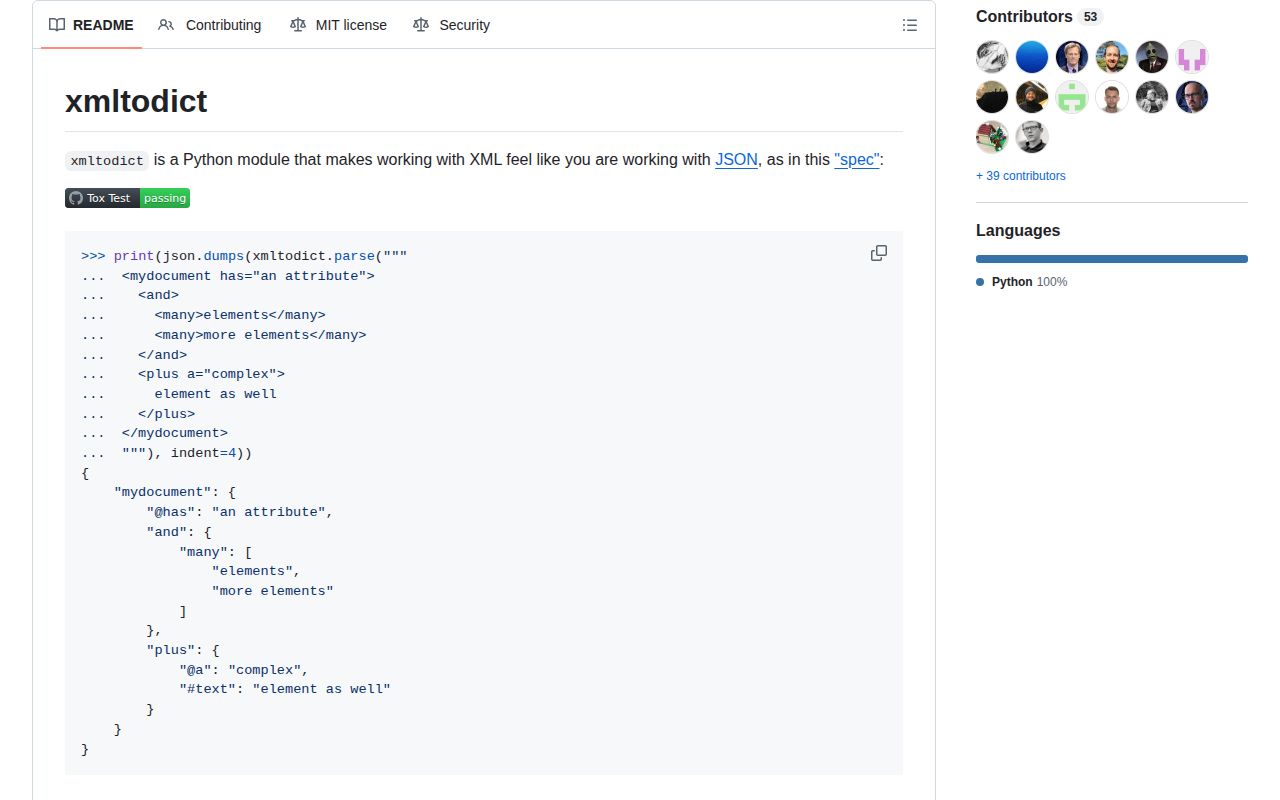
xmltodict 1.0.4 turns XML elements into nested Python dictionaries and lists, with @-prefixed attribute keys and #text where text shares an element with metadata. unparse() converts that representation back to XML, and item_callback can process records at a chosen depth without building the whole document. This mapping is convenient for predictable API payloads, but it loses XML details such as mixed-content order and exact comment placement. Version 1.0.4 adds bytes_errors to unparse() and handles byte scalar decoding consistently. Our import of the pure Python package completed in 0.22 seconds.
Our xmltodict 1.0.4 install took 0.3 seconds, added one package, and used 1 MB, so the dependency cost is tiny for predictable XML payloads. Walk away when schema validation, XPath, or exact document fidelity is part of the job.
We installed it
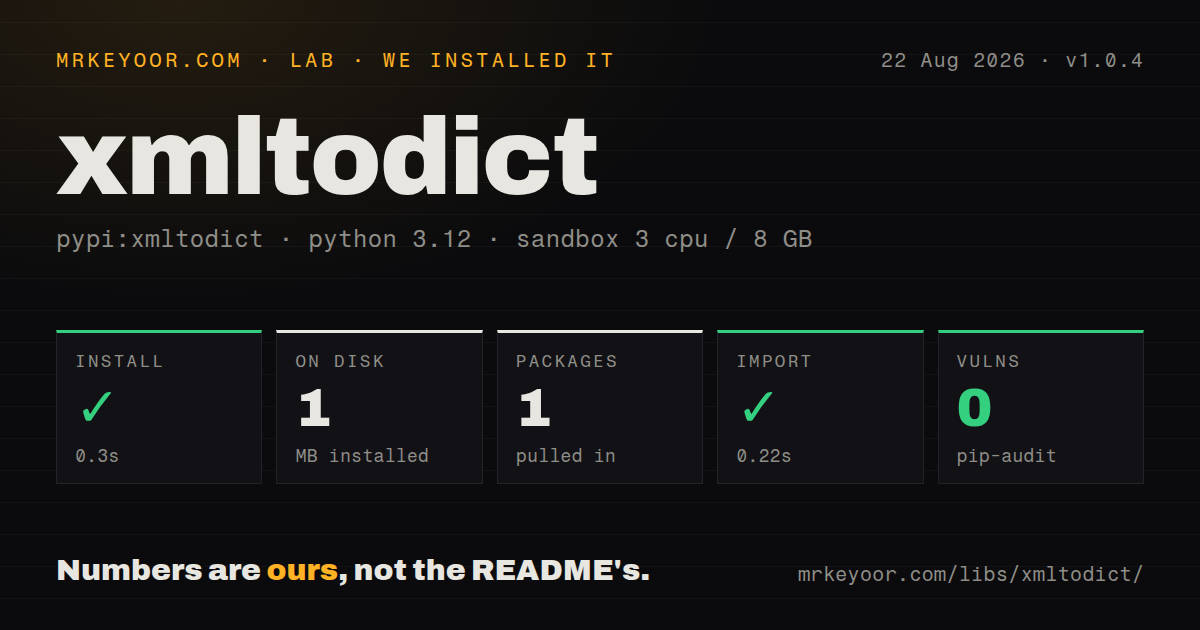
| Install | ✓ · 0.3s | 1 package on disk · 1 MB |
| Import | ✓ | import xmltodict in 0.22s · pure Python · requires Python >=3.9 |
| Known vulns | 0 | (pip-audit) |
Answers from our run
Does xmltodict install cleanly?
Yes. In a fresh container with an empty cache, pip install xmltodict finished in 0.3s, leaving 1 package and 1 MB on disk. pip-audit reported no known vulnerabilities.
What does xmltodict need to run?
Python >=3.9, and nothing compiled: it is pure Python. In our run import xmltodict succeeded in 0.22s.
xmltodict or lxml: which should you use?
lxml: Choose it for XPath, XSLT, schemas, and full tree control. Our xmltodict 1.0.4 install took 0.3 seconds, added one package, and used 1 MB, so the dependency cost is tiny for predictable XML payloads.
When should you not use xmltodict?
You need XPath, XSLT, XSD validation, or direct tree edits; xmltodict has no API for those operations
Use it if
- A stable XML API is easier to consume through dictionary keys than tree traversal
- A large dump contains repeatable records that item_callback can process at one depth
- The same small adapter must parse XML and emit a simple XML response
- force_list, namespace mapping, or a postprocessor can normalize the producer's known schema
- You need XPath, XSLT, XSD validation, or direct tree edits; xmltodict has no API for those operations
- Mixed text and child elements must retain their original sequence; the dictionary mapping cannot represent it faithfully
- An element can occur once or many times and you cannot define force_list from the schema; its type will switch between scalar and list
- Signatures, formatting, attribute order, comments, or exact round trips matter; the README says those XML details are not all preserved
- Dictionary keys come from untrusted users and will be passed to unparse(); the README says XMLGenerator does not validate element names
Setup reality
We installed xmltodict 1.0.4 in 0.3 seconds on Python 3.12. It added 1 package and used 1 MB on disk; pip-audit found 0 known vulnerabilities. The measured metadata contained 2 direct dependency entries, both tied to the test extra. This is pure Python and requires Python 3.9 or newer. import xmltodict worked in 0.22 seconds. The installed distribution has no py.typed marker, and its license metadata was unknown in our inspection.
There is no credential or config file. parse() accepts XML text, a file-like object, or a generator and delegates parsing to Expat. Leaf values remain strings until a postprocessor converts them. Static type support lives in the separate types-xmltodict distribution. Those stubs describe the API, not the dictionary shape of a particular XML schema. Use schema validation elsewhere if field types are part of the contract.
Entity processing is disabled by default. Keep disable_entities=True for input outside your control. That setting addresses entity expansion, while generated element names are a separate concern: unparse() sends dictionary keys to XMLGenerator, and the README says that standard-library writer does not validate them. Do not feed arbitrary user keys into unparse(). Version 1.0.4's bytes_errors controls invalid byte decoding; 'strict' raises instead of replacing bytes.
The common production bug is shape drift. One maps to a scalar and repeated nodes map to a list, so declare force_list for every repeatable element. A text-only node becomes a dictionary once an attribute appears; selective force_cdata can keep #text present. Streaming requires the right item_depth and a callback returning True. unparse() expects one root key, omits empty lists, and cannot restore the order of mixed text and children.
Patterns
Read elements and attributes parse-string
import xmltodict

xml = '<order id="42"><item>paper</item><item>ink</item></order>'
doc = xmltodict.parse(xml)
print(doc['order']['@id'])
print(doc['order']['item'])
Attribute and leaf values remain strings. Two item siblings produce a list.
Read text beside an attribute attribute-text
doc = xmltodict.parse('<price currency="USD">19.99</price>')
price = doc['price']
print(price['@currency'])
print(price['#text'])
Without the attribute, price would be a string instead of a dictionary with #text.
Keep repeated fields as lists force-list
doc = xmltodict.parse(
    '<catalog><item>paper</item></catalog>',
    force_list=('item',),
)
Choose repeatable names from the schema. A single sample cannot tell you whether a second item may arrive.
Keep a text node dictionary-shaped force-cdata-shape
doc = xmltodict.parse(
    '<root><value>42</value></root>',
    force_cdata=('value',),
)
print(doc['root']['value']['#text'])
Selective force_cdata preserves the #text shape even when the current node has no attribute.
Convert known leaf types postprocess-values
def convert(path, key, value):
    if key == 'quantity':
        return key, int(value)
    return key, value

result = xmltodict.parse(source, postprocessor=convert)
The callback sees each completed key and its ancestor path. Returning None drops that key.
Process a large dump by depth stream-records
from gzip import GzipFile

def handle(path, record):
    save_record(record)
    return True

with GzipFile('records.xml.gz') as source:
    xmltodict.parse(source, item_depth=2, item_callback=handle)
Streaming mode does not return the document. False from the callback stops parsing.
Shorten namespace names namespace-map
namespaces = {
    'https://example.com/core': None,
    'https://example.com/audit': 'audit',
}
doc = xmltodict.parse(source, process_namespaces=True, namespaces=namespaces)
A namespace absent from the map remains expanded in the resulting key.
Generate a simple XML document unparse-dictionary
payload = {'response': {
    '@version': '2',
    'status': 'ok',
    'item': ['paper', 'ink'],
}}
xml = xmltodict.unparse(payload, pretty=True)
The outer mapping needs one root key. A value of [] emits no element.
Write XML to a stream write-output
with open('response.xml', 'w', encoding='utf-8') as output:
    xmltodict.unparse(payload, output=output, pretty=True)
Passing output writes incrementally to that file-like object instead of returning a string.
Reject invalid byte values byte-errors
xml = xmltodict.unparse(
    {'root': {'value': raw_bytes}},
    bytes_errors='strict',
)
Version 1.0.4 added bytes_errors. strict raises where the default replace policy substitutes characters.
Retain surrounding text whitespace preserve-whitespace
doc = xmltodict.parse(
    source,
    strip_whitespace=False,
    cdata_separator=' ',
)
pretty=True later adds indentation and newlines, so it is a poor match for exact whitespace preservation.
Keep entity parsing disabled disable-entities
doc = xmltodict.parse(untrusted_source, disable_entities=True)This is the default. It does not validate dictionary keys later supplied to unparse().
Alternatives
| Package | Registry | Pick it when |
|---|---|---|
| lxml | PyPI | Choose it for XPath, XSLT, schemas, and full tree control. |
| defusedxml | PyPI | Choose it when defensive parsing of hostile XML is the first requirement. |
| xmlschema | PyPI | Choose it when XSD validation and schema-driven conversion are required. |
| untangle | PyPI | Choose it when attribute-style object access fits better than dictionary keys. |
More data guides
numpy · pandas · fsspec · pyarrow · lxml · sqlalchemy · the whole shelf →
How this guide is made: grounded in the library's documentation, release notes, changelog, and issue history, on a fixed rubric — not a hands-on install of every release. The 50 most-downloaded entries are additionally install-verified in clean containers. Corrections: contact the desk.