unzipper review
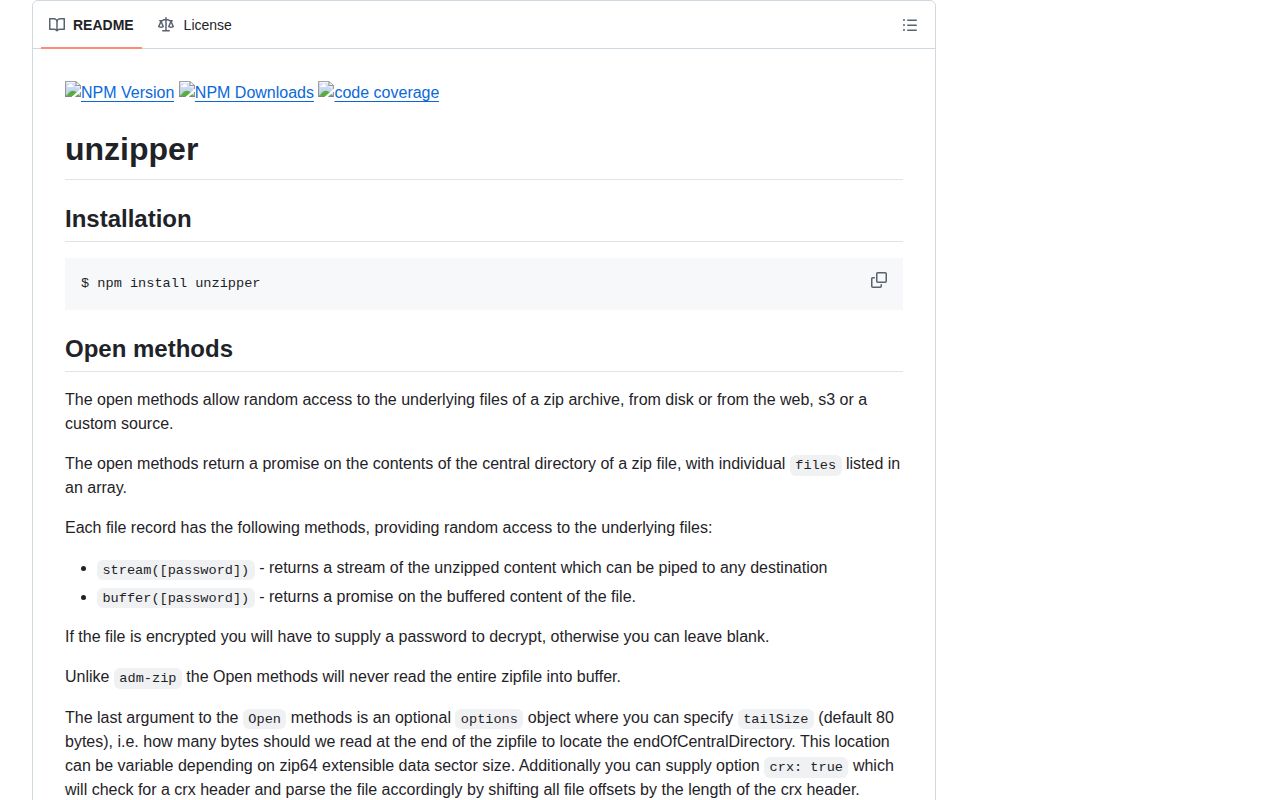
unzipper 0.12.5 reads ZIP files through Node streams. Its Open API reads the central directory and then accesses selected entries from a local file, buffer, URL-style source, S3 client, or custom range source. Its older Parse API handles a forward-only archive stream and emits each entry in order. The package delegates inflation to Node's zlib and can stream an entry to disk without buffering the full archive. Version 0.12.5 is an npm patch published in June 2026; the GitHub release list still stops at 0.12.3.
unzipper 0.12.5 installed in 1.4 seconds and used 2 MB in our sandbox, with working require and ESM imports plus 0 audit findings. Use it for selective range reads or forward-only ZIP streams, but add path and expansion limits before accepting untrusted archives.
We installed it
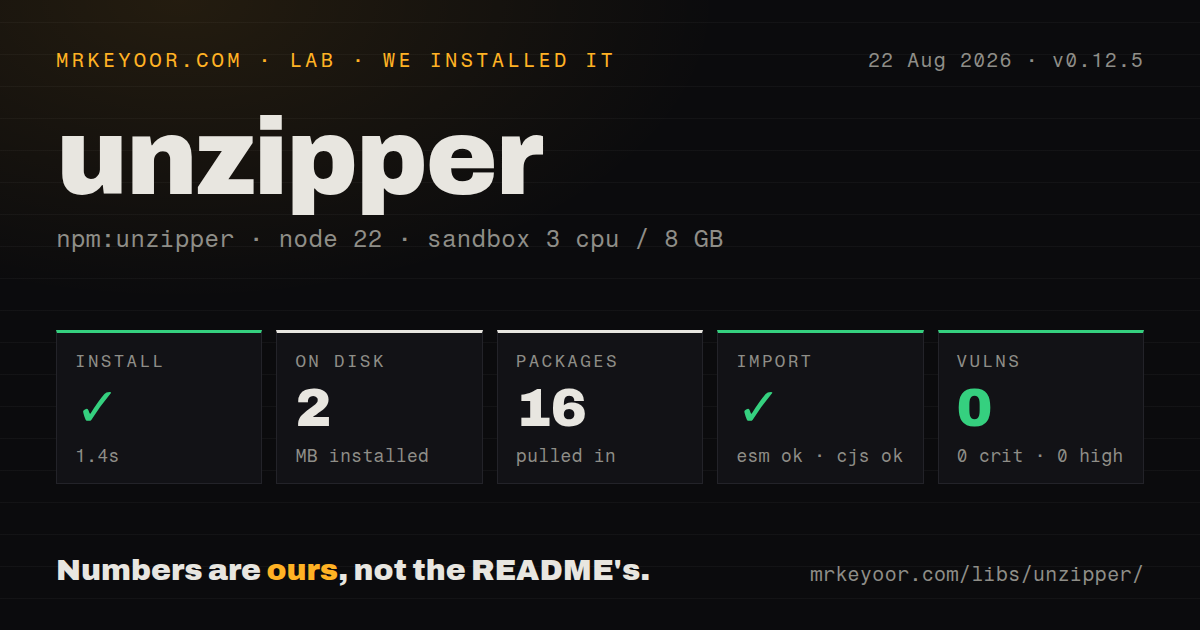
| Install | ✓ · 1.4s | 16 packages on disk · 2 MB |
| Import | ✓ | ESM import works · require() works · CommonJS package |
| Browser | n/a | could not be bundled for the browser (Node-only code, most likely) |
| Types | — | no TypeScript types found |
| Known vulns | 0 | 0 critical · 0 high · 0 moderate · 0 low (npm audit) |
Answers from our run
Does unzipper install cleanly?
Yes. In a fresh container with an empty cache, npm install unzipper finished in 1 seconds, leaving 16 packages and 2 MB on disk. npm audit reported no known vulnerabilities.
Can unzipper run in a browser?
Not directly: esbuild could not bundle it for the browser in our run, which normally means it depends on Node built-ins. Use it on the server, or find a browser-targeted alternative.
Does unzipper work with both ESM and CommonJS?
Yes. Both import 'unzipper' and require('unzipper') worked in Node 22 in our run. The package is published as CommonJS.
Does unzipper include TypeScript types?
No type declarations were found in our install, so TypeScript users need their own declarations.
unzipper or yauzl: which should you use?
yauzl: Use it when you want a low-level lazy ZIP reader and are willing to manage entry flow explicitly. unzipper 0.12.5 installed in 1.4 seconds and used 2 MB in our sandbox, with working require and ESM imports plus 0 audit findings.
When should you not use unzipper?
TypeScript declarations must ship with the runtime package; unzipper 0.12.5 contains no types, so projects depend on separate community declarations
Use it if
- A server needs one file from a large ZIP and the source supports seeking or byte ranges, so Open can avoid reading the whole object
- An uploaded archive arrives as a forward-only stream and each Parse entry can be consumed or drained immediately
- Large entry contents must move through Node streams instead of becoming one in-memory Buffer
- ZIP files live in S3 or custom object storage and a small adapter can provide size plus ranged streams
- TypeScript declarations must ship with the runtime package; unzipper 0.12.5 contains no types, so projects depend on separate community declarations
- The application is browser code; our browser build failed, the package uses Node streams, filesystem APIs, and zlib, and the published module is CommonJS
- You want a small modern dependency tree; the npm package declares Bluebird, duplexer2, fs-extra, graceful-fs, and node-int64
- A maintenance backlog of 91 open issues and pull requests is too much risk for archive parsing in your threat model
- You only need a synchronous convenience API for small trusted archives; streaming control adds code without a memory benefit in that case
- Callers will write Parse entry paths directly without containment checks or enforce no limits on expanded bytes and entry count; untrusted ZIP extraction needs those controls outside the parser
Setup reality
Our clean Node 22 install of unzipper 0.12.5 succeeded in 1.4 seconds. It left 16 packages and 2 MB on disk. The package has five direct dependencies, no peer dependencies, an unpacked size of 116 KB, and an MIT license. npm audit found no known vulnerabilities at any severity. It is CommonJS and has no exports map; require() and ESM import both worked in the sandbox. No TypeScript declarations were present.
The browser bundle could not be built by esbuild. That result matches the implementation: unzipper expects Node streams, zlib, and often filesystem or cloud clients. Keep it in server, CLI, or build-tool code. TypeScript projects need a separate declaration package or local types, and those types should be checked against the installed runtime because they are maintained elsewhere.
Choose Open when the source can seek. It reads the central directory and exposes entry.stream() and entry.buffer(). Open.url expects a request-style callable rather than the standard fetch API, so a modern HTTP client often fits better behind Open.custom with size() and stream(offset, length). S3 helpers require you to provide the AWS client and its credentials. The archive library does not manage those credentials.
Parse is for bytes that only move forward. Every ignored entry must be consumed with autodrain(), or the parser stops waiting for that entry and appears to hang. Use stream.pipeline() so source, inflate, and destination errors reach one promise. Before writing an entry yourself, resolve its path under a fixed extraction root and reject escapes. Cap archive bytes, file count, per-entry expanded size, and total expanded size. Streaming limits memory use, but it does not make a decompression bomb safe.
Patterns
Read the central directory list-archive-entries
const unzipper = require('unzipper')

const directory = await unzipper.Open.file('archive.zip')
for (const entry of directory.files) {
  console.log(entry.path, entry.type, entry.uncompressedSize)
}
Open reads archive metadata first. It does not inflate every entry merely to list names.
Read one small file buffer-one-entry
const directory = await unzipper.Open.file('archive.zip')
const entry = directory.files.find(item => item.path === 'data/report.csv')
if (!entry) throw new Error('report.csv is missing')

const csv = (await entry.buffer()).toString('utf8')
buffer() holds the expanded entry in memory. Use stream() when the entry size is not tightly bounded.
Pipe an entry to disk stream-one-entry
const fs = require('node:fs')
const { pipeline } = require('node:stream/promises')

const directory = await unzipper.Open.file('archive.zip')
const entry = directory.files.find(item => item.path === 'video.bin')
if (!entry) throw new Error('video.bin is missing')

await pipeline(entry.stream(), fs.createWriteStream('video.bin'))
pipeline() reports errors from both the ZIP entry and destination stream.
Extract all entries with Open extract-open-directory
const path = require('node:path')

const directory = await unzipper.Open.file('archive.zip')
await directory.extract({
  path: path.resolve('output'),
  concurrency: 4,
})
Use an absolute resolved destination. Set concurrency from disk and file-count tests rather than choosing a large value blindly.
Consume wanted entries and drain the rest parse-forward-stream
const fs = require('node:fs')

fs.createReadStream('archive.zip')
  .pipe(unzipper.Parse())
  .on('entry', entry => {
    if (entry.path === 'wanted.txt') {
      entry.pipe(fs.createWriteStream('wanted.txt'))
    } else {
      entry.autodrain()
    }
  })
Skipping autodrain() leaves Parse blocked on the ignored entry.
Use async iteration with Parse iterate-stream-entries
const parser = source.pipe(unzipper.Parse({ forceStream: true }))

for await (const entry of parser) {
  if (entry.path.endsWith('.json')) {
    await handle(await entry.buffer())
  } else {
    entry.autodrain()
  }
}
forceStream: true is required for this iteration mode. Bound JSON entry size before buffering it.
Inspect an archive already in memory open-memory-buffer
const directory = await unzipper.Open.buffer(zipBuffer)
const fileNames = directory.files
  .filter(entry => entry.type === 'File')
  .map(entry => entry.path)
The complete ZIP already occupies memory in this pattern, so enforce the request-body limit before Open.buffer().
Connect custom object storage adapt-range-source
const source = {
  async size() {
    return (await storage.head(key)).contentLength
  },
  stream(offset, length) {
    return storage.createReadStream(key, {
      start: offset,
      end: length ? offset + length - 1 : undefined,
    })
  },
}

const directory = await unzipper.Open.custom(source)
Confirm whether your storage end offset is inclusive. An off-by-one range can corrupt central-directory reads.
Contain a manually written entry prevent-path-escape
const path = require('node:path')

const root = path.resolve('output')
const target = path.resolve(root, entry.path)
const inside = target === root || target.startsWith(root + path.sep)

if (!inside) {
  entry.autodrain()
  throw new Error('archive entry escapes output directory')
}
Apply this when Parse code chooses output paths itself. Also reject platform-specific names your application cannot safely create.
Stream the first matching file parse-first-match
const fs = require('node:fs')
const { pipeline } = require('node:stream/promises')

await pipeline(
  fs.createReadStream('archive.zip'),
  unzipper.ParseOne(/\.csv$/),
  fs.createWriteStream('first.csv'),
)
ParseOne ends without content when nothing matches. Check the resulting workflow rather than assuming a file was found.
Alternatives
| Package | Registry | Pick it when |
|---|---|---|
| yauzl | npm | Use it when you want a low-level lazy ZIP reader and are willing to manage entry flow explicitly |
| adm-zip | npm | Use it for small trusted archives where a synchronous buffer-oriented API is simpler |
| extract-zip | npm | Use it when the only job is extracting a ZIP to disk through a focused promise API |
| decompress | npm | Use it when one interface must unpack several archive formats and buffering tradeoffs are acceptable |
More utils guides
lru-cache · type-fest · ajv · zod · p-limit · find-up · the whole shelf →
How this guide is made: grounded in the library's documentation, release notes, changelog, and issue history, on a fixed rubric — not a hands-on install of every release. The 50 most-downloaded entries are additionally install-verified in clean containers. Corrections: contact the desk.