tzdata review
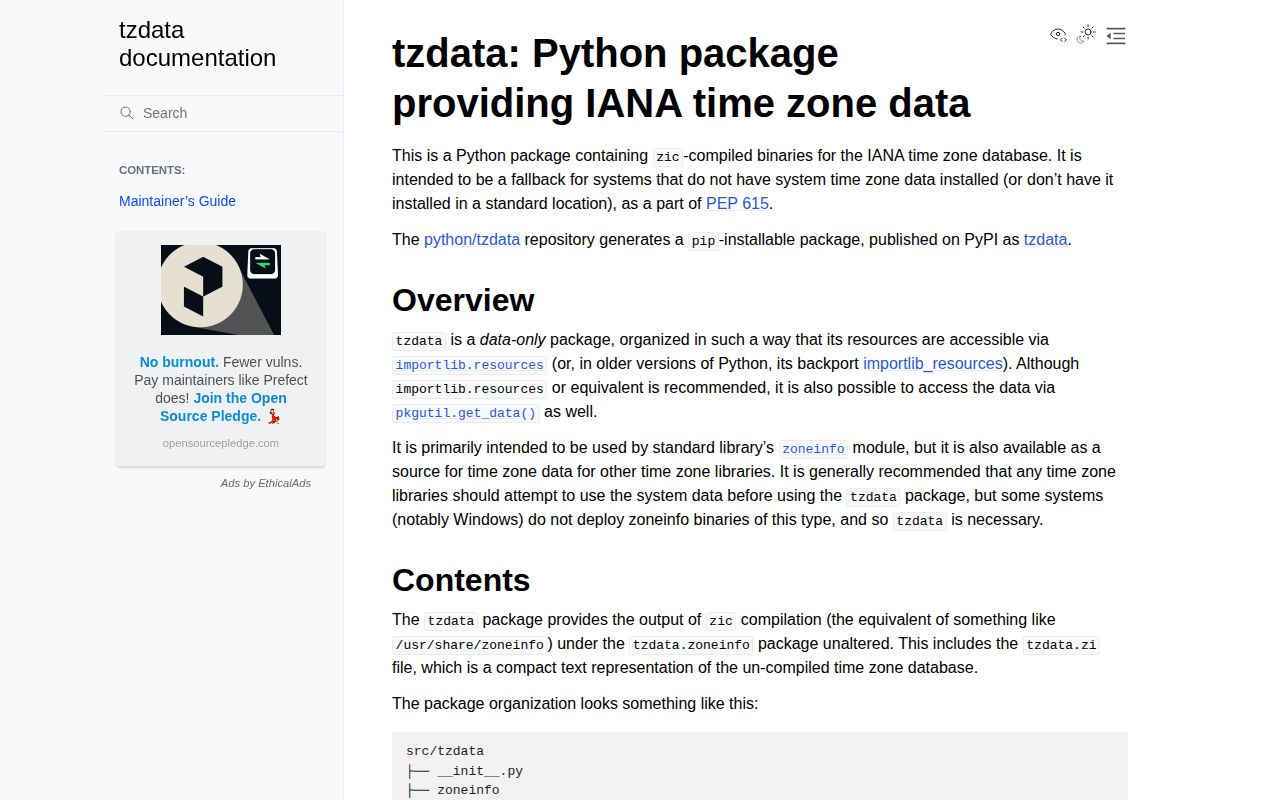
tzdata 2026.3 is the Python-distributed copy of zic-compiled IANA timezone files used as `zoneinfo`'s fallback when an operating system has no usable database. It does not provide a second datetime API. `ZoneInfo` discovers the packaged files after checking its configured system paths. Our sandbox installed one dependency-free package using 3 MB and imported it in 0.04 seconds. Release 2026.3 contains IANA 2026c, which models Alberta on permanent UTC-06 and Morocco plus Western Sahara moving to permanent UTC on 2026-09-20.
tzdata 2026.3 installed in 0.2 seconds as one 3 MB package with 0 audit findings in our sandbox, giving `ZoneInfo` IANA 2026c data when system files are absent. Install it for that fallback or an intentionally pinned Python data source; pytz-only services and OS-managed fleets do not need it.
We installed it
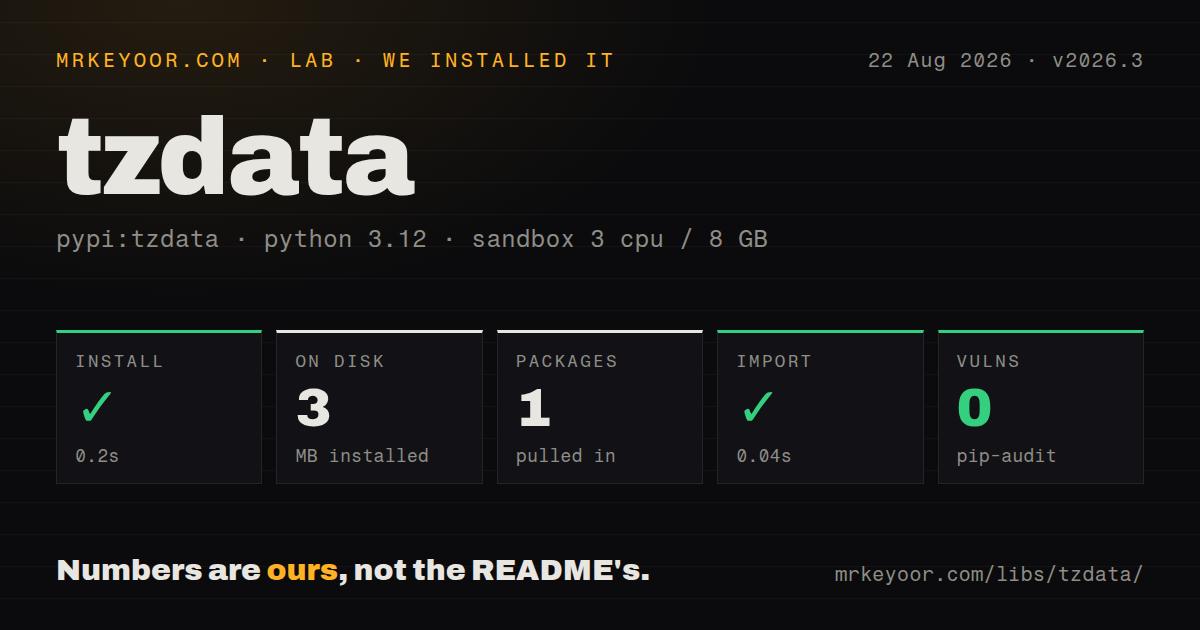
| Install | ✓ · 0.2s | 1 package on disk · 3 MB |
| Import | ✓ | import tzdata in 0.04s · pure Python · requires Python >=2 |
| Known vulns | 0 | (pip-audit) |
Answers from our run
Does tzdata install cleanly?
Yes. In a fresh container with an empty cache, pip install tzdata finished in 0.2s, leaving 1 package and 3 MB on disk. pip-audit reported no known vulnerabilities.
What does tzdata need to run?
Python >=2, and nothing compiled: it is pure Python. In our run import tzdata succeeded in 0.04s.
tzdata or pytz: which should you use?
pytz: Keep it for legacy code already dependent on localize() and normalize() semantics. tzdata 2026.3 installed in 0.2 seconds as one 3 MB package with 0 audit findings in our sandbox, giving ZoneInfo IANA 2026c data when system files are absent.
When should you not use tzdata?
Every host has current system zone files and operations intentionally owns that source. zoneinfo searches TZPATH before the Python package.
Discussed on
Use it if
- `ZoneInfo` must work on Windows or in stripped containers that do not contain a system timezone database.
- CI and production should resolve named zones from one locked Python data release rather than unrelated OS package versions.
- A library using the standard `zoneinfo` API needs an explicit fallback for downstream systems without IANA files.
- Timezone rule updates should travel through dependency review instead of waiting for the next base-image rebuild.
- Every host has current system zone files and operations intentionally owns that source. `zoneinfo` searches `TZPATH` before the Python package.
- The application only calls pytz. pytz includes its own rules and will not switch to this package after installation.
- You need parsing, recurrence, relative dates, or localization helpers. tzdata contains timezone files and version constants only.
- You expect upgrading the wheel to alter `ZoneInfo` objects already held by a running process. Cached and existing objects keep their loaded rules.
- A future offset change cannot pass deployment review. Version 2026.3 changes scheduled behavior for Alberta, Morocco, and Western Sahara.
Setup reality
We installed tzdata 2026.3 without a cache in a fresh Python 3.12 Bookworm sandbox. pip succeeded in 0.2 seconds, leaving one package that used 3 MB. pip-audit reported 0 known vulnerabilities. Our inspection found 0 direct dependencies, pure Python packaging, an Apache-2.0 license, no py.typed marker, and declared support for Python 2 or newer. import tzdata succeeded in 0.04 seconds, but normal applications import zoneinfo, so that probe does not identify the data source ZoneInfo chose.
ZoneInfo checks directories on TZPATH before falling back to the installed package. A full Linux test can read /usr/share/zoneinfo, while the same application in a slim production image uses this wheel. To exercise the fallback intentionally, start with an empty PYTHONTZPATH or call zoneinfo.reset_tzpath(to=[]) before constructing zones. tzdata.IANA_VERSION reports the upstream label; package 2026.3 maps to IANA 2026c.
Review upgrades as data changes, because identical code can return a different future offset. IANA 2026c models Alberta's last foreseeable clock change and permanent UTC-06, although its data contains a temporary transition-modeling adjustment. Morocco and Western Sahara move to permanent UTC on 2026-09-20. The release notes say a Northwest Territories change was expected but not yet legally complete, so another database release may revise upcoming schedules. Recheck jobs, billing boundaries, and saved local appointments in affected zones.
The standard library caches ZoneInfo instances. ZoneInfo.no_cache() constructs a fresh object, but datetimes holding older objects do not update. Restart long-running services after changing data instead of mixing rule generations in one interpreter. A Windows-only dependency marker handles the common missing-data platform. Minimal Linux images can lack zone files too, so install unconditionally when the container contract does not guarantee an OS database.
Patterns
Construct a named zone load-zone
from zoneinfo import ZoneInfo

calgary = ZoneInfo('America/Edmonton')
`ZoneInfo` searches system directories first, then the wheel; application code usually never imports `tzdata`.
Attach a zone to a local appointment create-aware-datetime
from datetime import datetime
from zoneinfo import ZoneInfo

meeting = datetime(2026, 10, 2, 9, 0, tzinfo=ZoneInfo('Africa/Casablanca'))
IANA 2026c changes Morocco from 2026-09-20, so recompute future appointments after the dependency update.
Convert a UTC instant to local time convert-timezone
from datetime import datetime, timezone
from zoneinfo import ZoneInfo

now_utc = datetime.now(timezone.utc)
local = now_utc.astimezone(ZoneInfo('America/Edmonton'))
The conversion uses transitions loaded into this `ZoneInfo` object, including historical data and modeled future rules.
Log package and IANA database versions check-iana-version
import tzdata
from importlib.metadata import version

print(version('tzdata'))
print(tzdata.IANA_VERSION)
For the tested release these values are `2026.3` and `2026c`; log both when reproducing an offset difference.
Exercise only the installed Python data force-package-data
import zoneinfo

zoneinfo.reset_tzpath(to=[])
zone = zoneinfo.ZoneInfo('Europe/Paris')
Reset the search path before constructing any zones so cached system-backed instances cannot satisfy the test.
Disable system paths at process startup configure-environment-path
PYTHONTZPATH= python app.pyThe empty value must be present at interpreter startup to remove system directories from the initial search path.
Enumerate available IANA names list-timezones
from zoneinfo import available_timezones

zones = sorted(available_timezones())
print(zones[:10])
This scans available data and returns a set; cache the result rather than repeating it for each request.
Select one occurrence of a repeated clock time handle-ambiguous-time
from datetime import datetime
from zoneinfo import ZoneInfo

paris = ZoneInfo('Europe/Paris')
first = datetime(2026, 10, 25, 2, 30, fold=0, tzinfo=paris)
second = datetime(2026, 10, 25, 2, 30, fold=1, tzinfo=paris)
`fold` selects one of two instants during a backward clock transition; the library cannot infer user intent.
Add timezone data only on Windows declare-windows-fallback
[project]
dependencies = [
  "tzdata; sys_platform == 'win32'",
]
This covers Windows only. A slim Linux image without zone files also needs the package.
Include the fallback on every platform declare-unconditional-fallback
[project]
dependencies = [
  "tzdata>=2026.3",
]
System paths still win by default, but the dependency covers hosts where those paths contain no matching file.
Build a zone without using the instance cache reload-zone-data
from zoneinfo import ZoneInfo

fresh = ZoneInfo.no_cache('Africa/Casablanca')
Old objects and datetimes retain old rules; restarting the process is clearer than mixing cache generations.
Open a packaged TZif file directly read-zone-resource
from importlib.resources import files

resource = files('tzdata.zoneinfo') / 'Europe' / 'Paris'
raw_tzif = resource.read_bytes()
assert raw_tzif[:4] == b'TZif'
Direct reads suit TZif-aware tooling; ordinary timezone arithmetic should stay on the standard `zoneinfo` API.
Alternatives
| Package | Registry | Pick it when |
|---|---|---|
| pytz | PyPI | Keep it for legacy code already dependent on `localize()` and `normalize()` semantics. |
| backports.zoneinfo | PyPI | Use it to provide the `zoneinfo` API on older Python, together with a suitable data source. |
| python-dateutil | PyPI | Use it when parsing, recurrence rules, relative deltas, and timezone helpers are required. |
More utils guides
lru-cache · type-fest · ajv · zod · p-limit · find-up · the whole shelf →
How this guide is made: grounded in the library's documentation, release notes, changelog, and issue history, on a fixed rubric — not a hands-on install of every release. The 50 most-downloaded entries are additionally install-verified in clean containers. Corrections: contact the desk.