pytz review
pytz 2026.3.post1 bundles IANA timezone data release 2026c behind a `tzinfo` API created before Python's `zoneinfo`. `timezone()` finds a named zone, `localize()` resolves naive wall time against its transitions, and `normalize()` repairs offsets after local datetime arithmetic. Those two extra methods are also why new code should usually avoid it: direct `datetime(..., tzinfo=pytz.timezone(...))` can select a historical local-mean-time offset. The project's own documentation says Python 3.9 and newer should use `zoneinfo` with `tzdata` updates, and that pytz offers no advantage beyond compatibility. The post1 release changes an internal comment from a non-ASCII arrow to ASCII so its generated code builds under Python 2; timezone rules remain 2026c.
pytz 2026.3.post1 installed in 0.2 seconds as one 3 MB package, imported in 0.06 seconds, and had 0 audit findings in our sandbox, but its own docs recommend `zoneinfo` for Python 3.9 and newer. Keep pytz behind compatibility boundaries; do not introduce `localize()`, `normalize()`, and `is_dst` into a new codebase.
We installed it
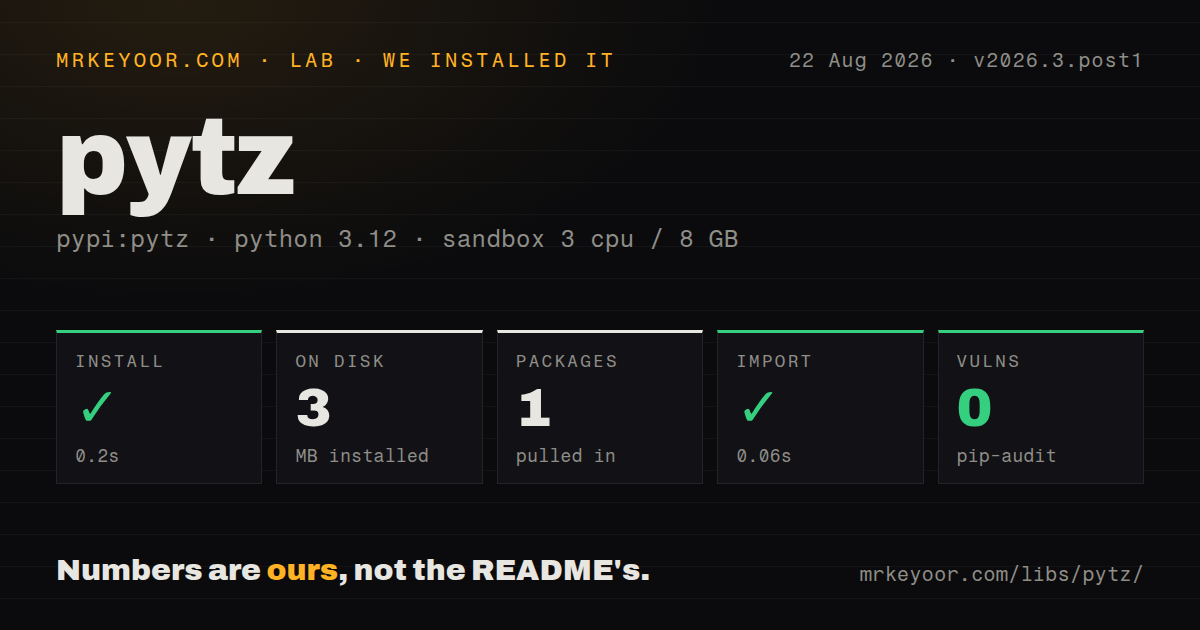
| Install | ✓ · 0.2s | 1 package on disk · 3 MB |
| Import | ✓ | import pytz in 0.06s · pure Python |
| Known vulns | 0 | (pip-audit) |
Answers from our run
Does pytz install cleanly?
Yes. In a fresh container with an empty cache, pip install pytz finished in 0.2s, leaving 1 package and 3 MB on disk. pip-audit reported no known vulnerabilities.
What does pytz need to run?
Python 3.x, and nothing compiled: it is pure Python. In our run import pytz succeeded in 0.06s.
pytz or tzdata: which should you use?
tzdata: Install it to supply IANA data to standard-library zoneinfo on machines without a usable system database. pytz 2026.3.post1 installed in 0.2 seconds as one 3 MB package, imported in 0.06 seconds, and had 0 audit findings in our sandbox, but its own docs recommend zoneinfo for Python 3.9 and newer.
When should you not use pytz?
New code runs on Python 3.9 or newer. The pytz maintainers direct those projects to standard-library zoneinfo and the tzdata package.
Use it if
- An existing application, database adapter, or dependency explicitly exchanges pytz timezone objects.
- One compatibility codebase still supports Python versions before 3.9 and needs named IANA zones.
- A migration to `zoneinfo` needs side-by-side tests for stored timestamps, ambiguous wall times, and scheduled jobs.
- Downstream behavior depends on pytz's `is_dst` choice and cannot change in the current release cycle.
- New code runs on Python 3.9 or newer. The pytz maintainers direct those projects to standard-library `zoneinfo` and the `tzdata` package.
- Developers expect ordinary `datetime(..., tzinfo=zone)` construction. That standard pattern can return an obsolete local-mean-time offset with pytz zones.
- Arithmetic should update offsets without a repair call. pytz requires `normalize()` after crossing many daylight-saving or political transitions.
- Ambiguous wall time is represented with PEP 495's `fold`. pytz instead uses `is_dst`, and the two concepts do not map perfectly for every historical offset change.
- Static type information must be provided by each installed package. Our 2026.3.post1 wheel inspection found no `py.typed` marker.
- The only requirement is current UTC. `datetime.now(timezone.utc)` covers that case without installing 3 MB of bundled zone data.
Setup reality
We installed pytz 2026.3.post1 in a fresh Python 3.12 Bookworm sandbox in 0.2 seconds. It left 1 package and 3 MB on disk. pip-audit found 0 known vulnerabilities. The pure-Python distribution has 0 direct dependencies, an unspecified Python requirement, the MIT license, and no py.typed marker. import pytz succeeded in 0.06 seconds. The broad interpreter metadata reflects compatibility history, not a reason to choose pytz for a new Python 3.12 service.
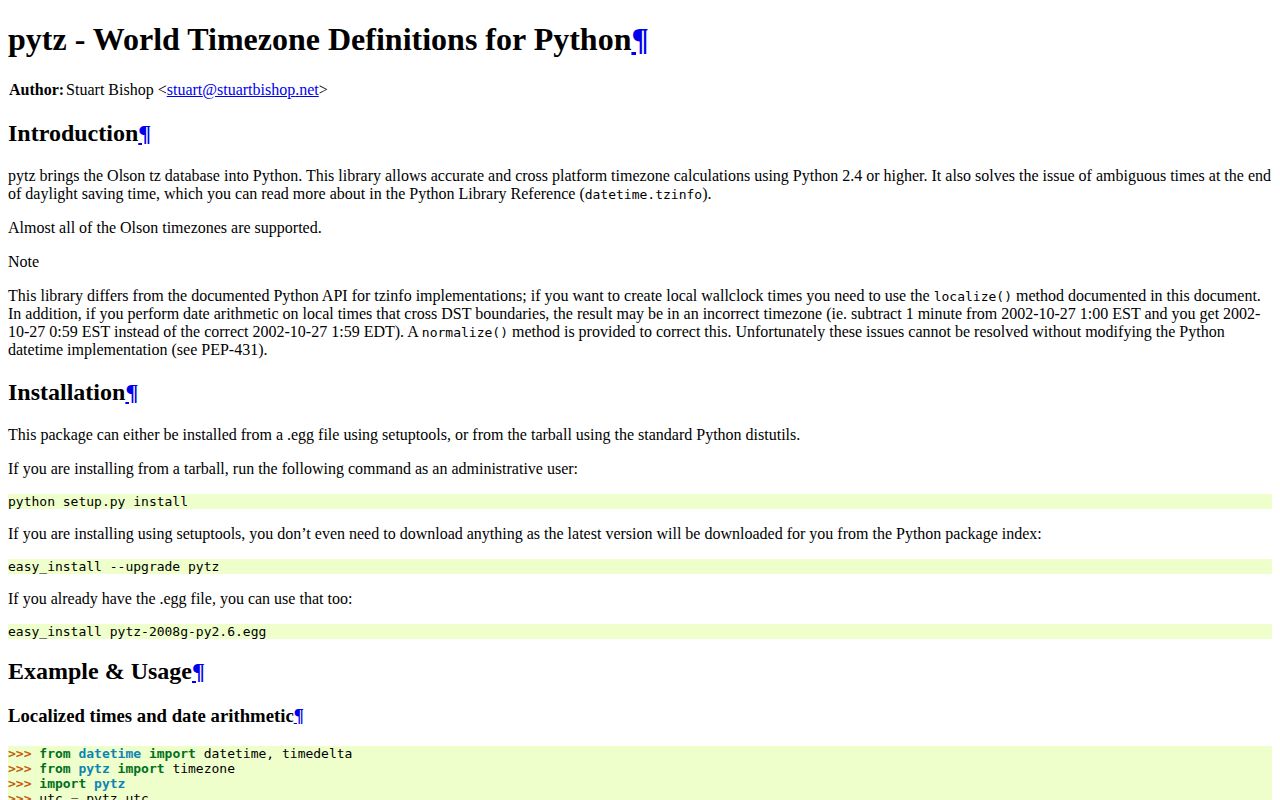
Construct local time as a naive datetime, then call zone.localize(). Passing a pytz zone to the standard tzinfo= constructor bypasses its transition lookup and can expose old local-mean-time data. UTC is the simple exception. For an existing aware instant, use astimezone() to change its display zone. Keep stored instants in UTC unless local wall time is itself the business input, such as a shop's opening hour.
A clock rollback can create 2 valid instants for one wall time, while a forward jump creates a gap. Call localize(value, is_dst=None) to raise AmbiguousTimeError or NonExistentTimeError instead of accepting pytz's guess. Choosing is_dst=True or False needs a product rule, and it is not equivalent to zoneinfo's fold for every historical non-DST realignment. After local arithmetic, call normalize() so the offset follows transitions.
This release carries IANA 2026c data. Updating pytz can therefore change future offsets even when Python code stays fixed. Pin the package and test every jurisdiction used for future schedules before rollout. The post1 suffix adds no timezone revision over 2026.3; it replaces a non-ASCII source comment to restore Python 2 builds. For migration, compare UTC instants and explicit ambiguous-time policies rather than expecting serialized pytz objects or is_dst flags to translate mechanically.
Patterns
Resolve naive wall time in a named zone localize-wall-time
from datetime import datetime
import pytz

zone = pytz.timezone('Europe/Paris')
wall_time = datetime(2026, 8, 5, 12, 0)
aware = zone.localize(wall_time, is_dst=None)
print(aware.isoformat())
`localize()` performs pytz's transition lookup. `is_dst=None` raises if the wall time is ambiguous or does not exist instead of silently choosing.
Detect the constructor trap avoid-direct-tzinfo
from datetime import datetime
import pytz

zone = pytz.timezone('Europe/Paris')
wrong = datetime(2026, 8, 5, 12, tzinfo=zone)
right = zone.localize(datetime(2026, 8, 5, 12))

print(wrong.utcoffset(), right.utcoffset())
Direct `tzinfo=zone` can select historical local-mean-time data. Build a naive value and call `localize()` for ordinary pytz zones.
Create an aware UTC timestamp create-utc-instant
from datetime import datetime
import pytz

now = datetime.now(pytz.UTC)
print(now.isoformat())
`pytz.UTC` works directly because UTC has no daylight-saving transitions. New code can use `datetime.now(timezone.utc)` without pytz.
Display one instant in another zone convert-zone
import pytz

kolkata = pytz.timezone('Asia/Kolkata')
local_view = utc_instant.astimezone(kolkata)
print(local_view.strftime('%Y-%m-%d %H:%M:%S %Z%z'))
`astimezone()` preserves the instant while changing its local representation. The input must already be an aware datetime.
Repair an offset after crossing a transition normalize-after-arithmetic
from datetime import datetime, timedelta
import pytz

zone = pytz.timezone('Europe/Paris')
start = zone.localize(datetime(2026, 8, 5, 12))
raw = start + timedelta(days=150)
corrected = zone.normalize(raw)

print(raw.utcoffset(), corrected.utcoffset())
pytz arithmetic can retain the earlier offset across a transition. `normalize()` recalculates the local representation for the resulting instant.
Require a choice during clock rollback handle-ambiguous-time
from datetime import datetime
import pytz

zone = pytz.timezone('Europe/Paris')
wall_time = datetime(2026, 10, 25, 2, 30)
try:
    zone.localize(wall_time, is_dst=None)
except pytz.AmbiguousTimeError:
    summer_occurrence = zone.localize(wall_time, is_dst=True)
    standard_occurrence = zone.localize(wall_time, is_dst=False)
The wall time occurs twice. Selecting `is_dst=True` or `False` changes the represented instant and must follow an application rule.
Reject a time skipped by clock advance handle-nonexistent-time
from datetime import datetime
import pytz

zone = pytz.timezone('Europe/Paris')
wall_time = datetime(2026, 3, 29, 2, 30)
try:
    zone.localize(wall_time, is_dst=None)
except pytz.NonExistentTimeError:
    raise ValueError('Choose a time before 02:00 or from 03:00 onward')
The local clock skips this wall time during the spring transition. Moving it forward automatically would invent a scheduling policy.
Reject an unknown timezone identifier validate-zone-name
import pytz

def load_zone(name: str):
    try:
        return pytz.timezone(name)
    except pytz.UnknownTimeZoneError as error:
        raise ValueError(f'unknown IANA timezone: {name}') from error
Falling back to UTC would conceal invalid user input. Return a validation error unless fallback is an explicit product rule.
Offer zones associated with a country list-country-zones
import pytz

country_code = 'IN'
name = pytz.country_names[country_code]
zones = pytz.country_timezones[country_code]
print(name, zones)
Country mappings and aliases come from the bundled timezone database and can change between releases. Store the chosen zone name, not a list position.
Represent a protocol fixed offset use-fixed-offset
from datetime import datetime
from pytz import FixedOffset

india_offset = FixedOffset(330)
value = datetime(2026, 8, 5, 12, tzinfo=india_offset)
print(value.isoformat())
`FixedOffset(330)` is always UTC+05:30 and has no political transition rules. Use a named IANA zone for civil time that must follow future changes.
Compare aware datetimes as UTC instants compare-in-utc
import pytz

left_utc = left.astimezone(pytz.UTC)
right_utc = right.astimezone(pytz.UTC)
if left_utc < right_utc:
    process(left)
UTC conversion makes the instant explicit in logs and tests. Never compare a naive datetime with an aware pytz datetime.
Replace pytz construction in new code migrate-to-zoneinfo
from datetime import datetime
from zoneinfo import ZoneInfo

paris = ZoneInfo('Europe/Paris')
aware = datetime(2026, 8, 5, 12, tzinfo=paris)

# During rollback, choose the second occurrence with fold=1.
second = datetime(2026, 10, 25, 2, 30, tzinfo=paris, fold=1)
`zoneinfo` uses normal `tzinfo=` construction and PEP 495 `fold`. Migration still needs tests because pytz `is_dst` does not map exactly to `fold` for every historical transition.
Alternatives
| Package | Registry | Pick it when |
|---|---|---|
| tzdata | PyPI | Install it to supply IANA data to standard-library `zoneinfo` on machines without a usable system database. |
| python-dateutil | PyPI | Use it when timezone helpers come with flexible datetime parsing and recurrence rules. |
| pendulum | PyPI | Use it for a higher-level datetime API with timezone and calendar operations, after accepting its custom types and semantics. |
More utils guides
lru-cache · type-fest · ajv · zod · p-limit · find-up · the whole shelf →
How this guide is made: grounded in the library's documentation, release notes, changelog, and issue history, on a fixed rubric — not a hands-on install of every release. The 50 most-downloaded entries are additionally install-verified in clean containers. Corrections: contact the desk.