trim-repeated review
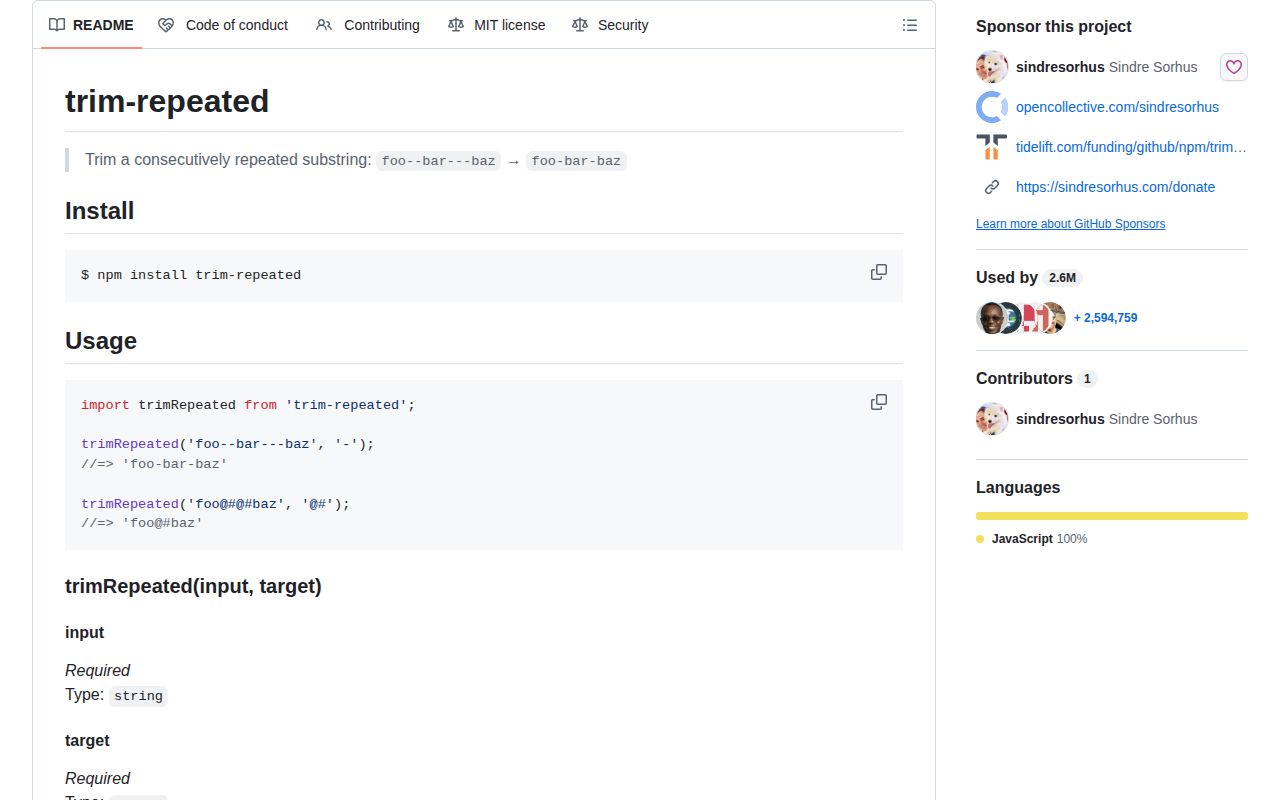
trim-repeated 2.0.0 collapses adjacent copies of one exact substring into a single copy. `foo---bar` with target `-` becomes `foo-bar`, while a target such as `@#` is handled as a complete literal substring. Our full browser import was 0.4 KB minified and 0.3 KB gzipped. Version 2 moved the one-function package to ESM, raised the Node floor to 12, and uses `escape-string-regexp` so punctuation in the target is not treated as regex syntax. It does no whitespace-specific trimming, Unicode normalization, parsing, or cleanup of separated occurrences.
trim-repeated 2.0.0 installed in 0.6 seconds and bundled to 0.3 KB gzipped with 0 audit findings in our sandbox, so transfer and install cost are negligible. Add it for repeated literal multi-character delimiters; use a local regex for one call or `condense-whitespace` when whitespace is the whole problem.
We installed it
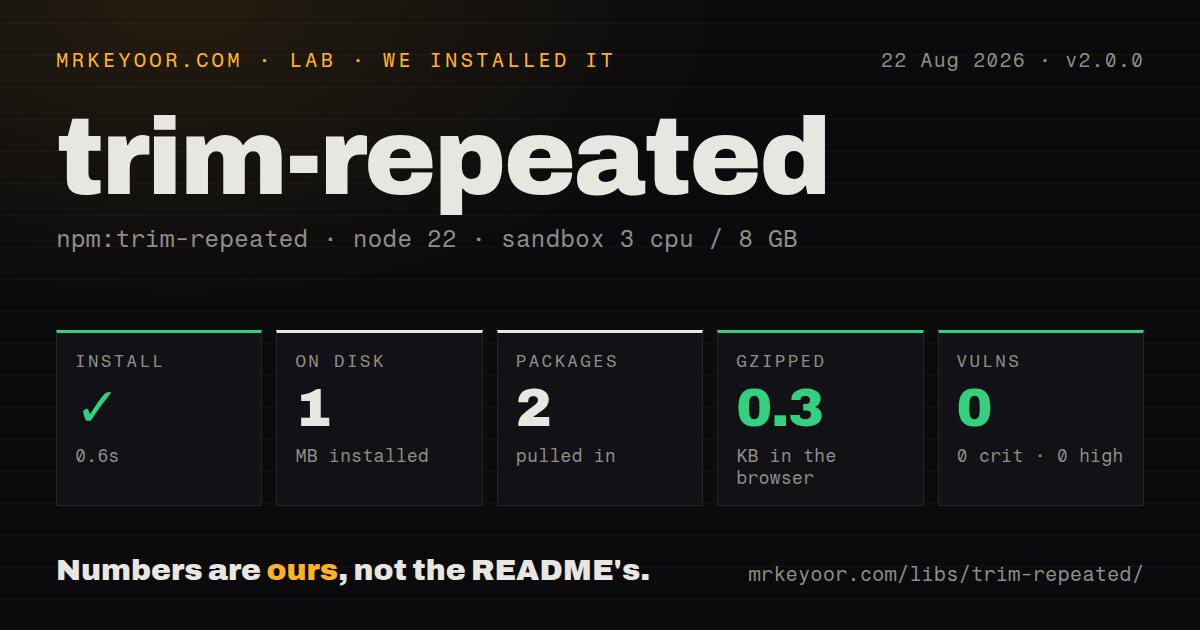
| Install | ✓ · 0.6s | 2 packages on disk · 1 MB |
| Import | ✓ | ESM import works · require() works · ESM package with exports map |
| Browser | 0.3 KB | gzipped (0.4 KB minified), bundled with esbuild |
| Types | — | no TypeScript types found |
| Known vulns | 0 | 0 critical · 0 high · 0 moderate · 0 low (npm audit) |
Answers from our run
Does trim-repeated install cleanly?
Yes. In a fresh container with an empty cache, npm install trim-repeated finished in 0.6s, leaving 2 packages and 1 MB on disk. npm audit reported no known vulnerabilities.
How much does trim-repeated add to a browser bundle?
0.3 KB gzipped (0.4 KB minified) when the whole package is bundled for the browser with esbuild. Importing only part of it is usually smaller.
Does trim-repeated work with both ESM and CommonJS?
Yes. Both import 'trim-repeated' and require('trim-repeated') worked in Node 22 in our run. The package is published as ESM with an exports map.
Does trim-repeated include TypeScript types?
No type declarations were found in our install, so TypeScript users need their own declarations.
trim-repeated or condense-whitespace: which should you use?
condense-whitespace: Use it to trim edges and collapse repeated whitespace rather than an arbitrary substring. trim-repeated 2.0.0 installed in 0.6 seconds and bundled to 0.3 KB gzipped with 0 audit findings in our sandbox, so transfer and install cost are negligible.
When should you not use trim-repeated?
Only whitespace needs normalization. condense-whitespace also handles leading, trailing, and mixed whitespace explicitly.
Use it if
- One known delimiter must be collapsed only when complete copies touch each other.
- The literal target may contain regex punctuation such as `.`, `)`, or `\`.
- Multi-character separators such as `@#` make a hand-written character class incorrect.
- A 0.3 KB gzipped helper is preferable to duplicating delimiter regexes across modules.
- Only whitespace needs normalization. `condense-whitespace` also handles leading, trailing, and mixed whitespace explicitly.
- Strict TypeScript declarations are required. Our package inspection found no bundled types in version 2.0.0.
- Targets may overlap or match approximately. The function replaces adjacent complete copies only.
- A local precompiled regex would sit in a hot loop. This function creates its escaped regex on each call.
- The dependency policy requires recent activity. Version 2.0.0 shipped in April 2021 and the last repository push was July 2022.
Setup reality
We installed trim-repeated 2.0.0 in 0.6 seconds in a fresh Node 22 Bookworm sandbox. It left 2 packages and 1 MB on disk. The package has 1 direct dependency, 0 peer dependencies, 20 KB unpacked, an MIT license, and a Node 12 floor. npm audit found 0 known vulnerabilities. There are no credentials, native extensions, config files, or install scripts to manage.
Version 2 is an ESM package with an exports map and one default function. Both require() and ESM import worked in our Node 22 check, despite the package declaring type: module; test the exact older CommonJS runtime you support rather than assuming that interop. No TypeScript declarations were found, so strict projects may need a local module declaration.
The only dependency is escape-string-regexp. It turns the target into literal regex text before a global replacement, which covers dots, brackets, backslashes, emoji, and multi-character separators. Both arguments must be strings. Validate an empty target in caller code because the public README requires a string but does not define a useful empty-string contract.
A browser import measured 0.4 KB minified and 0.3 KB gzipped in our test. Each call constructs a new regex, and matching is exact and case-sensitive. The function preserves one copy of every repeated run; it does not remove edge delimiters or understand structures such as the // after a URL scheme.
Patterns
Reduce each hyphen run collapse-hyphens
import trimRepeated from 'trim-repeated';

const value = trimRepeated('foo--bar---baz', '-');
// 'foo-bar-baz'
The 2-hyphen and 3-hyphen runs each become one hyphen; single copies would stay as written.
Reduce complete @# separators collapse-multi-character-target
import trimRepeated from 'trim-repeated';

const value = trimRepeated('foo@#@#@#baz', '@#');
// 'foo@#baz'
`@#` is matched as one 2-character target, so only back-to-back complete copies form a run.
Collapse literal dots collapse-regex-symbol
const value = trimRepeated('part....next', '.');
// 'part.next'
A dot is treated as text because `escape-string-regexp` escapes the target before replacement.
Reduce a backslash run collapse-backslashes
const value = trimRepeated(String.raw`foo\\bar`, '\');
// 'foo\bar'
`String.raw` keeps the example legible; ordinary JavaScript escaping still applies to the target argument.
Reduce identical adjacent emoji collapse-emoji
const value = trimRepeated('ready🐴🐴🐴done', '🐴');
// 'ready🐴done'
The repository tests an emoji target, but version 2 does not normalize canonically equivalent Unicode sequences.
Preserve a single multi-character target preserve-separated-targets
const value = trimRepeated('one--two-x--three', '--');
// 'one--two-x--three'
Each `--` appears once at its position, so neither occurrence qualifies for replacement.
Replace several runs in one string collapse-throughout-string
const value = trimRepeated('a:::b:::::c:::d', ':');
// 'a:b:c:d'
The generated regex uses the global flag, which changes all 3 colon runs in this input.
Reject an empty user-selected target validate-external-input
function collapse(input, target) {
  if (typeof input !== 'string' || typeof target !== 'string' || target.length === 0) {
    throw new TypeError('input and non-empty target must be strings');
  }
  return trimRepeated(input, target);
}
Version 2 checks argument types but its README gives no useful empty-target contract, so the wrapper rejects that case.
Import the ESM package dynamically use-from-commonjs
async function clean(value) {
  const { default: trimRepeated } = await import('trim-repeated');
  return trimRepeated(value, '_');
}

clean('a___b').then(console.log);
Dynamic `import()` is the portable bridge for older CommonJS code, even though `require()` worked in our Node 22 measurement.
Declare the missing TypeScript signature add-typescript-shim
// types/trim-repeated.d.ts
declare module 'trim-repeated' {
  export default function trimRepeated(input: string, target: string): string;
}
Our package inspection found no declarations; ensure this local `.d.ts` directory is included by the project's TypeScript config.
Finish a generated slug normalize-generated-slug
const rough = 'open---source--guide';
const slug = trimRepeated(rough, '-').replace(/^-|-$/g, '');
// 'open-source-guide'
The first call reduces internal runs. The following regex handles edge hyphens because the package does not trim them.
Clean only the pathname slashes avoid-url-corruption
const url = new URL('https://example.com//docs///api');
url.pathname = trimRepeated(url.pathname, '/');
// https://example.com/docs/api
Restrict replacement to `pathname`; applying it to the full URL would damage the 2 slashes after `https:`.
Alternatives
| Package | Registry | Pick it when |
|---|---|---|
| condense-whitespace | npm | Use it to trim edges and collapse repeated whitespace rather than an arbitrary substring. |
| collapse-white-space | npm | Use it for a small helper dedicated to mixed whitespace runs. |
| lodash | npm | Use an existing Lodash dependency plus a local replacement when another package is not justified. |
More utils guides
lru-cache · type-fest · ajv · zod · p-limit · find-up · the whole shelf →
How this guide is made: grounded in the library's documentation, release notes, changelog, and issue history, on a fixed rubric — not a hands-on install of every release. The 50 most-downloaded entries are additionally install-verified in clean containers. Corrections: contact the desk.