tedious review
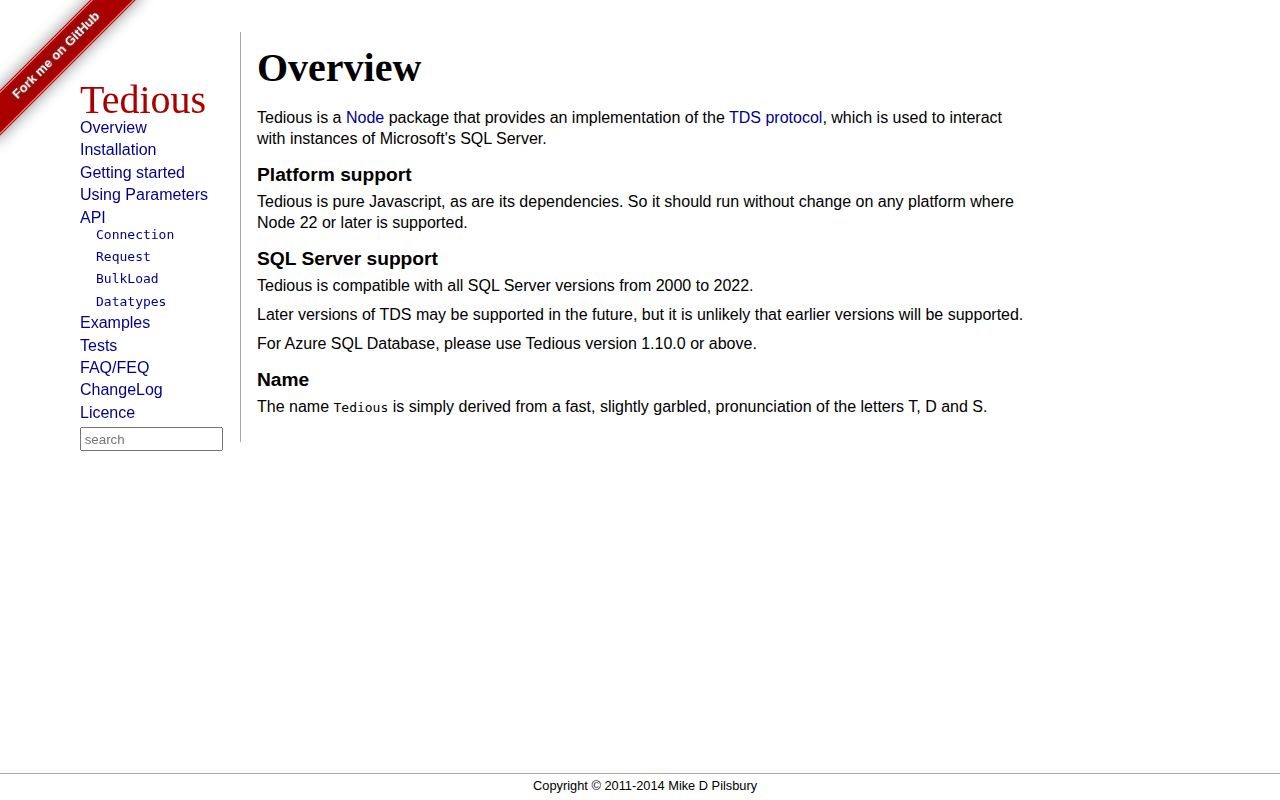
Tedious 20.0.0 is a pure-JavaScript TDS driver for connecting Node applications to SQL Server and Azure SQL. It exposes single connections, typed parameters, event-streamed rows, procedures, transactions, prepared statements, bulk load, metadata, and several SQL/Azure authentication methods. Version 20's only breaking release item is a hard Node 22 minimum. Pooling, migrations, query building, ORM models, and a promise-first query result API remain outside the package.
Tedious 20.0.0 installed in 10.3 seconds and left 70 packages using 66 MB in our sandbox, and each connection still handles only 1 active request. Install it for low-level SQL Server control; most application teams should take `mssql` for pooling and promises and verify which 20.x npm tag they pin.
We installed it
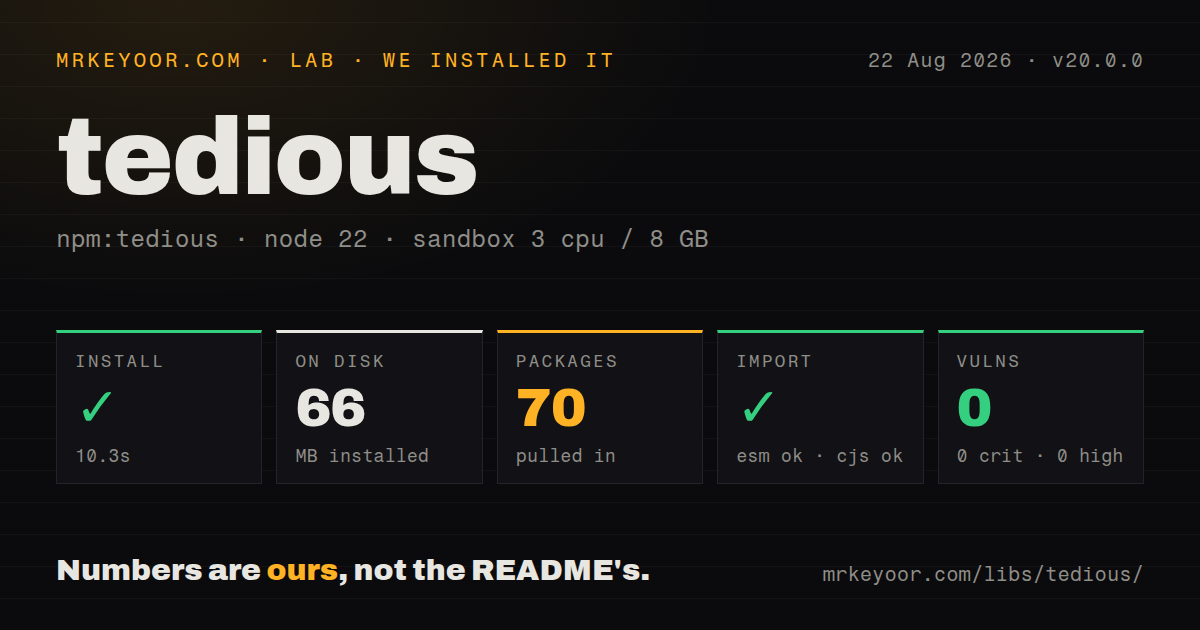
| Install | ✓ · 10.3s | 70 packages on disk · 66 MB |
| Import | ✓ | ESM import works · require() works · CommonJS package |
| Browser | n/a | could not be bundled for the browser (Node-only code, most likely) |
| Types | ✓ | TypeScript types bundled |
| Known vulns | 0 | 0 critical · 0 high · 0 moderate · 0 low (npm audit) |
Answers from our run
Does tedious install cleanly?
Yes. In a fresh container with an empty cache, npm install tedious finished in 10 seconds, leaving 70 packages and 66 MB on disk. npm audit reported no known vulnerabilities.
Can tedious run in a browser?
Not directly: esbuild could not bundle it for the browser in our run, which normally means it depends on Node built-ins. Use it on the server, or find a browser-targeted alternative.
Does tedious work with both ESM and CommonJS?
Yes. Both import 'tedious' and require('tedious') worked in Node 22 in our run. The package is published as CommonJS.
Does tedious include TypeScript types?
Yes, type declarations ship inside the package, so no @types install is needed.
tedious or mssql: which should you use?
mssql: Use it for promises and connection pooling while retaining Tedious as the default underlying driver. Tedious 20.0.0 installed in 10.3 seconds and left 70 packages using 66 MB in our sandbox, and each connection still handles only 1 active request.
When should you not use tedious?
Production still uses Node 20 or earlier. Tedious 20.0.0 explicitly drops Node 18, 20, and 21 and refuses those runtimes through its engine requirement.
Use it if
- A SQL Server adapter needs direct access to TDS requests, column metadata, table-valued parameters, procedure outputs, or bulk loading.
- A pure JavaScript transport is preferable to an ODBC native addon and your deployment already runs Node 22 or newer.
- Azure SQL authentication must use an access token, service principal, managed identity, or Azure Identity credential chain.
- The application can supply a maintained connection pool and promise wrapper while keeping values in explicit `TYPES` parameters.
- Production still uses Node 20 or earlier. Tedious 20.0.0 explicitly drops Node 18, 20, and 21 and refuses those runtimes through its engine requirement.
- You need several in-flight requests per connection or built-in pooling. Tedious allows 1 active request on a connection and publishes no pool.
- Application code expects `await query()` to return row objects. Core Tedious uses callbacks plus row events; the `mssql` wrapper is usually a better application-level API.
- A 66 MB dependency install is excessive for SQL-password access. Our clean install left 70 packages, including support needed by broader authentication paths.
- You must stay on npm `latest` while requiring the cancellation and connection fixes in 20.0.4 or 20.0.5. Those releases are on the `next` tag while `latest` remains 20.0.0.
Setup reality
We installed Tedious 20.0.0 in 10.3 seconds in a fresh Node 22 container. npm left 70 packages and 66 MB on disk. Tedious itself is 3,580 KB unpacked, declares 10 direct dependencies and 0 peers, bundles TypeScript declarations, and produced 0 audit findings. require() and ESM import both worked from its CommonJS package without an exports map. Our esbuild browser target failed and produced no bundle.
Node 22 is mandatory. A Connection still needs an explicit connect() call, a reachable TCP endpoint, database selection, and one authentication configuration. Encryption defaults to true. Keep trustServerCertificate false in production and provision a certificate valid for the server hostname. Azure modes require the matching tenant, client, token, or managed-identity environment. SQL passwords belong in a secret store. Some authentication failures arrive as AggregateError, so log nested causes without logging credentials.
Tedious permits 1 active request per connection. Start the next request only after the prior completion callback, and place the driver behind a maintained pool for web concurrency. Each checkout needs a timeout and guaranteed release or destruction on fatal errors. Rows arrive through events and built-in collection is optional; process large results incrementally, pause while downstream work catches up, then resume. Typed addParameter() calls prevent interpolation and tell SQL Server the intended Unicode, length, precision, and scale.
npm currently tags 20.0.0 as latest, while 20.0.5 is next. The later line fixes cancellation, shutdown, SNI for IP hosts, and parsing performance, so decide deliberately which channel to pin and test. A request timeout initiates cancellation; it does not roll back a larger transaction by itself. Test login, TLS, firewall, token refresh, cancellation, transaction rollback, and failover against your actual SQL Server edition. Close connections during shutdown after new work stops.
Patterns
Open an encrypted SQL login connection connect-with-sql-login
import { Connection } from 'tedious';

const connection = new Connection({
  server: process.env.SQL_HOST!,
  authentication: { type: 'default', options: { userName: process.env.SQL_USER!, password: process.env.SQL_PASSWORD! } },
  options: { database: process.env.SQL_DATABASE!, port: 1433, encrypt: true, trustServerCertificate: false, connectTimeout: 15_000 },
});
connection.connect((error) => { if (error) throw error; });
Version 20 requires Node 22+. A hostname-valid server certificate lets production keep `trustServerCertificate` false.
Execute SQL with an explicit type execute-parameterized-query
import { Request, TYPES } from 'tedious';

const request = new Request('SELECT id, name FROM dbo.Users WHERE email = @email', (error, rowCount) => {
  if (error) throw error;
  console.log({ rowCount });
});
request.addParameter('email', TYPES.NVarChar, email, { length: 320 });
connection.execSql(request);
Parameter names omit `@`. NVarChar preserves Unicode, and a realistic 320-character length helps SQL Server plan the comparison.
Collect row events into objects collect-query-rows
const rows: Record<string, unknown>[] = [];
const request = new Request(sql, (error) => {
  if (error) return reject(error);
  resolve(rows);
});
request.on('row', (columns) => {
  rows.push(Object.fromEntries(columns.map((column) => [column.metadata.colName, column.value])));
});
connection.execSql(request);
This keeps every result row in memory. Stream or batch large result sets instead of growing an unbounded array.
Pause while processing each row stream-rows-with-backpressure
request.on('row', (columns) => {
  request.pause();
  void persistRow(columns).then(() => request.resume()).catch((error) => {
    request.cancel();
    report(error);
  });
});
connection.execSql(request);
A paused request still owns the connection. Tedious permits only 1 active request per connection, so do not start another while it waits.
Apply a request timeout set-request-timeout
const request = new Request(sql, (error) => {
  if (error) console.error(error);
});
request.setTimeout(5_000);
connection.execSql(request);
A 5-second timeout triggers cancellation, not automatic rollback of surrounding work. Test the exact pinned 20.x release because later `next` builds fix cancellation.
Commit or roll back one transaction run-transaction
connection.beginTransaction((beginError) => {
  if (beginError) throw beginError;
  const request = new Request(sql, (requestError) => {
    if (requestError) return connection.rollbackTransaction((rollbackError) => { if (rollbackError) throw rollbackError; });
    connection.commitTransaction((commitError) => { if (commitError) throw commitError; });
  });
  request.addParameter('amount', TYPES.Decimal, amount, { precision: 18, scale: 2 });
  connection.execSql(request);
});
Wait for every callback before the next operation. If rollback fails too, retain both errors and retire that connection from the pool.
Prepare, execute, and unprepare prepare-and-execute
const request = new Request('INSERT INTO dbo.Events (kind, payload) VALUES (@kind, @payload)', (error) => { if (error) throw error; });
request.addParameter('kind', TYPES.NVarChar);
request.addParameter('payload', TYPES.NVarChar);
request.on('prepared', () => {
  request.once('requestCompleted', () => connection.unprepare(request));
  connection.execute(request, { kind: 'login', payload: '{}' });
});
connection.prepare(request);
Unprepare releases the server handle. The prepared Request and its operations still use the connection's single active request slot.
Read a procedure output parameter call-stored-procedure
const request = new Request('dbo.CountCharacters', (error) => { if (error) throw error; });
request.addParameter('inputVal', TYPES.VarChar, 'hello');
request.addOutputParameter('outputCount', TYPES.Int);
request.on('returnValue', (name, value) => console.log(name, value));
connection.callProcedure(request);
For `callProcedure`, Request text is the procedure name rather than an EXEC statement. Output values arrive as `returnValue` events.
Bulk-load rows with declared columns bulk-insert-rows
const bulk = connection.newBulkLoad('dbo.ImportRows', { keepNulls: true }, (error, rowCount) => {
  if (error) throw error;
  console.log({ rowCount });
});
bulk.addColumn('id', TYPES.Int, { nullable: false });
bulk.addColumn('name', TYPES.NVarChar, { length: 100, nullable: true });
connection.execBulkLoad(bulk, [{ id: 1, name: 'Ada' }, { id: 2, name: null }]);
Column names, order, types, 100-character length, and nullability must agree with the table. Validate and batch inputs before sending.
Use Azure's default credential chain connect-with-azure-identity
const connection = new Connection({
  server: 'example.database.windows.net',
  authentication: { type: 'azure-active-directory-default', options: {} },
  options: { database: 'app', encrypt: true, trustServerCertificate: false },
});
DefaultAzureCredential tries several sources. Test the deployed identity directly so a developer login does not conceal missing production configuration.
Inspect nested Tedious failures inspect-aggregate-errors
function reportTediousError(error: unknown) {
  if (error instanceof AggregateError) {
    for (const cause of error.errors) console.error(cause);
    return;
  }
  console.error(error);
}
Authentication and request paths can return AggregateError. Iterate its causes to retain the specific server or token failure.
Close after shutdown begins close-connection
process.once('SIGTERM', () => {
  connection.once('end', () => process.exit(0));
  connection.close();
});
A pooled service should stop accepting work, wait for checked-out requests, and drain every connection instead of closing just 1 arbitrary socket.
Alternatives
| Package | Registry | Pick it when |
|---|---|---|
| mssql | npm | Use it for promises and connection pooling while retaining Tedious as the default underlying driver. |
| msnodesqlv8 | npm | Use it when native ODBC behavior or Windows trusted authentication justifies platform-specific binaries. |
| sequelize | npm | Use it when models, associations, and migrations matter more than direct TDS control. |
| knex | npm | Use it for query building, migrations, and pooling while keeping SQL more visible than an ORM does. |
More data guides
numpy · pandas · fsspec · lxml · pyarrow · sqlalchemy · the whole shelf →
How this guide is made: grounded in the library's documentation, release notes, changelog, and issue history, on a fixed rubric — not a hands-on install of every release. The 50 most-downloaded entries are additionally install-verified in clean containers. Corrections: contact the desk.