style-search review
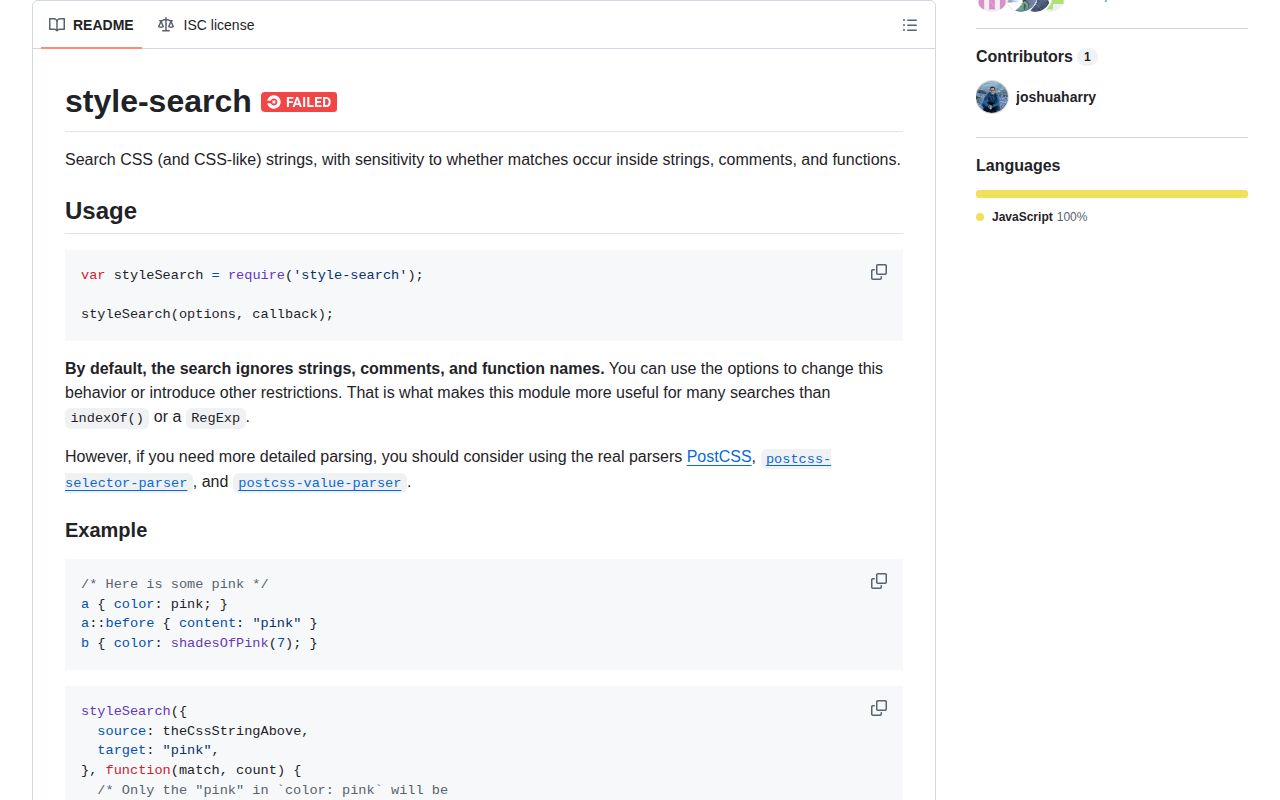
style-search 0.1.0 scans CSS or CSS-like text for literal targets while tracking strings, comments, function names, function arguments, and other parentheses. Each match reaches a synchronous callback with indexes and context flags. Our install was dependency-free and produced a 1.1 KB gzipped browser bundle. The package is a character-state scanner, not a CSS parser: it has no AST, grammar validation, selector meaning, declaration model, or edit operation.
style-search 0.1.0 installed one 1 MB package in 0.6 seconds and bundled to 1.1 KB gzipped in our sandbox, with 0 audit findings but no types. Keep it for a pinned legacy literal scan; start new CSS analysis with a maintained parser.
We installed it
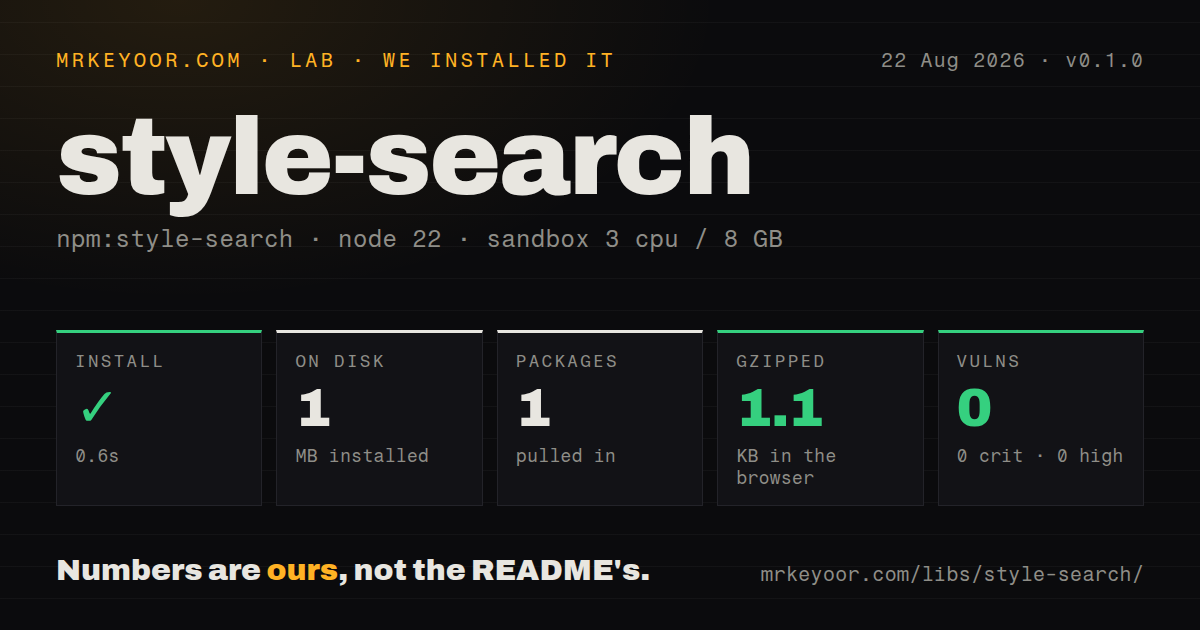
| Install | ✓ · 0.6s | 1 package on disk · 1 MB |
| Import | ✓ | ESM import works · require() works · CommonJS package |
| Browser | 1.1 KB | gzipped (2.1 KB minified), bundled with esbuild |
| Types | — | no TypeScript types found |
| Known vulns | 0 | 0 critical · 0 high · 0 moderate · 0 low (npm audit) |
Answers from our run
Does style-search install cleanly?
Yes. In a fresh container with an empty cache, npm install style-search finished in 0.6s, leaving 1 package and 1 MB on disk. npm audit reported no known vulnerabilities.
How much does style-search add to a browser bundle?
1.1 KB gzipped (2.1 KB minified) when the whole package is bundled for the browser with esbuild. Importing only part of it is usually smaller.
Does style-search work with both ESM and CommonJS?
Yes. Both import 'style-search' and require('style-search') worked in Node 22 in our run. The package is published as CommonJS.
Does style-search include TypeScript types?
No type declarations were found in our install, so TypeScript users need their own declarations.
style-search or postcss: which should you use?
postcss: Use it for a CSS AST, source locations, plugins, and syntax-aware edits. style-search 0.1.0 installed one 1 MB package in 0.6 seconds and bundled to 1.1 KB gzipped in our sandbox, with 0 audit findings but no types.
When should you not use style-search?
The task needs selectors, declarations, at-rules, parsed values, or safe rewrites; the README points those jobs to PostCSS parsers
Use it if
- An established CSS lint rule needs literal indexes while ignoring quoted and commented occurrences
- CSS-like Sass input requires a distinction between function arguments and wider parenthetical content
- A CommonJS tool already depends on this scanner and its skip, check, and only semantics
- A callback-based synchronous scan is simpler than introducing a PostCSS syntax tree
- The task needs selectors, declarations, at-rules, parsed values, or safe rewrites; the README points those jobs to PostCSS parsers
- TypeScript declarations or an ESM export are required; our 0.1.0 install contained neither types nor an exports map
- Your dependency policy requires recent releases; npm 0.1.0 dates to 2016 and the last GitHub push was in 2021
- Modern CSS escapes or malformed syntax must be interpreted by grammar; this scanner only tracks characters, quotes, comments, and parentheses
- Callers need an iterator, promise, or returned result collection; matches arrive through a synchronous callback
Setup reality
Our fresh Node 22 install of style-search 0.1.0 finished in 0.6 seconds. It left one package and 1 MB on disk; the package is 48 KB unpacked and declares 0 direct dependencies plus 0 peers. npm audit found 0 known vulnerabilities. It is CommonJS without an exports map, although require() and ESM import both worked in our sandbox. No TypeScript types were found. A full esbuild import measured 2.1 KB minified and 1.1 KB gzipped.
There are no credentials, native modules, or config files. source and target are the working inputs, and target can be one string or an array. Results are emitted synchronously to a callback. startIndex is inclusive and endIndex is the boundary after the match, so callers wanting an array must collect records themselves. once stops after the first hit. Invalid arguments are not wrapped in a descriptive configuration layer, so validate at your own API boundary.
Defaults skip comments, strings, and function names while checking function arguments and other parenthesized text. Each context option accepts skip, check, or only, and the implementation throws if more than one option is set to only. It recognizes block comments and double-slash comments for CSS-like languages. Function detection and quote tracking are deliberately simpler than a grammar, so pin 0.1.0 and test escapes, Sass constructs, and malformed samples before using returned indexes for edits.
Patterns
Find a literal CSS value find-default-matches
const styleSearch = require('style-search');

const matches = [];
styleSearch({
  source: 'a { color: pink; content: \"pink\"; } /* pink */',
  target: 'pink',
}, (match, count) => {
  matches.push({ ...match, count });
});

console.log(matches);
Defaults ignore the same word in a comment, string, or function name while reporting an ordinary value occurrence.
Search for several targets stop-after-first
let first = null;
styleSearch({
  source: 'a { color: red; border-color: red; }',
  target: 'red',
  once: true,
}, (match) => {
  first = match;
});
A target array reports which literal matched in each callback record.
Stop after the first match search-multiple-targets
const found = [];
styleSearch({
  source: 'a { color: red; background: blue; }',
  target: ['red', 'blue'],
}, (match) => {
  found.push({ token: match.target, at: match.startIndex });
});
once: true ends the synchronous scan after one callback invocation.
Include string contents include-comments
styleSearch({
  source: '/* TODO: replace px */ a { width: 10px; }',
  target: 'px',
  comments: 'check',
}, (match) => {
  console.log(match.startIndex, match.insideComment);
});
strings: check includes quoted content that the default scanner skips.
Search comments only search-comments-only
const todos = [];
styleSearch({
  source: '/* TODO: remove */ a { content: \"TODO\"; }',
  target: 'TODO',
  comments: 'only',
}, (match) => todos.push(match));
comments: only restricts results to block and double-slash comments in the scanner model.
Inspect function arguments include-strings
styleSearch({
  source: 'a::before { content: \"draft\"; color: draft; }',
  target: 'draft',
  strings: 'check',
}, (match) => {
  console.log(match.startIndex, match.insideString);
});
functionArguments defaults to check and marks matching records with insideFunctionArguments.
Exclude every parenthetical search-function-names
styleSearch({
  source: 'a { color: rgb(10 20 30); }',
  target: 'rgb',
  functionNames: 'check',
}, (match) => console.log(match));
parentheticals: skip excludes both function calls and other parentheses such as Sass map content.
Read match indexes skip-function-arguments
styleSearch({
  source: 'a { color: var(--brand); --brand: red; }',
  target: '--brand',
  functionArguments: 'skip',
}, (match) => console.log(match.startIndex));
startIndex begins the match and endIndex is the exclusive boundary used for slicing source.
Collect callback results search-parentheticals-only
styleSearch({
  source: '$map: (brand: red); a { color: red; }',
  target: 'red',
  parentheticals: 'only',
}, (match) => console.log(match.startIndex, match.insideParens));
The package returns no array, so the callback must push records when later code needs all matches.
Reject conflicting only modes replace-from-indexes
const source = 'a { color: red; border-color: red; }';
const matches = [];
styleSearch({ source, target: 'red' }, (match) => matches.push(match));

let output = source;
for (const match of matches.reverse()) {
  output = output.slice(0, match.startIndex) + 'blue' + output.slice(match.endIndex);
}
console.log(output);
Only one syntax context may use only; the scanner throws when several contexts request it.
Alternatives
| Package | Registry | Pick it when |
|---|---|---|
| postcss | npm | Use it for a CSS AST, source locations, plugins, and syntax-aware edits. |
| postcss-value-parser | npm | Use it when declaration values and nested functions need tokenization. |
| postcss-selector-parser | npm | Use it when selectors and pseudo-classes are the actual search domain. |
More web frontend guides
postcss · react · react-dom · tailwindcss · clsx · htmlparser2 · the whole shelf →
How this guide is made: grounded in the library's documentation, release notes, changelog, and issue history, on a fixed rubric — not a hands-on install of every release. The 50 most-downloaded entries are additionally install-verified in clean containers. Corrections: contact the desk.