string-hash review
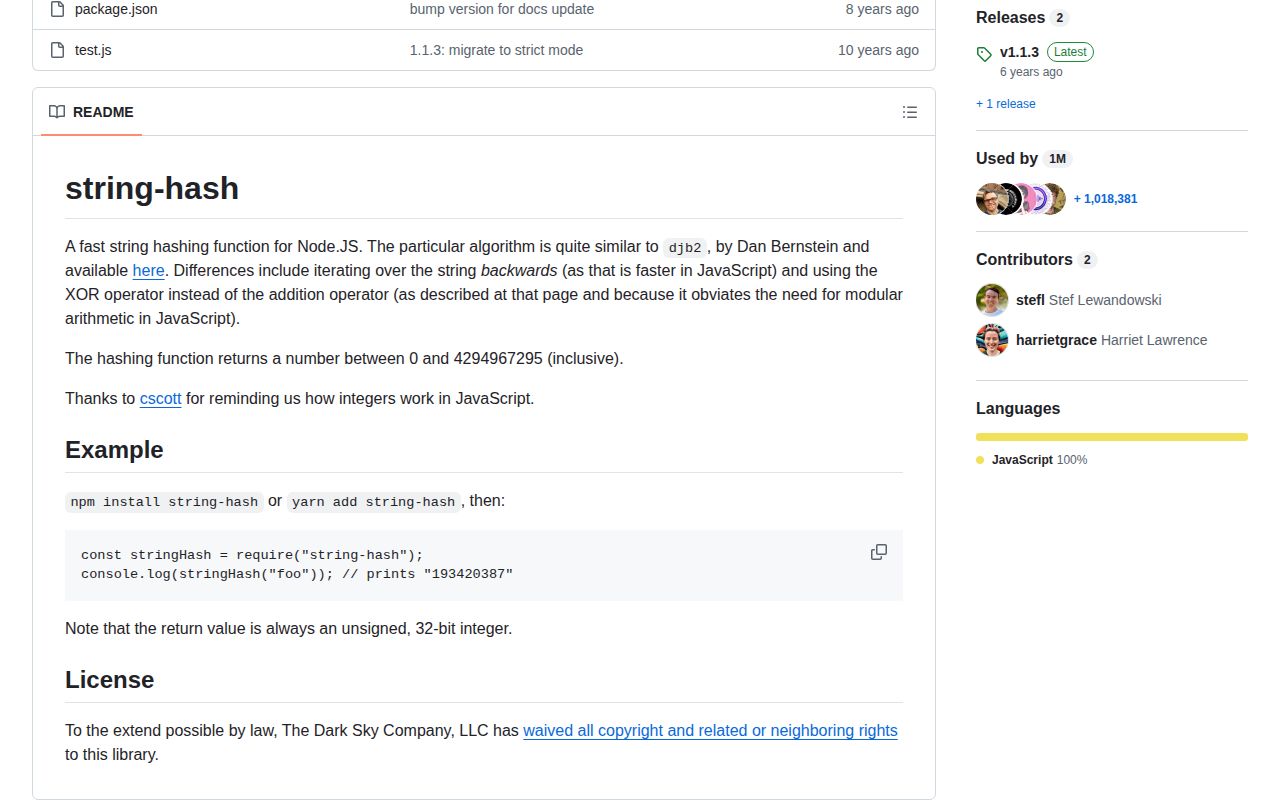
string-hash 1.1.3 maps a JavaScript string to an unsigned 32-bit integer with a short djb2-like loop. It reads UTF-16 code units backward, combines them with XOR, and returns a Number from 0 through 4,294,967,295. The same exact string produces the same value, which is useful for cosmetic color selection or low-stakes buckets. The 2017 release is still current and the repository is archived. This is neither a cryptographic digest nor a collision-resistant identifier.
string-hash 1.1.3 installed as 1 dependency-free package and bundled to 0.4 KB gzipped in our sandbox, but the project is archived and the result has only 32 bits. Keep it for harmless visual buckets; do not install it for identity, integrity, passwords, signatures, or attacker-controlled keys.
We installed it
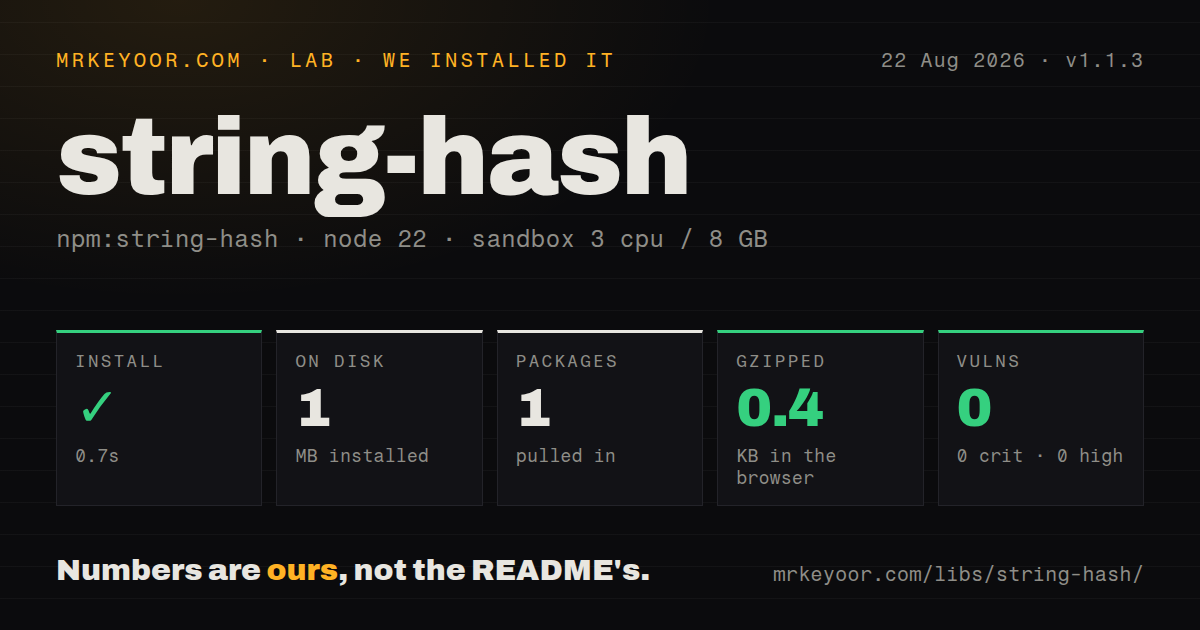
| Install | ✓ · 0.7s | 1 package on disk · 1 MB |
| Import | ✓ | ESM import works · require() works · CommonJS package |
| Browser | 0.4 KB | gzipped (0.7 KB minified), bundled with esbuild |
| Types | — | no TypeScript types found |
| Known vulns | 0 | 0 critical · 0 high · 0 moderate · 0 low (npm audit) |
Answers from our run
Does string-hash install cleanly?
Yes. In a fresh container with an empty cache, npm install string-hash finished in 0.7s, leaving 1 package and 1 MB on disk. npm audit reported no known vulnerabilities.
How much does string-hash add to a browser bundle?
0.4 KB gzipped (0.7 KB minified) when the whole package is bundled for the browser with esbuild. Importing only part of it is usually smaller.
Does string-hash work with both ESM and CommonJS?
Yes. Both import 'string-hash' and require('string-hash') worked in Node 22 in our run. The package is published as CommonJS.
Does string-hash include TypeScript types?
No type declarations were found in our install, so TypeScript users need their own declarations.
string-hash or imurmurhash: which should you use?
imurmurhash: Choose it for incremental MurmurHash3 when a string arrives in chunks or compatibility with that algorithm matters. string-hash 1.1.3 installed as 1 dependency-free package and bundled to 0.4 KB gzipped in our sandbox, but the project is archived and the result has only 32 bits.
When should you not use string-hash?
Any security decision depends on the result; the README describes a djb2-like non-cryptographic algorithm with only 32 bits of output
Use it if
- You need a repeatable 32-bit bucket or display choice from a string and collisions have harmless consequences
- A frozen CommonJS function fits an existing JavaScript dependency tree
- The input is already a canonical string and you do not need object, file, or streaming support
- A 0.4 KB gzipped browser bundle is worth keeping instead of copying and owning the 1-function implementation
- Any security decision depends on the result; the README describes a djb2-like non-cryptographic algorithm with only 32 bits of output
- You need unique database keys or durable content IDs; different strings must collide within the 4,294,967,296 possible values
- You require maintained dependencies; GitHub archived the repository and the latest npm release is 1.1.3 from 2017
- Your TypeScript or ESM policy requires declarations and native exports; our package had neither types nor an exports map
- You need stable hashes for objects or Unicode text from mixed sources; this function does no serialization or Unicode normalization
Setup reality
Our string-hash 1.1.3 install took 0.7 seconds and left 1 package using 1 MB on disk. It has 0 direct dependencies, 0 peer dependencies, and 28 KB unpacked. npm audit found 0 known vulnerabilities. The package declares the CC0-1.0 public-domain dedication.
There is no configuration, native build, credential, file access, or asynchronous work. require('string-hash') returns the function. ESM import also worked in our Node 22 test through CommonJS interop. The package has no exports map and shipped no TypeScript declarations, so strict projects need a local declaration or a package with types.
Our esbuild browser check produced 0.7 KB minified and 0.4 KB gzipped. The function processes JavaScript UTF-16 code units exactly as supplied. Normalize user text before hashing when canonically equivalent Unicode forms should share a bucket, and serialize structured values with an explicit stable format if you accept the collision risk.
The result is an unsigned Number between 0 and 4,294,967,295, not hex text. That range guarantees collisions once enough distinct inputs are present and makes deliberate collision search cheap enough to exclude security uses. The repository is archived and npm still points to 1.1.3, so no maintained route to ESM packaging, declarations, or algorithm changes exists.
Patterns
Hash one string to an unsigned integer hash-string
const stringHash = require('string-hash');

const value = stringHash('foo');
console.log(value); // 193420387
Version 1.1.3 returns a Number from 0 through 4,294,967,295; the output is not a hexadecimal string.
Pick a repeatable palette color choose-color
const stringHash = require('string-hash');
const palette = ['#7c3aed', '#0284c7', '#059669', '#d97706'];

const color = palette[stringHash(username) % palette.length];
A collision only reuses a color in this example, which keeps the 32-bit algorithm away from a security or identity boundary.
Assign a stable local bucket assign-bucket
const stringHash = require('string-hash');

function bucket(key, count) {
  if (!Number.isInteger(count) || count < 1) throw new RangeError('count');
  return stringHash(key) % count;
}
Changing count remaps many keys, and separate strings can land in the same bucket even when count stays fixed.
Normalize Unicode before hashing normalize-unicode
const stringHash = require('string-hash');

const value = stringHash(userInput.normalize('NFC'));
The function reads UTF-16 code units; NFC makes canonically equivalent composed and decomposed text share the same input sequence.
Fold a case-insensitive label first hash-case-insensitively
const stringHash = require('string-hash');

const value = stringHash(label.toLocaleLowerCase('en-US'));
Case folding is application policy, and the chosen locale can change the result for characters such as Turkish I.
Import the CommonJS function from ESM import-from-esm
import stringHash from 'string-hash';

const value = stringHash('route-name');
This import worked in our Node 22 check through CommonJS interop; version 1.1.3 has no native ESM export or exports map.
Add a local TypeScript declaration declare-types
// types/string-hash.d.ts
declare module 'string-hash' {
  function stringHash(input: string): number;
  export = stringHash;
}
Our 1.1.3 package shipped no declaration file, so the project must own and test this 1-function shim.
Hash an explicitly ordered record hash-stable-json
const stringHash = require('string-hash');

const key = JSON.stringify([record.accountId, record.region, record.kind]);
const value = stringHash(key);
An ordered array makes serialization deliberate, but the 32-bit result still cannot serve as a unique record ID.
Alternatives
| Package | Registry | Pick it when |
|---|---|---|
| imurmurhash | npm | Choose it for incremental MurmurHash3 when a string arrives in chunks or compatibility with that algorithm matters. |
| hash-sum | npm | Choose it for short hashes of JavaScript objects as well as primitive values, after checking its collision limits. |
| object-hash | npm | Choose it when structured object serialization and configurable standard digest algorithms are part of the requirement. |
More utils guides
lru-cache · type-fest · ajv · zod · p-limit · find-up · the whole shelf →
How this guide is made: grounded in the library's documentation, release notes, changelog, and issue history, on a fixed rubric — not a hands-on install of every release. The 50 most-downloaded entries are additionally install-verified in clean containers. Corrections: contact the desk.