@stoplight/json review
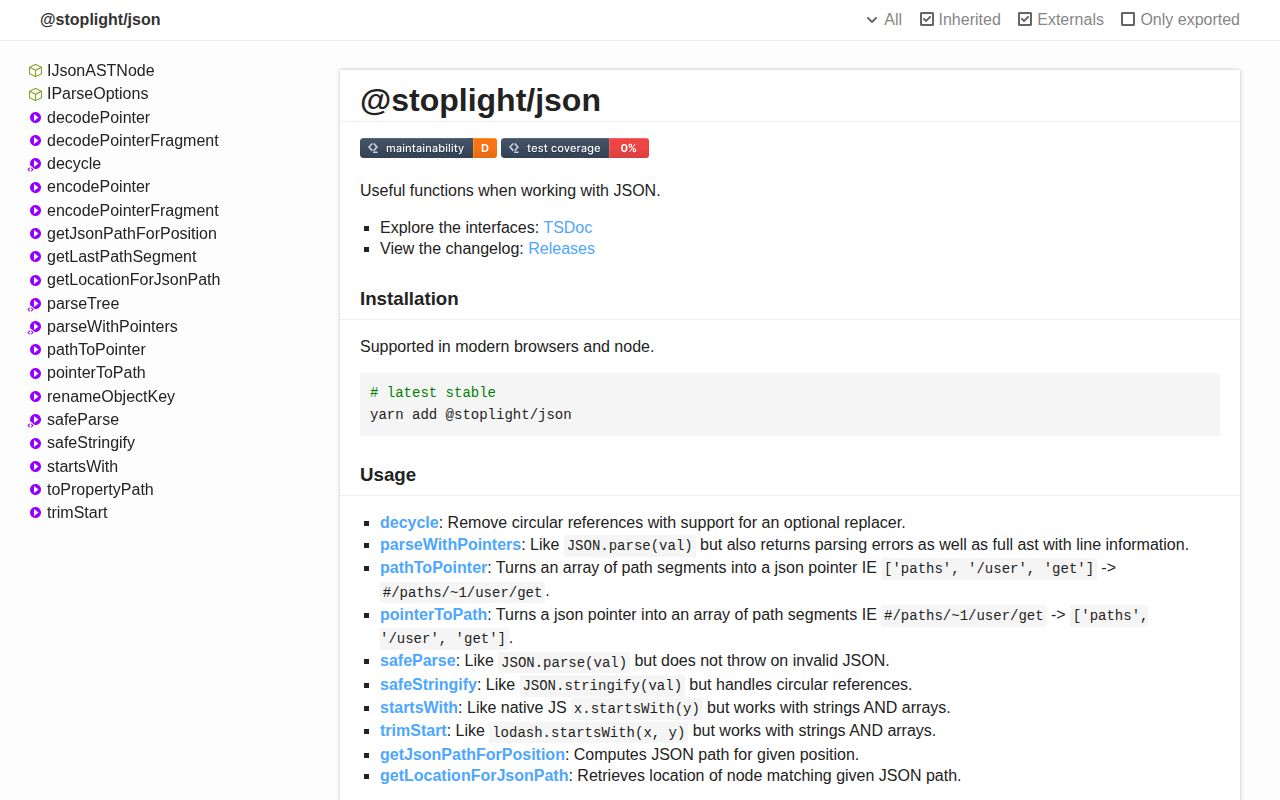
@stoplight/json 3.21.7 is a source-aware JSON toolkit for editors, linters, and API-description tooling, and our browser build measured 107.3 KB minified. parseWithPointers returns decoded data, syntax diagnostics, an AST, and a line map so callers can translate cursor positions into JSON paths and back. Other exports encode URI-fragment JSON Pointers, detect and resolve reference objects, traverse values, preserve key order, parse without throwing, and stringify cycles. Patch 3.21.7 reverted an earlier change identified in the release notes as stop-184; it adds no documented feature. This package carries Stoplight's conventions and six direct dependencies, so ordinary JSON.parse and JSON.stringify users are buying much more machinery than they need.
@stoplight/json 3.21.7 installed in 3.2 seconds, occupied 7 MB across 9 packages, and produced a 37.6 KB gzipped bundle in our sandbox. It earns that cost in source-aware editors and Stoplight API tooling; ordinary parsing, pointer handling, or cycle-safe output should use a focused package.
We installed it
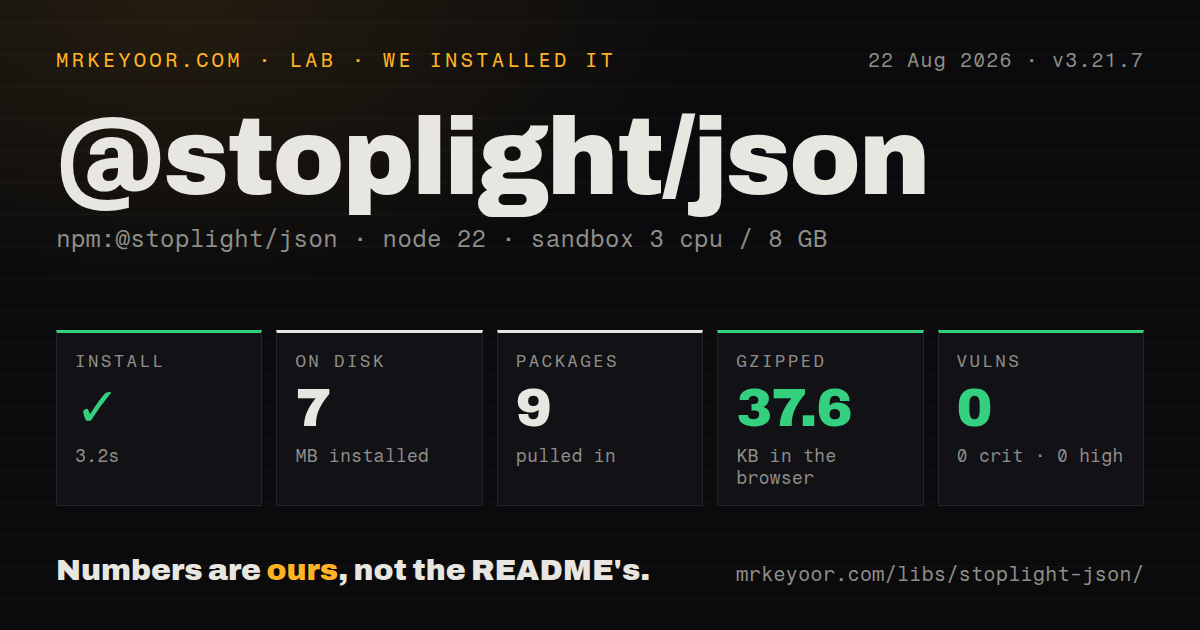
| Install | ✓ · 3.2s | 9 packages on disk · 7 MB |
| Import | ✓ | ESM import works · require() works · CommonJS package |
| Browser | 37.6 KB | gzipped (107.3 KB minified), bundled with esbuild |
| Types | ✓ | TypeScript types bundled |
| Known vulns | 0 | 0 critical · 0 high · 0 moderate · 0 low (npm audit) |
Answers from our run
Does @stoplight/json install cleanly?
Yes. In a fresh container with an empty cache, npm install @stoplight/json finished in 3 seconds, leaving 9 packages and 7 MB on disk. npm audit reported no known vulnerabilities.
How much does @stoplight/json add to a browser bundle?
37.6 KB gzipped (107.3 KB minified) when the whole package is bundled for the browser with esbuild. Importing only part of it is usually smaller.
Does @stoplight/json work with both ESM and CommonJS?
Yes. Both import '@stoplight/json' and require('@stoplight/json') worked in Node 22 in our run. The package is published as CommonJS.
Does @stoplight/json include TypeScript types?
Yes, type declarations ship inside the package, so no @types install is needed.
@stoplight/json or jsonc-parser: which should you use?
jsonc-parser: Use it for tolerant parsing, AST edits, locations, and JSON with comments without Stoplight's wider helper set. @stoplight/json 3.21.7 installed in 3.2 seconds, occupied 7 MB across 9 packages, and produced a 37.6 KB gzipped bundle in our sandbox.
When should you not use @stoplight/json?
You only need JSON.parse or JSON.stringify. Our install brought 9 packages and 7 MB for a much broader tool collection.
Use it if
- An editor or linter needs decoded JSON plus diagnostics, AST ranges, and zero-based line and character mapping.
- API-description code already uses Stoplight path, type, reference, or ordered-object conventions.
- JSON paths containing slashes, tildes, or Unicode must convert to and from URI-fragment pointer form.
- One dependency should cover location-aware parsing, reference traversal, cycle handling, and ordered objects.
- You only need JSON.parse or JSON.stringify. Our install brought 9 packages and 7 MB for a much broader tool collection.
- safeParse must behave like a normal result wrapper. Invalid text returns undefined, non-string input passes through unchanged, and precision-sensitive numeric text can stay a string.
- safeStringify must match JSON.stringify for top-level strings. The implementation returns an input string unchanged instead of adding JSON quotes.
- A small browser bundle matters. Our full import measured 107.3 KB minified and 37.6 KB gzipped.
- Documentation must exactly match the current object shape. The README example reads result.pointers, while current parseWithPointers code returns data, diagnostics, ast, and lineMap.
Setup reality
We installed @stoplight/json 3.21.7 in a fresh unprivileged Node 22 Bookworm sandbox. npm completed in 3.2 seconds and left 9 packages using 7 MB on disk. The package is 368 KB unpacked, declares 6 direct dependencies and 0 peers, uses Apache-2.0, and supports Node 8.3 or newer. npm audit found 0 known vulnerabilities. Both require() and ESM import worked against its CommonJS package without an exports map. TypeScript declarations are bundled. Our browser build measured 107.3 KB minified and 37.6 KB gzipped.
There are no credentials, native builds, or config files. parseWithPointers reports normal syntax failures in diagnostics rather than throwing, so check that array before trusting data. Its default options disallow comments. Passing a replacement options object can lose that default, so include disallowComments explicitly alongside duplicate-key or key-order settings. Line and character coordinates are zero-based, and the location helpers require the AST and line map from the parse result.
pathToPointer returns URI-fragment syntax beginning with #. pointerToPath expects that hash and throws URIError for a bare /a/b pointer. safeParse returns undefined for invalid JSON, passes a non-string through, and can preserve a numeric string when JavaScript number conversion changes its textual value. safeStringify first tries JSON.stringify and falls back to safe-stable-stringify for cycles, yet a top-level string is returned without JSON quoting.
AST nodes link to parents and are cyclic even though the root parent is removed. Do not JSON.stringify the AST directly. traverse recursively follows object properties without cycle detection, so guard or decycle cyclic input first. Ordered-object helpers use special representation and Proxy-related behavior to retain insertion choices. Browser support exists, but a 37.6 KB gzip full import is expensive for a single pointer or parse helper; verify tree-shaking or install the focused underlying package.
Patterns
Parse and inspect syntax diagnostics parse-with-diagnostics
import { parseWithPointers } from '@stoplight/json';

const result = parseWithPointers('{"name": "Ada",}');
if (result.diagnostics.length) {
  console.error(result.diagnostics);
} else {
  console.log(result.data);
}
Ordinary syntax problems appear in diagnostics instead of throwing. Check the array before using data.
Allow comments explicitly allow-json-comments
const result = parseWithPointers(
  '{ /* owner */ "name": "Ada" }',
  { disallowComments: false }
);
The default disallows comments. Passing an options object replaces defaults, so state the comment policy with the other parser switches.
Detect duplicate keys report-duplicate-keys
const result = parseWithPointers(
  '{"port": 3000, "port": 4000}',
  { disallowComments: true, ignoreDuplicateKeys: false }
);
const duplicates = result.diagnostics.filter(
  (item) => item.message === 'DuplicateKey'
);
Detection requires ignoreDuplicateKeys to be false. The decoded object still cannot retain both values under one property name.
Find the path under a cursor map-position-to-json-path
import { getJsonPathForPosition, parseWithPointers } from '@stoplight/json';

const parsed = parseWithPointers('{\n  "address": { "street": 123 }\n}');
const path = getJsonPathForPosition(parsed, { line: 1, character: 25 });
Line and character indexes start at 0. A position outside a matching AST node can return undefined.
Find a property's source range map-json-path-to-range
import { getLocationForJsonPath } from '@stoplight/json';

const location = getLocationForJsonPath(parsed, ['address', 'street']);
if (location) console.log(location.range.start, location.range.end);
Pass the original parseWithPointers result because this lookup walks its AST and line map. Missing paths return undefined.
Encode a path as a pointer encode-uri-fragment-pointer
import { pathToPointer } from '@stoplight/json';

const pointer = pathToPointer(['paths', '/users', 'get']);
// #/paths/~1users/get
The helper returns URI-fragment form with a leading #. Slash and tilde inside segments use JSON Pointer escaping.
Decode a pointer into path segments decode-uri-fragment-pointer
import { pointerToPath } from '@stoplight/json';

const path = pointerToPath('#/paths/~1users/get');
The leading # is mandatory. Passing /paths/~1users/get without it throws URIError.
Handle invalid JSON as undefined parse-without-throwing
import { safeParse } from '@stoplight/json';

const value = safeParse('{broken');
if (value === undefined) console.log('invalid JSON');
safeParse also returns non-string inputs unchanged, so validate the input type when that pass-through would be surprising.
Keep precision-sensitive numeric text preserve-large-number-text
const value = safeParse('9007199254740993');
console.log(typeof value, value);
The result can remain the original string when JavaScript number conversion would alter its decimal text.
Serialize a circular object stringify-circular-value
import { safeStringify } from '@stoplight/json';

const user = { name: 'Ada' };
user.self = user;
const json = safeStringify(user, null, 2);
The fallback handles cycles, but a top-level string is returned unchanged instead of being wrapped in JSON quotes.
Replace ancestor cycles with references decycle-with-json-pointers
import { decycle } from '@stoplight/json';

const root = { name: 'root' };
root.child = { parent: root };
const copied = decycle(root);
Ancestor cycles become {$ref: '#...'} objects using URI-fragment JSON Pointer syntax in a copied structure.
Visit properties with their paths traverse-object-properties
import { traverse } from '@stoplight/json';

traverse(document, ({ parentPath, property, propertyValue }) => {
  if (property === '$ref') {
    console.log([...parentPath, property], propertyValue);
  }
});
traverse has no cycle detection. Decycle the value or track visited objects before walking cyclic graphs.
Alternatives
| Package | Registry | Pick it when |
|---|---|---|
| jsonc-parser | npm | Use it for tolerant parsing, AST edits, locations, and JSON with comments without Stoplight's wider helper set. |
| json-source-map | npm | Use it when decoded JSON and source positions keyed by JSON Pointer are the only required result. |
| json-pointer | npm | Use it for focused RFC 6901 compile, get, set, and remove operations. |
| safe-stable-stringify | npm | Use it when deterministic, cycle-safe stringification is the sole requirement. |
More utils guides
lru-cache · type-fest · ajv · zod · p-limit · find-up · the whole shelf →
How this guide is made: grounded in the library's documentation, release notes, changelog, and issue history, on a fixed rubric — not a hands-on install of every release. The 50 most-downloaded entries are additionally install-verified in clean containers. Corrections: contact the desk.