simple-salesforce review
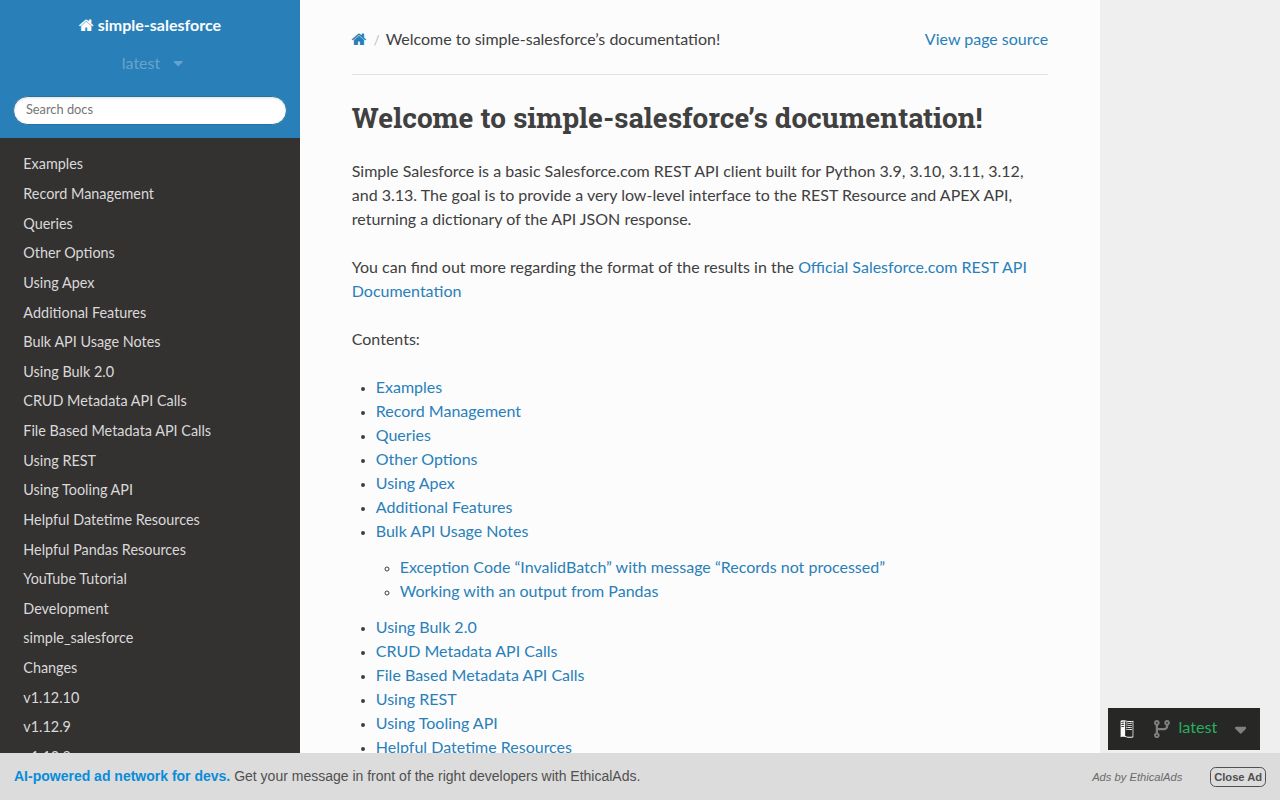
simple-salesforce is a synchronous Python wrapper around Salesforce REST endpoints. Object names become attributes such as `sf.Contact`, with methods for record CRUD, external-ID upserts, descriptions, SOQL, SOSL, Bulk API 1.0, Bulk API 2.0, selected Metadata API work, deployments, and custom Apex REST calls. Results are ordinary dictionaries and iterators; there is no model layer or local schema. Version 1.12.10 adds Python 3.14 support, fixes `SalesforceAuthenticationFailed` when Salesforce omits `error_description`, repairs CI so tox environments run the tests, and moves PyPI releases to trusted publishing. It still expects callers to understand permissions, object names, API versions, limits, and Salesforce query languages.
simple-salesforce is a practical synchronous client for Python teams that already know Salesforce's data model and operating limits. Avoid it when you need async I/O, ORM behavior, a narrow dependency footprint, or license metadata that resolves cleanly without review.
We installed it
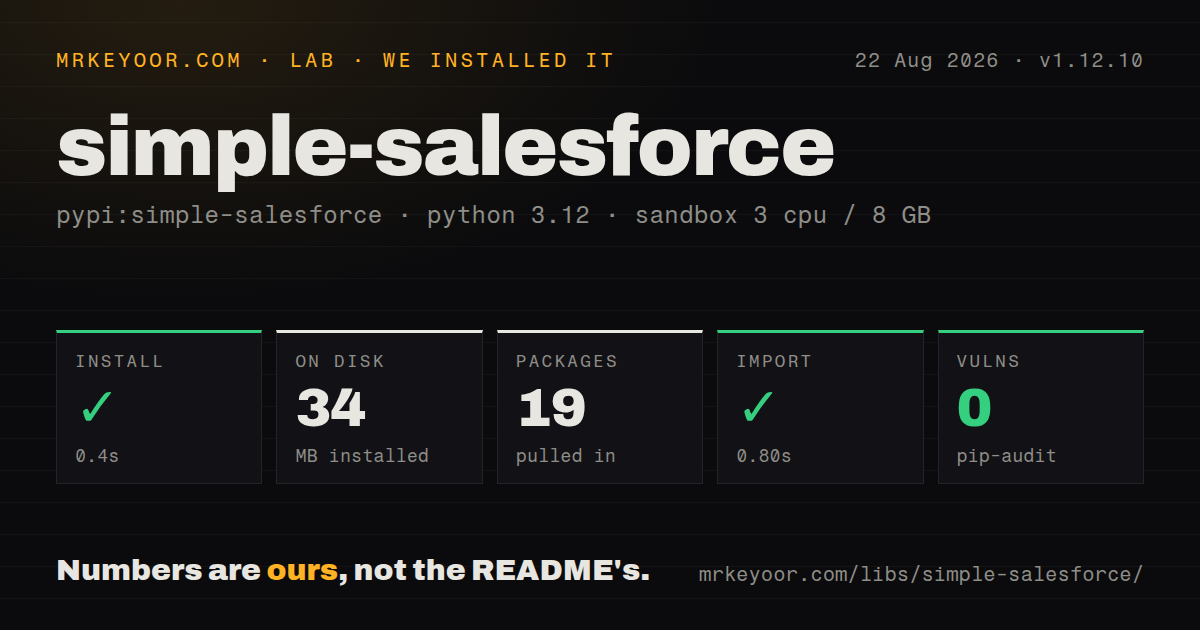
| Install | ✓ · 0.4s | 19 packages on disk · 34 MB |
| Import | ✓ | import simple_salesforce in 0.80s · pure Python · py.typed · requires Python >=3.9 |
| Known vulns | 0 | (pip-audit) |
Answers from our run
Does simple-salesforce install cleanly?
Yes. In a fresh container with an empty cache, pip install simple-salesforce finished in 0.4s, leaving 19 packages and 34 MB on disk. pip-audit reported no known vulnerabilities.
What does simple-salesforce need to run?
Python >=3.9, and nothing compiled: it is pure Python. In our run import simple_salesforce succeeded in 0.80s, and the package ships py.typed for type checkers.
simple-salesforce or django-salesforce: which should you use?
django-salesforce: Choose it when a Django project wants Salesforce objects through models and QuerySet-style access. simple-salesforce is a practical synchronous client for Python teams that already know Salesforce's data model and operating limits.
When should you not use simple-salesforce?
You want an ORM, relationships, migrations, or QuerySets. This client builds endpoint paths dynamically and returns dictionaries; django-salesforce serves that model-driven use case.
Use it if
- A Python service needs direct Salesforce record operations and SOQL without Django models or generated service classes.
- The same integration performs ordinary REST calls plus Bulk 1.0 or Bulk 2.0 imports and exports.
- Your authentication layer already has a Salesforce access token and instance URL and needs a readable wrapper around them.
- Custom Apex REST endpoints should share the authenticated session, proxy, retries, and client identifier.
- You want an ORM, relationships, migrations, or QuerySets. This client builds endpoint paths dynamically and returns dictionaries; `django-salesforce` serves that model-driven use case.
- Async I/O is required. The client uses `requests.Session`, so calls block the current thread unless your application moves them to a worker.
- Callers cannot own SOQL construction and pagination. `quick_search` does no escaping, and `query_all` collects all returned records in memory.
- A tiny REST-only dependency is the goal. Our install found 22 direct dependencies and 19 packages on disk, even when the application uses only basic object calls.
- License metadata must be unambiguous before intake. Our package check and current PyPI metadata report no license, while the repository README says Apache 2.0; compliance should resolve that mismatch.
Setup reality
We installed simple-salesforce 1.12.10 in a clean Python 3.12 Bookworm container. The install completed in 0.4 seconds and left 19 packages using 34 MB. The package declares 22 direct dependencies, requires Python 3.9 or newer, is pure Python, and includes py.typed. import simple_salesforce completed in 0.80 seconds, and pip-audit found no known vulnerabilities. The package license was unknown in our check. PyPI metadata also leaves it blank, although the README identifies Apache 2.0.
A connection still needs Salesforce-side credentials and the correct tenant host. Existing OAuth code should pass session_id plus instance_url returned by Salesforce. Built-in login supports username, password, and security token; an IP-whitelisted organization ID; a connected app; JWT with a private-key file; and client credentials for a My Domain. Sandboxes use domain='test' for username-based login. Store passwords, tokens, consumer secrets, and private keys outside source. Add client_id so Salesforce usage reports identify this integration.
The client is synchronous, but you can inject a configured requests.Session for pooling, proxies, CA settings, and retry adapters. Salesforce permission failures, required fields, API version changes, daily request limits, record locks, and Bulk job limits still surface to your code. Build SOQL values with format_soql; the README warns that quick_search does not escape its input. Use query_all_iter for large REST queries because query_all materializes every row. Bulk 1.0 lazy operations and Bulk 2.0 file downloads are better fits for larger exports.
Bulk methods split work and use parallel mode by default, with documented batches of 10,000 records unless configured otherwise. Choose use_serial=True when Salesforce locking or ordering makes parallel jobs unsafe, and inspect every per-record result rather than treating job completion as full success. Metadata deployment needs a correctly structured ZIP plus asynchronous status checks. Pin the Salesforce API version used by the client and test against a sandbox before production because object metadata and enabled features differ by org.
Patterns
Reuse an OAuth access token connect-with-access-token
from simple_salesforce import Salesforce

sf = Salesforce(
    session_id=access_token,
    instance_url=instance_url,
    client_id='orders-sync',
)
Use the instance URL returned by Salesforce with the token. The login hostname may point at a different tenant host.
Log in with a sandbox security token connect-to-sandbox
sf = Salesforce(
    username=os.environ['SF_USERNAME'],
    password=os.environ['SF_PASSWORD'],
    security_token=os.environ['SF_SECURITY_TOKEN'],
    domain='test',
    client_id='sandbox-loader',
)
Keep all credentials in secret storage. `domain='test'` selects the sandbox login host for this authentication flow.
Authenticate a server with JWT connect-with-jwt
sf = Salesforce(
    username=os.environ['SF_USERNAME'],
    consumer_key=os.environ['SF_CONSUMER_KEY'],
    privatekey_file='/run/secrets/salesforce-jwt.key',
    domain='login',
)
The connected app must permit the JWT bearer flow, and the process needs read access to the private key.
Reuse connections and retry transient statuses inject-retrying-session
import requests
from requests.adapters import HTTPAdapter
from urllib3.util.retry import Retry

session = requests.Session()
session.mount('https://', HTTPAdapter(max_retries=Retry(
    total=4, backoff_factor=0.5, status_forcelist=[429, 502, 503, 504],
    allowed_methods={'GET', 'HEAD'},
)))
sf = Salesforce(session_id=token, instance_url=instance_url, session=session)
Retry idempotent methods by default. Retrying writes needs an idempotency plan and Salesforce-specific error handling.
Work with a Contact create-read-update-record
created = sf.Contact.create({'LastName': 'Lovelace', 'Email': 'ada@example.com'})
contact_id = created['id']
record = sf.Contact.get(contact_id)
sf.Contact.update(contact_id, {'Title': 'Engineer'})
Check `success`, IDs, and error fields returned by writes. Object permissions and required fields vary by org.
Make a repeatable external-ID write upsert-external-id
from simple_salesforce.format import format_external_id

key = format_external_id('ERP_Customer_Id__c', customer_id)
result = sf.Account.upsert(key, {'Name': customer_name})
The Salesforce field must be configured as an external ID. The helper URL-encodes values containing slashes or spaces.
Escape values in a SOQL query format-soql-values
from simple_salesforce.format import format_soql

soql = format_soql(
    'SELECT Id, Email FROM Contact WHERE LastName IN {names}',
    names=['Smith', "O'Neil"],
)
result = sf.query(soql)
Use `format_soql` for data values. `quick_search` inserts raw text into SOSL and does not escape it.
Iterate all REST query pages stream-large-query
for contact in sf.query_all_iter(
    'SELECT Id, Email FROM Contact WHERE Email != null'
):
    process_contact(contact)
The iterator avoids `query_all` collecting every record in one list. It still consumes Salesforce API calls page by page.
Insert records with Bulk 1.0 bulk-insert-records
results = sf.bulk.Contact.insert(
    contacts,
    batch_size=5000,
    use_serial=True,
)
failed = [item for item in results if not item.get('success')]
Inspect each record result. Serial mode can reduce lock conflicts at the cost of throughput.
Process Bulk 1.0 result batches lazy-bulk-query
batches = sf.bulk.Account.query(
    'SELECT Id, Name FROM Account',
    lazy_operation=True,
)
for batch in batches:
    for account in batch:
        process_account(account)
Lazy operation avoids flattening every result batch into one in-memory collection.
Upsert a CSV with Bulk 2.0 bulk2-upsert-csv
result = sf.bulk2.Contact.upsert(
    csv_file='./contacts.csv',
    external_id_field='ERP_Contact_Id__c',
)
Validate the CSV header and inspect failed and unprocessed records by the returned job ID.
Call a custom Apex endpoint call-apex-rest
result = sf.apexecute(
    'Orders/Reprice',
    method='POST',
    data={'orderId': order_id},
)
The path is relative to `/services/apexrest/`. The connected user still needs access to the Apex class and its underlying objects.
Alternatives
| Package | Registry | Pick it when |
|---|---|---|
| django-salesforce | PyPI | Choose it when a Django project wants Salesforce objects through models and QuerySet-style access. |
| salesforce-bulk | PyPI | Choose it for a narrower integration focused on the older Bulk API. |
| beatbox | PyPI | Choose it when an existing codebase is built around the Salesforce SOAP Partner API. |
More utils guides
lru-cache · type-fest · ajv · zod · p-limit · find-up · the whole shelf →
How this guide is made: grounded in the library's documentation, release notes, changelog, and issue history, on a fixed rubric — not a hands-on install of every release. The 50 most-downloaded entries are additionally install-verified in clean containers. Corrections: contact the desk.