sanitize.css review
sanitize.css 13.0.0 is a global CSS baseline that combines normalize.css-style browser fixes with choices such as border-box sizing, non-repeating backgrounds, zero body margin, 1.5 line height, aggressive word breaking, collapsed table borders, and vertical textarea resizing. Optional stylesheets cover forms, assets, typography, reduced motion, and font aliases. The current npm release is still from 2021 even though repository work continued in 2026. Despite its name, this package does not inspect untrusted HTML or CSS and provides no security sanitization.
Our sanitize.css 13.0.0 install took 0.6 seconds and had 0 dependencies or audit findings, but JavaScript `require()` and `import` both failed because the package is CSS. Use it once as a reviewed global baseline; do not install it as a security sanitizer or alongside another reset without a cascade audit.
We installed it
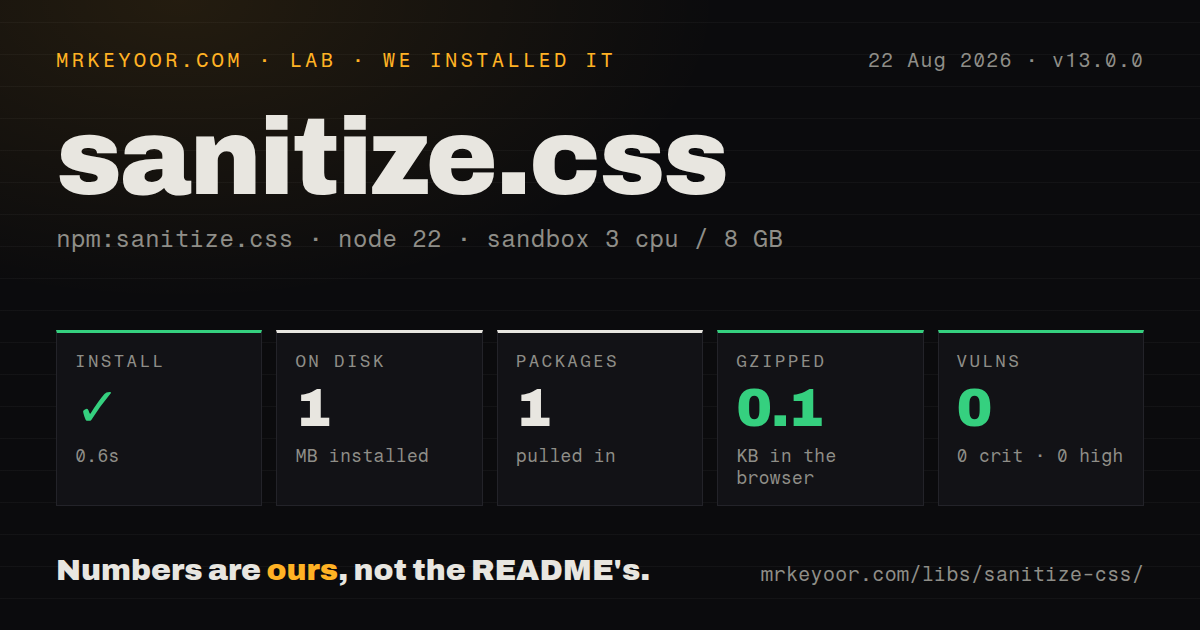
| Install | ✓ · 0.6s | 1 package on disk · 1 MB |
| Import | ✗ | ESM import fails · require() fails · CommonJS package |
| Browser | 0.1 KB | gzipped (0.1 KB minified), bundled with esbuild |
| Types | — | no TypeScript types found |
| Known vulns | 0 | 0 critical · 0 high · 0 moderate · 0 low (npm audit) |
Answers from our run
Does sanitize.css install cleanly?
Yes. In a fresh container with an empty cache, npm install sanitize.css finished in 0.6s, leaving 1 package and 1 MB on disk. npm audit reported no known vulnerabilities.
How much does sanitize.css add to a browser bundle?
0.1 KB gzipped (0.1 KB minified) when the whole package is bundled for the browser with esbuild. Importing only part of it is usually smaller.
Does sanitize.css work with both ESM and CommonJS?
Neither plain import nor require succeeded in our sandbox, so it needs a bundler or extra setup.
Does sanitize.css include TypeScript types?
No type declarations were found in our install, so TypeScript users need their own declarations.
sanitize.css or normalize.css: which should you use?
normalize.css: Use it for browser corrections with fewer opinionated visual defaults. Our sanitize.css 13.0.0 install took 0.6 seconds and had 0 dependencies or audit findings, but JavaScript require() and import both failed because the package is CSS.
When should you not use sanitize.css?
You need XSS or CSS sanitization; this is a static stylesheet and parses no user input.
Use it if
- A new site wants normalize.css fixes plus the package's documented global defaults.
- Zero-specificity `:where()` rules fit the project's cascade strategy.
- Forms, assets, typography, and reduced-motion rules will be reviewed and imported separately.
- The team can run visual regression checks across native controls, content, navigation, and print.
- You need XSS or CSS sanitization; this is a static stylesheet and parses no user input.
- A framework or design system already installs a reset because two baselines will compete globally.
- Internet Explorer 9 support is required in practice; most 13.0.0 selectors use unsupported `:where()`.
- Conservative normalization is preferred; this package also changes wrapping, backgrounds, lists, SVG fill, tables, and textarea resizing.
- Published npm code must match current repository docs; 13.0.0 dates to September 2021 while main changed in 2026.
Setup reality
Our sanitize.css 13.0.0 install completed in 0.6 seconds and left 1 package using 1 MB on disk. It is 60 KB unpacked, has 0 direct dependencies and 0 peers, and returned 0 findings from npm audit. There is no JavaScript setup, native build, credential, or runtime configuration.
This is CSS, not an executable CommonJS module. Both Node 22 require() and ESM import failed in our sandbox, so import the stylesheet through a bundler with CSS handling or link it from HTML. The package has no TypeScript declarations because it exposes stylesheets rather than typed functions.
The root file does not automatically include forms.css, assets.css, typography.css, reduce-motion.css, system-ui.css, or ui-monospace.css. Add only reviewed modules and pin any CDN URL to version 13.0.0. Import order matters when zero-specificity rules tie, and the universal box-sizing and background rules do not use :where().
The reduced-motion file applies timing changes with !important across elements and pseudo-elements, which can affect code waiting for transition or animation events. Forms alter control typography, borders, padding, backgrounds, and select arrows. Our esbuild import measured only 0.1 KB because JavaScript bundling does not represent the stylesheet payload; assess the actual CSS through your production CSS pipeline and screenshot the affected pages.
Patterns
Load the core foundation from JavaScript import-core-styles
import 'sanitize.css';
import './app.css';
Import sanitize.css before application styles so equal-specificity rules in app.css come later. Your bundler must be configured to process CSS imports.
Load the foundation from global CSS import-from-css
@import 'sanitize.css';

/* Project tokens and components follow. */
@import './tokens.css';
@import './components.css';
Package import resolution depends on the CSS build tool. The README's webpack tilde form is unnecessary in many current toolchains.
Use a version-pinned browser stylesheet load-pinned-cdn
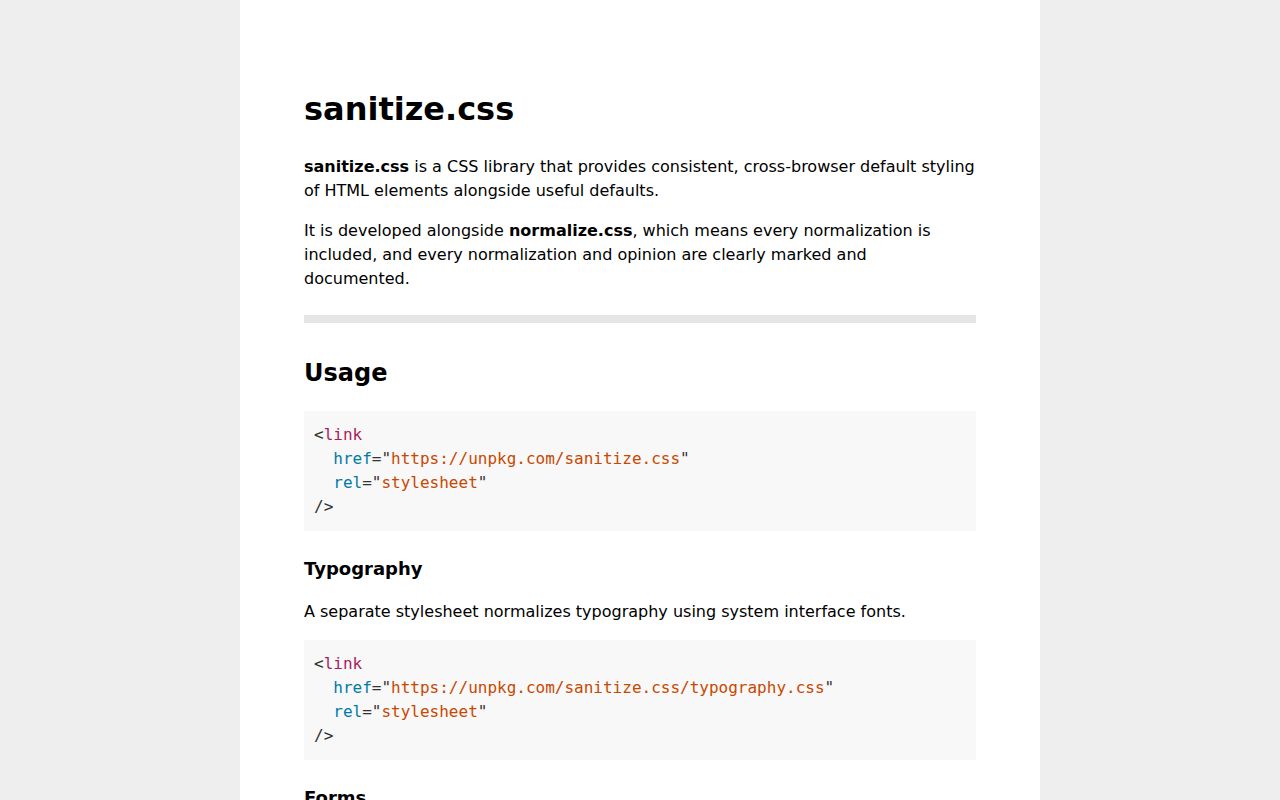
<link rel="stylesheet" href="https://unpkg.com/sanitize.css@13.0.0/sanitize.css">A pinned URL prevents an upstream release from changing every page unexpectedly. A CDN remains an availability and policy dependency.
Opt into the separate forms baseline normalize-form-controls
import 'sanitize.css';
import 'sanitize.css/forms.css';
forms.css changes borders, padding, backgrounds, inherited fonts, range and color inputs, and select appearance. It is not included by the root import.
Keep common assets within their container constrain-page-assets
import 'sanitize.css';
import 'sanitize.css/assets.css';
In npm 13.0.0 this affects iframe, img, input, video, select, and textarea. Newer main-branch documentation may describe a different selector list.
Apply the optional system font stacks use-system-typography
import 'sanitize.css';
import 'sanitize.css/typography.css';
typography.css uses ordinary html, code, kbd, samp, and pre selectors rather than zero-specificity :where(), so overrides need normal cascade planning.
Load the reduced-motion policy respect-reduced-motion
import 'sanitize.css/reduce-motion.css';Version 13 applies !important duration and delay overrides globally. Test components that rely on animation or transition completion events before enabling it.
Put sanitize.css in a low-priority layer place-in-cascade-layer
@layer reset, tokens, components, utilities;

@import 'sanitize.css' layer(reset);
@import './tokens.css' layer(tokens);
@import './components.css' layer(components);
Layer ordering can make the baseline predictable even when selector specificity differs. Verify that your target browsers and CSS processor preserve import layers.
Replace an opinionated root default override-root-defaults
:root {
  line-height: 1.4;
  overflow-wrap: normal;
  tab-size: 2;
}
The core root declarations use :where(:root), which has zero specificity, so a later ordinary :root rule overrides them cleanly.
Restore list styling inside navigation restore-navigation-markers
nav ul.docs-tree {
  list-style: disc;
  padding-inline-start: 1.5rem;
}

nav ul.docs-tree > li::before {
  content: none;
  float: none;
}
The core sheet removes nav list markers and inserts a zero-width pseudo-element for Safari semantics. Override both when a navigation tree needs visible bullets or flex-safe children.
Opt a component back into repeating backgrounds restore-repeating-background
.checkerboard {
  background-image: var(--checker-pattern);
  background-repeat: repeat;
}
The universal core rule sets background-repeat: no-repeat on every element and pseudo-element, so repeating patterns must opt back in.
Inspect the exact CSS shipped by npm audit-installed-version
npm ls sanitize.css
node -e "console.log(require.resolve('sanitize.css/sanitize.css'))"
The website follows repository main, while npm 13.0.0 predates 2026 source changes. Review the resolved file when a documented rule seems absent.
Alternatives
| Package | Registry | Pick it when |
|---|---|---|
| normalize.css | npm | Use it for browser corrections with fewer opinionated visual defaults. |
| modern-normalize | npm | Use it for a compact baseline aimed at current browsers. |
| @csstools/normalize.css | npm | Use the CSSTools-maintained normalize line when normalization is enough. |
More web frontend guides
postcss · react · react-dom · tailwindcss · clsx · htmlparser2 · the whole shelf →
How this guide is made: grounded in the library's documentation, release notes, changelog, and issue history, on a fixed rubric — not a hands-on install of every release. The 50 most-downloaded entries are additionally install-verified in clean containers. Corrections: contact the desk.