request-promise-core review
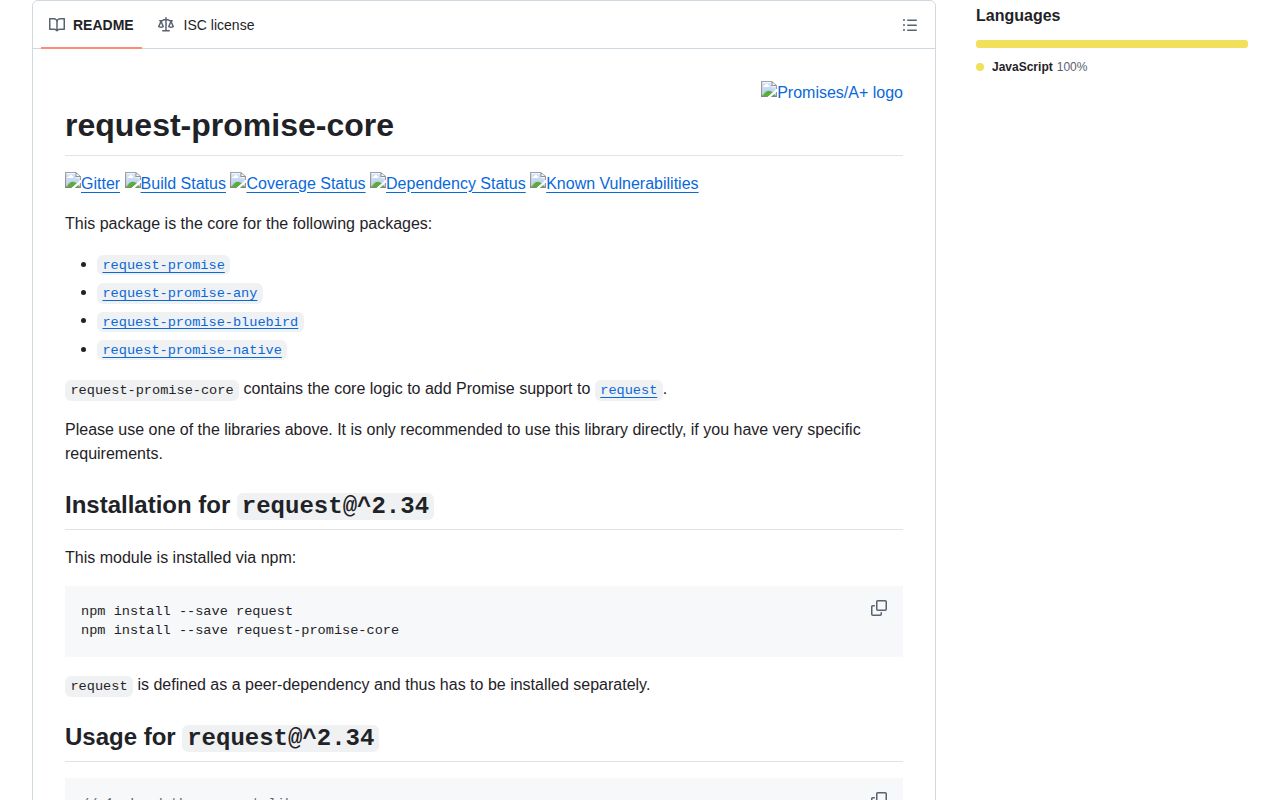
request-promise-core 1.1.4 is internal plumbing that patches the deprecated request HTTP client's prototype with then(), catch(), and promise() methods. It supplies promise construction, status-code errors, transforms, and response selection for request-promise variants. The README tells ordinary users to install a wrapper rather than this package directly. Our fresh install found 6 known vulnerabilities, including 2 critical, and printed 3 deprecation warnings. This is migration-era compatibility code, not a sensible HTTP client dependency for a new backend.
request-promise-core 1.1.4 installed with 6 vulnerabilities, including 2 critical, and 3 deprecation warnings in our sandbox. Do not install it for new work; isolate it only inside a short-lived request migration and remove the deprecated request peer with it.
We installed it
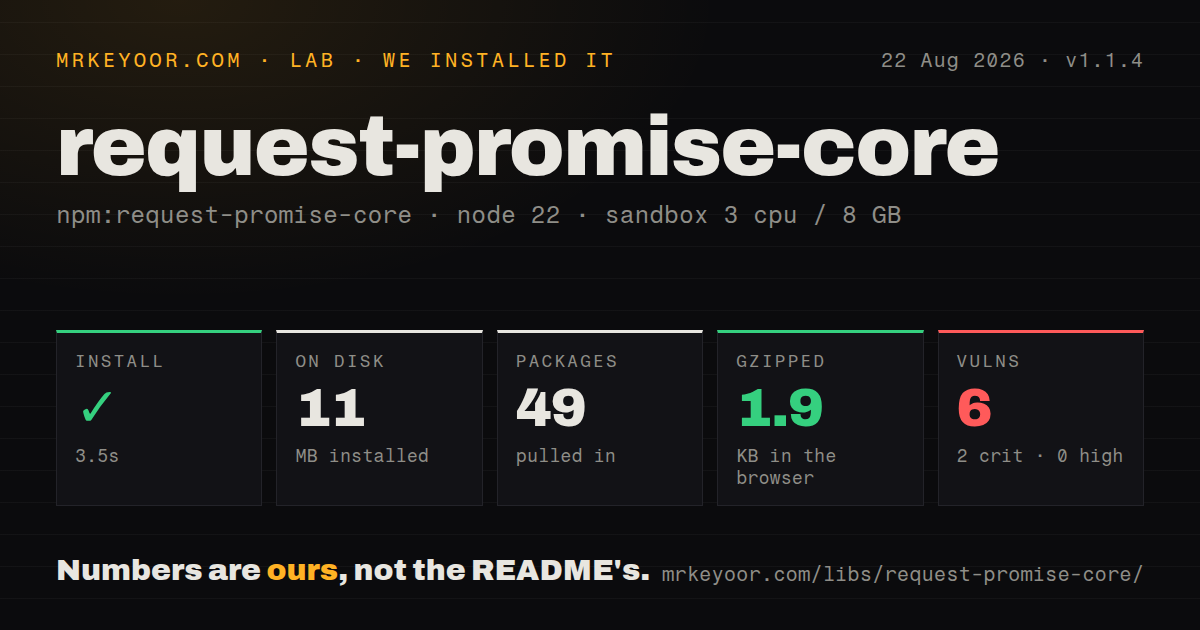
| Install | ✓ · 3.5s | 49 packages on disk · 11 MB · 3 deprecation warnings |
| Import | ✓ | ESM import works · require() works · CommonJS package |
| Browser | 1.9 KB | gzipped (5.1 KB minified), bundled with esbuild |
| Types | — | no TypeScript types found |
| Known vulns | 6 | 2 critical · 0 high · 4 moderate · 0 low (npm audit) |
Answers from our run
Does request-promise-core install cleanly?
Yes. In a fresh container with an empty cache, npm install request-promise-core finished in 4 seconds, leaving 49 packages and 11 MB on disk. npm audit reported 6 known vulnerabilities, 2 of them critical. The install printed 3 deprecation warnings.
How much does request-promise-core add to a browser bundle?
1.9 KB gzipped (5.1 KB minified) when the whole package is bundled for the browser with esbuild. Importing only part of it is usually smaller.
Does request-promise-core work with both ESM and CommonJS?
Yes. Both import 'request-promise-core' and require('request-promise-core') worked in Node 22 in our run. The package is published as CommonJS.
Does request-promise-core include TypeScript types?
No type declarations were found in our install, so TypeScript users need their own declarations.
request-promise-core or undici: which should you use?
undici: Use it for a maintained Node HTTP implementation and fetch-compatible APIs without request prototype patching. request-promise-core 1.1.4 installed with 6 vulnerabilities, including 2 critical, and 3 deprecation warnings in our sandbox.
When should you not use request-promise-core?
You are choosing an HTTP client for new code. Its request peer is deprecated, and this README tells users to choose a higher-level wrapper.
Use it if
- An existing request-promise fork already uses this exact core and must be kept running long enough to migrate.
- You maintain a private compatibility layer with a custom Promise implementation and understand request's prototype internals.
- A forensic test needs to reproduce request-promise 1.1.4 response and error behavior before replacing it.
- You are choosing an HTTP client for new code. Its request peer is deprecated, and this README tells users to choose a higher-level wrapper.
- Security policy rejects an install with 2 critical and 4 moderate vulnerabilities; those are the npm audit results from our clean sandbox.
- TypeScript declarations are required. Our package inspection found none in version 1.1.4.
- Prototype patching is unacceptable. The request2 configurator replaces Request.prototype.init and adds promise methods to Request.prototype.
- Browser support matters. The package targets Node request internals, and even though our isolated esbuild output was 1.9 KB gzipped, it is not a browser HTTP client.
Setup reality
We installed request-promise-core 1.1.4 in a fresh Node 22 Bookworm sandbox in 3.5 seconds. npm printed 3 deprecation warnings, left 49 packages and 11 MB on disk, and audit reported 6 known vulnerabilities: 2 critical and 4 moderate. The package has 1 direct dependency, 1 peer dependency, 52 KB unpacked, an ISC license, and no TypeScript declarations. It is CommonJS without an exports map; require() and ESM import both loaded under Node 22.23.2.
Direct setup also requires request ^2.34 because it is a peer. The documented request2 configurator expects a request function, a Promise implementation, and a nonempty list of methods to expose. It intercepts Request.prototype.init, so loading order matters if other code imports an unpatched request instance. The README suggests stealthy-require to isolate the patched copy, another sign that this is framework plumbing rather than an application client.
By default, non-2xx responses reject with StatusCodeError and successful calls resolve to the body. simple: false allows non-2xx results, resolveWithFullResponse: true returns the response, and transform can replace the resolved body. Callback exceptions are rethrown after promise settlement. No credential format is imposed, but request's proxy, TLS, cookie, redirect, and authentication options still govern network behavior.
Our esbuild measurement produced 5.1 KB minified and 1.9 KB gzipped for this package alone; that number excludes the required request peer and its installed graph. Do not use it to justify a browser build. Version 1.1.4 shipped in July 2020, the core repository's last push was May 21, 2021, and the practical setup task is a controlled migration to fetch, undici, got, or axios.
Patterns
Patch an isolated request copy configure-request2
const stealthyRequire = require('stealthy-require');
const request = stealthyRequire(require.cache, () => require('request'));
const configure = require('request-promise-core/configure/request2');

configure({request, PromiseImpl: Promise, expose: ['then', 'catch', 'promise']});
Version 1.1.4 changes Request.prototype.init, so isolate the copy if any dependency also expects an unpatched request module.
Resolve a successful response body request-body
const body = await request({
  uri: 'https://api.example.com/items',
  json: true,
  timeout: 8000,
});
The core resolves to the body by default and rejects non-2xx responses while simple remains true.
Read status and headers return-full-response
const response = await request({
  uri: 'https://api.example.com/items/42',
  resolveWithFullResponse: true,
  json: true,
});
console.log(response.statusCode, response.headers, response.body);
resolveWithFullResponse: true changes the success value from the body to request's response object.
Inspect an error response without rejection accept-non-2xx
const body = await request({
  uri: 'https://api.example.com/items/missing',
  simple: false,
  json: true,
});
simple: false resolves non-2xx bodies, so the caller must check status separately if it also needs the status code.
Transform a JSON body transform-response
const ids = await request({
  uri: 'https://api.example.com/items',
  json: true,
  transform(body) {
    return body.items.map((item) => item.id);
  },
});
A transform may return a promise; a thrown or rejected transform becomes TransformError in version 1.1.4.
Skip transforms for non-2xx replies limit-transform-to-success
await request({
  uri,
  transform: parsePayload,
  transform2xxOnly: true,
});
transform2xxOnly: true prevents the transform from running before a StatusCodeError is created for a failed HTTP status.
Handle a rejected status code inspect-status-error
try {
  await request({uri, json: true});
} catch (error) {
  if (error.name === 'StatusCodeError') {
    console.error(error.statusCode, error.error);
  } else {
    throw error;
  }
}
With simple enabled, version 1.1.4 wraps non-2xx responses in StatusCodeError rather than resolving them.
Detach the underlying promise get-native-promise
const req = request({uri, timeout: 8000});
const promise = req.promise();
req.abort();
await promise;
promise() is available only when it appears in expose; abort() still belongs to the patched request object.
Replace body resolution with fetch migrate-to-fetch
const response = await fetch(url, {signal: AbortSignal.timeout(8000)});
if (!response.ok) {
  throw new Error(`HTTP ${response.status}`);
}
const body = await response.json();
fetch does not reject on 4xx or 5xx, so an explicit response.ok check replaces request-promise's default simple behavior.
Replace full-response access with undici migrate-full-response
import {request as httpRequest} from 'undici';

const {statusCode, headers, body} = await httpRequest(url);
if (statusCode < 200 || statusCode >= 300) throw new Error(`HTTP ${statusCode}`);
const value = await body.json();
Migration tests should compare status handling, redirects, proxy use, cookies, and TLS options before removing the 49-package legacy graph.
Alternatives
| Package | Registry | Pick it when |
|---|---|---|
| undici | npm | Use it for a maintained Node HTTP implementation and fetch-compatible APIs without request prototype patching. |
| got | npm | Use it for a Node-focused client with retries, hooks, pagination, and structured errors. |
| axios | npm | Use it when one familiar API must cover browsers and Node with interceptors and broad integrations. |
More web backend guides
ws · urllib3 · requests · undici · anyio · express · the whole shelf →
How this guide is made: grounded in the library's documentation, release notes, changelog, and issue history, on a fixed rubric — not a hands-on install of every release. The 50 most-downloaded entries are additionally install-verified in clean containers. Corrections: contact the desk.