urllib3 review
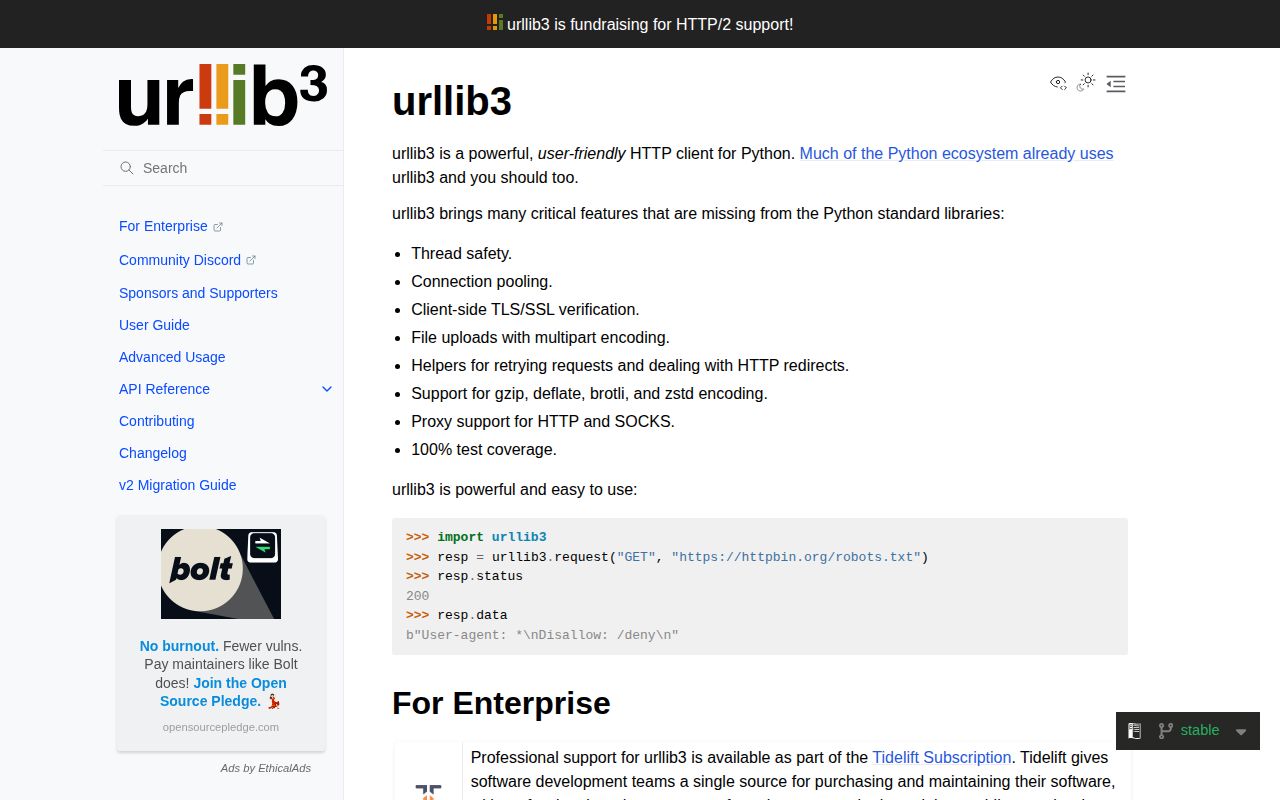
urllib3 2.7.0 is a synchronous HTTP/1.1 transport built around thread-safe reusable connection pools. It exposes TLS, proxies, multipart bodies, redirects, configurable retry policy, content decoding, streaming, and separate pool, connect, and socket-read waits. Requests and many SDKs use it beneath friendlier APIs. Version 2.7.0 fixes streaming decompression-limit bypasses and sensitive headers on cross-host ProxyManager redirects, drops Python 3.9, repairs partial reads, and raises clearer future-removal warnings. HTTP/2 and async I/O are outside the current client.
urllib3 2.7.0 installed as 1 package using 1 MB in our sandbox, imported in 0.28 seconds, and had no audit findings. Use it when pool, retry, TLS, proxy, and streaming policy belong in your code; most application endpoints are clearer through Requests or HTTPX.
We installed it
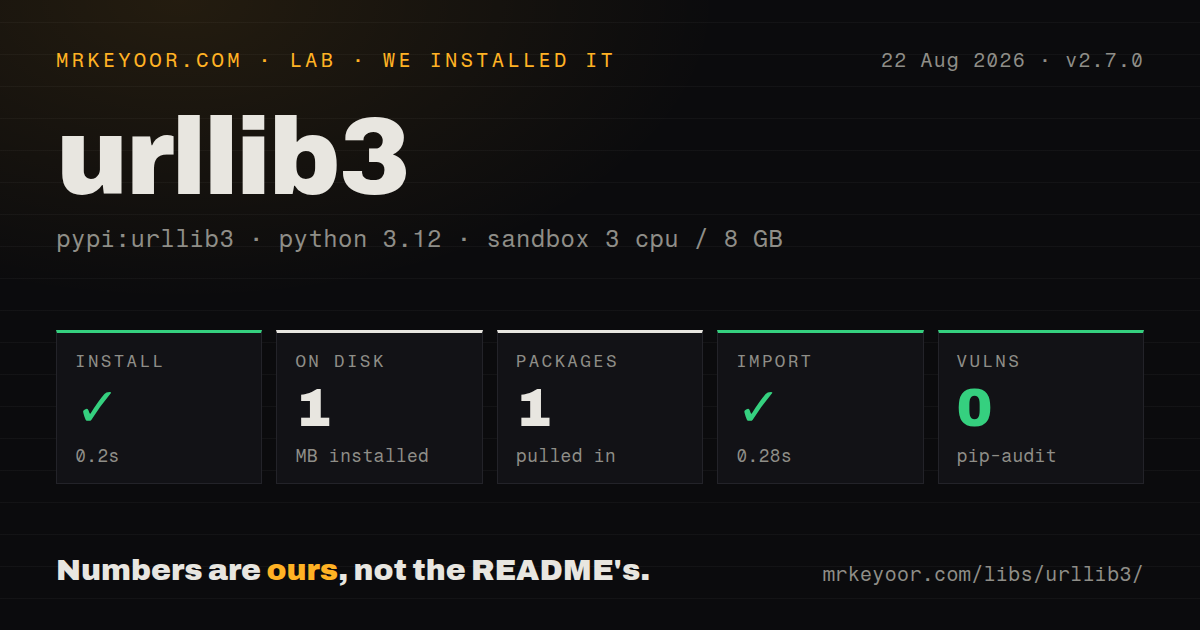
| Install | ✓ · 0.2s | 1 package on disk · 1 MB |
| Import | ✓ | import urllib3 in 0.28s · pure Python · py.typed · requires Python >=3.10 |
| Known vulns | 0 | (pip-audit) |
Answers from our run
Does urllib3 install cleanly?
Yes. In a fresh container with an empty cache, pip install urllib3 finished in 0.2s, leaving 1 package and 1 MB on disk. pip-audit reported no known vulnerabilities.
What does urllib3 need to run?
Python >=3.10, and nothing compiled: it is pure Python. In our run import urllib3 succeeded in 0.28s, and the package ships py.typed for type checkers.
urllib3 or requests: which should you use?
requests: Use it for ordinary synchronous application requests with sessions and common auth helpers. urllib3 2.7.0 installed as 1 package using 1 MB in our sandbox, imported in 0.28 seconds, and had no audit findings.
When should you not use urllib3?
Application code wants sessions, cookie handling, authentication helpers, and a simpler interface; Requests fits that layer.
Discussed on
- hnTests aren’t enough: Case study after adding type hints to urllib3205 points
- hnUrllib3, Stripe, and Open Source Grants205 points
- hnUrllib3 in 2022197 points
- hnPython HTTP library 'urllib3' now works in the browser108 points
- hnGet Paid to Contribute to Urllib3102 points
Use it if
- A Python SDK needs a small synchronous transport whose pool and retry rules stay explicit.
- Several threads call the same origins and should share bounded host pools.
- Retry decisions must depend on method, status, redirects, backoff, and Retry-After.
- Large responses need manual streaming and deliberate connection return to the pool.
- Application code wants sessions, cookie handling, authentication helpers, and a simpler interface; Requests fits that layer.
- One API must support async calls or HTTP/2 now; HTTPX is the closer match.
- An asyncio service already uses aiohttp for both client and server behavior.
- Non-idempotent requests would be retried without idempotency keys or duplicate detection.
- The team will omit timeouts or fail to release streaming responses; urllib3 leaves those transport obligations visible.
Setup reality
We installed urllib3 2.7.0 in a clean Python 3.12 Bookworm sandbox in 0.2 seconds. It left 1 package using 1 MB, and import urllib3 completed in 0.28 seconds. Metadata reports 5 direct dependencies, pure Python, Python 3.10 or newer, and included py.typed; its measured license field was unknown. pip-audit found 0 known vulnerabilities. Brotli, Zstandard on older Python, SOCKS, and HTTP/2-related dependencies are selected through optional extras rather than this base result.
Build one PoolManager for the process traffic pattern. num_pools is the count of cached host pools, while maxsize limits reusable connections per host. With block=False, bursts may open excess connections that are later discarded. block=True applies backpressure, making pool_timeout another required bound. Pool thread safety does not make one response stream safe for concurrent consumers.
Set connect and read timeouts on every call or manager. They govern phases, not one wall-clock deadline across DNS, retries, redirects, and all body reads. Retry defaults favor idempotent methods, but status retries can still multiply request duration. Preserve removal of Authorization and Cookie when a redirect changes hosts. Version 2.7.0 repairs one ProxyManager route where sensitive headers were previously forwarded, so proxy users should not remain below it.
Responses normally preload and decode. For a large body, request preload_content=False, consume it, then release or close the response so the socket is reusable. Version 2.7.0 closes partial Brotli and drain-connection paths that could evade decompression limits, but applications should still count accepted bytes. Keep certificate and hostname checks enabled. Supply a private CA bundle for internal services instead of disabling TLS verification.
Patterns
Reuse one bounded manager across calls share-pool
import urllib3
http = urllib3.PoolManager(num_pools=20, maxsize=10, block=True)
response = http.request('GET', 'https://api.example/health', timeout=5.0)
Keep the manager for process life; `block=True` waits when all 10 per-host connections are occupied.
Bound connection and socket-read phases set-timeouts
timeout = urllib3.Timeout(connect=2.0, read=10.0)
http = urllib3.PoolManager(timeout=timeout)
response = http.request('GET', 'https://api.example/report')
These two phase limits do not form one total deadline over retries, redirects, and response consumption.
Retry idempotent transient failures retry-statuses
from urllib3.util import Retry
retry = Retry(total=3, backoff_factor=0.5, status_forcelist={429, 502, 503, 504}, respect_retry_after_header=True)
http = urllib3.PoolManager(retries=retry)
Default allowed methods are conservative; add POST only when the endpoint supports idempotency.
Send JSON and enforce an HTTP status rule post-json
response = http.request('POST', url, json={'name': 'widget'}, timeout=urllib3.Timeout(connect=2, read=10))
if response.status >= 400:
    raise RuntimeError(response.data.decode())
result = response.json()
urllib3 does not automatically raise for a 4xx or 5xx response, so callers define status handling.
Download chunks and return the socket stream-file
response = http.request('GET', url, preload_content=False)
try:
    with open(path, 'wb') as output:
        for chunk in response.stream(64 * 1024): output.write(chunk)
finally:
    response.release_conn()
Add a byte counter for untrusted content; releasing after consumption makes the connection available to the pool.
Verify an internal service with its CA trust-private-ca
import ssl
context = ssl.create_default_context(cafile='/etc/ssl/internal-ca.pem')
http = urllib3.PoolManager(ssl_context=context)
response = http.request('GET', 'https://internal.example/health')
A private CA preserves hostname and certificate checks instead of suppressing insecure-request warnings.
Send traffic through an authenticated proxy use-http-proxy
proxy = urllib3.ProxyManager('http://proxy.example:8080', proxy_headers=urllib3.make_headers(proxy_basic_auth='user:password'))
response = proxy.request('GET', 'https://api.example/data', timeout=10)
Protect proxy credentials and use 2.7.0 or newer for corrected header stripping on cross-host redirects.
Limit waiting for an occupied pool bound-pool-wait
response = http.request('GET', url, pool_timeout=1.0, timeout=urllib3.Timeout(connect=2.0, read=5.0))The 1-second pool wait matters with `block=True` and is separate from network connection and read limits.
Alternatives
More web backend guides
ws · requests · undici · anyio · express · httpx · the whole shelf →
How this guide is made: grounded in the library's documentation, release notes, changelog, and issue history, on a fixed rubric — not a hands-on install of every release. The 50 most-downloaded entries are additionally install-verified in clean containers. Corrections: contact the desk.