regexp-to-ast review
regexp-to-ast 0.5.0 parses JavaScript regular-expression literal text, including the surrounding slashes and supported flags, into its own small AST. Nodes represent disjunctions, alternatives, anchors, lookaheads, characters, sets, numbered groups, backreferences, and quantifiers; a base visitor walks the tree. The 0.5.0 release added zero-based `loc.begin` and exclusive `loc.end` offsets to every AST node. The parser does no matching, code generation, ReDoS analysis, or optimization. Its grammar predates named groups, lookbehind, Unicode property escapes, and the `s`, `d`, and `v` flags now found in current JavaScript.
regexp-to-ast 0.5.0 installed in 0.5 seconds and bundled to 3.2 KB gzipped in our sandbox, with both module loaders working and no audit findings. Its frozen pre-modern grammar makes sense for compatible legacy AST consumers; new JavaScript regex tooling should start with `@eslint-community/regexpp` or regjsparser.
We installed it
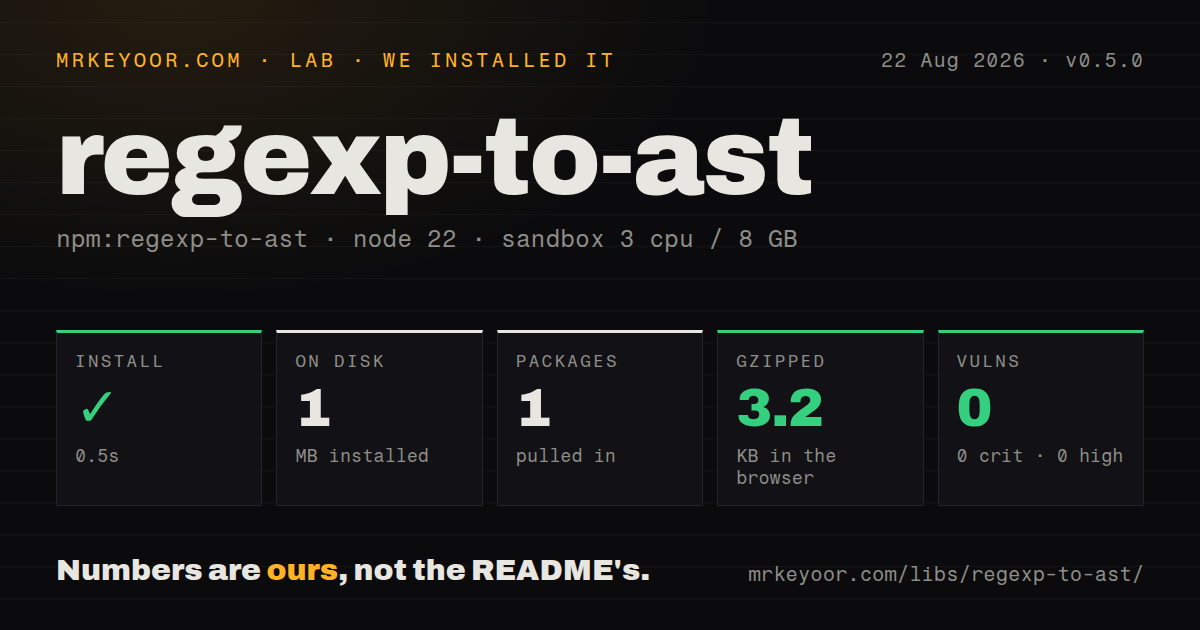
| Install | ✓ · 0.5s | 1 package on disk · 1 MB |
| Import | ✓ | ESM import works · require() works · CommonJS package |
| Browser | 3.2 KB | gzipped (12.1 KB minified), bundled with esbuild |
| Types | ✓ | TypeScript types bundled |
| Known vulns | 0 | 0 critical · 0 high · 0 moderate · 0 low (npm audit) |
Answers from our run
Does regexp-to-ast install cleanly?
Yes. In a fresh container with an empty cache, npm install regexp-to-ast finished in 0.5s, leaving 1 package and 1 MB on disk. npm audit reported no known vulnerabilities.
How much does regexp-to-ast add to a browser bundle?
3.2 KB gzipped (12.1 KB minified) when the whole package is bundled for the browser with esbuild. Importing only part of it is usually smaller.
Does regexp-to-ast work with both ESM and CommonJS?
Yes. Both import 'regexp-to-ast' and require('regexp-to-ast') worked in Node 22 in our run. The package is published as CommonJS.
Does regexp-to-ast include TypeScript types?
Yes, type declarations ship inside the package, so no @types install is needed.
regexp-to-ast or @eslint-community/regexpp: which should you use?
@eslint-community/regexpp: Choose it for a maintained ECMAScript grammar with modern flags, groups, lookbehind, Unicode properties, and lint-tool use. regexp-to-ast 0.5.0 installed in 0.5 seconds and bundled to 3.2 KB gzipped in our sandbox, with both module loaders working and no audit findings.
When should you not use regexp-to-ast?
Inputs can contain modern syntax. The flag parser accepts only g, i, m, u, and y, and the AST cannot represent named captures, lookbehind, Unicode properties, or Unicode sets.
Use it if
- An existing tool already stores or visits this package's AST and its regex inputs stay within the older supported grammar.
- You need numeric source ranges for a compact parser whose entire public model is declared in one TypeScript file.
- A dependency-free CommonJS parser and UMD browser global fit a legacy JavaScript environment.
- Numbered capture groups and UTF-16 code-unit character values are sufficient for the analysis.
- Inputs can contain modern syntax. The flag parser accepts only `g`, `i`, `m`, `u`, and `y`, and the AST cannot represent named captures, lookbehind, Unicode properties, or Unicode sets.
- Editor-quality diagnostics are required. The README still lists descriptive messages and error positions as unfinished, and several parser branches throw generic internal errors.
- The tool must regenerate or transform patterns. This package supplies a parser and visitor but no printer, optimizer, rewrite API, or compatibility target option.
- Active grammar maintenance is part of the decision. npm 0.5.0 dates to December 2019, and the last default-branch source commits shown by GitHub are from February 2020.
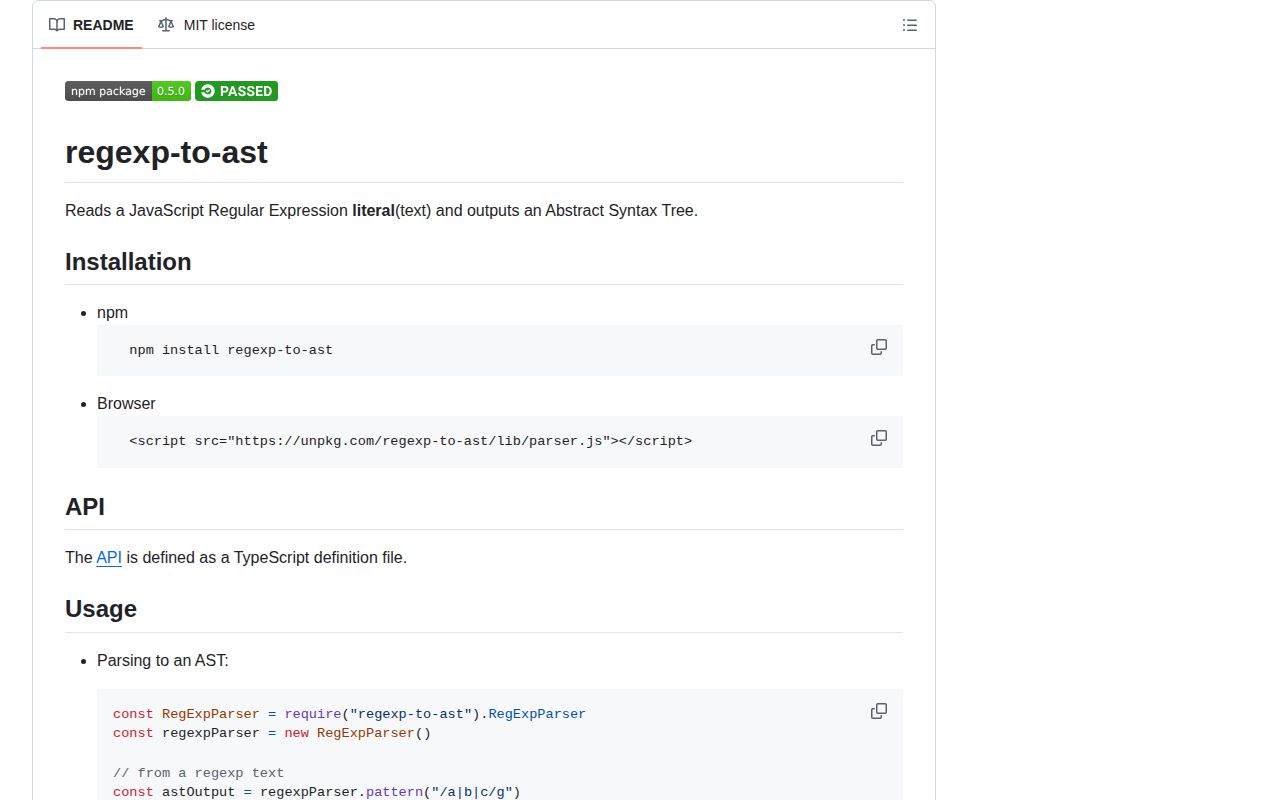
- You plan to copy the browser snippet from the README. It names `lib/parser.js`, while the published 0.5.0 tarball exposes `lib/regexp-to-ast.js`.
Setup reality
We installed regexp-to-ast 0.5.0 in a clean Node 22 sandbox in 0.5 seconds. npm left one package and 1 MB on disk; the package is 60 KB unpacked with zero direct and peer dependencies. It uses the MIT license, bundles a declaration file, and had zero known vulnerabilities in npm audit. CommonJS require() and ESM import both worked. Our esbuild browser result was 12.1 KB minified and 3.2 KB gzipped.
Construct RegExpParser and pass literal text such as /cat+/gi. A bare source string and a RegExp object are not accepted; call .toString() on an existing RegExp. Version 0.5.0 recognizes five flags and throws on duplicates or trailing characters. The package has no configuration file, credentials, native build, or runtime cache. One parser can handle consecutive calls because pattern() resets its input index and capture counter each time.
Characters and set members are stored as numeric UTF-16 code units. The README explicitly leaves non-BMP Unicode and Unicode-flag escapes unfinished, so an AST is not a faithful model for all u patterns. Unbounded quantifiers use JavaScript Infinity; ordinary JSON.stringify converts that number to null. Encode it deliberately before persisting trees. The declaration also types VERSION as a number even though runtime exports the string 0.5.0.
The base visitor dispatches to a node-specific method and then walks children, including a quantifier attached to an atom. Override visitChildren when pruning is needed; a callback return value does not stop descent by itself. For direct browser loading, use the UMD file lib/regexp-to-ast.js, which writes regexpToAst on the global object. The README's lib/parser.js URL points to no published file.
Patterns
Parse literal text into an AST parse-regex-literal
const {RegExpParser} = require('regexp-to-ast');
const parser = new RegExpParser();

const ast = parser.pattern('/^(cat|dog)s?$/i');
console.log(ast.type); // Pattern
Input includes both slash delimiters and any flags. Passing bare text such as `^cat$` fails at the first character.
Convert a RegExp object before parsing parse-regexp-instance
const expression = /red|blue/gi;
const ast = parser.pattern(expression.toString());
`pattern()` takes a string only. `RegExp.prototype.toString()` supplies delimiters and flags in the expected form.
Parse several literals with one instance reuse-parser-sequentially
const literals = ['/one/', '/(two)+/g', '/three|four/i'];
const trees = literals.map((literal) => parser.pattern(literal));
Each synchronous call resets the input cursor and capture count before parsing the next literal.
Read the five flag booleans inspect-supported-flags
const {flags} = parser.pattern('/name/gimuy');
console.log(flags.global, flags.ignoreCase, flags.multiLine);
console.log(flags.unicode, flags.sticky);
Only `g`, `i`, `m`, `u`, and `y` are accepted. The newer `s`, `d`, or `v` flag leaves redundant input and throws.
Inspect disjunction branches list-alternatives
const ast = parser.pattern('/red|green|blue/');
const branches = ast.value.value;
console.log(branches.length); // 3
`Pattern.value` is a Disjunction, whose `value` is always an array of Alternative nodes.
Turn code units back into text decode-character-nodes
const terms = parser.pattern('/abc/').value.value[0].value;
const text = terms
  .filter((node) => node.type === 'Character')
  .map((node) => String.fromCharCode(node.value))
  .join('');
Character values are UTF-16 code units. `String.fromCharCode` does not repair the package's documented non-BMP limitation.
Read a negated set and its ranges inspect-character-class
const set = parser.pattern('/[^a-c0-2]/').value.value[0].value[0];
for (const item of set.value) {
  if (typeof item === 'number') console.log('unit', item);
  else console.log('range', item.from, item.to);
}
console.log(set.complement);
Set contents mix individual numeric units with `{from, to}` objects; `complement` records the leading caret.
Preserve an unbounded quantifier serialize-quantifier-bounds
const atom = parser.pattern('/a{2,}?/').value.value[0].value[0];
const quantifier = {
  ...atom.quantifier,
  atMost: atom.quantifier.atMost === Infinity ? 'Infinity' : atom.quantifier.atMost,
};
The AST uses `Infinity` for an open upper bound. JSON would silently store that value as null without conversion.
Visit numbered capturing groups collect-capture-groups
const {BaseRegExpVisitor} = require('regexp-to-ast');

class Captures extends BaseRegExpVisitor {
  groups = [];
  visitGroup(node) {
    if (node.capturing) this.groups.push(node.idx);
  }
}
const visitor = new Captures();
visitor.visit(parser.pattern('/(a)(?:b)(c)/'));
This AST has numbered captures only. Base visitor traversal continues into the group after `visitGroup` returns.
Count nodes while retaining traversal count-ast-node-types
class Counter extends BaseRegExpVisitor {
  counts = Object.create(null);
  visit(node) {
    this.counts[node.type] = (this.counts[node.type] || 0) + 1;
    super.visit(node);
  }
}
Calling `super.visit(node)` is required here; omitting it stops dispatch and child traversal at that node.
Map a group back to literal text slice-node-location
const input = '/foo(bar)+/g';
const ast = parser.pattern(input);
const group = ast.value.value[0].value[3];
console.log(input.slice(group.loc.begin, group.loc.end));
Release 0.5.0 added zero-based begin and exclusive end offsets over the complete literal string.
Use the file that actually ships load-umd-in-browser
<script src="https://unpkg.com/regexp-to-ast@0.5.0/lib/regexp-to-ast.js"></script>
<script>
  const parser = new regexpToAst.RegExpParser();
  console.log(parser.pattern('/hello/i'));
</script>
The published UMD file creates `regexpToAst`. The README's `lib/parser.js` path does not exist in 0.5.0.
Alternatives
| Package | Registry | Pick it when |
|---|---|---|
| @eslint-community/regexpp | npm | Choose it for a maintained ECMAScript grammar with modern flags, groups, lookbehind, Unicode properties, and lint-tool use. |
| regjsparser | npm | Use it when Babel-style tooling needs broad current syntax coverage and configurable feature flags. |
| regexp-tree | npm | Choose it when parsing must be followed by traversal, transforms, optimization, or generation. |
| regexpp | npm | Keep it only for consumers tied to the older package API; new work should compare its maintained community fork first. |
More utils guides
lru-cache · type-fest · ajv · zod · p-limit · find-up · the whole shelf →
How this guide is made: grounded in the library's documentation, release notes, changelog, and issue history, on a fixed rubric — not a hands-on install of every release. The 50 most-downloaded entries are additionally install-verified in clean containers. Corrections: contact the desk.