react-syntax-highlighter review
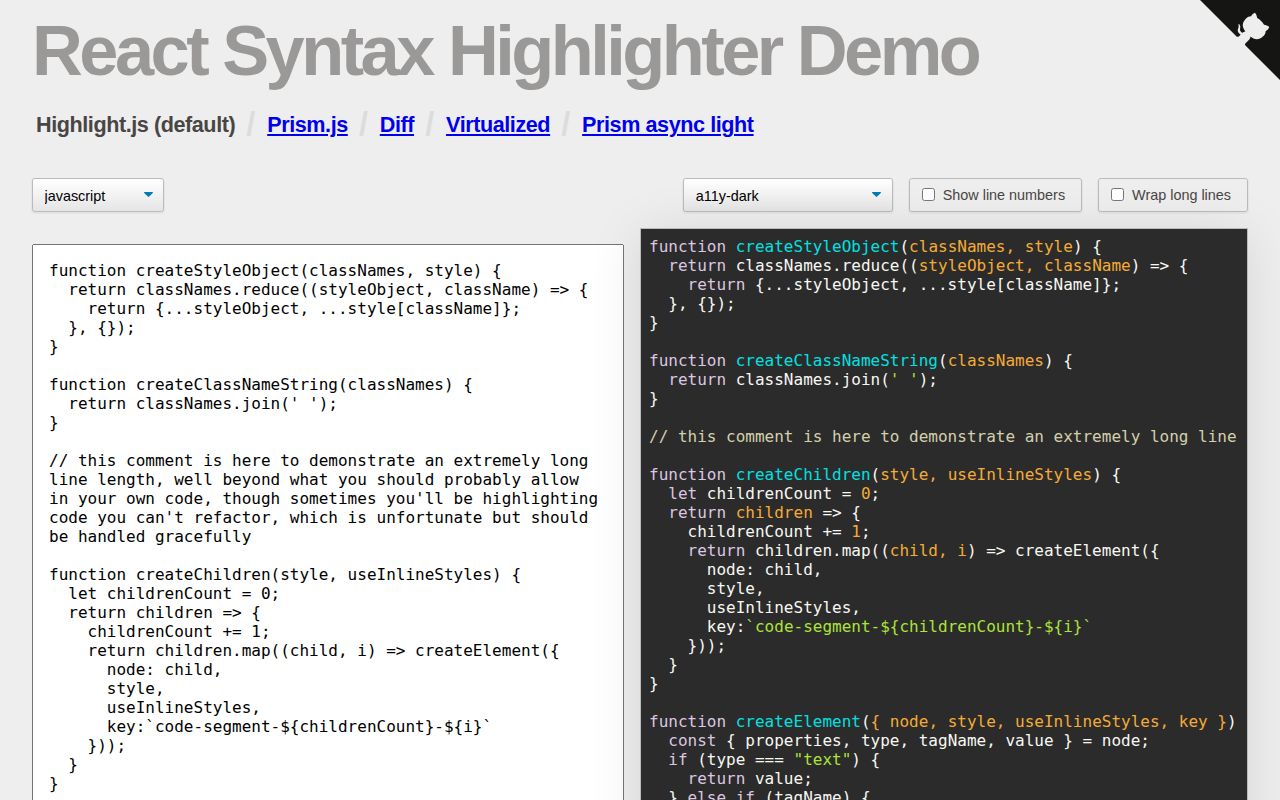
react-syntax-highlighter 16.1.1 converts highlighted code into React elements. Its default path uses lowlight and highlight.js grammars; Prism entry points use refractor and Prism grammars. It can show line numbers, wrap source, assign props to individual lines, replace the pre and code tags, emit token classes, or hand nodes to a custom renderer. Full, light, and async builds exchange convenience for payload and loading behavior. Version 16.1.1 repairs an ESM import path in the published package. Our unrestricted import reached 1684.3 KB minified and 522.4 KB gzipped, so choosing an entry point is part of initial setup.
react-syntax-highlighter 16.1.1 installed in 4 seconds and 21 MB with 0 audit findings on our box, but its full browser import was 522.4 KB gzipped and carried no bundled types. Use a registered light build for interactive per-line React behavior; pre-render documentation code with Shiki or another server-side highlighter.
We installed it
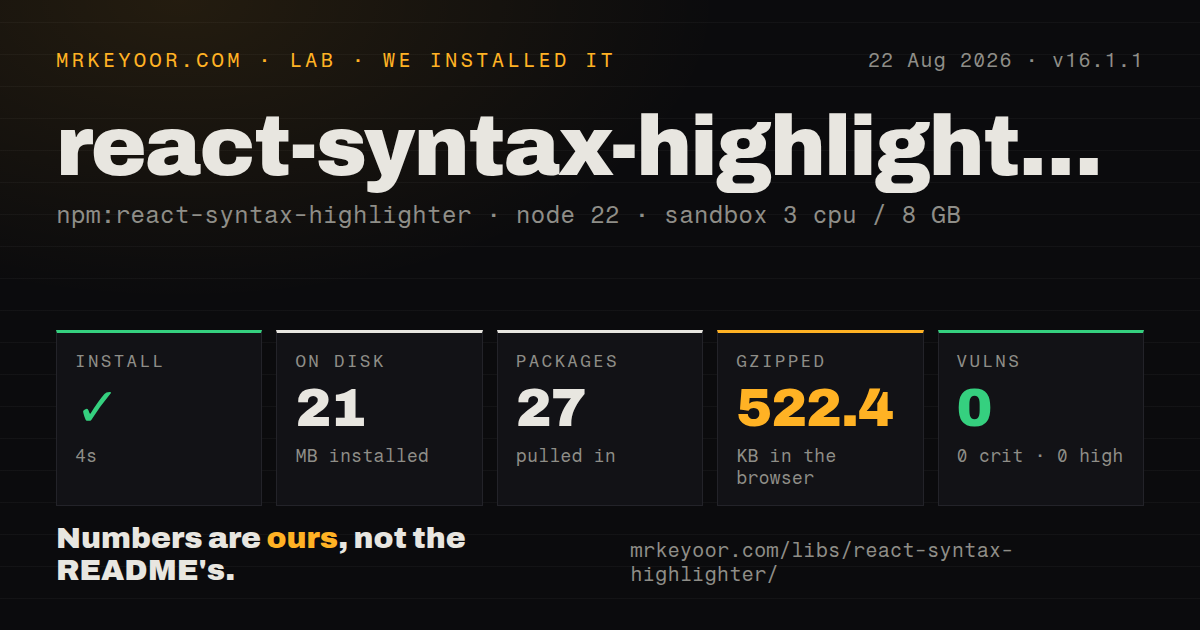
| Install | ✓ · 4s | 27 packages on disk · 21 MB |
| Import | ✓ | ESM import works · require() works · CommonJS package |
| Browser | 522.4 KB | gzipped (1684.3 KB minified), bundled with esbuild |
| Types | — | no TypeScript types found |
| Known vulns | 0 | 0 critical · 0 high · 0 moderate · 0 low (npm audit) |
Answers from our run
Does react-syntax-highlighter install cleanly?
Yes. In a fresh container with an empty cache, npm install react-syntax-highlighter finished in 4 seconds, leaving 27 packages and 21 MB on disk. npm audit reported no known vulnerabilities.
How much does react-syntax-highlighter add to a browser bundle?
522.4 KB gzipped (1684.3 KB minified) when the whole package is bundled for the browser with esbuild. Importing only part of it is usually smaller.
Does react-syntax-highlighter work with both ESM and CommonJS?
Yes. Both import 'react-syntax-highlighter' and require('react-syntax-highlighter') worked in Node 22 in our run. The package is published as CommonJS.
Does react-syntax-highlighter include TypeScript types?
No type declarations were found in our install, so TypeScript users need their own declarations.
react-syntax-highlighter or prism-react-renderer: which should you use?
prism-react-renderer: Choose it for a narrower Prism render-prop interface when your component owns all code-block markup. react-syntax-highlighter 16.1.1 installed in 4 seconds and 21 MB with 0 audit findings on our box, but its full browser import was 522.4 KB gzipped and carried no bundled types.
When should you not use react-syntax-highlighter?
Static Markdown can be highlighted during a build or server render. Shiki can emit finished markup without sending a browser grammar engine.
Use it if
- A React code viewer needs line selection, diff backgrounds, click handlers, or other behavior attached through lineProps.
- The product may use either highlight.js or Prism grammars while retaining a similar component interface.
- JavaScript theme objects fit the application's styling system better than a global syntax stylesheet.
- You can register a small language allowlist with Light or PrismLight instead of importing every grammar.
- Static Markdown can be highlighted during a build or server render. Shiki can emit finished markup without sending a browser grammar engine.
- The default import sits on a strict performance route. Our full import measured 1684.3 KB minified and 522.4 KB gzipped before application code.
- Type definitions must ship in the same package. Version 16.1.1 includes none and the README tells TypeScript projects to add @types/react-syntax-highlighter.
- The target is React Native. The maintainers direct native users to a separate react-native-syntax-highlighter project.
- Code must appear highlighted on its first paint while using async entries. Those builds show plain code during dynamic chunk loading.
Setup reality
Our clean installation of react-syntax-highlighter 16.1.1 took 4 seconds in a Node 22 Bookworm container. npm left 27 packages consuming 21 MB. The package lists 6 direct dependencies and 1 React peer dependency, and its unpacked contents are 9096 KB. npm audit found 0 known vulnerabilities. require and ESM import both worked through a CommonJS package with no exports map. We found no bundled TypeScript declaration files. Node 16.20.2 is the minimum declared runtime.
The plain component selects highlight.js through lowlight. To use Prism, import the Prism component and a theme from dist/esm/styles/prism; highlight.js themes live under styles/hljs. TypeScript requires @types/react-syntax-highlighter, and React must already satisfy the peer range. This renderer targets web React. A separate package handles React Native.
A full-package esbuild import measured 1684.3 KB minified and 522.4 KB gzipped in our sandbox. Light and PrismLight remove the automatic grammar catalog, which means importing each language and registering it once at module scope. They also need an explicit style. PrismAsyncLight and LightAsync defer engines and grammars through dynamic imports; until those chunks arrive, the component renders code and line numbers without token highlighting.
lineProps has no effect unless wrapLines creates an element for each line. wrapLongLines switches to pre-wrap and can disturb indentation and column comparisons. With useInlineStyles false, the renderer emits token class names and the application must load a compatible stylesheet. Bound the length of user-supplied code before rendering because parsing a huge file consumes main-thread CPU and can create a very large React element tree.
Patterns
Highlight JavaScript with the default engine highlight-javascript
import SyntaxHighlighter from 'react-syntax-highlighter';
import { docco } from 'react-syntax-highlighter/dist/esm/styles/hljs';

<SyntaxHighlighter language="javascript" style={docco}>{code}</SyntaxHighlighter>
The default component uses highlight.js grammars and needs a theme from the hljs style directory.
Highlight JSX through Prism highlight-jsx-prism
import { Prism as SyntaxHighlighter } from 'react-syntax-highlighter';
import { vscDarkPlus } from 'react-syntax-highlighter/dist/esm/styles/prism';

<SyntaxHighlighter language="jsx" style={vscDarkPlus}>{source}</SyntaxHighlighter>
Use a Prism theme with a Prism component. Mixing the hljs and prism style directories produces the wrong token keys.
Register one highlight.js language register-light-language
import { Light as SyntaxHighlighter } from 'react-syntax-highlighter';
import javascript from 'react-syntax-highlighter/dist/esm/languages/hljs/javascript';
import docco from 'react-syntax-highlighter/dist/esm/styles/hljs/docco';

SyntaxHighlighter.registerLanguage('javascript', javascript);
Light omits the grammar catalog and default theme. Register every accepted language and pass a style explicitly.
Register JSX with PrismLight register-prism-light
import { PrismLight as SyntaxHighlighter } from 'react-syntax-highlighter';
import jsx from 'react-syntax-highlighter/dist/esm/languages/prism/jsx';

SyntaxHighlighter.registerLanguage('jsx', jsx);
Run registration once at module scope. Calling it during React rendering repeats global setup.
Defer Prism and grammar chunks load-async-light
import { PrismAsyncLight as SyntaxHighlighter } from 'react-syntax-highlighter';

<SyntaxHighlighter language="tsx" style={theme} showLineNumbers>
  {source}
</SyntaxHighlighter>
PrismAsyncLight needs dynamic-import support. Before its chunks load, the component shows unhighlighted code with any requested line numbers.
Start line numbers at a source offset number-lines
<SyntaxHighlighter language="python" style={theme} showLineNumbers startingLineNumber={40}>
  {source}
</SyntaxHighlighter>
startingLineNumber changes output only when showLineNumbers is true.
Style selected lines individually mark-lines
<SyntaxHighlighter
  language="diff" style={theme} wrapLines
  lineProps={(line) => ({ style: changed.has(line) ? { background: '#3b1f2b' } : undefined })}
>{source}</SyntaxHighlighter>
wrapLines must be enabled before lineProps can attach styles, classes, or handlers to line elements.
Wrap code on narrow screens wrap-long-source
<SyntaxHighlighter language="json" style={theme} wrapLongLines>
  {json}
</SyntaxHighlighter>
wrapLongLines uses pre-wrap. It avoids horizontal overflow but no longer preserves strict visual column alignment.
Emit token classes for an external theme use-external-css
import 'highlight.js/styles/github-dark.css';

<SyntaxHighlighter language="shell" useInlineStyles={false}>
  {command}
</SyntaxHighlighter>
The component does not inject CSS. Load a stylesheet built for the same grammar engine.
Add semantics to the rendered tags customize-code-tags
<SyntaxHighlighter
  language="javascript"
  style={theme}
  PreTag="div"
  codeTagProps={{ 'aria-label': 'JavaScript example' }}
>
  {code}
</SyntaxHighlighter>
Changing PreTag removes the native pre element's whitespace semantics, so verify layout and copy behavior before replacing it.
Alternatives
| Package | Registry | Pick it when |
|---|---|---|
| prism-react-renderer | npm | Choose it for a narrower Prism render-prop interface when your component owns all code-block markup. |
| shiki | npm | Choose it for server or build-time highlighting with TextMate grammars and no client-side parser. |
| react-code-blocks | npm | Choose it when packaged code-block chrome and copy controls matter more than low-level renderer control. |
More web frontend guides
postcss · react · react-dom · tailwindcss · clsx · htmlparser2 · the whole shelf →
How this guide is made: grounded in the library's documentation, release notes, changelog, and issue history, on a fixed rubric — not a hands-on install of every release. The 50 most-downloaded entries are additionally install-verified in clean containers. Corrections: contact the desk.