react-freeze review
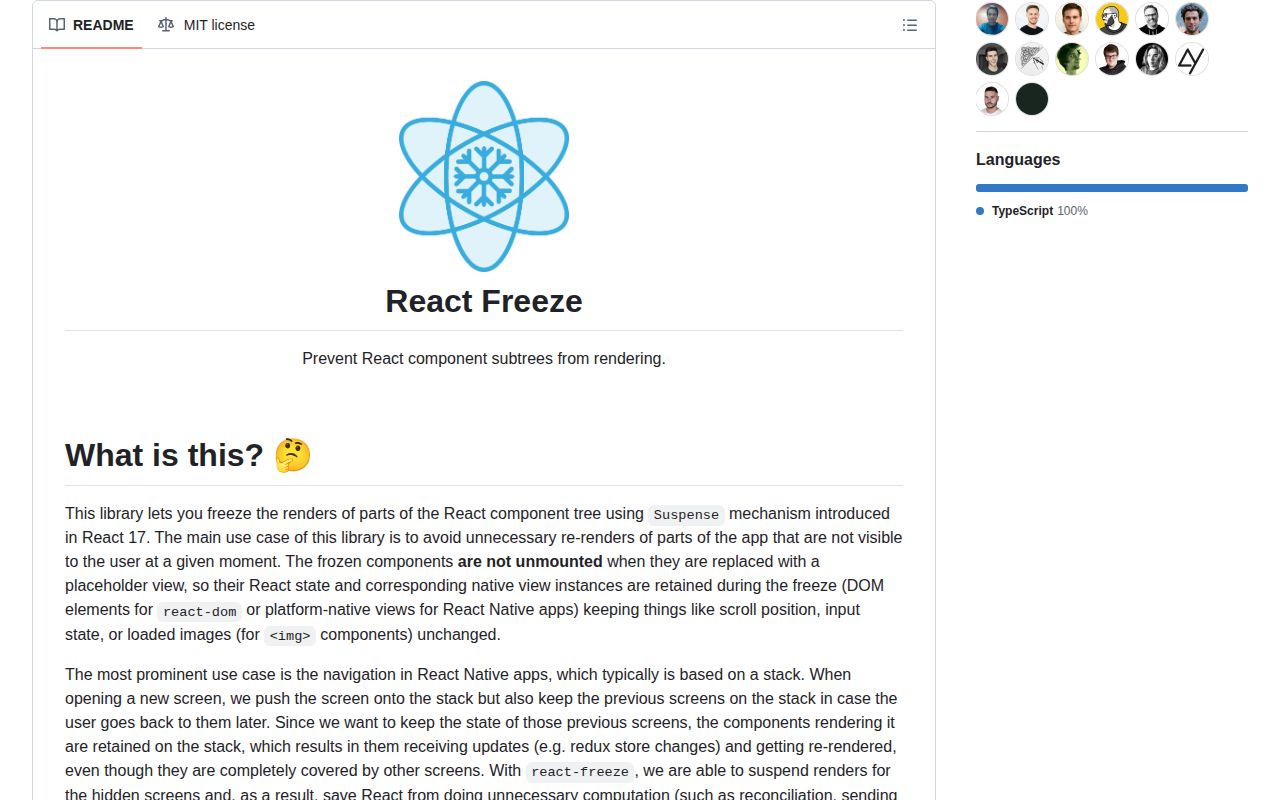
react-freeze exports one React component, `Freeze`, that stops a mounted descendant tree from rendering while `freeze` is true. It suspends that tree, shows an optional fallback, and keeps the same component state plus the same DOM or React Native view instances for later. The narrow target is a hidden screen that remains mounted in a navigation stack and still receives store updates. This is different from memoization, unmounting, or pausing background work. Version 1.0.4 changes the implementation to reuse one global never-settling thenable for all frozen boundaries. The public props remain `freeze`, `placeholder`, and `children`; the release does not add a new application-facing feature.
react-freeze is a small fix for a measured hidden-screen render cost, with a 3.3 KB gzipped browser result in our lab. It is a bad substitute for visibility state, lifecycle cleanup, or navigation-native inactive-screen handling.
We installed it
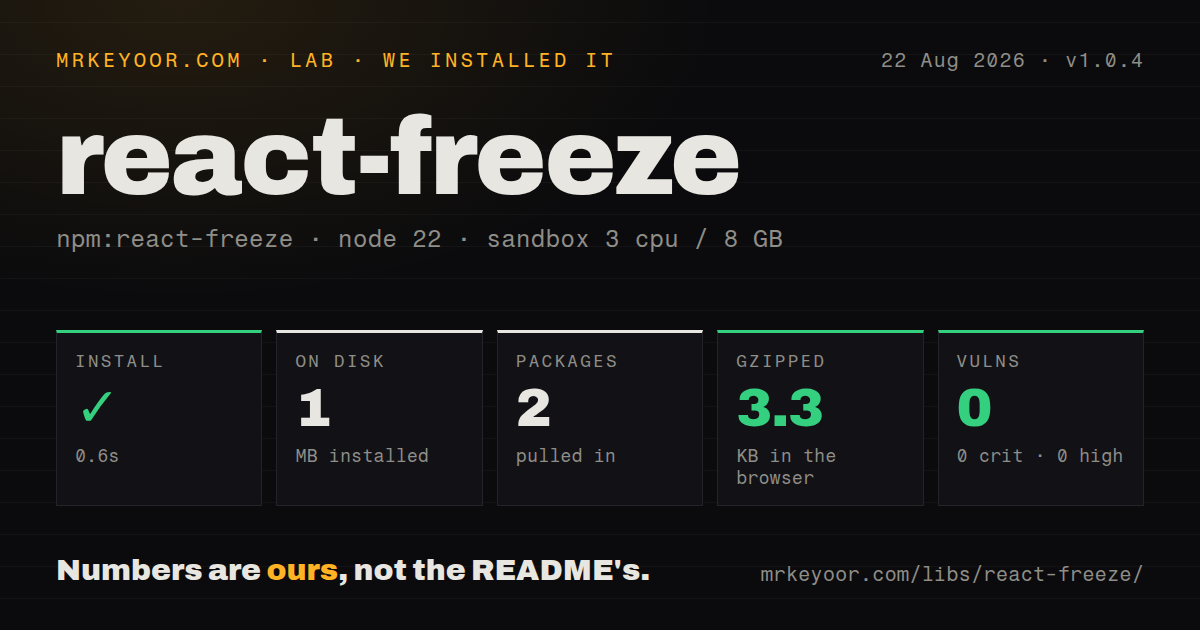
| Install | ✓ · 0.6s | 2 packages on disk · 1 MB |
| Import | ✓ | ESM import works · require() works · CommonJS package |
| Browser | 3.3 KB | gzipped (8.6 KB minified), bundled with esbuild |
| Types | — | no TypeScript types found |
| Known vulns | 0 | 0 critical · 0 high · 0 moderate · 0 low (npm audit) |
Answers from our run
Does react-freeze install cleanly?
Yes. In a fresh container with an empty cache, npm install react-freeze finished in 0.6s, leaving 2 packages and 1 MB on disk. npm audit reported no known vulnerabilities.
How much does react-freeze add to a browser bundle?
3.3 KB gzipped (8.6 KB minified) when the whole package is bundled for the browser with esbuild. Importing only part of it is usually smaller.
Does react-freeze work with both ESM and CommonJS?
Yes. Both import 'react-freeze' and require('react-freeze') worked in Node 22 in our run. The package is published as CommonJS.
Does react-freeze include TypeScript types?
No type declarations were found in our install, so TypeScript users need their own declarations.
react-freeze or react-native-screens: which should you use?
react-native-screens: Choose it when React Native navigation should own inactive native screens and freeze integration. react-freeze is a small fix for a measured hidden-screen render cost, with a 3.3 KB gzipped browser result in our lab.
When should you not use react-freeze?
The content stays visible or interactive. A frozen tree is replaced by placeholder, which defaults to null, so the user can lose both pixels and controls.
Use it if
- Profiling shows hidden but mounted screens spending meaningful time reconciling after shared state changes.
- A covered screen must retain form state, scroll position, loaded images, and its existing DOM or native view instances.
- The parent can prove that the subtree is invisible and non-interactive for the full frozen period.
- A small Suspense boundary is easier to control than adding memo checks throughout a large hidden screen.
- The content stays visible or interactive. A frozen tree is replaced by `placeholder`, which defaults to `null`, so the user can lose both pixels and controls.
- Sibling layout depends on the frozen tree's box. Removing it from the rendered output can shift the page unless the placeholder preserves the required geometry.
- You need subscriptions, timers, media, sockets, or polling to stop. Freezing blocks React renders; it does not unmount the tree or cancel non-render work.
- React Native Debugger profiling is part of your workflow. The README records a profiler failure involving missing Fiber IDs when frozen components are present.
- Your navigation package already manages inactive screens. Current `react-native-screens` should be evaluated before adopting the README's older React Navigation 5/6 integration recipe.
Setup reality
We installed react-freeze 1.0.4 in a clean Node 22 Bookworm container. npm completed in 0.6 seconds and left two packages using 1 MB. The package has no direct dependencies and one peer dependency, React 17 or newer. It is 56 KB unpacked, uses MIT, and declares Node 10 or newer. npm audit found no known vulnerabilities. CommonJS require() and ESM import worked, while our package scan found no TypeScript types. The browser build was 8.6 KB minified and 3.3 KB gzipped.
Direct setup is one boundary: <Freeze freeze={hidden}>...</Freeze>. When hidden becomes true, the child suspends and the boundary renders placeholder, or nothing when no placeholder is supplied. The old child state and view instances remain available for thawing. Freeze only content already covered or offscreen. If its dimensions hold surrounding layout in place, provide a measured placeholder with matching geometry; guessing at height often creates a jump during navigation.
State changes still occur while rendering is blocked. Redux selectors and subscription callbacks can still run, and the first render after thaw uses the latest state. Mounted effects do not receive an unmount signal, so freezing is not a way to stop polling or media. Put activity ownership above the boundary or explicitly pause the resource before the freeze transition. Code that performs side effects during render can miss intermediate renders, which is one of the behavior changes listed by the README and another reason to remove those side effects.
The React Native quick start in this repository targets React Native 0.64 or newer, React Navigation 5 or 6, and react-native-screens 3.9.0, followed by an iOS pod install and enableFreeze(true). That integration leaves the top two stack screens unfrozen so swipe-back can reveal the previous screen. Those version references are old next to current navigation packages. Check current react-native-screens guidance first, profile on target devices, and add react-freeze directly only when the navigation layer does not already solve the measured problem.
Patterns
Stop renders in a covered panel freeze-hidden-panel
import { Freeze } from 'react-freeze'

function Panel({ hidden }: { hidden: boolean }) {
  return (
    <Freeze freeze={hidden}>
      <ExpensivePanel />
    </Freeze>
  )
}
Use this only when the panel is already invisible and cannot receive user interaction.
Replace a frozen view with fixed geometry preserve-layout-space
<Freeze
  freeze={hidden}
  placeholder={<div aria-hidden style={{ height: measuredHeight }} />}
>
  <ResultsPanel />
</Freeze>
Measure the real occupied size. A placeholder prevents sibling layout from collapsing while the child is suspended.
Retain an inactive tab freeze-inactive-tab
{tabs.map((tab) => (
  <section key={tab.id} hidden={tab.id !== activeTab}>
    <Freeze freeze={tab.id !== activeTab}>
      <TabContent tab={tab} />
    </Freeze>
  </section>
))}
The `hidden` attribute removes the inactive section from interaction while Freeze blocks descendant renders.
Keep navigation controls live keep-control-outside-boundary
<div>
  <TabButtons active={activeTab} onChange={setActiveTab} />
  <Freeze freeze={activeTab !== 'report'}>
    <Report />
  </Freeze>
</div>
Anything that must respond during the frozen period belongs outside the boundary.
Own background activity above the boundary pause-resource-before-freeze
function ScreenSlot({ hidden }: { hidden: boolean }) {
  useReportPolling({ enabled: !hidden })
  return (
    <Freeze freeze={hidden}>
      <ReportView />
    </Freeze>
  )
}
The polling hook stays outside Freeze, so it can observe `hidden` and stop work even while ReportView cannot render.
Keep an unfinished form mounted retain-form-state
<Freeze freeze={route !== 'checkout'}>
  <CheckoutForm />
</Freeze>
Local component state and existing input views survive thawing. Sensitive forms may still need an explicit reset when the user abandons the flow.
Freeze only after coverage is active avoid-visible-freeze
const covered = modalState === 'open'

return (
  <>
    <Freeze freeze={covered}><Dashboard /></Freeze>
    {covered && <FullScreenModal />}
  </>
)
The covering UI and freeze condition must change together so the fallback never flashes to the user.
Assert the frozen fallback test-placeholder
render(
  <Freeze freeze placeholder={<span>parked</span>}>
    <span>active</span>
  </Freeze>,
)
expect(screen.getByText('parked')).toBeInTheDocument()
expect(screen.queryByText('active')).toBeNull()
This verifies rendered output. Add a thaw assertion for state preservation in the component that matters.
Check that local state returns test-state-after-thaw
const view = render(<Demo hidden={false} />)
await user.click(screen.getByRole('button', { name: 'Increase' }))
view.rerender(<Demo hidden />)
view.rerender(<Demo hidden={false} />)
expect(screen.getByText('Count: 1')).toBeInTheDocument()
Use the same boundary and component key across rerenders. Changing the key would remount and lose state.
Use the documented React Native integration enable-native-screen-freezing
import { enableFreeze } from 'react-native-screens'

enableFreeze(true)
The repository recipe targets older navigation versions. Confirm current react-native-screens support and run `pod install` after native dependency changes on iOS.
Mark the visibility transition profile-before-adopting
useEffect(() => {
  performance.mark(hidden ? 'report-hidden' : 'report-visible')
}, [hidden])

return <Freeze freeze={hidden}><Report /></Freeze>
Compare React Profiler commits with and without the boundary. Keep the package only if hidden-screen work falls enough to matter.
Remove a fully covered screen from output use-no-placeholder
<Freeze freeze={screenDepth > 1} placeholder={null}>
  <StackScreen />
</Freeze>
A null fallback is the default. It is appropriate only when another screen fully covers this one and layout does not depend on it.
Alternatives
| Package | Registry | Pick it when |
|---|---|---|
| react-native-screens | npm | Choose it when React Native navigation should own inactive native screens and freeze integration. |
| react-activation | npm | Choose it for web route keep-alive behavior with activation and deactivation hooks. |
| react-keep-alive | npm | Choose it when web components must be cached across removal from their visible route tree. |
More web frontend guides
postcss · react · react-dom · tailwindcss · clsx · htmlparser2 · the whole shelf →
How this guide is made: grounded in the library's documentation, release notes, changelog, and issue history, on a fixed rubric — not a hands-on install of every release. The 50 most-downloaded entries are additionally install-verified in clean containers. Corrections: contact the desk.