react-error-boundary review
react-error-boundary 6.1.3 packages React's class-only error-boundary mechanism as a reusable component, hook, and higher-order component. It can render a static fallback, a fallback component, or a render function; report the thrown value and component stack; retry imperatively; and reset when selected keys change. useErrorBoundary forwards failures from event or asynchronous code that React would not catch by itself. Version 6.1.3 makes @types/react an optional peer. Our install added no direct dependencies and produced a 10.4 KB minified all-exports browser bundle.
Use react-error-boundary when a React 18 or 19 client needs resettable, reportable failure regions without adopting a monitoring vendor's component. It cannot widen React's native catch scope, so async, event, server-rendering, and fallback errors still need separate handling.
We installed it
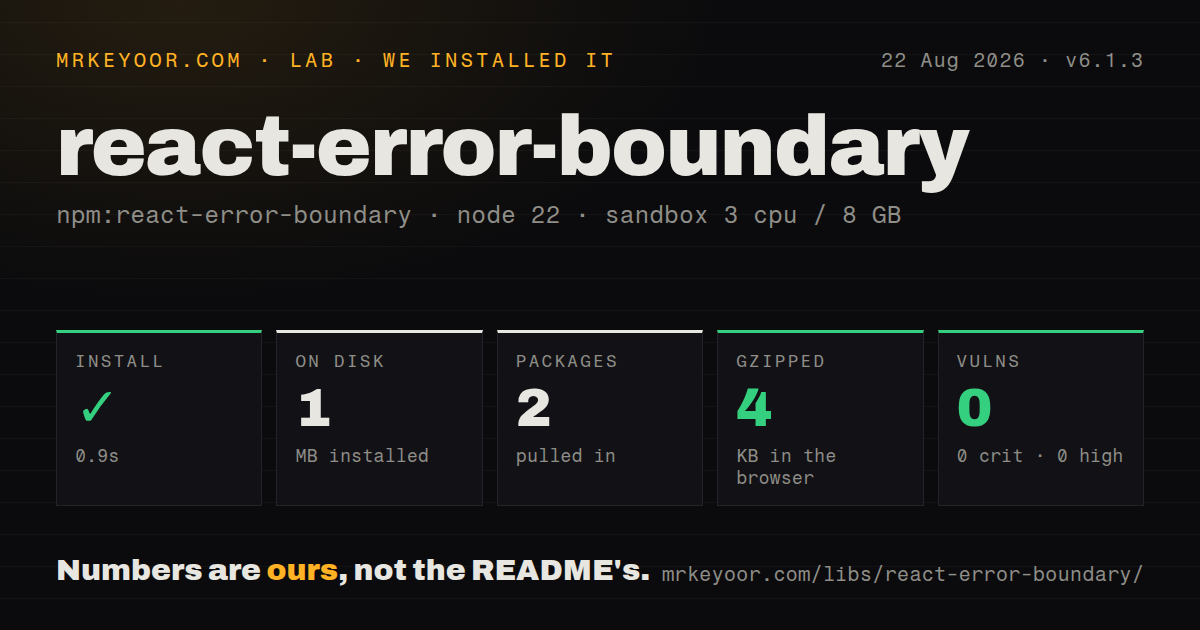
| Install | ✓ · 0.9s | 2 packages on disk · 1 MB |
| Import | ✓ | ESM import works · require() works · ESM package |
| Browser | 4 KB | gzipped (10.4 KB minified), bundled with esbuild |
| Types | ✓ | TypeScript types bundled |
| Known vulns | 0 | 0 critical · 0 high · 0 moderate · 0 low (npm audit) |
Answers from our run
Does react-error-boundary install cleanly?
Yes. In a fresh container with an empty cache, npm install react-error-boundary finished in 0.9s, leaving 2 packages and 1 MB on disk. npm audit reported no known vulnerabilities.
How much does react-error-boundary add to a browser bundle?
4 KB gzipped (10.4 KB minified) when the whole package is bundled for the browser with esbuild. Importing only part of it is usually smaller.
Does react-error-boundary work with both ESM and CommonJS?
Yes. Both import 'react-error-boundary' and require('react-error-boundary') worked in Node 22 in our run. The package is published as ESM.
Does react-error-boundary include TypeScript types?
Yes, type declarations ship inside the package, so no @types install is needed.
react-error-boundary or @sentry/react: which should you use?
@sentry/react: Use its boundary when Sentry already owns error capture, release context, users, traces, and reporting. Use react-error-boundary when a React 18 or 19 client needs resettable, reportable failure regions without adopting a monitoring vendor's component.
When should you not use react-error-boundary?
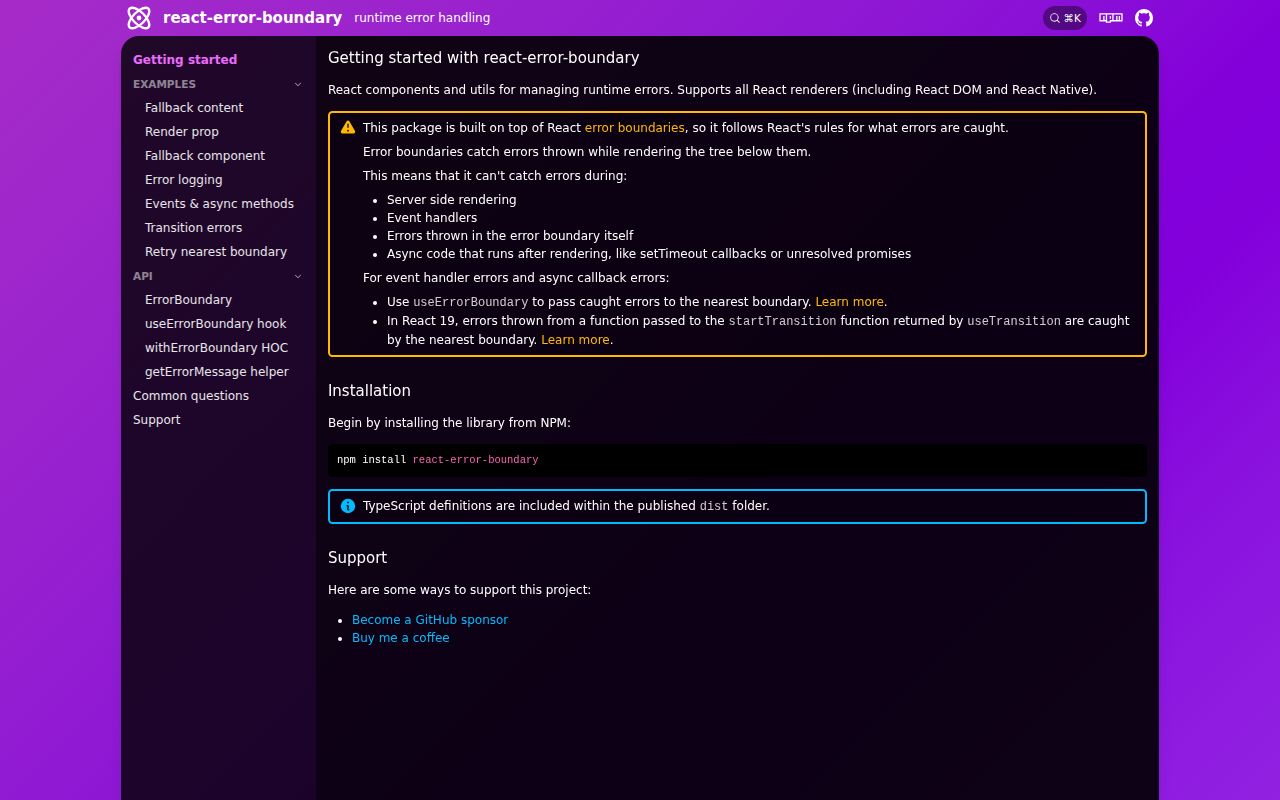
Server rendering failures are the problem. React boundaries run in the client tree and cannot catch an exception thrown while the server creates the response.
Use it if
- Separate page regions need independent fallback UIs so one rendering failure does not replace the entire application.
- A fallback should let the user retry and clear related application state through onReset.
- Caught render errors need to be reported with React's component stack from one onError callback.
- An event handler or asynchronous callback can catch its own failure and send it to the nearest boundary through useErrorBoundary.
- Server rendering failures are the problem. React boundaries run in the client tree and cannot catch an exception thrown while the server creates the response.
- The team expects automatic coverage for event handlers, timers, or rejected promises. React does not route those failures to a boundary unless code calls showBoundary or uses a React 19 transition action.
- A monitoring SDK already provides the desired React boundary. Sentry, Bugsnag, and Rollbar can combine fallback rendering with their own reporting context.
- A framework-level route error page is enough. Next.js error.tsx and similar mechanisms may cover navigation segments without adding a boundary component to application code.
- The application uses React 17 or older. Version 6.1.3 declares React 18 or 19, and the README directs runtimes without ESM support to version 5.
Setup reality
We installed react-error-boundary 6.1.3 in a fresh unprivileged Node 22 Bookworm container with no cache. npm completed in 0.9 seconds, left 2 packages using 1 MB, and reported zero known vulnerabilities. The package has no direct dependencies, 2 peer dependencies, 68 KB unpacked, MIT licensing, and bundled TypeScript declarations. It is marked as ESM and has no exports map; both require() and ESM import worked. Our all-exports browser build was 10.4 KB minified and 4 KB gzipped.
React and @types/react are the two peers, with @types/react optional as of 6.1.3. Match their major versions and deduplicate stray type packages if TypeScript says ErrorBoundary is not a valid JSX component. The README tells non-ESM runtimes to stay on version 5, so run the actual test and server toolchain before upgrading. In a React Server Components framework, place the boundary in a client file and pass only props allowed across that boundary.
Choose exactly one of fallback, fallbackRender, or FallbackComponent. Put onError on the boundary for reporting; the second argument carries the React component stack. The thrown value is unknown and may be a string or object, so narrow it or use getErrorMessage before reading a message. Development overlays and React console logging can still appear after the boundary catches an error; confirm the fallback in a production build before diagnosing a failure.
Resetting the component only asks React to render the subtree again. onReset must clear the state or cache condition that caused the failure, otherwise the same error returns. Entries in resetKeys are compared for changes, so stable primitives or memoized references are safer than new object literals. A boundary never catches itself or its fallback. Rethrowing from a fallback deliberately passes the error to an ancestor boundary.
Patterns
Wrap a client subtree with a retry UI render-fallback
'use client';

import { ErrorBoundary, getErrorMessage } from 'react-error-boundary';

export function ReportSection() {
  return (
    <ErrorBoundary
      fallbackRender={({ error, resetErrorBoundary }) => (
        <div role="alert">
          <p>{getErrorMessage(error) ?? 'Report failed'}</p>
          <button onClick={resetErrorBoundary}>Try again</button>
        </div>
      )}
    >
      <Report />
    </ErrorBoundary>
  );
}
Use one fallback prop only. A retry rerenders the subtree, so clear the cause in onReset when state or cached data must change first.
Type a reusable fallback component extract-fallback-component
import { ErrorBoundary, type FallbackProps } from 'react-error-boundary';

function SectionError({ error, resetErrorBoundary }: FallbackProps) {
  return (
    <div role="alert">
      <pre>{error instanceof Error ? error.message : 'Unknown error'}</pre>
      <button onClick={resetErrorBoundary}>Reload section</button>
    </div>
  );
}

<ErrorBoundary FallbackComponent={SectionError}>
  <Widget />
</ErrorBoundary>;
FallbackProps exposes error as unknown because JavaScript can throw any value. Narrow it before reading Error properties.
Send the component stack to a reporter report-caught-error
<ErrorBoundary
  fallback={<p>Chart unavailable</p>}
  onError={(error, info) => {
    reporter.capture(error, {
      componentStack: info.componentStack,
    });
  }}
>
  <Chart />
</ErrorBoundary>
The component stack identifies the React tree where rendering failed and is often more useful than the JavaScript stack alone.
Clear a boundary when its input changes reset-on-key-change
<ErrorBoundary
  resetKeys={[accountId, period]}
  FallbackComponent={SectionError}
  onReset={({ reason }) => {
    if (reason === 'keys') queryCache.remove(accountId, period);
  }}
>
  <AccountChart accountId={accountId} period={period} />
</ErrorBoundary>
Use stable primitives or memoized references in resetKeys. A fresh object on every render can reset the boundary immediately.
Show an event-handler failure in the boundary forward-async-error
import { useErrorBoundary } from 'react-error-boundary';

function SaveButton() {
  const { showBoundary } = useErrorBoundary();

  async function saveClick() {
    try {
      await saveRecord();
    } catch (error) {
      showBoundary(error);
    }
  }

  return <button onClick={saveClick}>Save</button>;
}
React does not catch the rejected promise from an event handler. The hook must run beneath the ErrorBoundary that should display the failure.
Clear the nearest boundary from its subtree reset-from-child
import { useErrorBoundary } from 'react-error-boundary';

function RecoveryControl() {
  const { resetBoundary } = useErrorBoundary();
  return <button onClick={resetBoundary}>Clear error</button>;
}
This hook call only works under an ErrorBoundary. Reset related state before invoking it if rendering would otherwise throw again.
Add a boundary with the higher-order helper wrap-existing-component
import { withErrorBoundary } from 'react-error-boundary';

export const SafeChart = withErrorBoundary(Chart, {
  fallback: <p>Chart failed</p>,
  onError: reportError,
});
Configuration is fixed when the wrapper is created. Use the JSX component directly when fallback behavior depends on surrounding props or state.
Keep sibling regions alive independently isolate-page-regions
<main>
  <ErrorBoundary fallback={<p>Navigation unavailable</p>}>
    <Navigation />
  </ErrorBoundary>

  <ErrorBoundary FallbackComponent={FeedError} resetKeys={[feedId]}>
    <Feed feedId={feedId} />
  </ErrorBoundary>
</main>
Boundary placement determines blast radius. An error is caught only by an ancestor, and sibling boundaries do not affect one another.
Show separate loading and error states combine-with-suspense
<ErrorBoundary FallbackComponent={SectionError} resetKeys={[queryKey]}>
  <Suspense fallback={<ListSkeleton />}>
    <Results queryKey={queryKey} />
  </Suspense>
</ErrorBoundary>
Suspense handles a thrown promise while ErrorBoundary handles an error. Reset the data layer as well as the boundary after a failed request.
Let a React 19 transition reach the boundary use-transition-action
function AddButton() {
  const [pending, startTransition] = useTransition();

  return (
    <button
      disabled={pending}
      onClick={() => startTransition(async () => {
        await addItem();
      })}
    >
      {pending ? 'Adding' : 'Add'}
    </button>
  );
}
React 19 routes an error thrown by the transition action to the nearest boundary. Plain event-handler errors still need showBoundary.
Pass unrelated failures to a parent boundary escalate-unknown-error
function ChartFallback({ error, resetErrorBoundary }: FallbackProps) {
  if (!(error instanceof ChartDataError)) {
    throw error;
  }

  return <button onClick={resetErrorBoundary}>Reload chart</button>;
}
A boundary cannot catch an error from its own fallback, so throwing here deliberately sends it to the next boundary above.
Pin one React type version fix-react-type-duplication
{
  "devDependencies": {
    "@types/react": "^19.0.0"
  },
  "overrides": {
    "@types/react": "$@types/react"
  }
}
First run npm ls @types/react. A JSX-component type error often means the dependency tree contains incompatible React type versions.
Alternatives
| Package | Registry | Pick it when |
|---|---|---|
| @sentry/react | npm | Use its boundary when Sentry already owns error capture, release context, users, traces, and reporting. |
| @bugsnag/plugin-react | npm | Use it when a Bugsnag client should create the boundary and notify through the same configured reporter. |
| @rollbar/react | npm | Use it when Rollbar context and reporting should be integrated with the fallback component. |
More web frontend guides
postcss · react · react-dom · tailwindcss · clsx · htmlparser2 · the whole shelf →
How this guide is made: grounded in the library's documentation, release notes, changelog, and issue history, on a fixed rubric — not a hands-on install of every release. The 50 most-downloaded entries are additionally install-verified in clean containers. Corrections: contact the desk.