@react-email/render review
@react-email/render turns a React node into email HTML with React's server renderer, then offers utilities for readable formatting and a plain-text alternative. It does not send mail or provide the email components; those concerns live in a delivery SDK and the separate react-email package. Conditional exports select Node, browser, workerd, edge, Deno, or Convex builds. Version 2.1.0 introduces unstableToPlainText and the unstableTextConversion option to bypass html-to-text, and it can format tables marked data-text-format="dataTable" as aligned columns in text output.
Use @react-email/render on the server when React components are already the chosen email template format. Do not ship its 187.9 KB gzipped import-all build to users just to preview markup.
We installed it
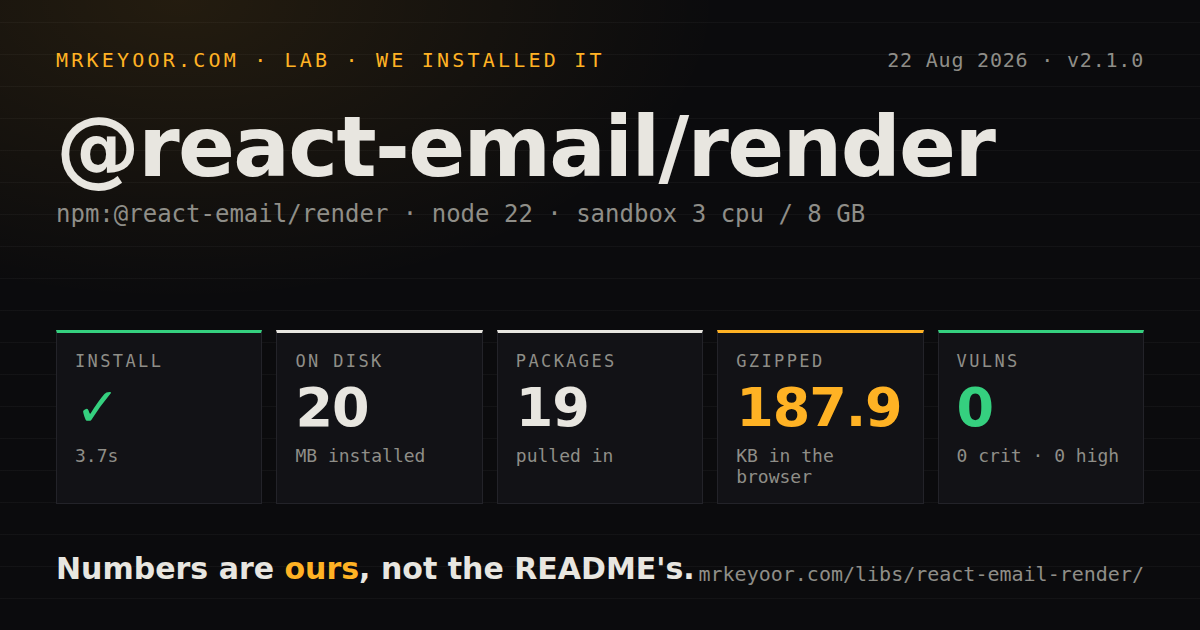
| Install | ✓ · 3.7s | 19 packages on disk · 20 MB |
| Import | ✓ | ESM import works · require() works · CommonJS package with exports map |
| Browser | 187.9 KB | gzipped (601.9 KB minified), bundled with esbuild |
| Types | ✓ | TypeScript types bundled |
| Known vulns | 0 | 0 critical · 0 high · 0 moderate · 0 low (npm audit) |
Answers from our run
Does @react-email/render install cleanly?
Yes. In a fresh container with an empty cache, npm install @react-email/render finished in 4 seconds, leaving 19 packages and 20 MB on disk. npm audit reported no known vulnerabilities.
How much does @react-email/render add to a browser bundle?
187.9 KB gzipped (601.9 KB minified) when the whole package is bundled for the browser with esbuild. Importing only part of it is usually smaller.
Does @react-email/render work with both ESM and CommonJS?
Yes. Both import '@react-email/render' and require('@react-email/render') worked in Node 22 in our run. The package is published as CommonJS with an exports map.
Does @react-email/render include TypeScript types?
Yes, type declarations ship inside the package, so no @types install is needed.
@react-email/render or mjml: which should you use?
mjml: Use it for an email-specific markup language that compiles layouts without requiring React. Use @react-email/render on the server when React components are already the chosen email template format.
When should you not use @react-email/render?
The team does not use React. MJML or a conventional template engine avoids React, react-dom, JSX tooling, and server rendering for a string-generation task.
Use it if
- A React codebase wants transactional email templates expressed as typed components and rendered before sending.
- The same component must produce an HTML body and a plain-text alternative for a mail provider.
- Rendering must work in Node or an edge-style runtime selected through package export conditions.
- Your sending layer accepts prepared HTML strings and should stay independent of the template renderer.
- The team does not use React. MJML or a conventional template engine avoids React, react-dom, JSX tooling, and server rendering for a string-generation task.
- You expect this package to fix email-client CSS. It renders the React tree; compatible table layout and inline styles still depend on the template and component library.
- The code belongs in a browser bundle. Our import-all build was 601.9 KB minified and 187.9 KB gzipped, far too much for client-side email preview when a server endpoint can render it.
- Marketing staff need a hosted visual campaign editor. Source-controlled React components are an engineering workflow rather than a campaign authoring system.
- A bulk send renders identical markup for every recipient. The package has no output cache, so repeated React rendering becomes avoidable work unless the caller reuses a result.
Setup reality
Our clean Node 22 install of @react-email/render 2.1.0 completed in 3.7 seconds. Nineteen packages occupied 20 MB on disk. The package was 268 KB unpacked, declared four direct dependencies and two peer dependencies, required Node 20 or newer, and used the MIT license. npm audit found zero known vulnerabilities at every severity.
React and react-dom are peers, accepting supported React 18 and 19 ranges, so the application must provide them. The package is CommonJS in our measured classification and has an exports map with runtime-specific builds. Both require() and ESM import worked in Node 22, and TypeScript declarations ship with the package. Our import-all browser build reached 601.9 KB minified and 187.9 KB gzipped. Browser Safari may also need the ReadableByteStreamController polyfill named in the docs.
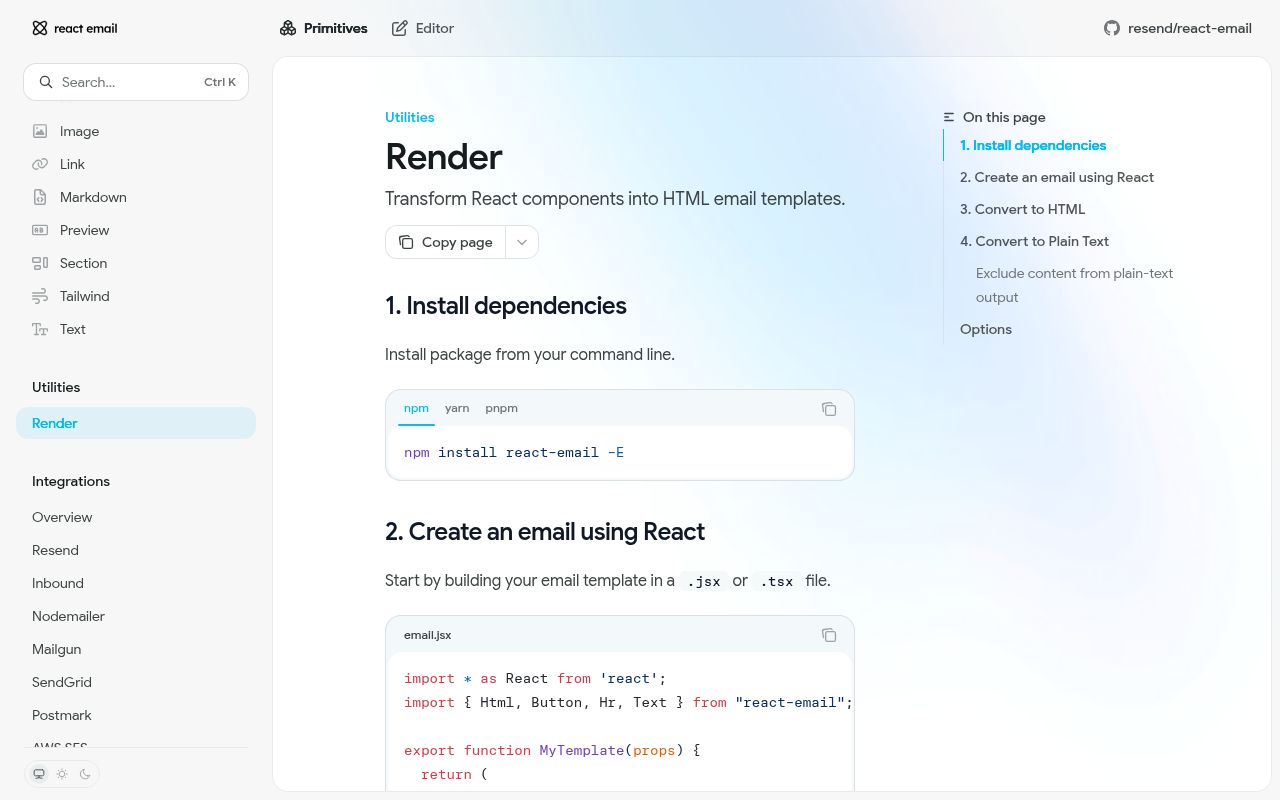
render is asynchronous even for a small component. Generate HTML with render(element), then use toPlainText(html) for the text body. The pretty helper is useful for inspection and snapshots but runs Prettier, so do not pay for it on every production send. Components, the preview server, and CLI come from react-email; a mail provider such as Nodemailer or Resend remains separate.
Version 2.1.0's alternate plain-text converter is explicitly unstable. Compare its output against toPlainText before adopting it, especially around Outlook comments, links, and tables. Mark content with data-skip-in-text="true" when it belongs only in HTML. Cache rendered output for templates without recipient data, and test the actual HTML in target mail clients because React rendering cannot predict Outlook or Gmail CSS behavior.
Patterns
Render one typed template render-email-html
import { render } from "@react-email/render";
import { ReceiptEmail } from "./emails/receipt";

const element = <ReceiptEmail customerName="Ada" totalCents={4200} />;
const html = await render(element);
render returns a Promise. Keep provider delivery outside the template so the same HTML can be inspected, cached, or sent through another service.
Convert rendered HTML to plain text create-text-alternative
import { render, toPlainText } from "@react-email/render";

const html = await render(<ReceiptEmail customerName="Ada" totalCents={4200} />);
const text = toPlainText(html);

await transport.sendMail({ to, subject, html, text });
Send both MIME parts. toPlainText works from the final HTML, so it sees exactly what the React render produced.
Pretty-print outside the send path format-html-for-review
import { pretty, render } from "@react-email/render";

const html = await render(<ReceiptEmail customerName="Ada" totalCents={4200} />);
const readable = await pretty(html);
console.log(readable);
pretty invokes Prettier and returns a Promise. Use it for debugging, exported previews, or review artifacts rather than every production message.
Exclude a block from the text body skip-html-only-content
export function Newsletter() {
  return (
    <Html>
      <Text>Weekly account summary</Text>
      <Section data-skip-in-text="true">
        <Img src="https://cdn.example/chart.png" alt="Chart" />
      </Section>
    </Html>
  );
}
The marker affects toPlainText and leaves the HTML body untouched. Apply it to visual-only or repetitive content that makes no sense in a text client.
Align a table in version 2.1 text output render-data-table-text
export function UsageTable({ rows }) {
  return (
    <table data-text-format="dataTable">
      <thead><tr><th>Project</th><th>Requests</th></tr></thead>
      <tbody>
        {rows.map((row) => (
          <tr key={row.project}><td>{row.project}</td><td>{row.requests}</td></tr>
        ))}
      </tbody>
    </table>
  );
}
Version 2.1.0 recognizes dataTable and aligns columns in plain text. Keep cell content short because a narrow terminal or mail client can still wrap the result.
Compare the new converter before switching try-unstable-text
import { render, toPlainText, unstableToPlainText } from "@react-email/render";

const html = await render(<ReceiptEmail customerName="Ada" totalCents={4200} />);
const currentText = toPlainText(html);
const candidateText = unstableToPlainText(html);

expect(candidateText).toMatchSnapshot();
expect(candidateText).toContain("$42.00");
The export name is a warning about compatibility. Test real templates with Outlook conditionals, images, links, and tables before replacing html-to-text output.
Pass both bodies to Nodemailer send-with-nodemailer
import { render, toPlainText } from "@react-email/render";

const html = await render(<WelcomeEmail name={user.name} />);
await transporter.sendMail({
  from: "hello@example.com",
  to: user.email,
  subject: "Welcome",
  html,
  text: toPlainText(html),
});
Rendering and sending are separate failure points. Log or retry the provider result without rerendering a template that has not changed.
Render a shared campaign body once reuse-static-render
const html = await render(<ReleaseNotesEmail release={release} />);
const text = toPlainText(html);

for (const recipient of recipients) {
  await queue.add("send-email", {
    to: recipient.email,
    subject: release.subject,
    html,
    text,
  });
}
This is safe only when neither body contains recipient-specific data or secret links. Personalized templates need a cache key that includes every prop affecting output.
Let export conditions pick a worker build render-on-worker
import { render } from "@react-email/render";

export default {
  async fetch() {
    const html = await render(<StatusEmail status="ok" />);
    return new Response(html, {
      headers: { "content-type": "text/html; charset=utf-8" },
    });
  },
};
The package has workerd and worker conditions. If a bundler selects the Node build, stream-related failures can appear at runtime; inspect resolution before adding polyfills at random.
Extend the built-in text selectors customize-text-conversion
import { plainTextSelectors, toPlainText } from "@react-email/render";

const text = toPlainText(html, {
  wordwrap: 78,
  selectors: [
    ...plainTextSelectors,
    { selector: ".legal-footer", format: "skip" },
  ],
});
Preserve plainTextSelectors when supplying your own list. Replacing the defaults can bring preview padding and image noise back into the text body.
Assert links and missing props without a giant snapshot test-important-output
import { render, toPlainText } from "@react-email/render";

test("receipt has usable bodies", async () => {
  const html = await render(<ReceiptEmail customerName="Ada" totalCents={4200} />);
  expect(html).toContain('href="https://example.com/receipts/');
  expect(html).not.toContain("undefined");
  expect(toPlainText(html)).toContain("$42.00");
});
React and renderer upgrades can change harmless serialization details. Focus tests on content, URLs, text fallback, and absent placeholders, then use real-client previews for layout.
Expose a server rendering endpoint avoid-browser-import
// Server route
export async function POST(request: Request) {
  const props = await request.json();
  const html = await render(<ReceiptEmail {...props} />);
  return Response.json({ html });
}

// Browser code requests a preview instead of importing the renderer
const { html } = await fetch("/api/email-preview", {
  method: "POST",
  body: JSON.stringify(props),
}).then((response) => response.json());
Our import-all browser build was 187.9 KB gzipped. A server preview keeps React's email rendering dependencies out of the user-facing bundle and centralizes template versions.
Alternatives
| Package | Registry | Pick it when |
|---|---|---|
| mjml | npm | Use it for an email-specific markup language that compiles layouts without requiring React. |
| maizzle | npm | Use it for a Tailwind-oriented email build pipeline with HTML transformations and inlining. |
| juice | npm | Use it when HTML already exists and the remaining job is moving stylesheet rules into inline attributes. |
| handlebars | npm | Use it for small string templates when the team prefers placeholders and partials over React components. |
More web frontend guides
postcss · react · react-dom · tailwindcss · clsx · htmlparser2 · the whole shelf →
How this guide is made: grounded in the library's documentation, release notes, changelog, and issue history, on a fixed rubric — not a hands-on install of every release. The 50 most-downloaded entries are additionally install-verified in clean containers. Corrections: contact the desk.