rbush review
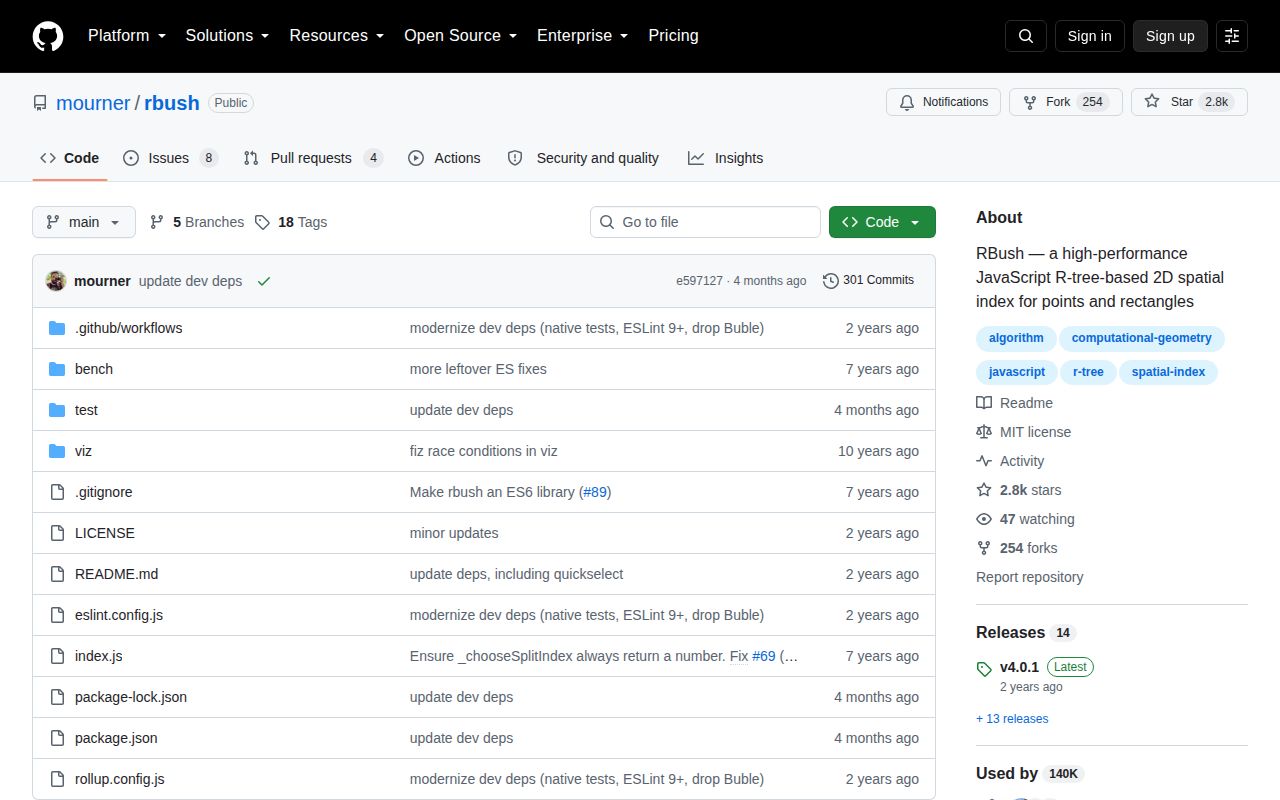
RBush 4.0.1 is an in-memory R-tree for two-dimensional, axis-aligned bounding boxes. Inserted objects carry minX, minY, maxX, and maxY, then search returns every box intersecting a query rectangle. The index also supports collision checks, bulk loading, identity or value-based removal, custom item shapes, and JSON transfer between processes. It does not calculate polygon intersection, distance, geographic wraparound, persistence, or synchronization. Version 4 made ESM the supported package format and dropped transpilation for IE11; 4.0.1 points the main entry at the ESM build and updates quickselect.
RBush 4.0.1 installed in 0.8 seconds, used 1 MB on disk, and bundled to 2.3 KB gzipped in our sandbox, making it cheap for mutable rectangle intersection queries. Skip it for exact geometry, static-only points, or a runtime that cannot meet the package's ESM direction.
We installed it
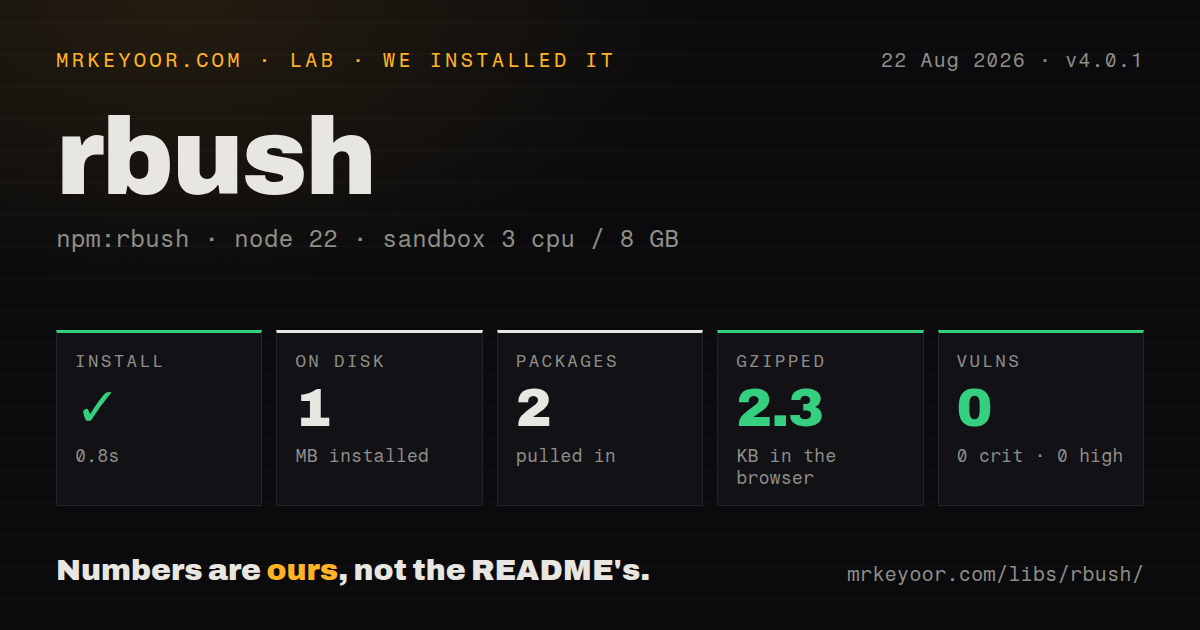
| Install | ✓ · 0.8s | 2 packages on disk · 1 MB |
| Import | ✓ | ESM import works · require() works · ESM package with exports map |
| Browser | 2.3 KB | gzipped (5.7 KB minified), bundled with esbuild |
| Types | — | no TypeScript types found |
| Known vulns | 0 | 0 critical · 0 high · 0 moderate · 0 low (npm audit) |
Answers from our run
Does rbush install cleanly?
Yes. In a fresh container with an empty cache, npm install rbush finished in 0.8s, leaving 2 packages and 1 MB on disk. npm audit reported no known vulnerabilities.
How much does rbush add to a browser bundle?
2.3 KB gzipped (5.7 KB minified) when the whole package is bundled for the browser with esbuild. Importing only part of it is usually smaller.
Does rbush work with both ESM and CommonJS?
Yes. Both import 'rbush' and require('rbush') worked in Node 22 in our run. The package is published as ESM with an exports map.
Does rbush include TypeScript types?
No type declarations were found in our install, so TypeScript users need their own declarations.
rbush or flatbush: which should you use?
flatbush: Use it for immutable rectangles when a compact packed index matters more than insert and remove. RBush 4.0.1 installed in 0.8 seconds, used 1 MB on disk, and bundled to 2.3 KB gzipped in our sandbox, making it cheap for mutable rectangle intersection queries.
When should you not use rbush?
The data is a fixed point set. RBush's README recommends KDBush and reports 5 to 8 times faster point indexing for that case.
Use it if
- A mutable map or canvas repeatedly asks which boxes touch a viewport, cursor, or selection rectangle.
- The index should cheaply narrow candidates before a separate exact geometry test.
- Items arrive and leave after the initial bulk build, so a static packed index is unsuitable.
- A server-built tree must be serialized and searched later in a modern browser.
- The data is a fixed point set. RBush's README recommends KDBush and reports 5 to 8 times faster point indexing for that case.
- Queries need nearest neighbors. The core package only searches boxes; rbush-knn adds distance-ordered lookup.
- The answer must be exact for polygons, circles, rotated rectangles, or longitude wraparound. Bounding-box intersections can contain false positives.
- The supported deployment is an older CommonJS runtime or IE11. RBush 4 is published as ESM and no longer transpiles for IE11.
- Indexed coordinates mutate in place. RBush does not repair ancestor bounds when an object changes, so every move must remove then reinsert the item.
Setup reality
We installed rbush 4.0.1 in 0.8 seconds in a fresh Node 22 container. Two packages occupied 1 MB, and npm audit found 0 known vulnerabilities. RBush has one direct dependency, no peers, and 64 KB unpacked. It is ESM with an exports map. Both require() and ESM import worked on our Node version. Our scan found no TypeScript types.
There are no credentials or config files. The default item contract is minX, minY, maxX, and maxY; extra application fields stay attached. RBush does not reject NaN, infinite values, reversed bounds, mixed coordinate systems, or antimeridian crossing. Normalize every box before insertion. A search reports box intersection, so follow it with the real polygon or circle predicate when the shape is only approximated by its bounds.
Bulk load an empty tree for the initial dataset. The README says this path is 2 to 3 times faster than repeated insertion and yields searches 20 to 30 percent faster in its benchmark. Loading scattered batches into an existing tree can make queries worse because each batch becomes its own small tree before merging. The default node size is 9; larger nodes favor insertion and hurt search, so benchmark your distribution before changing it.
Removal compares object identity unless an equals function is supplied, and even value removal traverses using the copy's box. Remove an item before changing its coordinates, then insert it again. JSON export exposes the tree structure rather than only its records; fromJSON needs the same node size. Our browser build was 5.7 KB minified and 2.3 KB gzipped. Each process or worker owns a separate mutable index, so authoritative updates still need an application-level broadcast or rebuild.
Patterns
Index one application object insert-box
import RBush from 'rbush';

const tree = new RBush();
const marker = {
  id: 'm42',
  minX: 20,
  minY: 40,
  maxX: 30,
  maxY: 50,
};
tree.insert(marker);
RBush does not validate coordinates. Reject NaN and reversed min/max values before inserting the object.
Build the initial index in one load bulk-build-tree
const tree = new RBush(9);
tree.load(features.map((feature) => ({
  minX: feature.left,
  minY: feature.top,
  maxX: feature.right,
  maxY: feature.bottom,
  feature,
})));
Bulk loading an empty tree gives the best documented build and query behavior. Scattered batches loaded later can worsen searches.
Find boxes touching a viewport search-viewport
const visible = tree.search({
  minX: viewport.left,
  minY: viewport.top,
  maxX: viewport.right,
  maxY: viewport.bottom,
});
The result includes every intersecting box, including partial overlaps and geometric false positives.
Ask whether any box intersects check-collision
const occupied = tree.collides({
  minX: candidate.x,
  minY: candidate.y,
  maxX: candidate.x + candidate.width,
  maxY: candidate.y + candidate.height,
});
collides returns a Boolean and can stop at the first hit. It does not compute shape-level collision.
Remove the inserted object remove-reference
const item = { id: 7, minX: 0, minY: 0, maxX: 10, maxY: 10 };
tree.insert(item);

tree.remove(item);
Default removal uses reference identity. A new object with the same fields will not match.
Remove a reconstructed item by ID remove-by-id
const copy = { id: 7, minX: 0, minY: 0, maxX: 10, maxY: 10 };
tree.remove(copy, (a, b) => a.id === b.id);
The copy's bounds guide traversal before equals runs. If those coordinates changed, RBush may never visit the stored item.
Reindex an object after movement move-indexed-item
tree.remove(item);
item.minX += dx;
item.maxX += dx;
item.minY += dy;
item.maxY += dy;
tree.insert(item);
Mutating bounds while the item is indexed leaves stale ancestor boxes and can make later queries miss it.
Adapt point arrays with a subclass index-custom-shape
class PointBush extends RBush {
  toBBox([x, y]) { return { minX: x, minY: y, maxX: x, maxY: y }; }
  compareMinX(a, b) { return a[0] - b[0]; }
  compareMinY(a, b) { return a[1] - b[1]; }
}
const points = new PointBush().load([[20, 50], [10, 30]]);
Search still takes the standard bounding-box shape. Use KDBush when the point set never changes.
Serialize the built index export-tree
const nodeSize = 16;
const tree = new RBush(nodeSize).load(items);
const serialized = JSON.stringify({ nodeSize, data: tree.toJSON() });
Store nodeSize with the JSON. It must match the constructor used during restoration.
Restore an index snapshot import-tree
const snapshot = JSON.parse(serialized);
const tree = new RBush(snapshot.nodeSize).fromJSON(snapshot.data);
const matches = tree.search(query);
fromJSON trusts the tree shape. Validate or regenerate snapshots received across an untrusted boundary.
Read all records then reset clear-tree
const records = tree.all();
console.log(records.length);

tree.clear();
console.log(tree.all().length);
all() traverses the entire tree and allocates an array; it is not a constant-time count.
Measure a different maximum node size benchmark-node-size
for (const nodeSize of [9, 16, 32]) {
  const candidate = new RBush(nodeSize).load(items);
  const started = performance.now();
  for (const box of queries) candidate.search(box);
  console.log(nodeSize, performance.now() - started);
}
The default is 9. Larger nodes trade faster insertion for slower search, and the result depends on the real spatial distribution.
Alternatives
| Package | Registry | Pick it when |
|---|---|---|
| flatbush | npm | Use it for immutable rectangles when a compact packed index matters more than insert and remove. |
| kdbush | npm | Use it for a static point set with range and radius queries. |
| @turf/geojson-rbush | npm | Use it when GeoJSON features and Turf bounding-box helpers are the native data model. |
| rbush-knn | npm | Add it to an existing RBush tree when nearest-neighbor results are also required. |
More data guides
numpy · pandas · fsspec · lxml · pyarrow · sqlalchemy · the whole shelf →
How this guide is made: grounded in the library's documentation, release notes, changelog, and issue history, on a fixed rubric — not a hands-on install of every release. The 50 most-downloaded entries are additionally install-verified in clean containers. Corrections: contact the desk.