pretty-ms review
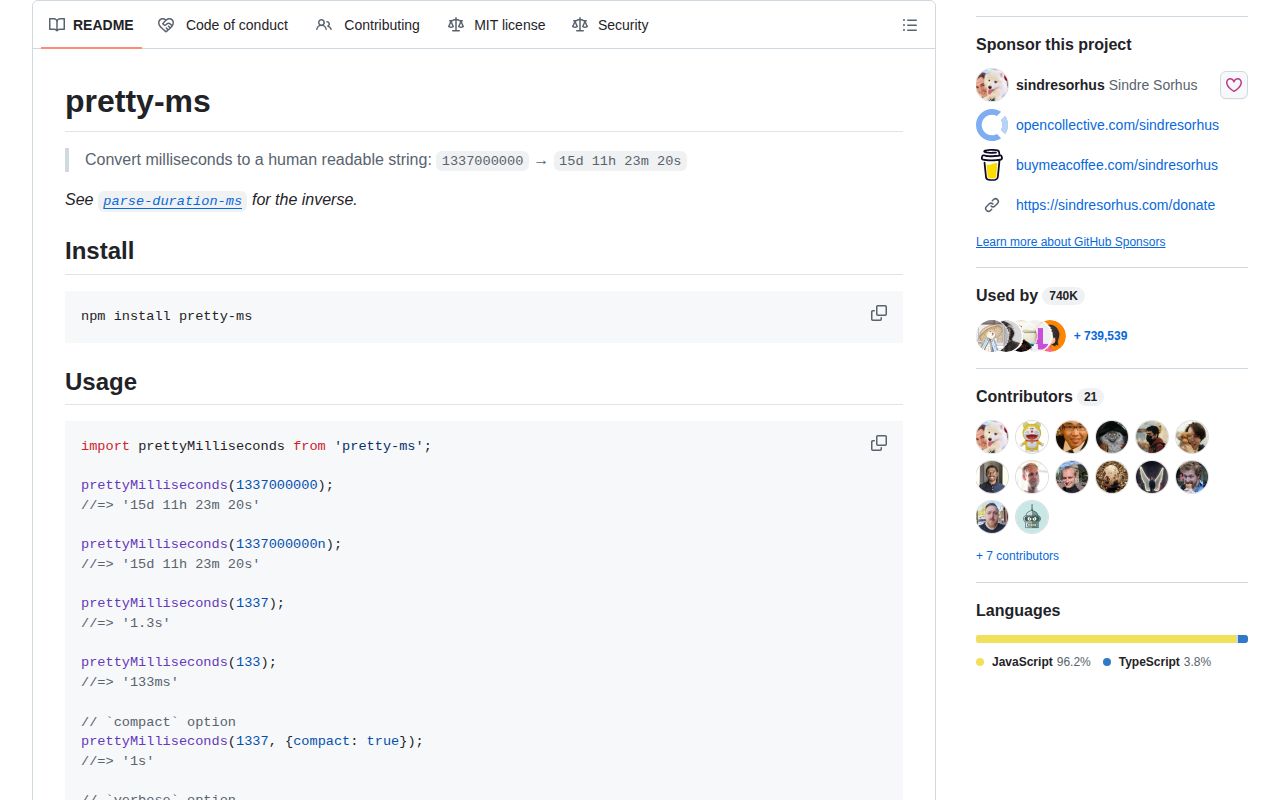
pretty-ms turns a duration expressed in milliseconds into compact text such as 1.3s, 15d 11h, or 1:35.5. It accepts number and bigint inputs and exposes formatting switches for unit count, full unit names, colon notation, hidden units, and sub-millisecond output. Version 9.3.0 adds subSecondsAsDecimals, which keeps values such as 900 milliseconds in a stable 0.9s form. It formats elapsed durations, not calendar dates or user-authored duration strings.
pretty-ms 9.3.0 installed in 0.4 seconds, occupied 1 MB across 2 packages, and bundled to 1.2 KB gzipped in our sandbox with 0 npm-audit findings. Install it for English elapsed-duration labels; skip it for parsing, localization, or calendar-aware time.
We installed it
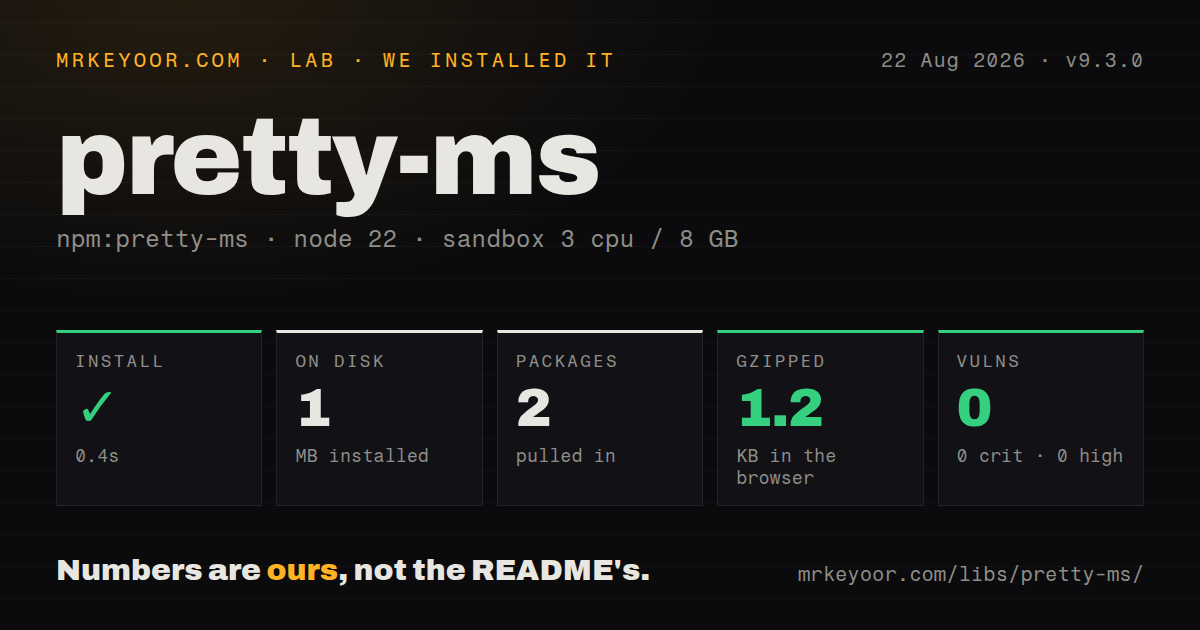
| Install | ✓ · 0.4s | 2 packages on disk · 1 MB |
| Import | ✓ | ESM import works · require() works · ESM package with exports map |
| Browser | 1.2 KB | gzipped (2.6 KB minified), bundled with esbuild |
| Types | ✓ | TypeScript types bundled |
| Known vulns | 0 | 0 critical · 0 high · 0 moderate · 0 low (npm audit) |
Answers from our run
Does pretty-ms install cleanly?
Yes. In a fresh container with an empty cache, npm install pretty-ms finished in 0.4s, leaving 2 packages and 1 MB on disk. npm audit reported no known vulnerabilities.
How much does pretty-ms add to a browser bundle?
1.2 KB gzipped (2.6 KB minified) when the whole package is bundled for the browser with esbuild. Importing only part of it is usually smaller.
Does pretty-ms work with both ESM and CommonJS?
Yes. Both import 'pretty-ms' and require('pretty-ms') worked in Node 22 in our run. The package is published as ESM with an exports map.
Does pretty-ms include TypeScript types?
Yes, type declarations ship inside the package, so no @types install is needed.
pretty-ms or humanize-duration: which should you use?
humanize-duration: Choose it when localized long-form durations and configurable language units matter. pretty-ms 9.3.0 installed in 0.4 seconds, occupied 1 MB across 2 packages, and bundled to 1.2 KB gzipped in our sandbox with 0 npm-audit findings.
When should you not use pretty-ms?
You need months, leap years, time zones, or calendar arithmetic; the README defines a day as 24 hours and omits variable calendar units.
Use it if
- Logs, benchmarks, dashboards, or CLI output need a short duration derived from milliseconds.
- A progress display benefits from decimal seconds that do not jump between ms and s units.
- You need bigint input or optional microsecond and nanosecond display in modern Node.
- Colon notation or a fixed unit count covers the presentation without locale-aware calendar rules.
- You need months, leap years, time zones, or calendar arithmetic; the README defines a day as 24 hours and omits variable calendar units.
- The output must be localized or pluralized through Intl; verbose strings are English and the API has no locale option.
- Users enter text such as '2h 15m'; this package formats milliseconds and its README points to parse-duration-ms for the inverse operation.
- Your runtime is older than Node 18; version 9 requires Node 18 or newer.
- You need exact arithmetic from displayed strings; independently rounded durations do not preserve subtraction, as the FAQ demonstrates.
Setup reality
Our clean Node 22 install of pretty-ms 9.3.0 completed in 0.4 seconds and left 2 packages using 1 MB. npm audit reported 0 known vulnerabilities at every severity. The package declares 1 direct dependency, 0 peer dependencies, Node 18 or newer, and 28 KB unpacked. Bundled TypeScript declarations were present.
The package declares type: module and has an exports map. ESM import worked in our sandbox, and require() also worked in the measured Node 22 environment. Test the exact loader used by older tooling instead of assuming every CommonJS bundler matches Node 22. There is one default export, so TypeScript and ESM examples should import prettyMilliseconds rather than a named symbol.
Our esbuild browser check produced 2.6 KB minified and 1.2 KB gzipped when importing the package. Formatting is synchronous and needs no credentials or config file. Inputs are milliseconds; passing seconds by mistake yields output smaller by a factor of 1,000. Negative values and bigint are accepted, but a bigint cannot represent fractional milliseconds.
Colon notation overrides compact, verbose, separateMilliseconds, and sub-millisecond formatting. compact also forces both decimal-digit settings to 0. Version 9.3.0 adds subSecondsAsDecimals for stable second-based progress labels. Months and calendar years are intentionally absent because their lengths vary, and independently rounded outputs may not subtract to the displayed difference.
Patterns
Format milliseconds with default units format-duration
import prettyMilliseconds from 'pretty-ms';

prettyMilliseconds(1337);       // '1.3s'
prettyMilliseconds(1337000000); // '15d 11h 23m 20s'
prettyMilliseconds(0);          // '0ms'
The argument is milliseconds. Convert seconds before calling or the displayed duration will be 1,000 times too small.
Keep only the largest unit time-operation
const startedAt = performance.now();
await runBuild();
const elapsed = performance.now() - startedAt;
console.log(`Built in ${prettyMilliseconds(elapsed)}`);
compact forces both secondsDecimalDigits and millisecondsDecimalDigits to 0, so it trades detail for a steadier short label.
Limit the number of displayed units limit-units
prettyMilliseconds(5_490_000, { unitCount: 2 }); // '1h 31m'
prettyMilliseconds(5_490_000, { compact: true }); // '1h'
unitCount truncates the displayed unit list. It does not change the underlying duration supplied to the function.
Spell out English unit names spell-units
prettyMilliseconds(90_061_000, { verbose: true });
// '1 day 1 hour 1 minute 1 second'
verbose output is English and has no locale option. Use a localization-focused formatter for translated interfaces.
Render a clock-style duration use-colon-notation
prettyMilliseconds(95_500, { colonNotation: true }); // '1:35.5'
prettyMilliseconds(1000, { colonNotation: true });   // '0:01'
colonNotation always shows at least minutes and overrides compact, verbose, separateMilliseconds, and formatSubMilliseconds.
Show sub-second values as decimal seconds show-decimal-seconds
prettyMilliseconds(900, { subSecondsAsDecimals: true }); // '0.9s'
prettyMilliseconds(13_000, {
  keepDecimalsOnWholeSeconds: true,
  secondsDecimalDigits: 1,
}); // '13.0s'
Version 9.3.0 added this option. It is useful when a progress label should stay in seconds below the 1-second boundary.
Keep decimal width on whole seconds show-submilliseconds
prettyMilliseconds(100.40008, { formatSubMilliseconds: true });
// '100ms 400µs 80ns'
Set secondsDecimalDigits with keepDecimalsOnWholeSeconds so values such as 13 seconds do not shrink from 13.0s to 13s.
Separate milliseconds from seconds format-bigint
const elapsedMilliseconds = 1_337_000_000n;
console.log(prettyMilliseconds(elapsedMilliseconds));
separateMilliseconds displays milliseconds as their own unit instead of folding them into a decimal second.
Display microseconds and nanoseconds hide-large-units
prettyMilliseconds(total, { hideYear: true });
prettyMilliseconds(total, { hideYearAndDays: true });
prettyMilliseconds(total, { hideSeconds: true });
formatSubMilliseconds exposes precision present in a fractional number. Ordinary Date differences contain only millisecond resolution.
Hide days and express them as hours handle-invalid-input
function formatElapsed(value) {
  if (typeof value === 'number' && !Number.isFinite(value)) return 'unknown';
  return prettyMilliseconds(value);
}
hideYearAndDays converts hidden fixed 24-hour days into hours. It does not perform calendar or daylight-saving arithmetic.
Format a bigint duration align-duration-column
for (const job of jobs) {
  const duration = prettyMilliseconds(job.ms, {
    unitCount: 2,
    secondsDecimalDigits: 0,
  });
  console.log(job.name.padEnd(12), duration.padStart(8));
}
bigint avoids number-range precision loss for huge integer millisecond counts, but it cannot carry fractional milliseconds.
Format an elapsed benchmark format-date-difference
const elapsed = finishedAt.getTime() - startedAt.getTime();
const label = prettyMilliseconds(elapsed, { verbose: true, unitCount: 2 });
performance.now() returns milliseconds with a fractional part. Keep the measured value numeric until the final display step.
Alternatives
| Package | Registry | Pick it when |
|---|---|---|
| humanize-duration | npm | Choose it when localized long-form durations and configurable language units matter. |
| ms | npm | Choose it when the same small utility must both parse duration strings and format milliseconds. |
| date-fns | npm | Choose it when calendar dates, intervals, locale data, and date arithmetic are the actual problem. |
More utils guides
lru-cache · type-fest · ajv · zod · p-limit · find-up · the whole shelf →
How this guide is made: grounded in the library's documentation, release notes, changelog, and issue history, on a fixed rubric — not a hands-on install of every release. The 50 most-downloaded entries are additionally install-verified in clean containers. Corrections: contact the desk.