p-timeout review
p-timeout 7.0.1 puts a deadline around an existing promise. When the timer wins, the returned promise can reject with TimeoutError, throw a caller-supplied error, resolve to undefined, or run a fallback. It can also listen to an AbortSignal, call cancel() on an input that implements it, accept alternate timer functions, and expose clear() on its result. The important limit is unchanged: a timed-out wrapper does not stop an ordinary input promise. Version 7 requires Node 20 or later, and 7.0.1 fixes custom timers that previously raised an illegal invocation error when their host context was lost.
p-timeout 7.0.1 installed in 0.3 seconds, occupied 1 MB, and produced a 0.7 KB gzipped browser build in our checks, with no audit findings. Add it for a promise that lacks a deadline interface; use AbortSignal.timeout() when the underlying work can actually stop.
We installed it
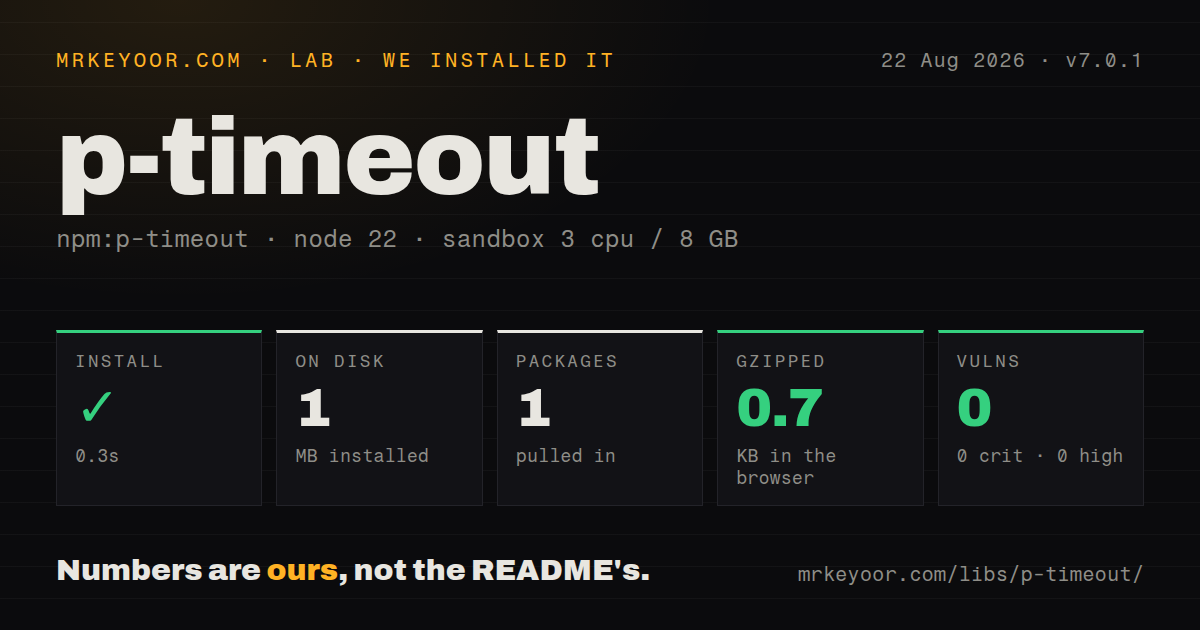
| Install | ✓ · 0.3s | 1 package on disk · 1 MB |
| Import | ✓ | ESM import works · require() works · ESM package with exports map |
| Browser | 0.7 KB | gzipped (1.1 KB minified), bundled with esbuild |
| Types | ✓ | TypeScript types bundled |
| Known vulns | 0 | 0 critical · 0 high · 0 moderate · 0 low (npm audit) |
Answers from our run
Does p-timeout install cleanly?
Yes. In a fresh container with an empty cache, npm install p-timeout finished in 0.3s, leaving 1 package and 1 MB on disk. npm audit reported no known vulnerabilities.
How much does p-timeout add to a browser bundle?
0.7 KB gzipped (1.1 KB minified) when the whole package is bundled for the browser with esbuild. Importing only part of it is usually smaller.
Does p-timeout work with both ESM and CommonJS?
Yes. Both import 'p-timeout' and require('p-timeout') worked in Node 22 in our run. The package is published as ESM with an exports map.
Does p-timeout include TypeScript types?
Yes, type declarations ship inside the package, so no @types install is needed.
p-timeout or promise-timeout: which should you use?
promise-timeout: Use it only where its older CommonJS API is already established and a migration would add no behavioral benefit. p-timeout 7.0.1 installed in 0.3 seconds, occupied 1 MB, and produced a 0.7 KB gzipped browser build in our checks, with no audit findings.
When should you not use p-timeout?
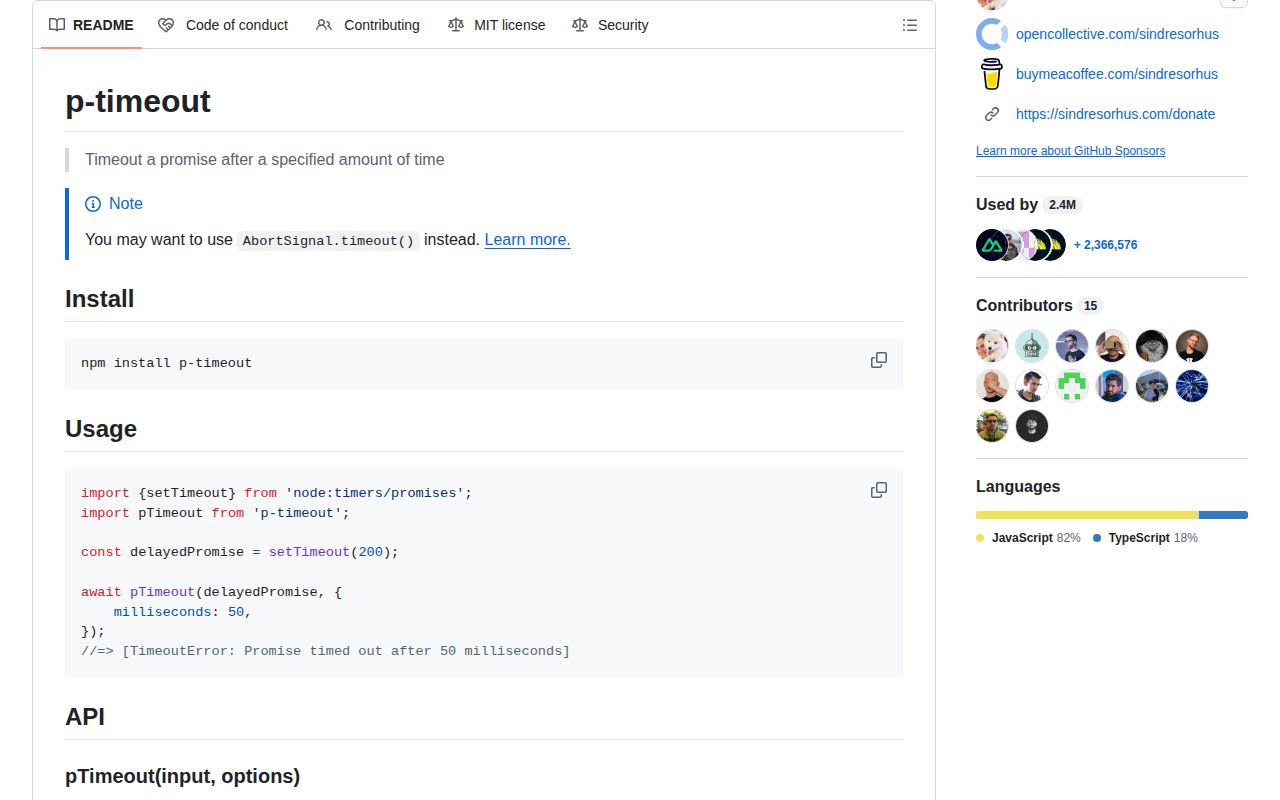
The operation accepts AbortSignal. The package README recommends AbortSignal.timeout() because it tells fetch or other cooperative work to release resources.
Use it if
- A legacy promise API has no AbortSignal or built-in deadline, and callers need a typed TimeoutError when waiting too long.
- The timeout path should return cached data or start a separately bounded fallback promise.
- The promise producer implements cancel(), allowing p-timeout to request cleanup when the timer wins.
- Tests must choose between their fake clock and captured native timer functions without changing production code.
- The operation accepts AbortSignal. The package README recommends AbortSignal.timeout() because it tells fetch or other cooperative work to release resources.
- A late side effect would be dangerous. p-timeout can reject its wrapper while an ordinary database write, network call, or job continues in the background.
- Production still runs Node 18 or an older release. Version 7 declares engines.node >=20.
- Your client already enforces its own deadline. A second timer can make error ownership unclear while leaving the inner operation alive.
- The timeout branch needs both fallback and input.cancel(). In 7.0.1 the source takes the fallback branch first, so it does not call cancel() on that path.
Setup reality
We installed p-timeout 7.0.1 in a clean Node 22 Bookworm sandbox. npm completed in 0.3 seconds, leaving 1 package and 1 MB on disk. npm audit found 0 vulnerabilities at every severity. The MIT package has 0 direct dependencies, 0 peer dependencies, bundled TypeScript declarations, and a 28 KB unpacked size. It is marked as ESM and publishes an exports map. Both require() and ESM import worked in our Node 22 check.
No credentials or config files are involved. Decide whether timing out the caller is enough. The signal option rejects p-timeout's result when aborted, but it cannot inject cancellation into an arbitrary promise. At the deadline, cancel() is called only if the input exposes that method and no fallback branch runs. Give the original operation its own AbortSignal when it supports one.
The result has clear(), which removes the timer without settling either promise. Calling it means the wrapper may wait indefinitely for its input. A fallback may return a value or promise, and its work receives no inherited deadline. Wrap a slow fallback separately. Passing message: false resolves undefined on timeout, making a real undefined result indistinguishable from the deadline case. Positive Infinity disables the timer; 0, negative values, non-numbers, and NaN fail the source's positive-number check.
Fake-clock tests can pass customTimers. Capture the real setTimeout and clearTimeout before installing the fake clock if the deadline should follow wall time. Version 7.0.1 calls both functions with an undefined receiver, fixing host-bound implementations that threw Illegal invocation. Our full browser import measured 1.1 KB minified and 0.7 KB gzipped. The code is small enough for browsers, but cancellation still depends on the operation being wrapped.
Patterns
Reject when a promise misses its deadline reject-slow-promise
import pTimeout from 'p-timeout'

const user = await pTimeout(loadUser(), {
  milliseconds: 2_000,
})
After 2,000 milliseconds the wrapper rejects, but loadUser() keeps running unless its promise implements cancel().
Catch only p-timeout failures identify-timeout-error
import pTimeout, { TimeoutError } from 'p-timeout'

try {
  return await pTimeout(loadUser(), { milliseconds: 2_000 })
} catch (error) {
  if (error instanceof TimeoutError) return cachedUser
  throw error
}
TimeoutError avoids confusing a deadline with a rejection raised by loadUser() itself.
Reject with an application error supply-domain-error
import pTimeout, { TimeoutError } from 'p-timeout'

class SearchDeadlineError extends TimeoutError {}

await pTimeout(runSearch(), {
  milliseconds: 800,
  message: new SearchDeadlineError('search deadline exceeded'),
})
Passing an Error object rejects with that same instance. Subclassing TimeoutError keeps the general timeout check available.
Resolve undefined at the deadline resolve-empty-on-timeout
const preview = await pTimeout(loadPreview(), {
  milliseconds: 150,
  message: false,
})

if (preview === undefined) showPlaceholder()
This erases the distinction between a timed-out call and an input promise that genuinely resolves undefined.
Give the fallback its own deadline bound-fallback-promise
const result = await pTimeout(readPrimary(), {
  milliseconds: 300,
  fallback: () => pTimeout(readReplica(), { milliseconds: 700 }),
})
A fallback gets no deadline from the outer call. The fallback path also bypasses input.cancel() in version 7.0.1.
Use a promise that implements cancel cancel-cooperative-input
const job = startCancelableJob()

await pTimeout(job, { milliseconds: 1_000 })
When the 1,000-millisecond timer wins without a fallback, p-timeout calls job.cancel(). The job defines what cleanup that method performs.
Reject the wrapper from a cancel button abort-timeout-wrapper
const controller = new AbortController()
cancelButton.addEventListener('click', () => controller.abort())

await pTimeout(renderReport(), {
  milliseconds: 10_000,
  signal: controller.signal,
})
The signal rejects p-timeout's wrapper. Pass the signal into renderReport as well if its implementation can halt work.
Remove a deadline after conditions change clear-active-deadline
const pending = pTimeout(waitForWebhook(), { milliseconds: 30_000 })

if (maintenanceMode) pending.clear()
const payload = await pending
clear() only cancels the timer. The returned promise remains tied to waitForWebhook() and may never settle.
Represent an explicit timeout opt-out disable-timeout-with-infinity
const milliseconds = settings.timeoutMs ?? Number.POSITIVE_INFINITY
const value = await pTimeout(runTask(), { milliseconds })
Positive Infinity creates no timer. Version 7 rejects 0, negative values, NaN, and non-number inputs.
Keep the deadline outside a fake clock use-real-test-timers
const nativeSetTimeout = globalThis.setTimeout
const nativeClearTimeout = globalThis.clearTimeout
installFakeClock()

await pTimeout(operation(), {
  milliseconds: 100,
  customTimers: {
    setTimeout: nativeSetTimeout,
    clearTimeout: nativeClearTimeout,
  },
})
Capture both timer functions before the fake clock is installed. Version 7.0.1 invokes them with an undefined receiver.
Give fetch a native deadline cancel-fetch-natively
const response = await fetch(url, {
  signal: AbortSignal.timeout(5_000),
})
The p-timeout README recommends this route because fetch receives the abort and can close its work after 5,000 milliseconds.
Stop application work at abort checkpoints cooperate-with-abort-signal
async function processBatch(signal) {
  for (const record of records) {
    signal.throwIfAborted()
    await processRecord(record)
  }
}

await processBatch(AbortSignal.timeout(60_000))
The 60,000-millisecond signal stops at the next checkpoint. A long processRecord call needs its own signal handling to stop sooner.
Alternatives
| Package | Registry | Pick it when |
|---|---|---|
| promise-timeout | npm | Use it only where its older CommonJS API is already established and a migration would add no behavioral benefit. |
| p-cancelable | npm | Use it when you control the promise producer and can define the cleanup that cancellation must perform. |
| bluebird | npm | Use Bluebird's timeout method only when the application already relies on its larger promise implementation. |
More utils guides
lru-cache · type-fest · ajv · zod · p-limit · find-up · the whole shelf →
How this guide is made: grounded in the library's documentation, release notes, changelog, and issue history, on a fixed rubric — not a hands-on install of every release. The 50 most-downloaded entries are additionally install-verified in clean containers. Corrections: contact the desk.