openlineage-python review
openlineage-python 1.52.0 is the reference Python client for constructing and emitting OpenLineage run, job, input, output, and facet events. It can send those records through HTTP, Kafka, files, console output, cloud lineage services, or a composite transport. The client records facts that your integration supplies; it does not inspect arbitrary Python code, store a lineage graph, or provide a search UI. Current code is moving callers toward `event_v2`, generated facet classes, config-based construction, and transport-specific extras instead of older run-module and direct-URL APIs.
openlineage-python 1.52.0 installed in 0.6 seconds, occupied 9 MB, and imported in 0.02 seconds in our sandbox with 0 audit findings. Install it when a collector and naming contract already exist; it will not discover or display lineage on its own.
We installed it
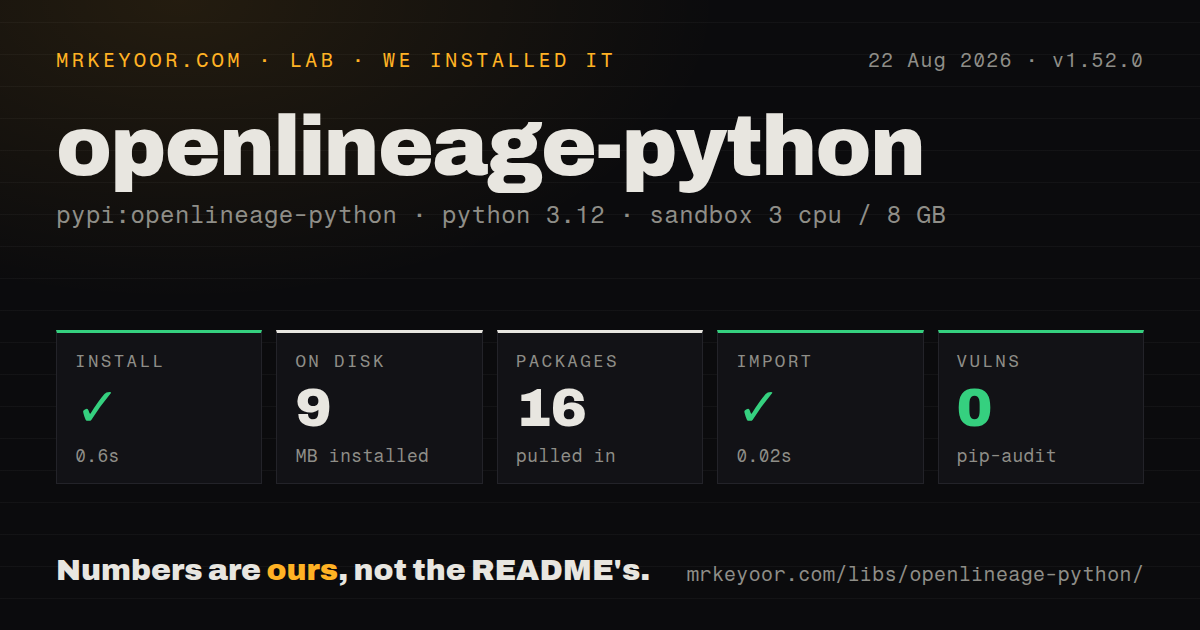
| Install | ✓ · 0.6s | 16 packages on disk · 9 MB |
| Import | ✓ | import openlineage in 0.02s · pure Python · py.typed · requires Python >=3.10 |
| Known vulns | 0 | (pip-audit) |
Answers from our run
Does openlineage-python install cleanly?
Yes. In a fresh container with an empty cache, pip install openlineage-python finished in 0.6s, leaving 16 packages and 9 MB on disk. pip-audit reported no known vulnerabilities.
What does openlineage-python need to run?
Python >=3.10, and nothing compiled: it is pure Python. In our run import openlineage succeeded in 0.02s, and the package ships py.typed for type checkers.
openlineage-python or acryl-datahub: which should you use?
acryl-datahub: Use it when DataHub is the metadata platform and its native model and ingestion recipes are the target. openlineage-python 1.52.0 installed in 0.6 seconds, occupied 9 MB, and imported in 0.02 seconds in our sandbox with 0 audit findings.
When should you not use openlineage-python?
You expect automatic extraction from arbitrary Python functions; this package only sends events that code or a framework integration constructs
Use it if
- A Python scheduler or ETL service must emit a vendor-neutral lineage event contract
- Your organization already runs Marquez or another OpenLineage-compatible collector
- Stable job, run, and dataset identities can be defined across all producers
- HTTP, Kafka, file, console, or cloud delivery must share the same event model
- You expect automatic extraction from arbitrary Python functions; this package only sends events that code or a framework integration constructs
- No collector or catalog will consume the JSON; the client includes no graph database, retention system, or lineage interface
- A proprietary catalog model is the only target and mapping it into OpenLineage facets would duplicate existing integration work
- Python 3.9 must remain supported because 1.52.0 requires Python 3.10 or later
- One webhook with minimal dependencies is enough; our measured package declared 30 dependencies and installed 16 packages
Setup reality
We installed openlineage-python 1.52.0 in 0.6 seconds. The fresh Python 3.12 sandbox contained 16 packages using 9 MB on disk, and the package declared 30 direct dependencies. pip-audit found 0 known vulnerabilities. It is pure Python, requires Python >=3.10, ships py.typed, and import openlineage succeeded in 0.02 seconds. The license metadata identifies Apache Software License.
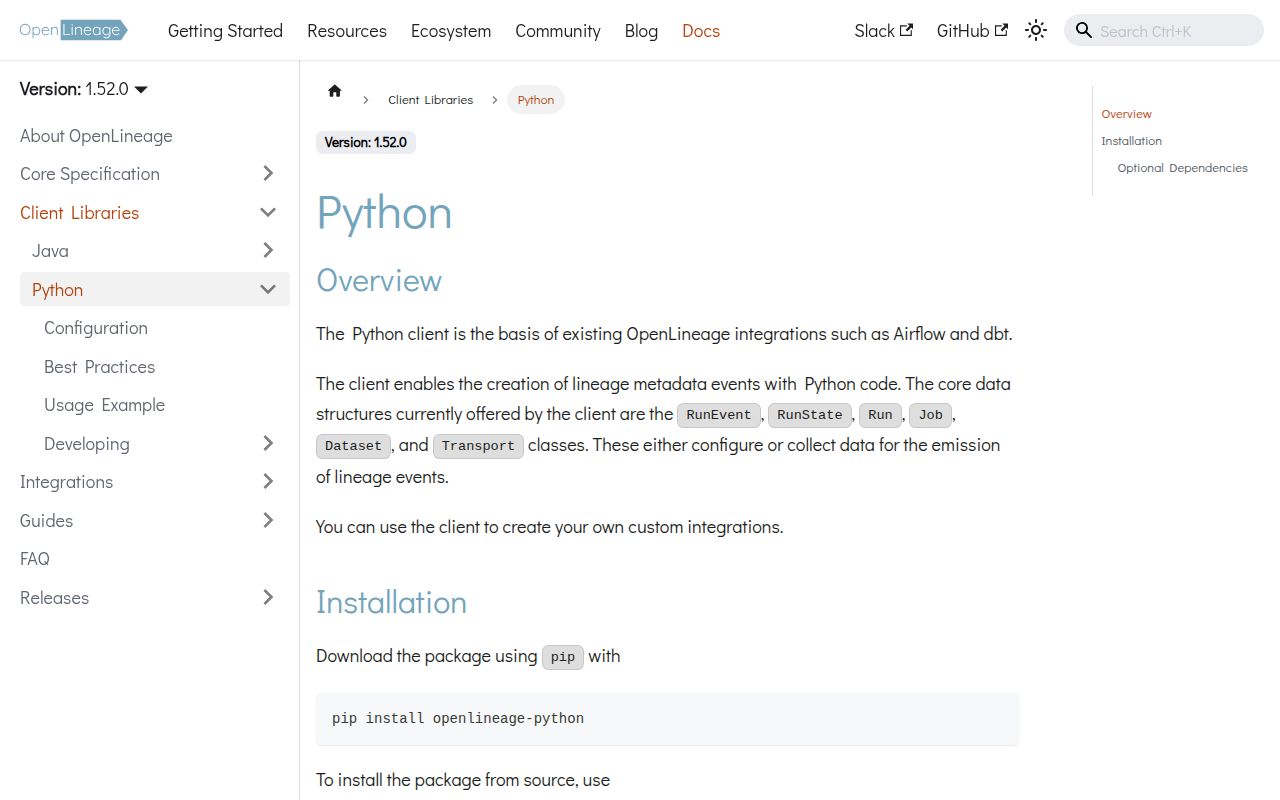
Before code, choose a collector and transport. HTTP needs the service URL, TLS policy, timeout, and often an API key or JWT. Kafka, MSK IAM, fsspec, Google Cloud lineage, and DataZone use optional extras with their own libraries and credentials. Configuration can come from a dictionary or OPENLINEAGE_CONFIG; direct URL construction and OpenLineageClient.from_environment() are deprecated in the published source.
Event identity is the setup that usually survives longest. Use one stable namespace convention for jobs and datasets, a valid UUID for each run, and an ISO date-time for eventTime. Emit START and exactly one terminal COMPLETE, FAIL, or ABORT with the same run ID. Valid JSON with changing namespaces or a fresh ID at completion creates a misleading graph.
Generated facet classes track versioned schemas, so import current event_v2 and generated modules instead of assembling dictionaries from memory. Decide whether an emission failure should fail the data job, then configure timeout and retry behavior accordingly. Exercise console or file transport first, inspect the serialized events, and call client.close() with a bounded timeout so buffered or asynchronous delivery has a chance to finish.
Patterns
Create an authenticated HTTP transport configure-http
import os
from openlineage.client import OpenLineageClient

client = OpenLineageClient(config={
    'transport': {
        'type': 'http',
        'url': 'https://lineage.example.com',
        'timeout': 10,
        'auth': {'type': 'api_key', 'apiKey': os.environ['OPENLINEAGE_API_KEY']},
    }
})
Use the config form in 1.52.0; passing a URL directly to `OpenLineageClient` is deprecated.
Start a run with the v2 model emit-start
from datetime import datetime, timezone
from uuid import uuid4
from openlineage.client.event_v2 import Job, Run, RunEvent, RunState

run_id = str(uuid4())
event = RunEvent(
    eventTime=datetime.now(timezone.utc).isoformat(),
    eventType=RunState.START,
    run=Run(run_id),
    job=Job('airflow-prod', 'orders.daily'),
)
client.emit(event)
Store `run_id`; a terminal event with another UUID describes a separate run.
Name one input and output dataset attach-datasets
from openlineage.client.event_v2 import InputDataset, OutputDataset

inputs = [InputDataset('postgres://warehouse', 'raw.orders')]
outputs = [OutputDataset('s3://analytics', 'curated/orders/')]
Namespace plus name defines dataset identity. All producers must use the same convention for the same physical data.
Finish with the original run identity emit-complete
client.emit(RunEvent(
    eventTime=datetime.now(timezone.utc).isoformat(),
    eventType=RunState.COMPLETE,
    run=Run(run_id), job=job,
    inputs=inputs, outputs=outputs,
))
Pair each START with 1 terminal COMPLETE, FAIL, or ABORT event using the same job and UUID.
Add a generated schema facet attach-schema
from openlineage.client.generated.schema_dataset import SchemaDatasetFacet, SchemaDatasetFacetFields

schema = SchemaDatasetFacet(fields=[
    SchemaDatasetFacetFields('order_id', 'BIGINT', ordinal_position=1),
])
input_ds = InputDataset('postgres://warehouse', 'raw.orders', facets={'schema': schema})
Generated classes carry the expected facet schema; hand-built dictionaries can be valid JSON while violating that contract.
Print events during integration work use-console
client = OpenLineageClient(config={
    'transport': {'type': 'console'}
})
client.emit(event)
Console transport uses Python logging at INFO, so configure a visible handler and level before assuming nothing was emitted.
Send to HTTP and a local file fan-out-transports
client = OpenLineageClient(config={
    'transport': {
        'type': 'composite',
        'continue_on_failure': True,
        'continue_on_success': True,
        'transports': [
            {'type': 'http', 'url': 'https://lineage.example.com'},
            {'type': 'file', 'log_file_path': 'events.jsonl', 'append': True},
        ],
    }
})
The 2 continuation flags determine whether failure stops fan-out and whether success ends the chain; choose them deliberately.
Bound transport shutdown time close-client
try:
    client.emit(event)
finally:
    flushed = client.close(timeout=10)
    if not flushed:
        raise RuntimeError('lineage transport did not flush')
A 10-second bound prevents a worker from waiting forever while still giving buffered delivery time to finish.
Alternatives
| Package | Registry | Pick it when |
|---|---|---|
| acryl-datahub | PyPI | Use it when DataHub is the metadata platform and its native model and ingestion recipes are the target. |
| openmetadata-ingestion | PyPI | Use it for OpenMetadata's connector framework and catalog-specific ingestion workflows. |
| marquez-python | PyPI | Use it when code needs Marquez-specific APIs instead of a protocol-level event client. |
More data guides
numpy · pandas · fsspec · lxml · pyarrow · sqlalchemy · the whole shelf →
How this guide is made: grounded in the library's documentation, release notes, changelog, and issue history, on a fixed rubric — not a hands-on install of every release. The 50 most-downloaded entries are additionally install-verified in clean containers. Corrections: contact the desk.