nocache review
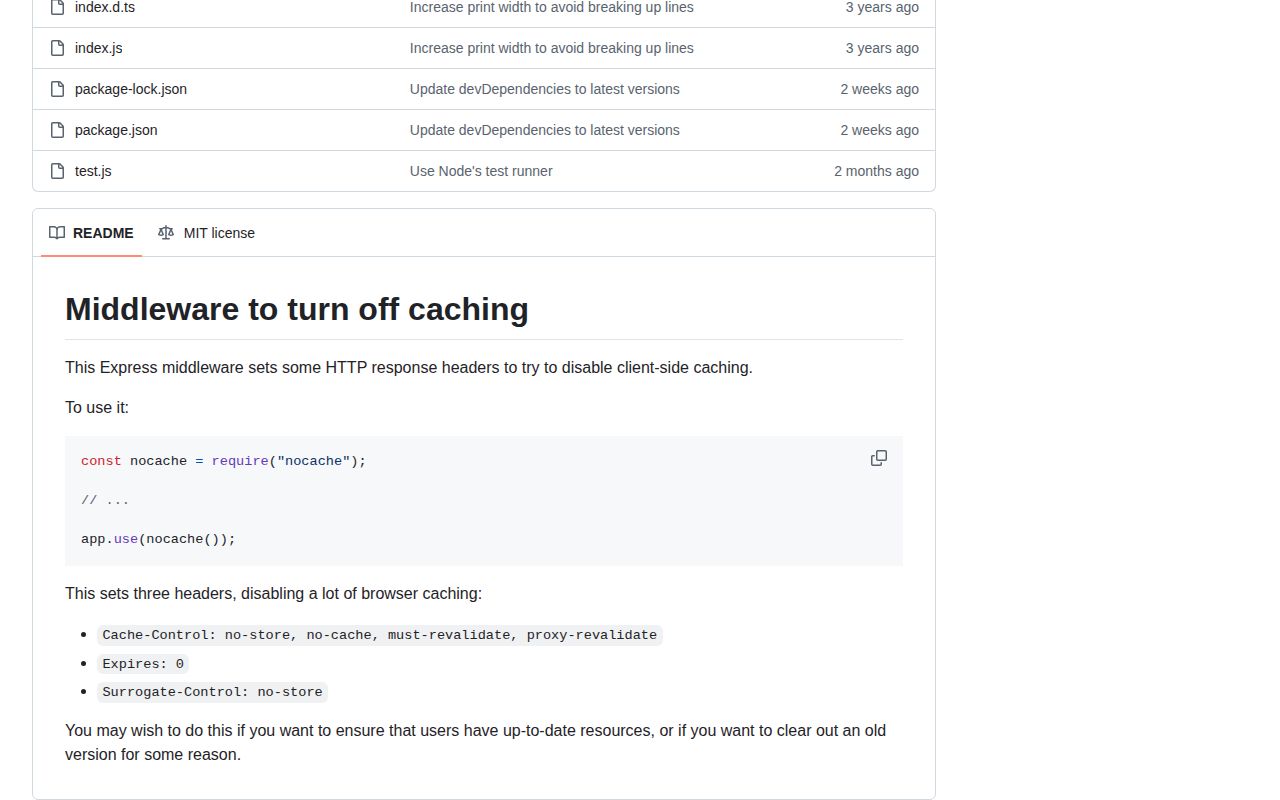
nocache 4.0.0 is a zero-option Connect middleware that writes three response headers, then calls `next()`: `Cache-Control: no-store, no-cache, must-revalidate, proxy-revalidate`, `Expires: 0`, and `Surrogate-Control: no-store`. Version 4 removed the older `Pragma` header and raised the minimum runtime to Node 16. It can discourage compliant browsers, proxies, and surrogate caches from retaining the current response. It cannot purge an object that an edge already stored, inspect CDN policy, vary rules by user, or decide which routes are safe to cache.
nocache 4.0.0 installed as one 1 MB package in 0.6 seconds, added no dependencies or audit findings, and writes one fixed three-header policy in our tested setup. Use it on narrowly scoped private routes; skip it when you need configurable caching, CDN invalidation, or only three local header assignments.
We installed it
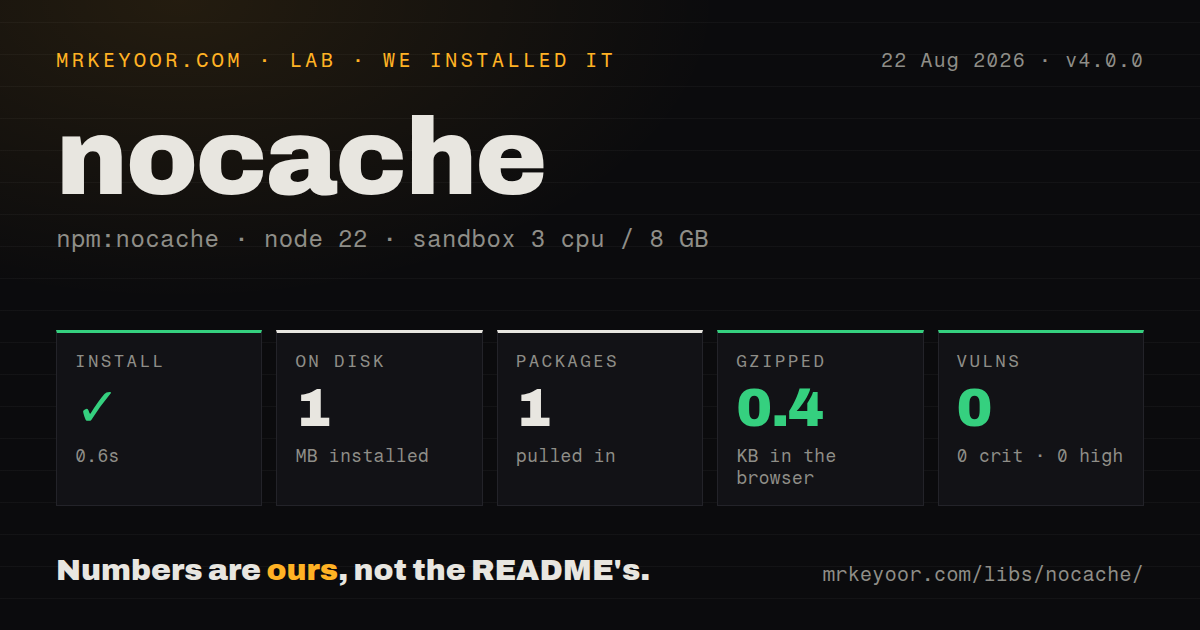
| Install | ✓ · 0.6s | 1 package on disk · 1 MB |
| Import | ✓ | ESM import works · require() works · CommonJS package |
| Browser | 0.4 KB | gzipped (0.8 KB minified), bundled with esbuild |
| Types | ✓ | TypeScript types bundled |
| Known vulns | 0 | 0 critical · 0 high · 0 moderate · 0 low (npm audit) |
Answers from our run
Does nocache install cleanly?
Yes. In a fresh container with an empty cache, npm install nocache finished in 0.6s, leaving 1 package and 1 MB on disk. npm audit reported no known vulnerabilities.
How much does nocache add to a browser bundle?
0.4 KB gzipped (0.8 KB minified) when the whole package is bundled for the browser with esbuild. Importing only part of it is usually smaller.
Does nocache work with both ESM and CommonJS?
Yes. Both import 'nocache' and require('nocache') worked in Node 22 in our run. The package is published as CommonJS.
Does nocache include TypeScript types?
Yes, type declarations ship inside the package, so no @types install is needed.
nocache or express-cache-controller: which should you use?
express-cache-controller: Choose it when each Express route needs configurable Cache-Control directives. nocache 4.0.0 installed as one 1 MB package in 0.6 seconds, added no dependencies or audit findings, and writes one fixed three-header policy in our tested setup.
When should you not use nocache?
You intend to mount it above static assets or public GET routes. The fixed no-store policy prevents useful browser and surrogate reuse and increases origin traffic.
Use it if
- A specific Express or Connect route returns sensitive data and should always send the package's exact three-header policy.
- Several authenticated routers need the same fixed response headers without repeating local middleware.
- You want a dependency-free CommonJS helper with bundled TypeScript declarations.
- Tests at the application and public edge already confirm that later middleware or CDN rules do not replace the headers.
- You intend to mount it above static assets or public GET routes. The fixed `no-store` policy prevents useful browser and surrogate reuse and increases origin traffic.
- The application needs `private`, `max-age`, `s-maxage`, `immutable`, or stale-response directives. Version 4 accepts no options.
- A previously cached response must be removed now. These headers govern the response being sent; they do not issue a browser clear or CDN purge.
- Your reverse proxy or CDN owns cache policy and may override origin headers. nocache cannot observe the final edge behavior.
- Three local `setHeader()` calls are easier to audit than another dependency in your service. That local implementation can exactly reproduce all of version 4.0.0.
Setup reality
We installed nocache 4.0.0 in a fresh Node 22 Bookworm sandbox. npm finished in 0.6 seconds and left one package using 1 MB. The package was 24 KB unpacked with no direct or peer dependencies, and npm audit found 0 known vulnerabilities. It is CommonJS with no exports map; both require() and ESM import worked. TypeScript declarations are included.
There are no credentials, config files, or native builds. Call the factory once and mount what it returns: app.use(nocache()). Passing nocache without parentheses gives Express the factory instead of the middleware, so the request may never finish. Version 4 always overwrites the same three headers when it runs. A later handler can overwrite one of them and leave a contradictory mix, which makes middleware order part of the cache policy.
Mount it on the smallest router or route that owns private data. A global mount also covers HTML, JSON, errors, downloads, and static files that pass after it. The middleware does not remove ETag or Last-Modified, send Clear-Site-Data, change an edge cache key, or purge an old object. Test the final public response because a reverse proxy can replace origin headers after Express has finished.
Our browser bundle measured 0.8 KB minified and 0.4 KB gzipped, but browser use makes no sense because the function expects Node request and response objects. Version 4 dropped Pragma and supports Node 16 or newer. The repository's unreleased changelog now says Node 24+ will be required later, so treat the next release as a runtime compatibility check even though the middleware body is tiny.
Patterns
Disable storage for one response protect-one-route
const nocache = require('nocache');

app.get('/account/export', nocache(), async (req, res) => {
  res.json(await buildExport(req.user.id));
});
Route-level mounting keeps unrelated public pages and assets outside this fixed `no-store` policy.
Cover an authenticated router protect-private-router
const express = require('express');
const nocache = require('nocache');

const account = express.Router();
account.use(requireUser);
account.use(nocache());
account.get('/profile', showProfile);
app.use('/account', account);
Because `nocache()` runs after authentication here, an authentication failure produced earlier may not receive these headers. Choose order deliberately.
Apply the policy to all later handlers disable-cache-globally
const nocache = require('nocache');

app.use(nocache());
app.get('/account', showAccount);
A global mount also affects any static, public, and error responses below it. That can waste cache capacity and origin bandwidth.
Add headers conditionally apply-for-signed-in-user
const noCache = require('nocache')();

app.use((req, res, next) => {
  if (req.user) return noCache(req, res, next);
  next();
});
Conditional origin headers do not fix a shared cache whose key ignores authentication. Confirm `Vary` and CDN cache-key rules separately.
Keep headers on downstream errors cover-sensitive-errors
app.get('/reset-password', nocache(), async (req, res, next) => {
  try {
    res.render('reset', await loadState(req.query.token));
  } catch (error) {
    next(error);
  }
});
Headers set before the handler survive unless the error middleware replaces them, which matters when an error page can contain private state.
Test the complete policy assert-header-values
const response = await request(app).get('/account/profile').expect(200);
expect(response.headers['cache-control'])
  .toBe('no-store, no-cache, must-revalidate, proxy-revalidate');
expect(response.headers['surrogate-control']).toBe('no-store');
expect(response.headers.expires).toBe('0');
An application test catches later Express overwrites. Inspect the deployed URL too because a proxy can change headers after the app responds.
Mount the returned function call-middleware-factory
const nocache = require('nocache');

app.use(nocache());
// app.use(nocache); // wrong
The export is a factory. Without parentheses, Express invokes the wrong function and does not receive the middleware that calls `next()`.
Separate private and static routes preserve-static-caching
app.use('/private', nocache(), privateRouter);
app.use('/assets', express.static('public', {
  maxAge: '1y',
  immutable: true,
}));
Path scope preserves long-lived asset caching. Check parent routers for an earlier global `nocache()` call.
Do not overwrite one directive later avoid-header-conflict
app.get('/status', nocache(), (req, res) => {
  res.set('Cache-Control', 'public, max-age=30');
  res.json({ok: true});
});
This code leaves `Surrogate-Control: no-store` beside a public Cache-Control value. Use one policy writer instead of producing conflicting headers.
Mount it in a Connect stack use-connect
const connect = require('connect');
const nocache = require('nocache');

const app = connect();
app.use('/session', nocache());
app.use('/session', (_req, res) => res.end('private'));
The middleware only needs Node request and response methods, so it does not depend on Express-specific response helpers.
Write the exact policy locally replace-with-local-code
function noStore(_req, res, next) {
  res.setHeader('Surrogate-Control', 'no-store');
  res.setHeader('Cache-Control', 'no-store, no-cache, must-revalidate, proxy-revalidate');
  res.setHeader('Expires', '0');
  next();
}
These three assignments reproduce version 4.0.0. A local helper is reasonable when another supply-chain package buys you no reuse.
Request browser cache clearing at logout clear-site-cache
app.post('/session/logout', nocache(), (req, res) => {
  res.setHeader('Clear-Site-Data', '"cache"');
  req.session.destroy(() => res.sendStatus(204));
});
nocache does not send Clear-Site-Data. Browser support varies, and this header neither purges CDN objects nor replaces session invalidation.
Alternatives
| Package | Registry | Pick it when |
|---|---|---|
| express-cache-controller | npm | Choose it when each Express route needs configurable Cache-Control directives. |
| helmet | npm | Choose it for a wider set of HTTP security headers, while setting cache policy separately. |
| fresh | npm | Choose it to evaluate ETag and Last-Modified freshness instead of disabling storage. |
| cache-control-parser | npm | Choose it to parse and inspect Cache-Control values as structured data. |
More web backend guides
ws · urllib3 · requests · undici · anyio · express · the whole shelf →
How this guide is made: grounded in the library's documentation, release notes, changelog, and issue history, on a fixed rubric — not a hands-on install of every release. The 50 most-downloaded entries are additionally install-verified in clean containers. Corrections: contact the desk.