networkx review
NetworkX 3.6.1 represents graphs with Python node objects and attribute dictionaries, then provides pathfinding, connectivity, centrality, flow, matching, community, isomorphism, generation, conversion, and drawing functions. `Graph`, `DiGraph`, `MultiGraph`, and `MultiDiGraph` encode direction and parallel-edge rules explicitly. The base is pure Python, while optional NumPy, SciPy, pandas, matplotlib, and dispatch backends extend particular operations. Our Python 3.12 import took 1.23 seconds. Version 3.6.1 adds `spectral_modularity_bipartition`, `greedy_node_swap_bipartition`, and nodelists for `from_biadjacency_matrix`; it also fixes list-valued node shapes in drawing and blocks Python 3.14.1 because of a dataclasses problem.
NetworkX 3.6.1 installed in 0.3 seconds as one 9 MB package, imported in 1.23 seconds, and had 0 audit findings in our sandbox. Start here for understandable, moderate in-memory graph work; move to a compiled library or database when profiling points to object overhead, latency, persistence, or concurrent access.
We installed it
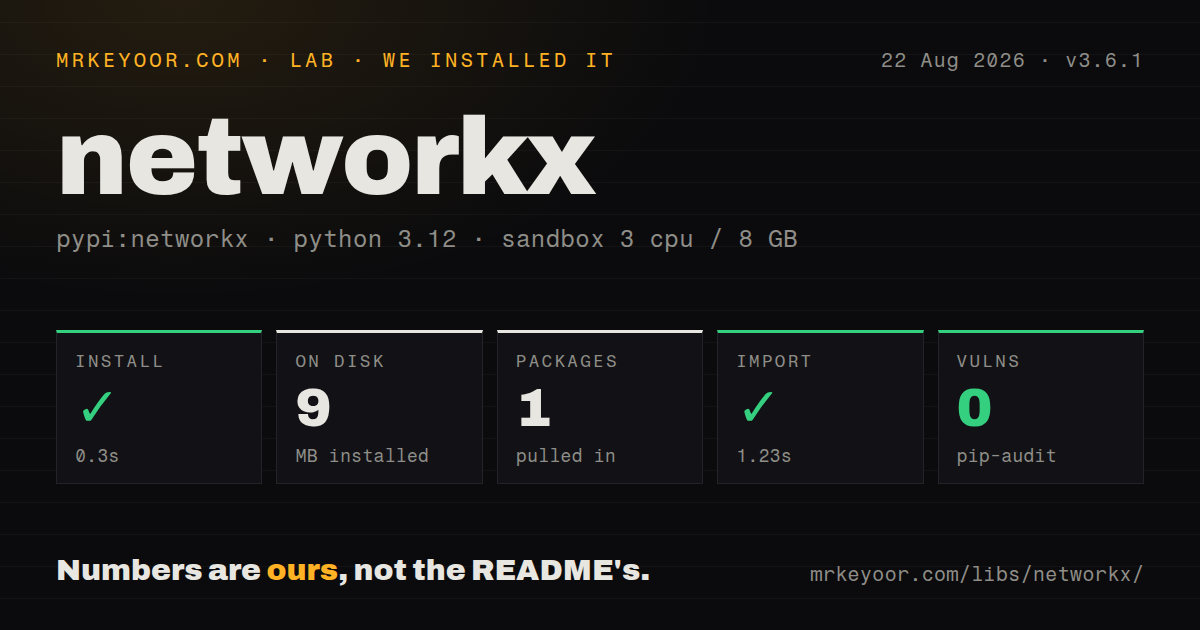

| Install | ✓ · 0.3s | 1 package on disk · 9 MB |
| Import | ✓ | import networkx in 1.23s · pure Python · requires Python !=3.14.1,>=3.11 |
| Known vulns | 0 | (pip-audit) |
Answers from our run
Does networkx install cleanly?
Yes. In a fresh container with an empty cache, pip install networkx finished in 0.3s, leaving 1 package and 9 MB on disk. pip-audit reported no known vulnerabilities.
What does networkx need to run?
Python !=3.14.1,>=3.11, and nothing compiled: it is pure Python. In our run import networkx succeeded in 1.23s.
networkx or igraph: which should you use?
igraph: Use it for larger in-memory networks and compiled implementations of common analysis algorithms. NetworkX 3.6.1 installed in 0.3 seconds as one 9 MB package, imported in 1.23 seconds, and had 0 audit findings in our sandbox.
When should you not use networkx?
Millions of edges already strain RAM or latency. Nested Python dictionaries cost more than compact compiled structures in igraph, rustworkx, or NetworKit.
Discussed on
- hnNetworkX 3.0 - create, manipulate, and study complex networks in Python195 points
- hnNetworkX – Network Analysis in Python187 points
- hnHow to scrape and extract hyperlink networks with BeautifulSoup and NetworkX53 points
- hnWho ranks better? Memgraph vs. NetworkX PageRank33 points
- hnNatively visualize NetworkX graphs using D3.js and pywebview (without electron)31 points
Use it if
- A notebook, research script, or service needs many graph algorithms and the data fits in one process.
- Nodes should remain ordinary hashable Python values with domain attributes attached directly to nodes and edges.
- Readable algorithm calls and easy conversion to pandas or SciPy matter more than compact storage.
- The team wants to prototype with pure Python first and evaluate a compatible compiled or GPU backend only after profiling.
- Millions of edges already strain RAM or latency. Nested Python dictionaries cost more than compact compiled structures in igraph, rustworkx, or NetworKit.
- The application needs durable storage, transactions, indexes, concurrent writers, or a graph query language. NetworkX keeps an in-memory object and is not a graph database.
- The workload assumes CPU parallelism from the base install. Most algorithms run in the caller's thread; parallel, GraphBLAS, and GPU backends are separate packages with partial coverage.
- A large network must become an interactive visualization. The matplotlib helpers suit small figures, while Gephi, Cytoscape, or a web renderer handles dense exploration better.
- Graph neural network training is the main task. PyTorch Geometric and DGL work with tensor batches and accelerators rather than arbitrary Python node dictionaries.
- Python 3.14.1 is fixed by the deployment image. NetworkX 3.6.1 explicitly excludes that interpreter release.
Setup reality
We installed NetworkX 3.6.1 in a fresh Python 3.12 Bookworm sandbox in 0.3 seconds. It left 1 package and 9 MB on disk. pip-audit found 0 known vulnerabilities. The pure-Python distribution reports 37 direct dependencies, requires Python 3.11 or newer except 3.14.1, has no py.typed marker, and exposes an unknown package license value in the measured metadata. import networkx succeeded in 1.23 seconds.
No account or configuration file is needed. The base wheel covers graph containers and many algorithms. pandas conversions, SciPy sparse arrays, NumPy-backed routines, and matplotlib drawing require their respective optional packages; networkx[default] installs the common set. Graphviz layouts cross a system-package boundary. pygraphviz may need Graphviz headers and a compiler, so verify the build in the deployment image instead of assuming a Python wheel is enough.
Choose among 4 core containers before loading data. Graph collapses a repeated pair into one edge, DiGraph keeps orientation, and MultiGraph or MultiDiGraph retains parallel edges under keys. add_edge() creates absent nodes, which lets misspelled identifiers enter silently. Many subgraph operations return views linked to the original graph. Call .copy() when the extracted graph needs independent mutation or a stable snapshot.
Algorithms execute synchronously unless an installed backend implements that call. Backend conversion can dominate a small job, and coverage differs across parallel, GraphBLAS, and GPU providers. Cache conversions only when graph mutation rules are understood. Weighted shortest paths also depend on the algorithm: Dijkstra rejects the assumptions behind negative weights, while Bellman-Ford costs more. Set seeds for layouts, sampled centrality, Louvain, and other randomized work when results enter tests or reports.
Patterns
Create nodes and weighted edges build-attributed-graph
import networkx as nx

graph = nx.Graph()
graph.add_node('alice', team='ops')
graph.add_edge('alice', 'bob', weight=4.0, since=2024)
graph.add_edges_from([
    ('bob', 'carol', {'weight': 1.5}),
])

print(graph.nodes['alice']['team'])
print(graph['alice']['bob']['weight'])
`add_edge()` creates missing endpoint nodes. A plain `Graph` updates the existing edge data when the same unordered pair is added again.
Keep several edges between two nodes preserve-parallel-edges
import networkx as nx

graph = nx.MultiDiGraph()
graph.add_edge('A', 'B', key='train', minutes=40)
graph.add_edge('A', 'B', key='bus', minutes=55)

for source, target, key, data in graph.edges(keys=True, data=True):
    print(source, target, key, data['minutes'])
`MultiDiGraph` preserves direction and parallel edges. Supply stable keys when transport modes or event identities must survive serialization.
Build a directed graph from a table load-pandas-edges
import networkx as nx
import pandas as pd

edges = pd.read_csv('calls.csv')
graph = nx.from_pandas_edgelist(
    edges,
    source='caller',
    target='callee',
    edge_attr=['minutes'],
    create_using=nx.DiGraph,
)
This conversion requires pandas. A `DiGraph` overwrites duplicate caller-callee pairs; choose `nx.MultiDiGraph` when each row must remain a separate edge.
Select a path algorithm by weight rules find-shortest-path
import networkx as nx

path = nx.shortest_path(
    graph,
    source='A',
    target='D',
    weight='cost',
    method='dijkstra',
)
distance = nx.shortest_path_length(
    graph, 'A', 'D', weight='cost', method='dijkstra'
)
Dijkstra assumes nonnegative edge weights. Use `method='bellman-ford'` when negative weights are valid, and handle missing or disconnected nodes explicitly.
Copy the largest connected component extract-largest-component
import networkx as nx

node_set = max(nx.connected_components(graph), key=len)
largest = graph.subgraph(node_set).copy()

# Directed alternatives
weak = list(nx.weakly_connected_components(digraph))
strong = list(nx.strongly_connected_components(digraph))
`Graph.subgraph()` returns a view. `.copy()` creates an independent graph before mutation; directed graphs require weak or strong connectivity semantics.
Group dependency work into generations schedule-dag
import networkx as nx

tasks = nx.DiGraph([
    ('compile', 'test'),
    ('lint', 'package'),
    ('test', 'package'),
])
if not nx.is_directed_acyclic_graph(tasks):
    raise ValueError(list(nx.find_cycle(tasks)))

for generation in nx.topological_generations(tasks):
    run_parallel(list(generation))
Topological generations only exist for a directed acyclic graph. Nodes within one generation may run together only if dependencies outside the graph do not add ordering constraints.
Compute repeatable centrality rankings rank-important-nodes
import networkx as nx

pagerank = nx.pagerank(graph, alpha=0.85, weight='weight')
betweenness = nx.betweenness_centrality(
    graph, k=min(500, len(graph)), seed=42, weight='weight'
)

top = sorted(pagerank.items(), key=lambda item: item[1], reverse=True)[:10]
Sampled betweenness is an approximation and needs a fixed seed for repeatable output. Its meaning also changes when `weight` represents distance instead of strength.
Partition a graph with Louvain find-louvain-communities
import networkx as nx

communities = nx.community.louvain_communities(
    graph,
    weight='weight',
    resolution=1.0,
    seed=42,
)
score = nx.community.modularity(graph, communities, weight='weight')
Louvain is randomized, and `resolution` changes community granularity. Pin the seed and record the resolution with any reported partition.
Use the 3.6.1 spectral bipartition split-spectral-community
import networkx as nx

graph = nx.karate_club_graph()
left, right = nx.community.spectral_modularity_bipartition(graph)
assert left.isdisjoint(right)
assert left | right == set(graph)
`spectral_modularity_bipartition()` was added in 3.6.1. It accepts an undirected simple graph and uses NumPy through the modularity-matrix calculation.
Keep node order beside a SciPy matrix convert-sparse-array
import networkx as nx

nodes = list(graph)
matrix = nx.to_scipy_sparse_array(
    graph, nodelist=nodes, weight='weight', format='csr'
)
restored = nx.from_scipy_sparse_array(
    matrix, create_using=nx.Graph
)
index_to_node = dict(enumerate(nodes))
The `nodelist` determines row and column order. `from_scipy_sparse_array()` creates integer node labels, so retain the mapping when original identities matter.
Write GraphML and explicit node-link JSON serialize-graph
import json
import networkx as nx

nx.write_graphml(graph, 'graph.graphml')
loaded = nx.read_graphml('graph.graphml')

data = nx.node_link_data(graph, edges='edges')
with open('graph.json', 'w') as file:
    json.dump(data, file)
restored = nx.node_link_graph(data, edges='edges')
GraphML supports a limited attribute type set and may change node types on read. Pass the same node-link field names on serialization and restoration.
Request an installed algorithm backend dispatch-to-backend
import networkx as nx

# Provider package must already be installed.
result = nx.betweenness_centrality(
    graph,
    k=500,
    seed=42,
    backend='parallel',
)

# Or configure priority for later calls.
nx.config.backend_priority.algos = ['parallel']
nx.config.fallback_to_nx = True
Backend packages implement only part of the API, and graph conversion has a cost. Confirm coverage and benchmark the full call including conversion before adopting one.
Alternatives
| Package | Registry | Pick it when |
|---|---|---|
| igraph | PyPI | Use it for larger in-memory networks and compiled implementations of common analysis algorithms. |
| rustworkx | PyPI | Use it when a Rust core and integer-indexed nodes fit a latency-sensitive Python application. |
| networkit | PyPI | Use it for high-performance analysis of large networks with parallel algorithms. |
More data guides
numpy · pandas · fsspec · pyarrow · lxml · sqlalchemy · the whole shelf →
How this guide is made: grounded in the library's documentation, release notes, changelog, and issue history, on a fixed rubric — not a hands-on install of every release. The 50 most-downloaded entries are additionally install-verified in clean containers. Corrections: contact the desk.