nanoid review
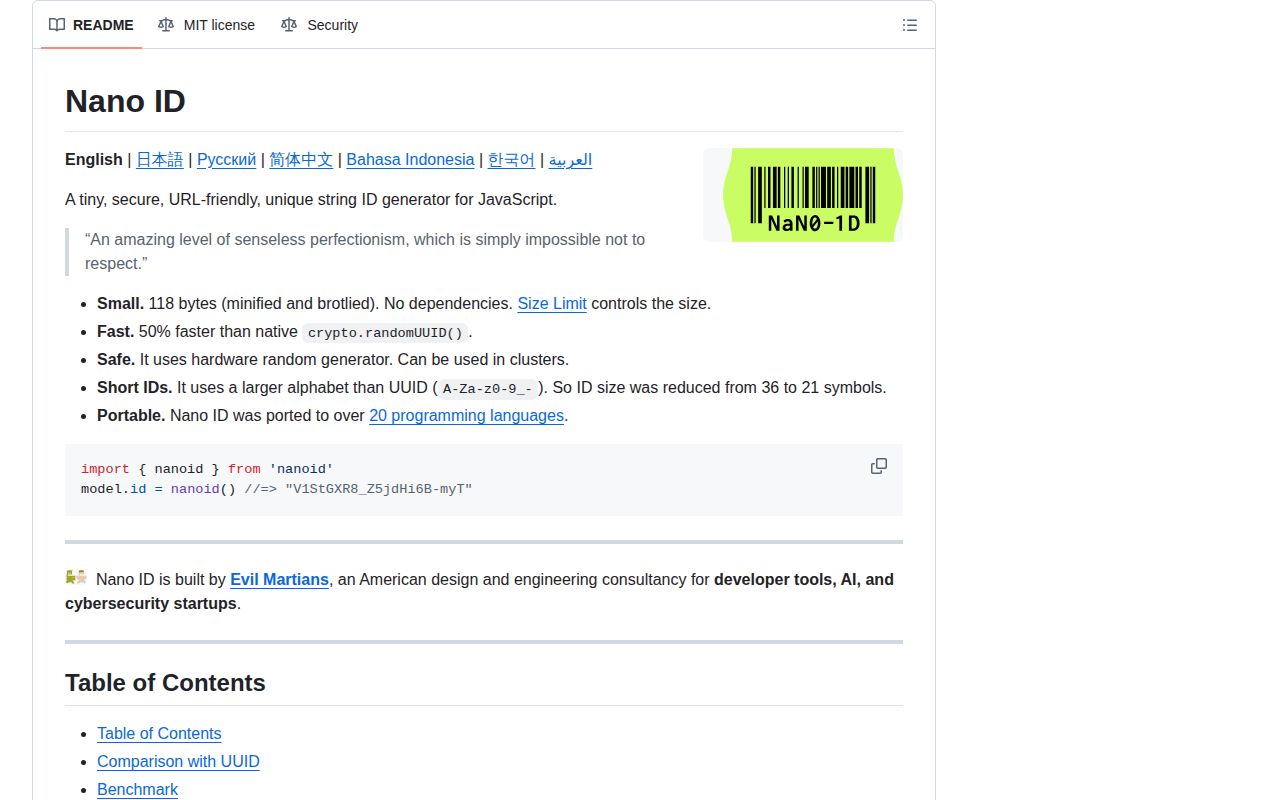
Nano ID creates random, URL-friendly string identifiers from cryptographic random bytes. The default alphabet uses letters, digits, `_`, and `-`; nanoid() returns a compact ID, while customAlphabet() trades alphabet size and output length against collision probability. Version 6.0.0 rewrote the hot path with a claimed fourfold speedup and dropped Node 18 and 20. Version 6.0.1 only corrected documentation. In our sandbox, the dependency-free ESM package loaded through both import and require() on Node 22, bundled its TypeScript declarations, and produced a 0.5 KB gzipped browser bundle.
Nano ID fits projects that need compact random strings or a controlled alphabet. Use a standard UUID or a time-ordered ID when interoperability or database order is more important than length.
We installed it
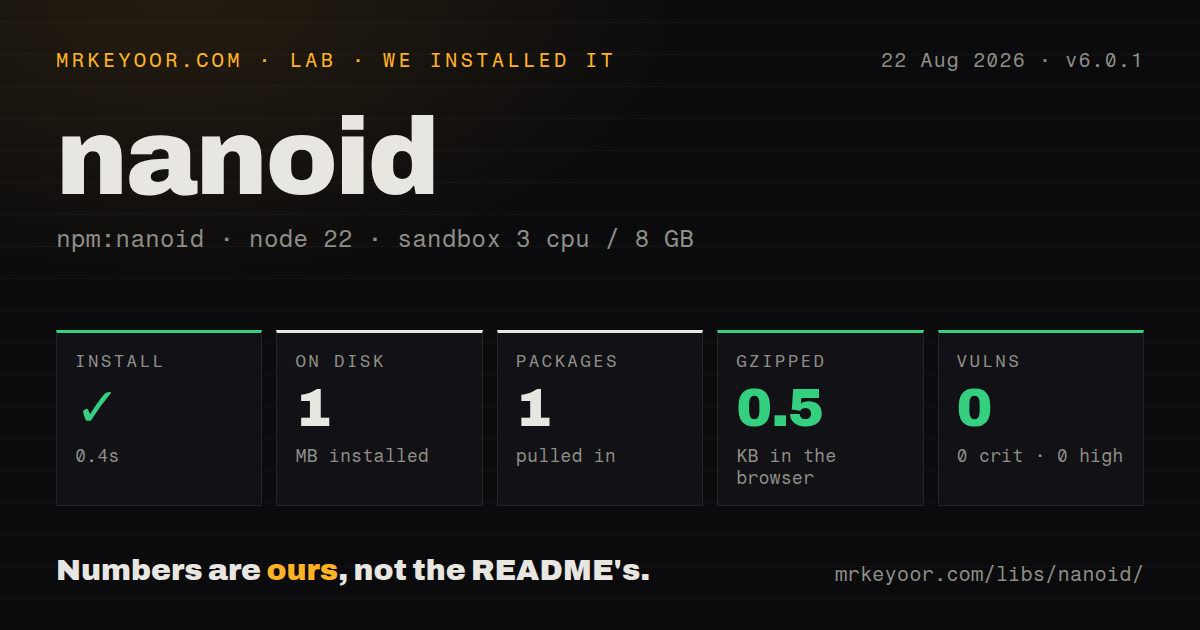
| Install | ✓ · 0.4s | 1 package on disk · 1 MB |
| Import | ✓ | ESM import works · require() works · ESM package with exports map |
| Browser | 0.5 KB | gzipped (0.8 KB minified), bundled with esbuild |
| Types | ✓ | TypeScript types bundled |
| Known vulns | 0 | 0 critical · 0 high · 0 moderate · 0 low (npm audit) |
Answers from our run
Does nanoid install cleanly?
Yes. In a fresh container with an empty cache, npm install nanoid finished in 0.4s, leaving 1 package and 1 MB on disk. npm audit reported no known vulnerabilities.
How much does nanoid add to a browser bundle?
0.5 KB gzipped (0.8 KB minified) when the whole package is bundled for the browser with esbuild. Importing only part of it is usually smaller.
Does nanoid work with both ESM and CommonJS?
Yes. Both import 'nanoid' and require('nanoid') worked in Node 22 in our run. The package is published as ESM with an exports map.
Does nanoid include TypeScript types?
Yes, type declarations ship inside the package, so no @types install is needed.
nanoid or uuid: which should you use?
uuid: Use it when standards-based UUID versions and database interoperability matter more than short text. Nano ID fits projects that need compact random strings or a controlled alphabet.
When should you not use nanoid?
Your deployment still runs Node 18 or 20; Nano ID 6 declares support only for Node 22, Node 24, and later even-numbered releases from 26 onward
Discussed on
Use it if
- URLs or public references need shorter random identifiers than the standard textual UUID format
- The identifier must use a controlled alphabet that avoids punctuation or ambiguous characters
- The same generator must run in Node and browsers using cryptographic randomness
- Tests need a custom random-byte source while production keeps the secure default
- Your deployment still runs Node 18 or 20; Nano ID 6 declares support only for Node 22, Node 24, and later even-numbered releases from 26 onward
- Another system requires RFC UUID text or a database UUID type; the uuid package and crypto.randomUUID() produce the interoperable format
- Primary-key insertion order matters for a large B-tree index; random Nano IDs do not carry time ordering, while UUID v7 or ULID does
- You plan to generate a React key during every render; the README warns that keys must stay stable and recommends stored IDs or React useId() for element relationships
- The runtime lacks secure random bytes and the identifier protects accounts, files, or tokens; nanoid/non-secure uses a weaker source and is documented only for environments without hardware randomness
Setup reality
Our clean Node 22 sandbox installed Nano ID 6.0.1 in 0.4 seconds. One package used 1 MB on disk, and npm audit reported 0 known vulnerabilities at every severity. Nano ID has 0 direct dependencies and 0 peer dependencies; the package is 60 KB unpacked and MIT licensed. It is ESM with an exports map. ESM import worked, and require() also worked in the tested Node 22 runtime. TypeScript declarations are included. A full browser import built to 0.8 KB minified and 0.5 KB gzipped.
There are no credentials, files, or initialization steps. The operational gate is Node: the engines field is ^22 || ^24 || >=26. A project on Node 20 must remain on an older Nano ID major or upgrade its runtime. React Native needs a secure-random polyfill loaded before Nano ID, according to the README. Browser and edge runtimes need Web Crypto. CDN import is documented for quick experiments, but the project discourages it in production because of loading performance.
The default is safe only within an appropriate collision budget. Shortening the ID or shrinking the alphabet reduces the available space; check the project's collision calculator using your expected generation rate and acceptable risk. customAlphabet() rejects alphabets beyond its documented maximum and uses rejection sampling to avoid modulo bias. Prefix values for stores with reserved leading characters. CouchDB and PouchDB reserve an initial _, which the default alphabet can generate.
customRandom() makes deterministic tests possible, but the project does not promise the same random-callback sequence across Nano ID versions. Pin the package if snapshots depend on exact seeded output. The non-secure entry exists for runtimes without cryptographic randomness and should not generate secrets. Random IDs also reveal no creation order. If pagination, index locality, or chronological sorting depends on the identifier itself, choose a time-ordered format and document its timestamp exposure instead.
Patterns
Create a random URL-friendly ID generate-a-default-id
import { nanoid } from "nanoid";

const id = nanoid();
console.log(id);
The default alphabet can begin with `_` or `-`. Add a fixed prefix when a storage system reserves leading characters.
Request a specific output length choose-id-length
import { nanoid } from "nanoid";

const shortCode = nanoid(12);
A shorter value has less collision space. Use the Nano ID collision calculator with your actual generation volume before choosing a length.
Generate lowercase hexadecimal IDs use-a-custom-alphabet
import { customAlphabet } from "nanoid";

const hexId = customAlphabet("0123456789abcdef", 20);
console.log(hexId());
Changing the alphabet changes collision probability for a fixed length. The documented alphabet limit is 256 symbols.
Create human-readable reference codes avoid-ambiguous-characters
import { customAlphabet } from "nanoid";

const reference = customAlphabet(
  "23456789ABCDEFGHJKLMNPQRSTUVWXYZ",
  10,
);

console.log(reference());
This alphabet removes commonly confused characters. It is still random, so your database must enforce uniqueness and retry a collision.
Keep ID domains separate in TypeScript brand-id-types
import { nanoid } from "nanoid";

declare const userIdBrand: unique symbol;
type UserId = string & { readonly [userIdBrand]: true };

const userId = nanoid<UserId>();
Branding helps at compile time only. Validate untrusted strings before casting them to the branded type.
Supply deterministic random bytes in tests seed-test-output
import { customRandom, urlAlphabet } from "nanoid";

let state = 1;
const testId = customRandom(urlAlphabet, 10, size => {
  const bytes = new Uint8Array(size);
  for (let i = 0; i < size; i += 1) {
    state = (state * 1103515245 + 12345) >>> 0;
    bytes[i] = state & 255;
  }
  return bytes;
});

console.log(testId());
Use this only for tests. Nano ID may change how often it asks for bytes, so exact output can move across package versions.
Use the explicitly non-secure entry generate-without-web-crypto
import { nanoid } from "nanoid/non-secure";

const cosmeticId = nanoid();
Do not use this entry for authentication tokens, password reset links, private object names, or any value that must be unpredictable.
Avoid CouchDB's reserved `_` prefix prefix-couchdb-ids
import { nanoid } from "nanoid";

await db.put({
  _id: `doc-${nanoid()}`,
  title: "Draft",
});
The default alphabet includes `_`, so an unprefixed value can violate CouchDB and PouchDB ID rules.
Store IDs before rendering React lists keep-react-keys-stable
import { nanoid } from "nanoid";

const items = rawItems.map(item => ({ ...item, id: nanoid() }));

function List() {
  return items.map(item => <li key={item.id}>{item.label}</li>);
}
Do not call nanoid() inside map during render. A changing key forces React to discard and recreate the component.
Install secure randomness in React Native prepare-react-native
import "react-native-get-random-values";
import { nanoid } from "nanoid";

const id = nanoid();
The polyfill import must execute first. Confirm its current setup instructions for the React Native or Expo version in your app.
Print an ID in a shell generate-from-the-cli
npx nanoid
npx nanoid --size 12
npx nanoid --alphabet abcdef0123456789 --size 20
The CLI requires an explicit size when a custom alphabet is supplied.
Retry a database uniqueness conflict enforce-uniqueness
import { nanoid } from "nanoid";

async function createOrder(data) {
  for (let attempt = 0; attempt < 3; attempt += 1) {
    try {
      return await orders.insert({ id: nanoid(), ...data });
    } catch (error) {
      if (error.code !== "UNIQUE_VIOLATION") throw error;
    }
  }
  throw new Error("could not allocate an order ID");
}
Random generation makes collisions unlikely, not impossible. Keep a unique constraint as the final authority and retry only that specific conflict.
Alternatives
| Package | Registry | Pick it when |
|---|---|---|
| uuid | npm | Use it when standards-based UUID versions and database interoperability matter more than short text. |
| ulid | npm | Use it when lexicographic time order is useful for indexes or cursor pagination. |
| @paralleldrive/cuid2 | npm | Use it when you want Cuid2's collision-resistant string format and its documented threat model. |
More utils guides
lru-cache · type-fest · ajv · zod · p-limit · find-up · the whole shelf →
How this guide is made: grounded in the library's documentation, release notes, changelog, and issue history, on a fixed rubric — not a hands-on install of every release. The 50 most-downloaded entries are additionally install-verified in clean containers. Corrections: contact the desk.