@mswjs/interceptors review
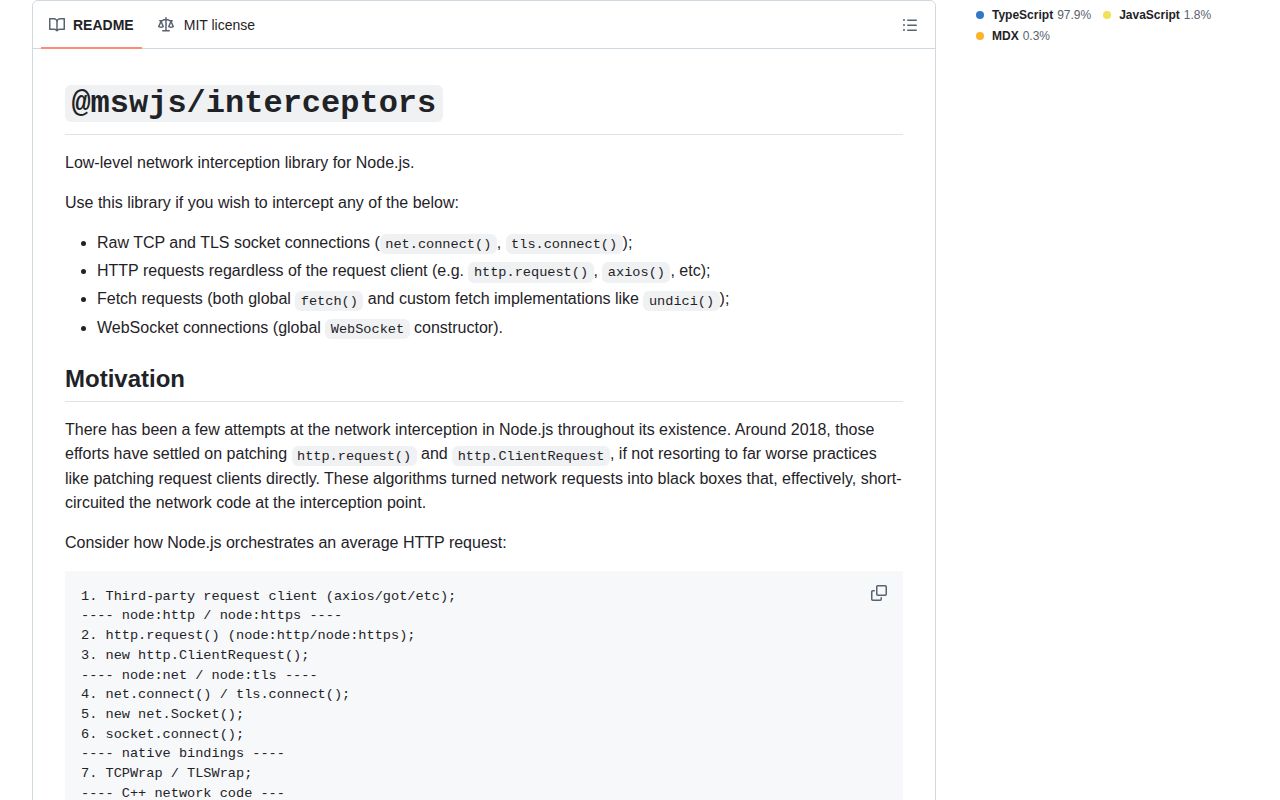
@mswjs/interceptors 0.42.3 is the low-level network interception layer behind Mock Service Worker. Node tools can observe HTTP from built-in clients, global fetch, direct Undici, Axios, and Got at the socket layer; narrower classes cover fetch, XMLHttpRequest, ClientRequest, WebSocket, or raw TCP and TLS. Events expose Fetch API Request objects and controllers that can supply Response objects. The current patch preserves initial bytes when a socket changes type. It is infrastructure for authors of mocking and traffic tools, not a route-matching test API.
@mswjs/interceptors 0.42.3 installed in 2.7 seconds with zero audit findings, and our full browser import was 7.9 KB gzipped. Install it to build network tooling; ordinary application tests should start with MSW, Nock, or Undici MockAgent.
We installed it
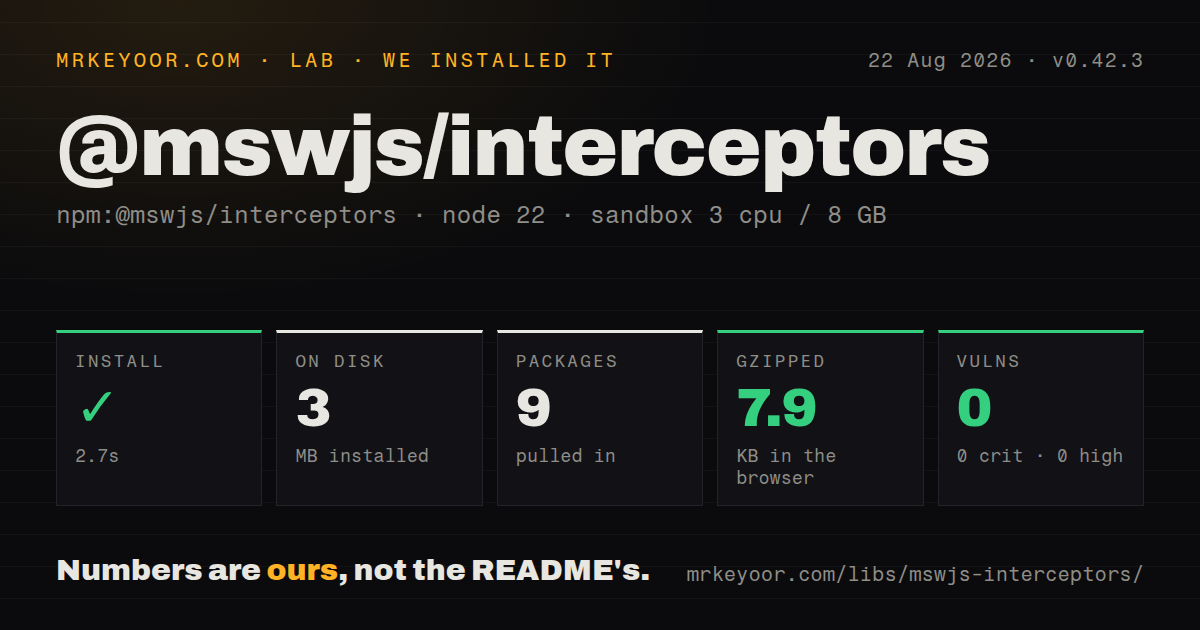
| Install | ✓ · 2.7s | 9 packages on disk · 3 MB |
| Import | ✓ | ESM import works · require() works · ESM package with exports map |
| Browser | 7.9 KB | gzipped (21.5 KB minified), bundled with esbuild |
| Types | ✓ | TypeScript types bundled |
| Known vulns | 0 | 0 critical · 0 high · 0 moderate · 0 low (npm audit) |
Answers from our run
Does @mswjs/interceptors install cleanly?
Yes. In a fresh container with an empty cache, npm install @mswjs/interceptors finished in 3 seconds, leaving 9 packages and 3 MB on disk. npm audit reported no known vulnerabilities.
How much does @mswjs/interceptors add to a browser bundle?
7.9 KB gzipped (21.5 KB minified) when the whole package is bundled for the browser with esbuild. Importing only part of it is usually smaller.
Does @mswjs/interceptors work with both ESM and CommonJS?
Yes. Both import '@mswjs/interceptors' and require('@mswjs/interceptors') worked in Node 22 in our run. The package is published as ESM with an exports map.
Does @mswjs/interceptors include TypeScript types?
Yes, type declarations ship inside the package, so no @types install is needed.
@mswjs/interceptors or msw: which should you use?
msw: Use it for named request handlers and shared browser or Node API mocks. @mswjs/interceptors 0.42.3 installed in 2.7 seconds with zero audit findings, and our full browser import was 7.9 KB gzipped.
When should you not use @mswjs/interceptors?
Tests only need reusable API handlers. The project itself recommends msw for matching and routing.
Use it if
- You are implementing a mocking, recording, or network diagnostic library rather than a normal application test.
- One hook must see HTTP issued by several Node client stacks, including direct Undici calls.
- Intercepted traffic should use standard Request and Response representations.
- Raw socket or WHATWG WebSocket connections need connection-level control.
- Tests only need reusable API handlers. The project itself recommends msw for matching and routing.
- Production or CI runs Node 20 or earlier; version 0.42.3 declares Node >=22.
- The interceptor must rewrite a URL, method, or body. Only headers are mutable on its Request representation, and it is not a proxy.
- You need a stable major contract. The package remains at 0.x and its deepest Node behavior follows network internals.
- A response will be supplied later from a detached timer. respondWith must occur while the listener's own tick or awaited promise is active.
Setup reality
We installed @mswjs/interceptors 0.42.3 in 2.7 seconds in a fresh Node 22 container. Nine packages used 3 MB. The package declares six direct dependencies, no peers, 2,088 KB unpacked, bundled TypeScript declarations, and an MIT license. npm audit returned zero findings. Metadata marks it ESM with an exports map, while both require() and ESM import worked in our runtime check.
The browser build completed at 21.5 KB minified and 7.9 KB gzipped. No credentials or config file are involved. Import a precise subpath such as /fetch or combine classes with BatchInterceptor, register listeners, then call apply(). Test teardown must remove listeners and call dispose(); otherwise patched process globals and old callbacks can survive into later cases. Browser and Node presets cover different clients, so use the preset for the executing environment.
A request listener may inspect traffic, edit headers, return a Response, or raise an error through its controller. Clone the Request before reading a body stream. A request can be claimed once, and this package supplies no route table or handler precedence. If listener code is becoming a router, put MSW above it. Direct Undici calls require HttpRequestInterceptor rather than only the global FetchInterceptor.
respondWith must run within the listener's work. Awaited operations are supported because the interceptor follows the returned promise; a free-standing setTimeout callback arrives too late. Listener exceptions become synthetic 500 responses unless unhandledException rethrows them. Node interception changes process-level network primitives, so parallel tests in one process need exact matching to avoid handling each other's calls.
Patterns
Watch all Node HTTP traffic observe-node-http
import {HttpRequestInterceptor} from '@mswjs/interceptors/http'
const interceptor = new HttpRequestInterceptor()
interceptor.on('request', ({request}) => console.log(request.method, request.url))
interceptor.apply()
This class sees multiple client stacks at the socket layer; add client-specific interceptors when initiator identity matters.
Claim one fetch request return-json-response
import {FetchInterceptor} from '@mswjs/interceptors/fetch'
const interceptor = new FetchInterceptor()
interceptor.on('request', ({request, controller}) => {
  if (new URL(request.url).pathname === '/api/user') controller.respondWith(Response.json({id: 1}))
})
interceptor.apply()
Unclaimed requests continue to the network. URL matching and handler priority are your responsibility at this layer.
Await latency inside a handler delay-mock-response
import {setTimeout} from 'node:timers/promises'
interceptor.on('request', async ({controller}) => {
  await setTimeout(500)
  controller.respondWith(new Response(null, {status: 503}))
})
Await the delay in the listener. A detached timer fires after the interceptor has closed the response opportunity.
Clone a request before parsing JSON inspect-json-body
interceptor.on('request', async ({request, controller}) => {
  const body = await request.clone().json()
  if (body.action === 'delete') controller.respondWith(new Response(null, {status: 403}))
})
Request bodies are streams; clone preserves the original body for a request that ultimately passes through.
Mutate a request header add-outgoing-header
interceptor.on('request', ({request}) => {
  request.headers.set('x-trace-id', crypto.randomUUID())
})
Headers can change, but URL, method, and body cannot. Choose proxy software when those fields require rewriting.
Fail the test on listener exceptions surface-handler-error
interceptor.on('unhandledException', ({error}) => { throw error })Without this listener, an exception in request handling is converted to a mocked HTTP 500 response.
Remove hooks after each suite manage-test-lifecycle
beforeAll(() => interceptor.apply())
afterEach(() => interceptor.removeAllListeners())
afterAll(() => interceptor.dispose())
Clearing listeners prevents handler carryover; dispose restores the process APIs patched by apply.
Answer a WebSocket ping locally intercept-websocket
import {WebSocketInterceptor} from '@mswjs/interceptors/WebSocket'
const interceptor = new WebSocketInterceptor()
interceptor.on('connection', ({client}) => {
  client.addEventListener('message', event => {
    if (event.data === 'ping') { event.preventDefault(); client.send('pong') }
  })
})
interceptor.apply()
The real server is not opened until server.connect(); preventDefault stops forwarding for the selected event.
Take ownership of one TCP host claim-raw-socket
interceptor.on('connection', ({socket, connectionOptions, controller}) => {
  if (connectionOptions.host === 'db.internal') controller.claim()
  else controller.passthrough()
})
Every socket must be claimed or passed through. Leaving it undecided keeps that connection pending.
Alternatives
More testing guides
pytest · chai · vitest · playwright · jsdom · axe-core · the whole shelf →
How this guide is made: grounded in the library's documentation, release notes, changelog, and issue history, on a fixed rubric — not a hands-on install of every release. The 50 most-downloaded entries are additionally install-verified in clean containers. Corrections: contact the desk.