mammoth review
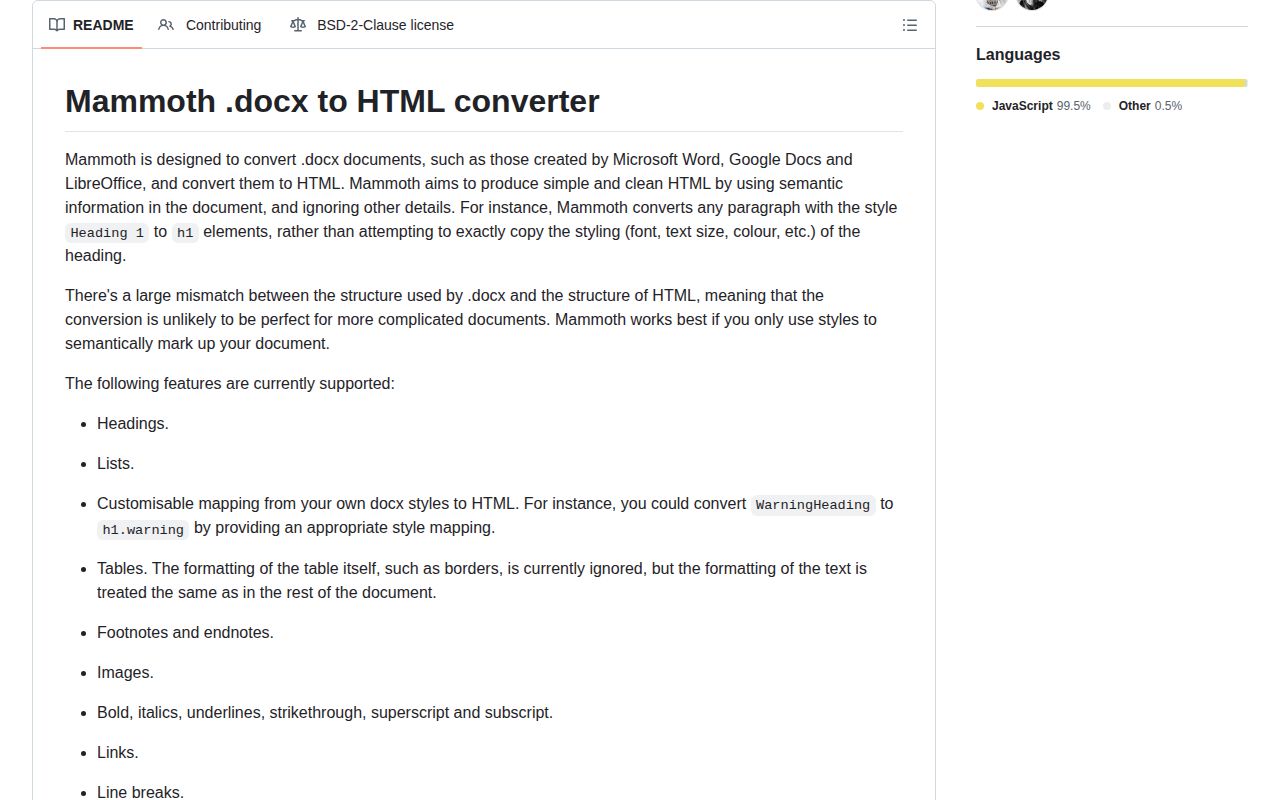
Mammoth 1.12.1 turns DOCX structure into an HTML fragment or plain text. It maps Word paragraph and run styles to headings, lists, links, tables, notes, images, and project-defined elements, while deliberately ignoring much of Word's page styling. The current patch blocks a Windows CLI image-output path escape involving backslashes in a crafted content type and avoids self-referencing numbering styles. Our test found a 128.3 KB gzipped browser import and no bundled TypeScript declarations, so this is a document converter rather than a tiny frontend helper.
Our Mammoth 1.12.1 install took 1.8 seconds, occupied 10 MB across 27 packages, and generated a 128.3 KB gzipped browser import with no audit findings. Choose it for style-led Word publishing, then budget for sanitization, image storage, and warning review.
We installed it
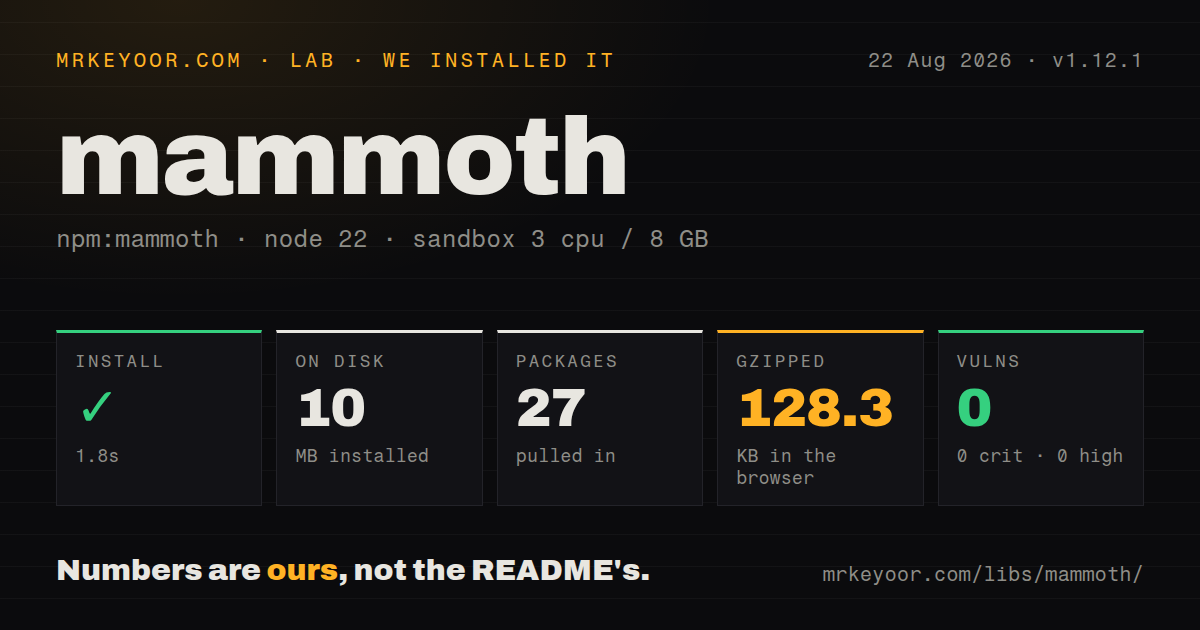
| Install | ✓ · 1.8s | 27 packages on disk · 10 MB |
| Import | ✓ | ESM import works · require() works · CommonJS package |
| Browser | 128.3 KB | gzipped (504 KB minified), bundled with esbuild |
| Types | — | no TypeScript types found |
| Known vulns | 0 | 0 critical · 0 high · 0 moderate · 0 low (npm audit) |
Answers from our run
Does mammoth install cleanly?
Yes. In a fresh container with an empty cache, npm install mammoth finished in 2 seconds, leaving 27 packages and 10 MB on disk. npm audit reported no known vulnerabilities.
How much does mammoth add to a browser bundle?
128.3 KB gzipped (504 KB minified) when the whole package is bundled for the browser with esbuild. Importing only part of it is usually smaller.
Does mammoth work with both ESM and CommonJS?
Yes. Both import 'mammoth' and require('mammoth') worked in Node 22 in our run. The package is published as CommonJS.
Does mammoth include TypeScript types?
No type declarations were found in our install, so TypeScript users need their own declarations.
mammoth or docx-preview: which should you use?
docx-preview: Use it when browser output should retain more of the original Word page appearance. Our Mammoth 1.12.1 install took 1.8 seconds, occupied 10 MB across 27 packages, and generated a 128.3 KB gzipped browser import with no audit findings.
When should you not use mammoth?
The HTML must visually reproduce Word pages; Mammoth ignores table borders and does not preserve exact pagination, columns, or floating placement
Use it if
- Editors use named Word styles and the publishing system wants semantic HTML controlled by site CSS
- A Node service must accept file paths or Buffers while a browser workflow accepts ArrayBuffer input through the same converter
- Conversion warnings can be reviewed and custom image handling can place extracted assets in controlled storage
- Headings, lists, links, tables, notes, and inline formatting matter more than matching Word pagination and positioning
- The HTML must visually reproduce Word pages; Mammoth ignores table borders and does not preserve exact pagination, columns, or floating placement
- Your application will render the returned fragment without an allowlist sanitizer; the README says the converter performs no sanitization
- Markdown is the required first-class output, because convertToMarkdown is deprecated and the project recommends converting the HTML separately
- Production code needs a stable document-AST transform contract; transformDocument is explicitly marked unstable
- Untrusted uploads need external filesystem references enabled; externalFileAccess is off by default because those references can disclose local files
Setup reality
We installed Mammoth 1.12.1 in a fresh Node 22 Bookworm sandbox in 1.8 seconds. npm left 27 packages using 10 MB and reported zero known vulnerabilities. Mammoth declares 10 direct dependencies, no peer dependencies, and 2,508 KB unpacked. It uses the BSD-2-Clause license and requires Node 12 or newer. CommonJS require() and ESM import both worked. We found no TypeScript declarations. An esbuild browser import measured 504 KB minified and 128.3 KB gzipped.
Node input is either { path } or { buffer }; browser input is { arrayBuffer }. convertToHtml() resolves with value and messages, and warnings can accompany usable HTML. Store those messages and decide which ones block publication. Named Word styles give the most repeatable output, while direct font and spacing choices often do not. User style maps override defaults. For uploaded files, set includeEmbeddedStyleMap: false when a document must not inject its own mapping rules.
Images default to data URLs inside the HTML. That inflates stored markup and bypasses normal asset checks. A convertImage handler can read bytes, enforce size and content-type rules, store the file, and return a URL. Browser code should use readAsArrayBuffer() or readAsBase64String(); readAsBuffer() needs a Buffer polyfill there. Version 1.12.1 matters on Windows because it stops a crafted image subtype from escaping the CLI output directory through a backslash path.
Mammoth does not sanitize its result, so apply an allowlist before placing output in a page. Leave externalFileAccess disabled for uploads, cap input size, and isolate conversion with time and memory limits. Give each result an idPrefix when several documents share a page, or footnote and bookmark IDs can collide. If layout fidelity is the requirement, a DOCX renderer or office conversion service is a better starting point than a growing pile of style-map exceptions.
Patterns
Convert one DOCX file in Node convert-file-to-html
const mammoth = require('mammoth')

const result = await mammoth.convertToHtml({ path: './article.docx' })
console.log(result.value)
for (const message of result.messages) console.warn(message.type, message.message)
Promise resolution does not mean a clean conversion; inspect every warning in result.messages before publication.
Convert an uploaded Buffer safely convert-buffer-to-html
const result = await mammoth.convertToHtml(
  { buffer: uploadedFile.buffer },
  { idPrefix: `doc-${documentId}-` },
)
const safeHtml = sanitize(result.value)
Mammoth returns unsanitized HTML, so the sanitizer must run before the fragment reaches any rendering path.
Convert a browser File on demand convert-in-browser
const arrayBuffer = await file.arrayBuffer()
const { value, messages } = await mammoth.convertToHtml({ arrayBuffer })
preview.innerHTML = sanitize(value)
console.table(messages)
Our full browser import measured 128.3 KB gzipped; lazy-load it on the route that accepts DOCX files.
Extract paragraphs as plain text extract-plain-text
const { value, messages } = await mammoth.extractRawText({ path: './notes.docx' })
const paragraphs = value.split(/\n\n+/).filter(Boolean)
extractRawText() removes formatting and separates source paragraphs with two newline characters.
Map named editorial styles map-word-styles
const styleMap = [
  "p[style-name='Article Title'] => h1:fresh",
  "p[style-name='Standfirst'] => p.standfirst:fresh",
  "p[style-name='Code Block'] => pre:fresh",
]
const result = await mammoth.convertToHtml({ path: './article.docx' }, { styleMap })
Named paragraph styles survive authoring more predictably than direct font-size or spacing choices.
Disable every inherited style map disable-default-maps
const result = await mammoth.convertToHtml(input, {
  styleMap: projectStyleMap,
  includeDefaultStyleMap: false,
  includeEmbeddedStyleMap: false,
})
With both mapping sources off, the project style map must describe every source style the publisher accepts.
Store extracted images outside HTML store-images-separately
const convertImage = mammoth.images.imgElement(async (image) => {
  const bytes = await image.readAsBuffer()
  const url = await imageStore.put(bytes, image.contentType)
  return { src: url, alt: image.altText || '' }
})
const result = await mammoth.convertToHtml(input, { convertImage })
Validate byte length and content type before storage; readAsBuffer() is Node-specific unless the browser supplies Buffer.
Retain empty source paragraphs keep-empty-paragraphs
const result = await mammoth.convertToHtml(input, {
  ignoreEmptyParagraphs: false,
})
The default drops empty paragraphs; keeping them can preserve intentional blanks or import layout noise better handled by CSS.
Include Word comments include-comments
const result = await mammoth.convertToHtml(input, {
  styleMap: [
    'comment-reference => sup.comment-ref',
    'comment => aside.comment:fresh',
  ],
})
Comments are omitted unless mapped, and their text and links need the same sanitization policy as body content.
Embed a mapping in the DOCX embed-style-map
const mapped = await mammoth.embedStyleMap(
  { path: './source.docx' },
  "p[style-name='Article Title'] => h1:fresh",
)
await fs.promises.writeFile('./mapped.docx', mapped.toBuffer())
Future conversions read the embedded map unless includeEmbeddedStyleMap is set to false.
Reject selected conversion warnings fail-on-warnings
const result = await mammoth.convertToHtml(input, options)
const warnings = result.messages.filter((message) => message.type === 'warning')
if (warnings.length) {
  throw new Error(warnings.map((message) => message.message).join('; '))
}
return sanitize(result.value)
Test real editor documents before making all warnings fatal, since some describe acceptable loss of unsupported formatting.
Run the patched CLI conversion convert-with-cli
npx mammoth ./article.docx ./article.html --output-dir=./article-assets --style-map=./styles.mapUse 1.12.1 or newer on Windows because the patch blocks a crafted image subtype from escaping the output directory.
Alternatives
| Package | Registry | Pick it when |
|---|---|---|
| docx-preview | npm | Use it when browser output should retain more of the original Word page appearance |
| officeparser | npm | Use it for text extraction across office formats and PDF instead of semantic DOCX-to-HTML conversion |
| word-extractor | npm | Use it when plain text from both old DOC and DOCX files is the actual requirement |
More utils guides
lru-cache · type-fest · ajv · zod · p-limit · find-up · the whole shelf →
How this guide is made: grounded in the library's documentation, release notes, changelog, and issue history, on a fixed rubric — not a hands-on install of every release. The 50 most-downloaded entries are additionally install-verified in clean containers. Corrections: contact the desk.