lockfile review
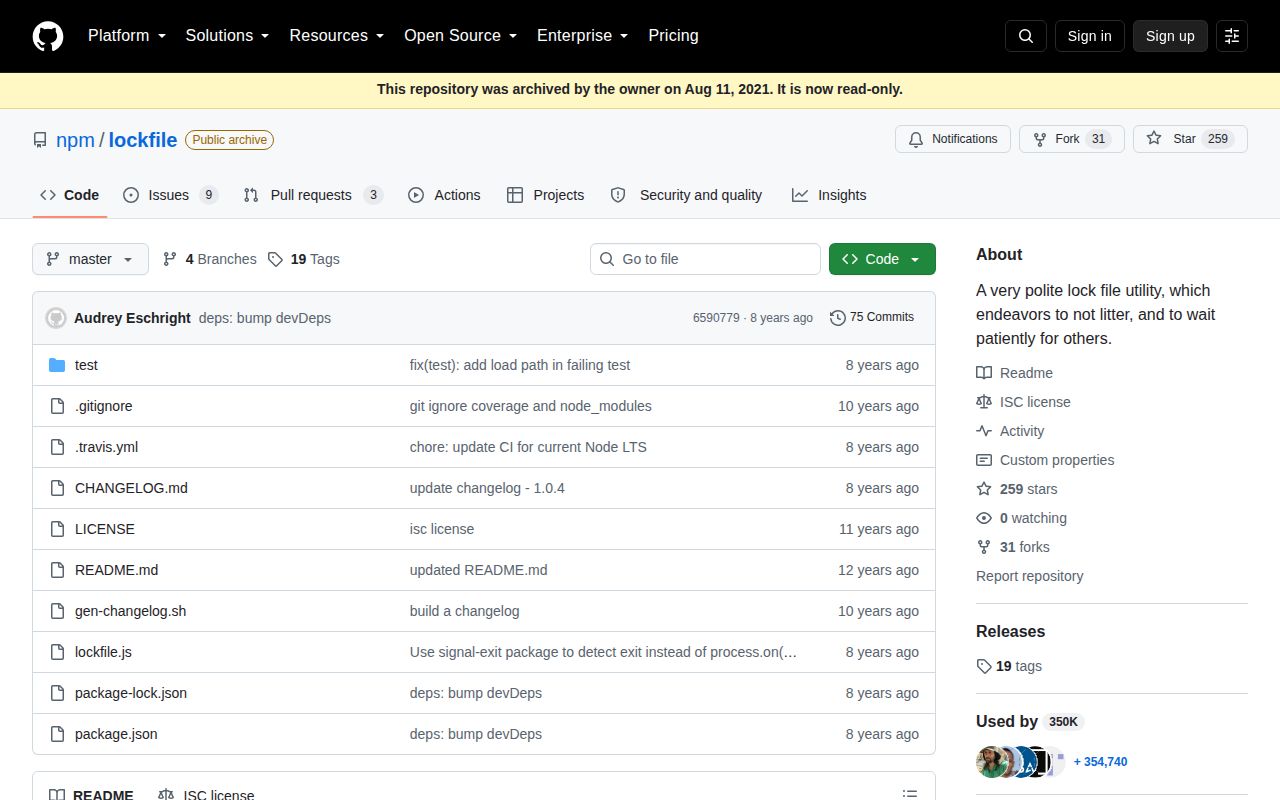
lockfile 1.0.4 coordinates Node processes on one local filesystem by creating an empty file with exclusive-create semantics. The winner performs its work and removes the file; other callers can fail, poll, retry, or treat an old timestamp as stale. Six callback and synchronous functions cover acquire, release, and status checks. The 1.0.4 release replaced direct process-exit handling with `signal-exit`, added debugging, and updated tests and CI; it did not change the lock API. This package does not read npm package lockfiles, and GitHub archived it in 2020.
lockfile 1.0.4 took 0.6 seconds and 1 MB in our sandbox with 0 audit findings, but its repository has been archived since 2020 and the lock contains no owner or heartbeat. Keep it only for compatible legacy local-filesystem workflows; proper-lockfile is the closer maintained choice for new Node code.
We installed it
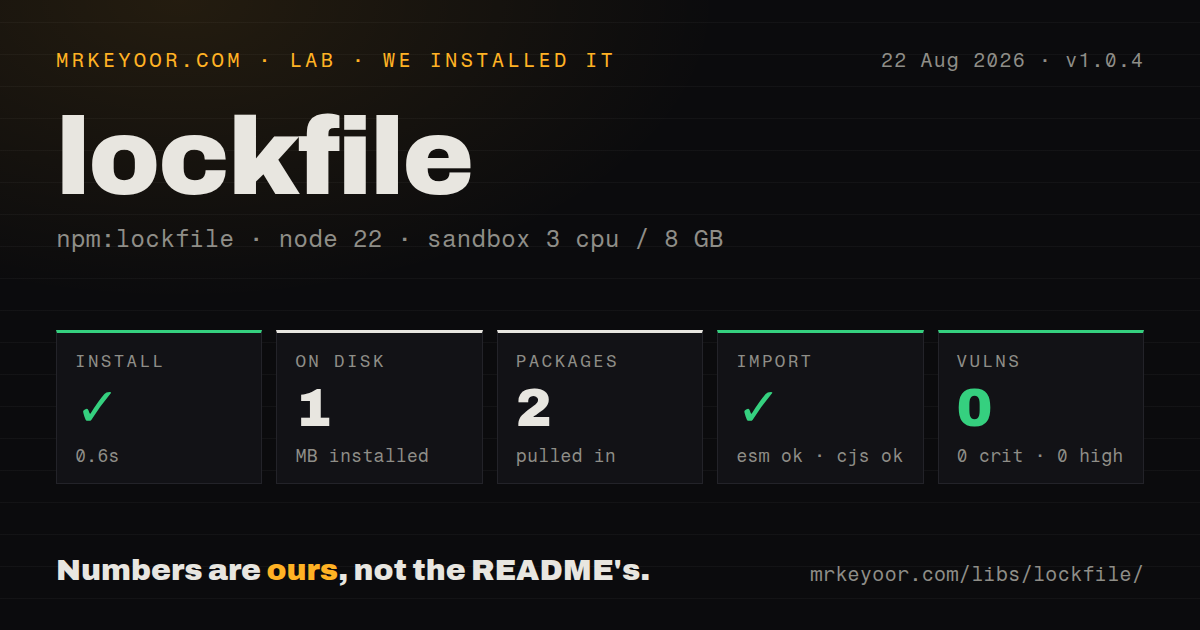
| Install | ✓ · 0.6s | 2 packages on disk · 1 MB |
| Import | ✓ | ESM import works · require() works · CommonJS package |
| Browser | n/a | could not be bundled for the browser (Node-only code, most likely) |
| Types | — | no TypeScript types found |
| Known vulns | 0 | 0 critical · 0 high · 0 moderate · 0 low (npm audit) |
Answers from our run
Does lockfile install cleanly?
Yes. In a fresh container with an empty cache, npm install lockfile finished in 0.6s, leaving 2 packages and 1 MB on disk. npm audit reported no known vulnerabilities.
Can lockfile run in a browser?
Not directly: esbuild could not bundle it for the browser in our run, which normally means it depends on Node built-ins. Use it on the server, or find a browser-targeted alternative.
Does lockfile work with both ESM and CommonJS?
Yes. Both import 'lockfile' and require('lockfile') worked in Node 22 in our run. The package is published as CommonJS.
Does lockfile include TypeScript types?
No type declarations were found in our install, so TypeScript users need their own declarations.
lockfile or proper-lockfile: which should you use?
proper-lockfile: Use it for maintained promise-based file locks with mtime updates and ownership-aware release. lockfile 1.0.4 took 0.6 seconds and 1 MB in our sandbox with 0 audit findings, but its repository has been archived since 2020 and the lock contains no owner or heartbeat.
When should you not use lockfile?
You are choosing a lock package for new code. GitHub archived this repository in 2020, 12 issues and pull requests remain open, and npm has not received a release since 2018.
Use it if
- A legacy Node script already uses callback-style file locks and replacing the behavior would be riskier than retaining it.
- Several processes on one machine must serialize access to a generated file, cache directory, or maintenance step.
- An operator should be able to see and remove the coordination file without running a lock service.
- Best-effort cleanup at process exit and a simple age-based stale rule are enough for the failure model.
- You are choosing a lock package for new code. GitHub archived this repository in 2020, 12 issues and pull requests remain open, and npm has not received a release since 2018.
- Processes run on different hosts or the path is on NFS or SMB. The implementation relies on local `fs.open(..., 'wx')` and cannot provide a distributed ownership guarantee.
- Operators need the holder's PID or hostname. Version 1.0.4 creates a zero-byte file and writes no ownership record.
- A long job can outlive a fixed stale threshold. The file has no heartbeat, so another process can delete a live lock based only on its timestamp.
- You need promises, reentrant acquisition, or verified ownership on release. The API is callbacks and sync calls, a second acquisition by the same process receives `EEXIST`, and the release call removes the path without checking who created it.
Setup reality
We installed lockfile 1.0.4 in 0.6 seconds in a fresh Node 22 Bookworm sandbox. It left 2 packages and 1 MB on disk. The package has 1 direct dependency, no peers, an 88 KB unpacked size, and an ISC license. npm audit returned 0 known vulnerabilities. Our CommonJS require() and ESM import checks both worked. No TypeScript declarations were present.
There are no credentials, native builds, or config files. The package is CommonJS without an exports map, and our browser bundle failed because its work depends on Node filesystem and process APIs. The visible lock file is empty: it contains no PID, hostname, lease identifier, or payload. Put the path on a local filesystem and ensure its parent directory already exists with permissions shared by every cooperating process.
The options object is mutable state in 1.0.4. lock() adds req and start, then resets retries to 0 while it wraps the callback. Reusing one options object across acquisitions silently changes later behavior, so create a fresh object each time. wait is a total polling budget, pollPeriod defaults to 100 ms, and the final callback receives the original EEXIST rather than a distinct timeout code. Synchronous acquisition rejects wait and retryWait.
Staleness uses ctime on POSIX and mtime on Windows. There is no heartbeat, so choose a threshold above the longest valid run or a second process can steal a live lock. Exit cleanup uses signal-exit, but SIGKILL, power loss, or an OOM kill can leave the file behind. Release is also unverified: any caller with filesystem permission can unlink another process's lock. These limits are why proper-lockfile or a service-backed lock is a safer default for new systems.
Patterns
Hold a lock around callback work acquire-and-release
const lockfile = require('lockfile');

lockfile.lock('build.lock', { wait: 5_000 }, (error) => {
  if (error) return done(error);
  build((buildError) => {
    lockfile.unlock('build.lock', () => done(buildError));
  });
});
Version 1.0.4 only makes a best effort at exit cleanup. Release the file in every normal completion and error path.
Adapt the callbacks to promises wrap-with-promises
const { promisify } = require('node:util');
const lockfile = require('lockfile');
const lock = promisify(lockfile.lock);
const unlock = promisify(lockfile.unlock);

await lock('build.lock', { wait: 5_000, stale: 60_000 });
try {
  await build();
} finally {
  await unlock('build.lock');
}
`promisify` fits the error-first callbacks, but release still does not check that this process owns the path.
Avoid reused mutable options create-fresh-options
const options = () => ({
  wait: 2_000,
  retries: 3,
  retryWait: 100,
  stale: 60_000,
});

lockfile.lock('first.lock', options(), onLock);
lockfile.lock('second.lock', options(), onLock);
`lock()` adds internal fields and resets `retries` to 0. A newly created object prevents one acquisition from changing the next.
Wait for another process to release poll-for-lock
lockfile.lock('migration.lock', {
  wait: 30_000,
  pollPeriod: 250,
}, (error) => {
  if (error) return console.error(error.code);
  runMigration();
});
The 30-second wait is a total budget. Expiry returns the original `EEXIST`, so the error code does not distinguish immediate contention from timeout.
Allow takeover after a fixed age recover-stale-file
lockfile.lock('worker.lock', {
  stale: 120_000,
  wait: 5_000,
}, (error) => {
  if (error) return fail(error);
  runWorker();
});
The 120-second threshold is timestamp based and has no heartbeat. A valid job that runs longer can lose its lock.
Check whether a current lock exists check-lock-state
lockfile.check('worker.lock', { stale: 120_000 }, (error, held) => {
  if (error) return fail(error);
  console.log(held ? 'held' : 'missing or stale');
});
The check is advisory. Another process can acquire after it returns, and an old file reports false when `stale` is set.
Serialize a synchronous build script lock-sync-script
let acquired = false;
try {
  lockfile.lockSync('build.lock', { retries: 3, stale: 60_000 });
  acquired = true;
  buildSync();
} finally {
  if (acquired) lockfile.unlockSync('build.lock');
}
`lockSync` throws if `wait` or `retryWait` is present. Its retries happen without an asynchronous delay.
Recognize immediate contention handle-eexist
lockfile.lock('job.lock', {}, (error) => {
  if (error?.code === 'EEXIST') {
    console.error('another process holds the lock');
    return;
  }
  if (error) throw error;
  runJob();
});
The same `EEXIST` appears if this process tries to acquire the path twice because lockfile is not reentrant.
Confirm the lock has no owner record inspect-lock-metadata
const fs = require('node:fs');

lockfile.lockSync('job.lock');
const stat = fs.statSync('job.lock');
console.log({ bytes: stat.size, clock: lockfile.filetime });
The file is 0 bytes. `filetime` is `ctime` on POSIX and `mtime` on Windows; neither identifies the holder.
Use a maintained file-lock API migrate-to-proper-lockfile
const properLockfile = require('proper-lockfile');

const release = await properLockfile.lock('resource', {
  stale: 30_000,
  retries: { retries: 5, minTimeout: 100 },
});
try {
  await updateResource();
} finally {
  await release();
}
proper-lockfile updates mtime while held and verifies release ownership, two protections absent from lockfile 1.0.4.
Alternatives
| Package | Registry | Pick it when |
|---|---|---|
| proper-lockfile | npm | Use it for maintained promise-based file locks with mtime updates and ownership-aware release. |
| async-mutex | npm | Use it when only asynchronous tasks inside one Node process contend for the resource. |
| redlock | npm | Use it when separate machines coordinate through Redis and the team can operate that dependency. |
| fs-ext | npm | Use it for operating-system advisory locks when a native addon and `flock` semantics are acceptable. |
More utils guides
lru-cache · type-fest · ajv · zod · p-limit · find-up · the whole shelf →
How this guide is made: grounded in the library's documentation, release notes, changelog, and issue history, on a fixed rubric — not a hands-on install of every release. The 50 most-downloaded entries are additionally install-verified in clean containers. Corrections: contact the desk.