jwks-rsa review
jwks-rsa 4.1.0 fetches a JSON Web Key Set, finds the public signing key whose kid matches a JWT header, and hands that key to your verifier. It wraps remote retrieval with caching, request throttling, custom agents, local-key interception, and adapters for Node authentication middleware. It does not verify the signature or enforce issuer, audience, expiry, or allowed algorithms. Version 4.1.0 adds a controlled stale-cache fallback for JWKS outages plus a callback that records when fallback occurs. Our browser build failed, consistent with its Node networking design.
jwks-rsa 4.1.0 installed in 1.6 seconds and used 7 MB across 12 packages on our box, with 0 audit findings, but it only resolves a signing key. Install it when existing Node verification code needs cache-aware JWKS lookup; choose jose for new end-to-end verification, and leave stale fallback off unless outage availability outweighs immediate revocation.
We installed it
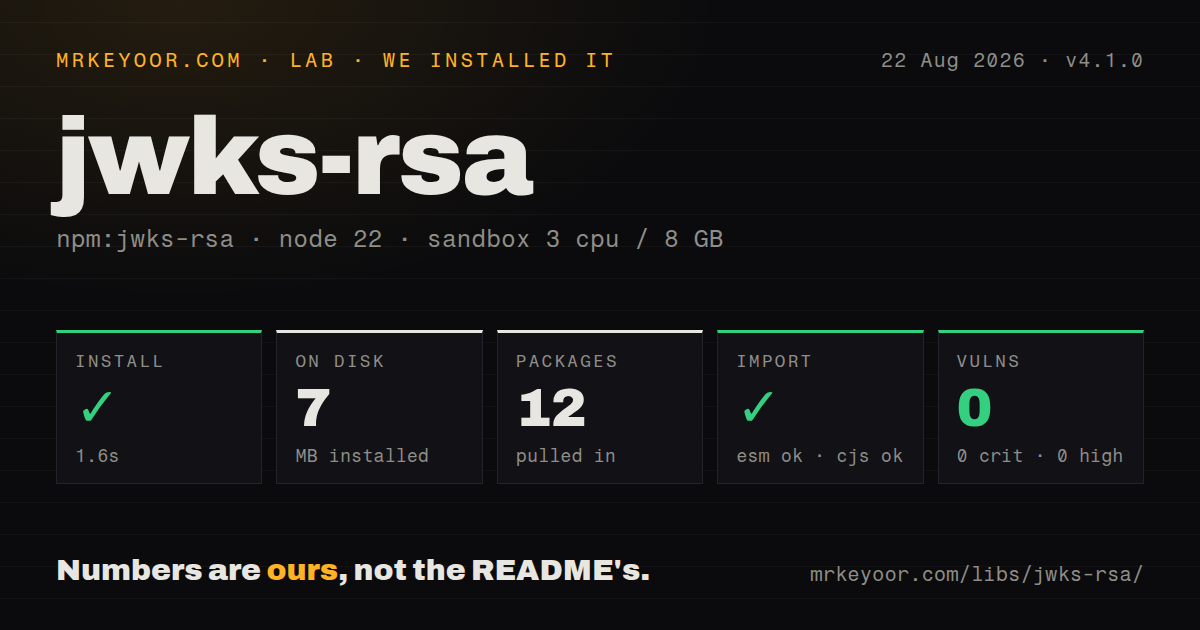
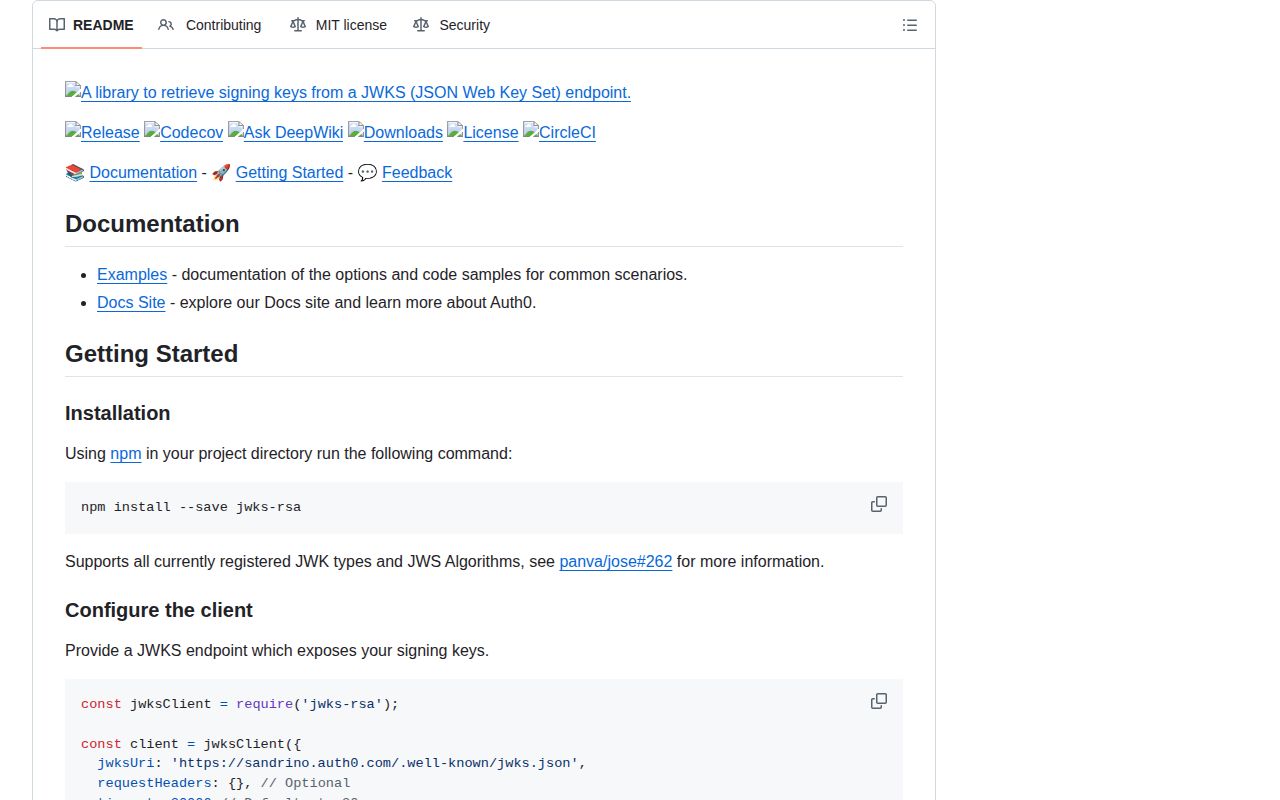
| Install | ✓ · 1.6s | 12 packages on disk · 7 MB |
| Import | ✓ | ESM import works · require() works · CommonJS package |
| Browser | n/a | could not be bundled for the browser (Node-only code, most likely) |
| Types | ✓ | TypeScript types bundled |
| Known vulns | 0 | 0 critical · 0 high · 0 moderate · 0 low (npm audit) |
Answers from our run
Does jwks-rsa install cleanly?
Yes. In a fresh container with an empty cache, npm install jwks-rsa finished in 2 seconds, leaving 12 packages and 7 MB on disk. npm audit reported no known vulnerabilities.
Can jwks-rsa run in a browser?
Not directly: esbuild could not bundle it for the browser in our run, which normally means it depends on Node built-ins. Use it on the server, or find a browser-targeted alternative.
Does jwks-rsa work with both ESM and CommonJS?
Yes. Both import 'jwks-rsa' and require('jwks-rsa') worked in Node 22 in our run. The package is published as CommonJS.
Does jwks-rsa include TypeScript types?
Yes, type declarations ship inside the package, so no @types install is needed.
jwks-rsa or jose: which should you use?
jose: Use createRemoteJWKSet when remote key retrieval and standards-based JWT verification should share one package. jwks-rsa 4.1.0 installed in 1.6 seconds and used 7 MB across 12 packages on our box, with 0 audit findings, but it only resolves a signing key.
When should you not use jwks-rsa?
A new service wants one package to retrieve keys and verify JWT claims; jose handles a remote JWKS and verification together
Use it if
- A Node API accepts JWTs from an issuer that rotates signing keys through a JWKS endpoint
- jsonwebtoken or an Express, Passport, Koa, or hapi adapter needs an asynchronous signing-key callback
- Forged kid values must be prevented from causing unlimited outbound key requests
- Private certificate authorities, proxies, local key files, or traced fetch calls sit between the service and its issuer
- A new service wants one package to retrieve keys and verify JWT claims; jose handles a remote JWKS and verification together
- Production runs outside Node ^20.19.0, ^22.12.0, or 23+, which version 4.1.0 requires
- The verifier runs in a browser or edge isolate; our esbuild browser bundle did not build
- A custom module sandbox cannot follow the CommonJS package's dependency path into jose 6; test version 4 in that exact runner before upgrading
- Revoked keys must stop working as soon as the issuer endpoint fails; stale-cache fallback intentionally extends the life of an old key
Setup reality
We installed jwks-rsa 4.1.0 in our fresh Node 22 sandbox in 1.6 seconds. It left 12 packages using 7 MB, and npm audit reported 0 known vulnerabilities. The package is 116 KB unpacked with 6 direct dependencies, 0 peers, bundled TypeScript declarations, and an MIT license. Its engine range is unusually exact: Node ^20.19.0, ^22.12.0, or 23 and newer. An application on an earlier Node 20 or 22 patch cannot claim support.
The required configuration is the issuer's HTTPS jwksUri, plus a finite timeout. Create 1 client at module scope. Building it inside a request handler throws away its cache and repeats network work. cache protects known kids, while rateLimit protects the endpoint from a stream of invented kids that always miss. A strict jwksRequestsPerMinute can also delay a legitimate rotation, so monitor misses and errors rather than copying a number without regard to traffic.
The package is CommonJS without an exports map. require() and ESM import both worked on our Node 22 box, while the esbuild browser attempt failed. No native compilation or peer install is involved. Private issuers may need requestHeaders or an HTTPS agent with their CA. Keep TLS verification enabled. The getKeysInterceptor can consult a local key source first, and a custom fetcher can add tracing, but both paths must return a JWKS-shaped object and preserve timeouts.
Version 4.1.0 introduces cacheMaxAgeFallback and onStaleCacheFallback. A fallback may keep authentication available during an issuer outage, yet it can also preserve a key that the issuer intended to revoke. Tie the window to a written threat decision and emit a metric every time it fires. After getSigningKey succeeds, the caller must still restrict algorithms and check issuer, audience, expiry, and the cryptographic signature. A found public key alone authenticates nobody.
Patterns
Find a public key by kid resolve-key
const jwksClient = require('jwks-rsa');
const client = jwksClient({ jwksUri, cache: true, rateLimit: true, timeout: 5000 });
const key = await client.getSigningKey(kid);
const publicKey = key.getPublicKey();
Create 1 client at module scope so its cache persists across incoming requests.
Give jsonwebtoken a key callback verify-token
function getKey(header, done) {
  client.getSigningKey(header.kid, (err, key) => done(err, key?.getPublicKey()));
}
jwt.verify(token, getKey, { algorithms: ['RS256'], issuer, audience: 'orders-api' }, callback);
The verifier must set algorithms, issuer, and audience; getSigningKey enforces 0 token claims.
Connect an Express JWT verifier protect-express
app.use(expressjwt({
  secret: expressJwtSecret({ jwksUri, cache: true, rateLimit: true }),
  algorithms: ['RS256'], issuer, audience: 'orders-api'
}));
Authentication rejection still needs an Express error handler that returns the intended 401 response.
Throttle remote JWKS lookups limit-misses
const client = jwksClient({
  jwksUri, cache: true, rateLimit: true, jwksRequestsPerMinute: 10
});
Unknown kid values miss the cache; the same 10-request budget also applies during legitimate key rotation.
Permit a bounded stale-key fallback allow-stale-key
const client = jwksClient({
  jwksUri, cache: true, cacheMaxAge: 600_000, cacheMaxAgeFallback: 3_600_000,
  onStaleCacheFallback(error, kid) { metrics.increment('jwks.stale', { kid }); }
});
The 3600000 ms fallback can preserve a revoked key during an outage, so alert on every use.
Separate credential and service failures classify-errors
try { return await client.getSigningKey(kid); } catch (error) {
  if (error instanceof SigningKeyNotFoundError) throw unauthorized();
  if (error instanceof JwksRateLimitError || error instanceof JwksError) throw unavailable();
  throw error;
}
A missing kid is a credential failure, while endpoint and rate-limit errors are availability failures.
Trust an internal issuer CA use-private-ca
const client = jwksClient({ jwksUri, requestAgent: new https.Agent({
  ca: fs.readFileSync('/etc/pki/idp-ca.pem')
}) });
Supply the CA instead of setting rejectUnauthorized to false, which disables TLS identity checks.
Read a local JWKS before the network intercept-keys
const client = jwksClient({ jwksUri, getKeysInterceptor: async () => {
  const text = await fs.readFile('/run/keys/jwks.json', 'utf8');
  return JSON.parse(text).keys;
} });
When the requested kid is absent from the returned array, the client can continue to the remote endpoint.
Trace the outbound JWKS request custom-fetch
const client = jwksClient({ jwksUri, fetcher: async uri => {
  const res = await tracedFetch(uri, { signal: AbortSignal.timeout(5000) });
  if (!res.ok) throw new Error(`JWKS HTTP ${res.status}`);
  return res.json();
} });
The fetcher must resolve to an object with a keys array and should keep a finite timeout.
Log cache and fetch decisions debug-cache
DEBUG=jwks node server.jsEnable the jwks debug namespace briefly during diagnosis; authentication logs should not remain verbose in production.
Alternatives
| Package | Registry | Pick it when |
|---|---|---|
| jose | npm | Use createRemoteJWKSet when remote key retrieval and standards-based JWT verification should share one package |
| jsonwebtoken | npm | Use it when verification keys are already local and signing or claim verification is the only task |
| openid-client | npm | Use it when discovery, authorization redirects, callbacks, and complete OpenID Connect behavior are required |
More security guides
cryptography · jose · pyjwt · dompurify · jsonwebtoken · requests-oauthlib · the whole shelf →
How this guide is made: grounded in the library's documentation, release notes, changelog, and issue history, on a fixed rubric — not a hands-on install of every release. The 50 most-downloaded entries are additionally install-verified in clean containers. Corrections: contact the desk.