js2xmlparser review
Our js2xmlparser 5.0.0 install bundled into 37.8 KB of minified browser code, or 7.5 KB gzipped. Its parse function turns object-shaped JavaScript data into one XML document string: keys become elements, arrays and Sets become repeated elements, and reserved keys supply attributes, text, or a replacement element name. It also writes into an existing xmlcreate element. Version 5.0.0 extended type handlers to bare text and attribute values; it still does no XML reading, XSD validation, XPath, or streaming.
js2xmlparser 5.0.0 installed in 0.9 seconds, left 2 packages and 1 MB on our box, and returned a complete XML string with bundled types and no audit findings. Install it for predictable object-to-XML projection; use a builder or streaming writer when document structure or size outgrows the reserved-key model.
We installed it
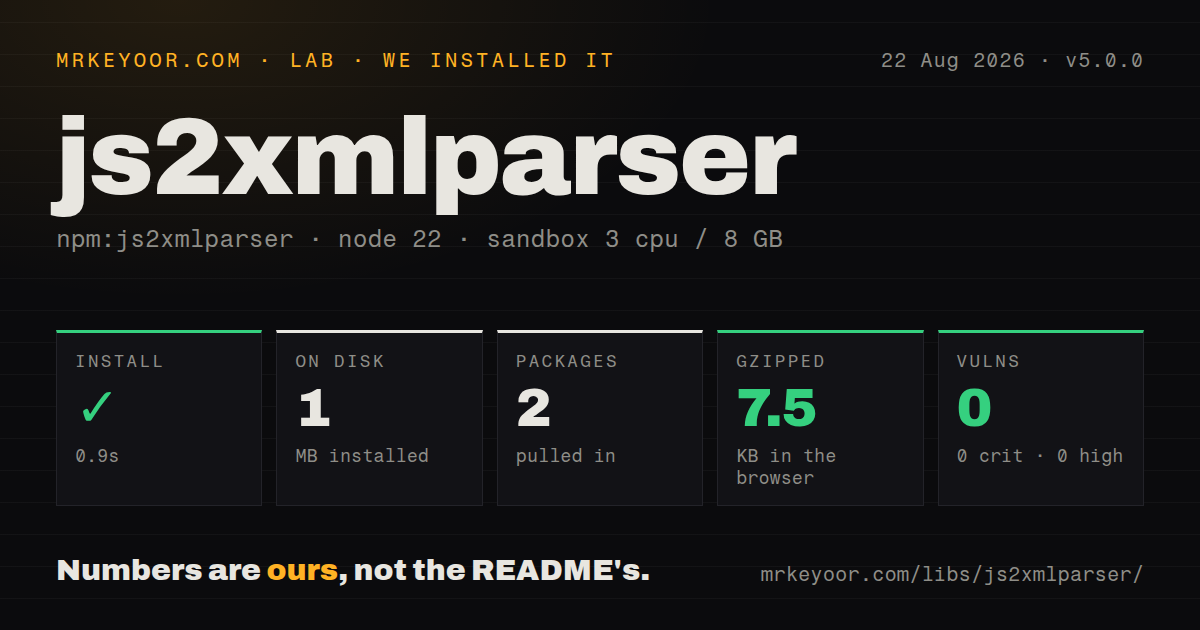
| Install | ✓ · 0.9s | 2 packages on disk · 1 MB |
| Import | ✓ | ESM import works · require() works · CommonJS package |
| Browser | 7.5 KB | gzipped (37.8 KB minified), bundled with esbuild |
| Types | ✓ | TypeScript types bundled |
| Known vulns | 0 | 0 critical · 0 high · 0 moderate · 0 low (npm audit) |
Answers from our run
Does js2xmlparser install cleanly?
Yes. In a fresh container with an empty cache, npm install js2xmlparser finished in 0.9s, leaving 2 packages and 1 MB on disk. npm audit reported no known vulnerabilities.
How much does js2xmlparser add to a browser bundle?
7.5 KB gzipped (37.8 KB minified) when the whole package is bundled for the browser with esbuild. Importing only part of it is usually smaller.
Does js2xmlparser work with both ESM and CommonJS?
Yes. Both import 'js2xmlparser' and require('js2xmlparser') worked in Node 22 in our run. The package is published as CommonJS.
Does js2xmlparser include TypeScript types?
Yes, type declarations ship inside the package, so no @types install is needed.
js2xmlparser or xmlbuilder2: which should you use?
xmlbuilder2: Choose it for explicit document construction, namespaces, comments, processing instructions, and converters. js2xmlparser 5.0.0 installed in 0.9 seconds, left 2 packages and 1 MB on our box, and returned a complete XML string with bundled types and no audit findings.
When should you not use js2xmlparser?
You need to read XML, query it with XPath, or validate it against XSD: js2xmlparser only produces XML and its validation covers document construction
Use it if
- Your output is naturally described as a root name plus nested objects, repeated arrays, attributes, and text values
- You need bundled TypeScript declarations and want to customize serialization for Date, null, or application classes
- You need ordered mixed content and can use a Map with separate # text keys around child elements
- You already build documents with xmlcreate and want parseToExistingElement to append object-shaped content
- You need to read XML, query it with XPath, or validate it against XSD: js2xmlparser only produces XML and its validation covers document construction
- You serialize documents too large to hold as an object tree and a complete output string at once: parse has no streaming interface
- Your ordinary data keys begin with @ or #, or equal =: those names trigger attributes, bare text, and aliases unless you change the markers
- You need fine control over namespaces, comments, processing instructions, or complicated mixed content: an explicit builder such as xmlbuilder2 maps those structures more clearly
- You expect JSON round trips: arrays become repeated siblings, null and undefined stringify unless handlers suppress them, and Date uses its environment-dependent string form by default
Setup reality
We installed js2xmlparser 5.0.0 in 0.9 seconds. The clean sandbox ended with 2 packages and 1 MB on disk, including 1 direct dependency, xmlcreate, and 0 peer dependencies. npm audit reported 0 known vulnerabilities. The package is 88 KB unpacked, uses Apache-2.0, and needs no credentials, native compiler, or configuration file.
The main setup decision is your object convention. By default, a key beginning with @ supplies attributes, a key beginning with # inserts text, and the exact key = renames the current element. Arrays and Sets repeat the property name without adding a list container. A wrapHandlers function can introduce a container and choose each child name when that default shape is wrong.
Version 5.0.0 is CommonJS without an exports map. require() and ESM import both loaded in our Node 22 run, and TypeScript declarations are bundled through the package's typings entry. The v5 release lets typeHandlers process attribute and bare-text values. Alias values bypass those handlers, so sanitize or convert a dynamic element name before passing the object to parse.
parse returns the full XML as one string. Pretty indentation, an XML declaration, single-quoted attributes, self-closing empty elements, and name validation are on by default. These choices affect signed payloads and exact fixtures. Normal text is escaped; selected keys can use CDATA. replaceInvalidChars inserts U+FFFD, which is lossy. Use Absent.instance from a type handler to omit nullish or application-specific values.
Patterns
Turn an object into an XML document serialize-basic-object
const { parse } = require('js2xmlparser');

const xml = parse('user', {
  name: 'Ada',
  active: true,
});
console.log(xml);
parse requires the root element name and includes an XML declaration in version 5.0.0 by default.
Attach attributes to the current element write-element-attributes
const xml = parse('product', {
  '@': { id: 'sku-42', currency: 'USD' },
  name: 'Keyboard',
  price: 99,
});
A key beginning with the default @ marker is structural and its object properties become attributes.
Put text and attributes on one element combine-text-and-attributes
const xml = parse('message', {
  '@': { lang: 'en' },
  '#': 'Hello & welcome',
});
The # value becomes text and XML-sensitive characters are escaped.
Emit sibling elements from an array repeat-array-elements
const xml = parse('catalog', {
  item: [
    { '@': { id: 'a' }, '#': 'Alpha' },
    { '@': { id: 'b' }, '#': 'Beta' },
  ],
});
The array produces two item elements without a separate array container.
Name items inside an array container wrap-array-elements
const xml = parse('order', { lines: ['A', 'B'] }, {
  wrapHandlers: {
    lines: () => 'line',
  },
});
The handler turns lines into a container whose children are named line.
Set an element name through an alias rename-current-element
const xml = parse('root', {
  entry: {
    '=': 'warning',
    '#': 'Disk space low',
  },
});
The = alias renames entry to warning, and version 5 type handlers do not process alias values.
Order text around a child with Map preserve-mixed-content-order
const content = new Map([
  ['#1', 'Read '],
  ['link', { '@': { href: '/docs' }, '#': 'the docs' }],
  ['#2', ' first.'],
]);

const xml = parse('p', content);
Map iteration order and distinct # keys keep the two text segments on opposite sides of link.
Write one field as CDATA emit-selected-cdata
const xml = parse('article', {
  title: 'XML tips',
  source: 'if (a < b && b > 0) {}',
}, {
  cdataKeys: ['source'],
});
CDATA applies to matching element names, and the serializer safely splits an embedded ]]> sequence.
Choose declaration and whitespace settings set-output-format
const xml = parse('response', { ok: true }, {
  declaration: { include: true, encoding: 'UTF-8', standalone: 'yes' },
  format: { pretty: true, indent: '  ', newline: '\n', doubleQuotes: true },
});
These settings change serialized bytes, which matters for signatures and exact fixture comparisons.
Format dates and omit null values normalize-date-and-null
const { parse, Absent } = require('js2xmlparser');

const xml = parse('event', {
  at: new Date('2026-08-08T12:00:00Z'),
  note: null,
}, {
  typeHandlers: {
    '[object Date]': (value) => value.toISOString(),
    '[object Null]': () => Absent.instance,
  },
});
Without these handlers, Date uses its ordinary string conversion and null is not automatically omitted.
Add a system DTD declaration include-system-dtd
const xml = parse('invoice', { total: 125 }, {
  dtd: {
    include: true,
    name: 'invoice',
    sysId: 'invoice.dtd',
  },
});
With validation enabled, an included DTD needs a name; a public identifier also needs a system identifier.
Add object data to an existing element append-to-xmlcreate-element
const { XmlDocument } = require('xmlcreate');
const { parseToExistingElement } = require('js2xmlparser');

const doc = new XmlDocument();
const root = doc.element({ name: 'feed' });
parseToExistingElement(root, { item: ['one', 'two'] });
const xml = doc.toString();
parseToExistingElement adds children only; the existing xmlcreate document owns its declaration, DTD, and root.
Alternatives
| Package | Registry | Pick it when |
|---|---|---|
| xmlbuilder2 | npm | Choose it for explicit document construction, namespaces, comments, processing instructions, and converters. |
| fast-xml-parser | npm | Choose it when the same application must parse XML and build it from JavaScript values. |
| xml-js | npm | Choose it for bidirectional conversion with compact and non-compact object representations. |
More utils guides
lru-cache · type-fest · ajv · zod · p-limit · find-up · the whole shelf →
How this guide is made: grounded in the library's documentation, release notes, changelog, and issue history, on a fixed rubric — not a hands-on install of every release. The 50 most-downloaded entries are additionally install-verified in clean containers. Corrections: contact the desk.