js-string-escape review
js-string-escape 1.0.1 returns text that can sit between either single or double quotes in an ES5.1 JavaScript string literal. It escapes both quote marks, backslashes, line breaks, carriage returns, U+2028, and U+2029, but it does not add the surrounding quotes. The current version is still the March 2016 release and adds no template-literal or JSON mode. Our install found one 24 KB CommonJS package, no types, and a 0.5 KB gzipped browser bundle. Use it for old-style JavaScript source generation only.
Our js-string-escape 1.0.1 install took 0.9 seconds, had 0 dependencies, and added a 0.5 KB gzipped browser bundle, but its contract stops at quoted ES5.1 strings. Install it for that narrow generator task; use `JSON.stringify`, jsesc, or an HTML-safe serializer for other contexts.
We installed it
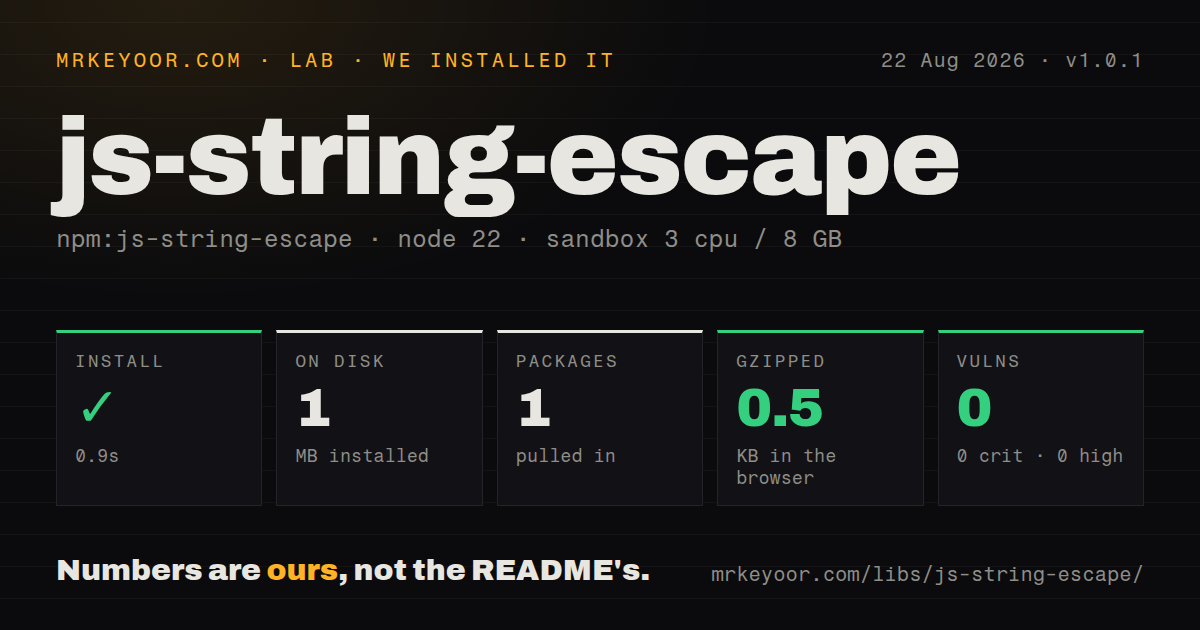
| Install | ✓ · 0.9s | 1 package on disk · 1 MB |
| Import | ✓ | ESM import works · require() works · CommonJS package |
| Browser | 0.5 KB | gzipped (0.8 KB minified), bundled with esbuild |
| Types | — | no TypeScript types found |
| Known vulns | 0 | 0 critical · 0 high · 0 moderate · 0 low (npm audit) |
Answers from our run
Does js-string-escape install cleanly?
Yes. In a fresh container with an empty cache, npm install js-string-escape finished in 0.9s, leaving 1 package and 1 MB on disk. npm audit reported no known vulnerabilities.
How much does js-string-escape add to a browser bundle?
0.5 KB gzipped (0.8 KB minified) when the whole package is bundled for the browser with esbuild. Importing only part of it is usually smaller.
Does js-string-escape work with both ESM and CommonJS?
Yes. Both import 'js-string-escape' and require('js-string-escape') worked in Node 22 in our run. The package is published as CommonJS.
Does js-string-escape include TypeScript types?
No type declarations were found in our install, so TypeScript users need their own declarations.
js-string-escape or jsesc: which should you use?
jsesc: Use it when generated JavaScript needs configurable quotes, minimal escaping, JSON mode, or ES6 output. Our js-string-escape 1.0.1 install took 0.9 seconds, had 0 dependencies, and added a 0.5 KB gzipped browser bundle, but its contract stops at quoted ES5.1 strings.
When should you not use js-string-escape?
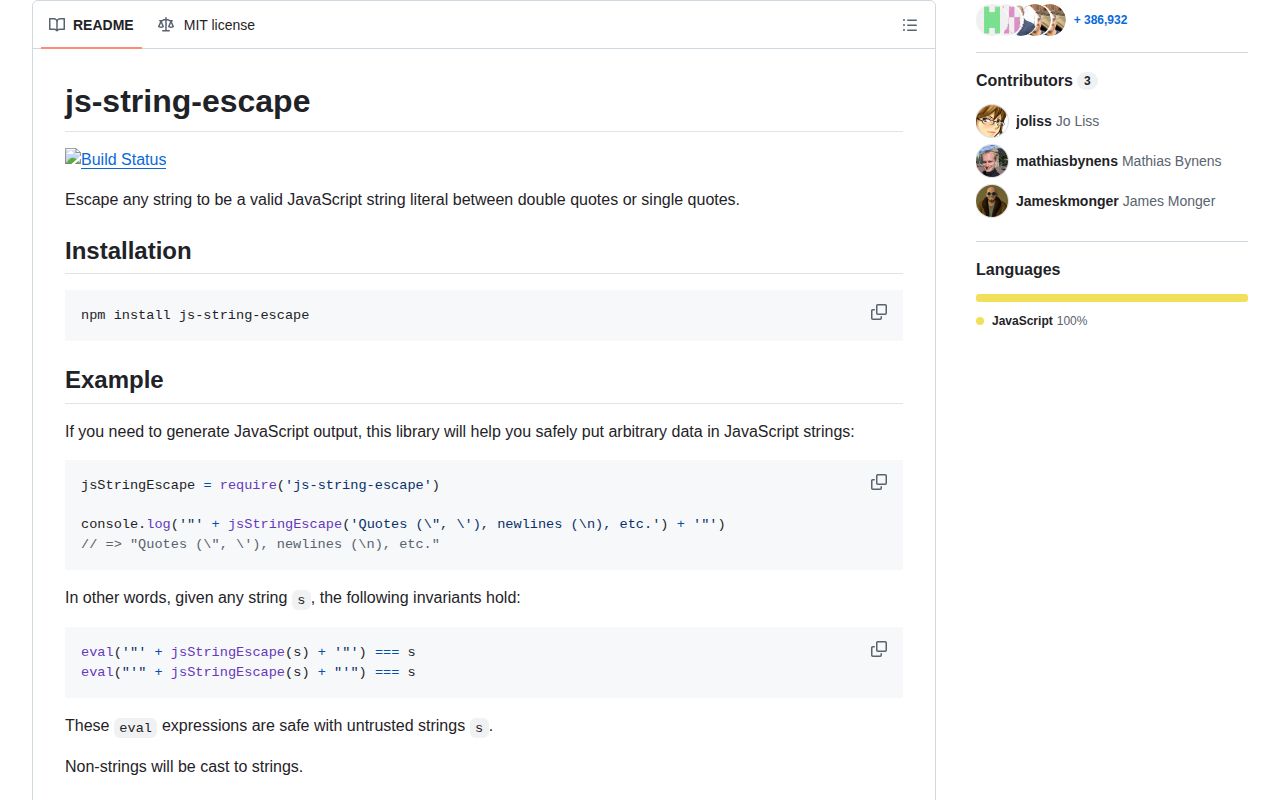
You are writing JSON: the README warns that control characters and \' can make its result invalid JSON; call JSON.stringify.
Use it if
- A code generator must place arbitrary text inside a quoted ES5.1 JavaScript literal.
- The same escaped content needs to work inside either single or double quotes.
- A dependency-free CommonJS function is preferable to a configurable code-generation package.
- String coercion for numbers and other primitive values matches the caller's intended output.
- You are writing JSON: the README warns that control characters and `\'` can make its result invalid JSON; call `JSON.stringify`.
- The value will appear inside an HTML `script` element: the function does not neutralize `<` or a closing script tag.
- You generate template literals because backticks and `${...}` are left untouched.
- First-party TypeScript declarations are required; our 1.0.1 install contained none.
- You expect active feature work: npm's current release dates to 2016 and quote-selection or template support is absent.
Setup reality
Our js-string-escape 1.0.1 install finished in 0.9 seconds and left 1 package using 1 MB on disk. The tarball is 24 KB unpacked, has 0 direct dependencies and 0 peers, and produced 0 npm audit findings. There is no native compilation, credential, environment variable, or configuration file.
require('js-string-escape') worked on Node 22, and ESM import also worked through CommonJS interoperability. The package has no exports map and ships no TypeScript declarations. Typed projects can add the separate @types/js-string-escape package, but those declarations are maintained outside this release.
The function returns escaped contents rather than a complete literal. Your generator must add the opening and closing quote. Both quote characters are escaped every time, with no option to select one. Non-string inputs are coerced with JavaScript's normal String behavior, so an object becomes [object Object]; it is not serialized.
Our browser build measured 0.8 KB minified and 0.5 KB gzipped. That size is attractive only when the output contract fits. Backticks, ${ interpolation, <, HTML closing tags, and several JSON-sensitive control characters remain outside that contract, so do not reuse this helper as a general output-encoding or injection defense.
Patterns
Build a double-quoted JavaScript literal double-quoted-literal
const escape = require('js-string-escape')

const input = 'She said "hello"'
const literal = '"' + escape(input) + '"'
// => "She said \"hello\""
The function supplies only escaped content, so the caller must add both double-quote delimiters.
Build a single-quoted JavaScript literal single-quoted-literal
const escape = require('js-string-escape')

const input = "Ada's notes"
const literal = "'" + escape(input) + "'"
// => 'Ada\'s notes'
Version 1.0.1 always escapes both quote styles; it has no option that emits fewer escapes for the chosen delimiter.
Preserve line breaks in generated source escape-line-breaks
const escape = require('js-string-escape')

const input = 'first line\nsecond line\rthird line'
const source = 'const message = "' + escape(input) + '";'
// source contains \n and \r escape sequences
Newline and carriage-return characters become escape sequences instead of ending the generated source line.
Escape JavaScript line separator code points escape-unicode-separators
const escape = require('js-string-escape')

const input = 'left\u2028middle\u2029right'
const escaped = escape(input)
// => left\u2028middle\u2029right
U+2028 and U+2029 are covered by the ES5.1-focused implementation and its documented Unicode test sweep.
Observe primitive string coercion coerce-non-strings
const escape = require('js-string-escape')

escape(null)       // 'null'
escape(false)      // 'false'
escape({ id: 42 }) // '[object Object]'
Inputs pass through JavaScript string coercion. Objects are not JSON-serialized and commonly produce `[object Object]`.
Emit an array of quoted string literals generate-string-array
const escape = require('js-string-escape')

const names = ["Ada's file", 'line one\nline two']
const source = '["' + names.map(escape).join('", "') + '"]'
// => ["Ada\'s file", "line one\nline two"]
Escape each element separately and add delimiters yourself; joining raw escaped pieces does not create valid JavaScript.
Write a CommonJS module containing text write-commonjs-module
const fs = require('node:fs')
const escape = require('js-string-escape')

const banner = 'Build "green"\nReady'
const source = 'module.exports = "' + escape(banner) + '"\n'
fs.writeFileSync('generated-message.cjs', source, 'utf8')
This makes JavaScript source, so the output file should be treated as generated code and written to a controlled path.
Load the CommonJS function from ESM load-from-esm
import { createRequire } from 'node:module'

const require = createRequire(import.meta.url)
const escape = require('js-string-escape')
const literal = '"' + escape('ESM caller') + '"'
Node 22 default-import interoperability worked in our sandbox, even though 1.0.1 has no native ESM entry or exports map.
Import with community TypeScript declarations use-with-typescript
// npm install js-string-escape
// npm install --save-dev @types/js-string-escape
import escape = require('js-string-escape')

const contents: string = escape('typed input')
The runtime package contains no declarations; `@types/js-string-escape` is a separate dependency with its own maintenance cycle.
Use JSON serialization for JSON output encode-json-instead
const value = { message: "Ada's note\nnext line" }
const json = JSON.stringify(value)

JSON.parse(json) // round-trips the object
The README explicitly says this package's output is not necessarily valid JSON, including because `\'` is illegal there.
Protect inline script data with a serializer embed-inline-script-data
const data = { value: '</script><script>alert(1)</script>' }
const safeJson = JSON.stringify(data).replace(/</g, '\\u003c')
const html = `<script type="application/json" id="payload">${safeJson}</script>`
JavaScript string escaping alone does not stop the HTML parser from recognizing a literal closing `script` tag.
Escape template-literal syntax separately avoid-template-literals
const escape = require('js-string-escape')
const input = '`; runSomething(); // ${alsoRuns()}'

// Safe target for this package: classic quotes
const source = 'const value = "' + escape(input) + '";'
Backticks and `${...}` are outside the 1.0.1 contract, so this function cannot safely generate template-literal contents.
Alternatives
| Package | Registry | Pick it when |
|---|---|---|
| jsesc | npm | Use it when generated JavaScript needs configurable quotes, minimal escaping, JSON mode, or ES6 output. |
| serialize-javascript | npm | Use it to serialize values and regular expressions into JavaScript source, especially for server-rendered state. |
| @babel/generator | npm | Use it when you already have an AST and need complete JavaScript emission rather than one escaped string. |
More utils guides
lru-cache · type-fest · ajv · zod · p-limit · find-up · the whole shelf →
How this guide is made: grounded in the library's documentation, release notes, changelog, and issue history, on a fixed rubric — not a hands-on install of every release. The 50 most-downloaded entries are additionally install-verified in clean containers. Corrections: contact the desk.