jotai review
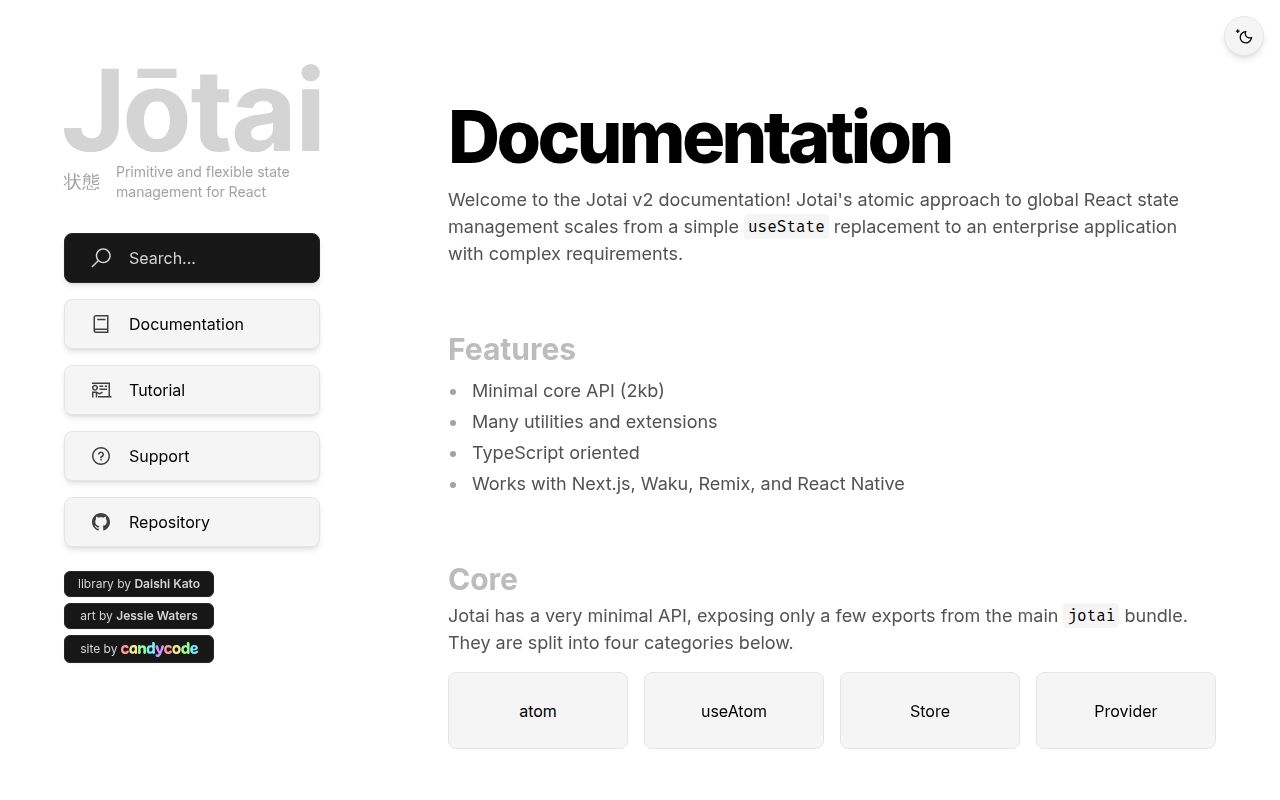
Jotai 2.20.3 is a React state library built around atom objects. A primitive atom owns a value; a derived atom reads other atoms; a writable atom can update them. React components subscribe with `useAtomValue()` or `useAtom()`, while `createStore()` provides the same graph outside React. The current patch stops `unwrap` from entering an infinite microtask loop when a rejected source recomputes. Our isolated 2.20.2 package check found bundled TypeScript declarations and no direct dependencies, but neither Node entry loaded without the peer environment.
Jotai 2.20.2 installed in 1.5 seconds with 0 direct dependencies and 0 audit findings, but both Node loading paths and our browser build failed in the peer-free sandbox. Use Jotai for React atom graphs after testing the complete peer setup; keep local component state in React and choose Redux Toolkit when event history is part of the design.
We installed it
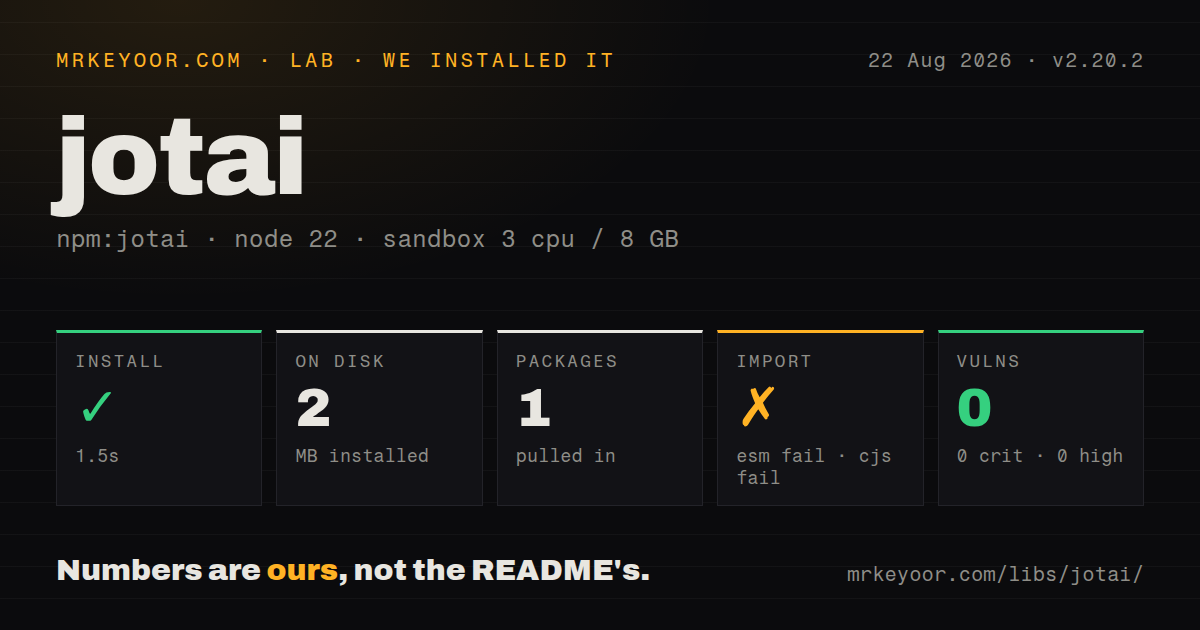
| Install | ✓ · 1.5s | 1 package on disk · 2 MB |
| Import | ✗ | ESM import fails · require() fails · CommonJS package with exports map |
| Browser | n/a | could not be bundled for the browser (Node-only code, most likely) |
| Types | ✓ | TypeScript types bundled |
| Known vulns | 0 | 0 critical · 0 high · 0 moderate · 0 low (npm audit) |
Answers from our run
Does jotai install cleanly?
Yes. In a fresh container with an empty cache, npm install jotai finished in 2 seconds, leaving 1 package and 2 MB on disk. npm audit reported no known vulnerabilities.
Can jotai run in a browser?
Not directly: esbuild could not bundle it for the browser in our run, which normally means it depends on Node built-ins. Use it on the server, or find a browser-targeted alternative.
Does jotai work with both ESM and CommonJS?
Neither plain import nor require succeeded in our sandbox, so it needs a bundler or extra setup.
Does jotai include TypeScript types?
Yes, type declarations ship inside the package, so no @types install is needed.
jotai or zustand: which should you use?
zustand: Use it when one hook-based store with actions and selectors is easier to govern than an atom graph. Jotai 2.20.2 installed in 1.5 seconds with 0 direct dependencies and 0 audit findings, but both Node loading paths and our browser build failed in the peer-free sandbox.
When should you not use jotai?
The value belongs to one component or a small subtree. React useState, useReducer, or context keeps that ownership visible without another state abstraction.
Use it if
- Shared React state breaks naturally into independent values and derived computations rather than one reducer tree.
- Components should subscribe only to the atoms they read, without hand-written selectors for ordinary values.
- Async values can use React Suspense and an error boundary as part of the rendering contract.
- The same state graph must be read from React components and imperative code through an explicit store.
- The value belongs to one component or a small subtree. React `useState`, `useReducer`, or context keeps that ownership visible without another state abstraction.
- Your team requires reducer events, middleware, action replay, and standard Redux DevTools conventions. Jotai's atom writes do not impose that operating model.
- Atoms would be created directly during render. The docs require stable object identity; a fresh atom on each render can produce an infinite loop.
- Server requests would share provider-less mode. Jotai's Next.js guidance calls the default store global and recommends a `Provider` to isolate request state.
- Persisted browser state must exactly match server HTML. `atomWithStorage` renders its initial value on the server, then browser storage can change the first client view.
Setup reality
We installed jotai 2.20.2 in a fresh Node 22 Bookworm sandbox. npm finished in 1.5 seconds and left 1 package occupying 2 MB. The package had 0 direct dependencies, 4 peer dependencies, and 1,344 KB unpacked. npm audit found 0 vulnerabilities at every severity. TypeScript declarations were bundled, and the engine floor was Node 12.20.0.
The isolated load checks exposed the peer boundary. The package declares CommonJS and an exports map, yet both require() and ESM import failed under Node 22.23.2. Install the matching React peer environment before expecting the React entry to load. Our esbuild browser build failed too, so this exact sandbox did not produce a usable browser bundle even though Jotai targets React applications.
Atom identity is the first runtime trap. Define atoms at module scope or memoize a prop-dependent atom with useMemo; calling atom() on every render creates a new configuration. Provider-less mode uses a global default store. For server rendering, create a Provider boundary per request and hydrate initial values inside that store. An atom normally accepts hydration once per store.
Async read atoms hand promises to Suspense and errors to the nearest error boundary. Storage utilities also cross the server and browser boundary: the server sees the configured initial value before localStorage is available. Version 2.20.3 fixes an infinite microtask loop in unwrap after rejected-source recomputation. That patch is newer than our 2.20.2 sandbox measurement, so its fix was verified from the release record, not retested in the lab.
Patterns
Read and update one value create-primitive-atom
import { atom, useAtom } from 'jotai'

const countAtom = atom(0)

function Counter() {
  const [count, setCount] = useAtom(countAtom)
  return <button onClick={() => setCount((n) => n + 1)}>{count}</button>
}
Keep this atom at module scope; creating 1 new atom per render changes its identity and can loop.
Subscribe to a value only read-without-writing
import { useAtomValue } from 'jotai'

function CountLabel() {
  const count = useAtomValue(countAtom)
  return <output>{count}</output>
}
`useAtomValue` gives this component 1 read subscription without returning a setter it never uses.
Update without subscribing write-without-reading
import { atom, useSetAtom } from 'jotai'

const addAtom = atom(null, (_get, set, amount) => {
  set(countAtom, (count) => count + amount)
})

function Add() {
  const add = useSetAtom(addAtom)
  return <button onClick={() => add(5)}>Add</button>
}
`useSetAtom` avoids a value subscription, so this button does not rerender for 1 unrelated count read.
Compute from two atoms derive-state
const priceAtom = atom(20)
const quantityAtom = atom(3)
const totalAtom = atom((get) => get(priceAtom) * get(quantityAtom))

function Total() {
  return <output>{useAtomValue(totalAtom)}</output>
}
The read function records both dependencies and recomputes when either of the 2 source atoms changes.
Suspend on an async atom load-async-value
const userIdAtom = atom('42')
const userAtom = atom(async (get) => {
  const response = await fetch(`/api/users/${get(userIdAtom)}`)
  if (!response.ok) throw new Error('user request failed')
  return response.json()
})

function UserName() {
  const user = useAtomValue(userAtom)
  return <span>{user.name}</span>
}
Place this under 1 Suspense boundary and an error boundary; rejection is part of the render path.
Store a preference in localStorage persist-browser-state
import { atomWithStorage } from 'jotai/utils'

const themeAtom = atomWithStorage('theme', 'system')

function ThemePicker() {
  const [theme, setTheme] = useAtom(themeAtom)
  return <button onClick={() => setTheme('dark')}>{theme}</button>
}
SSR renders the initial value before browser storage loads, so the first client view can differ.
Give a request its own store scope-server-state
import { Provider } from 'jotai'

export function StateBoundary({ children }) {
  return <Provider>{children}</Provider>
}
Provider-less mode uses 1 global default store; put a Provider inside each server-rendered request tree.
Hydrate a server value hydrate-atoms
import { useHydrateAtoms } from 'jotai/utils'

function HydrateUser({ user, children }) {
  useHydrateAtoms([[userAtom, user]])
  return children
}
A given atom is normally hydrated only once in 1 store, even if this component receives a later prop.
Operate outside React use-vanilla-store
import { atom, createStore } from 'jotai/vanilla'

const onlineAtom = atom(false)
const store = createStore()
const stop = store.sub(onlineAtom, () => console.log(store.get(onlineAtom)))
store.set(onlineAtom, true)
stop()
Pass this exact store to a React `Provider` if its 1 update must reach components.
Return to the initial value reset-value
import { atomWithReset, RESET } from 'jotai/utils'

const filterAtom = atomWithReset('all')
store.set(filterAtom, 'open')
store.set(filterAtom, RESET)
`RESET` is a symbol from `jotai/utils`; it restores the atom's original value rather than writing `undefined`.
Create an atom from a prop memoize-dynamic-atom
function Item({ id }) {
  const itemAtom = useMemo(
    () => atom((get) => get(itemsAtom).find((item) => item.id === id)),
    [id],
  )
  const item = useAtomValue(itemAtom)
  return <span>{item?.name}</span>
}
`useMemo` keeps 1 atom identity for each `id`; calling `atom()` unconditionally in render can loop.
Subscribe to one object field select-object-slice
import { selectAtom } from 'jotai/utils'

const nameAtom = selectAtom(userAtom, (user) => user.name)

function UserName() {
  return <span>{useAtomValue(nameAtom)}</span>
}
Keep the selector and derived atom stable; a fresh selector function defeats the intended subscription boundary.
Alternatives
| Package | Registry | Pick it when |
|---|---|---|
| zustand | npm | Use it when one hook-based store with actions and selectors is easier to govern than an atom graph. |
| valtio | npm | Use it when mutable proxy objects and read-only React snapshots match the team's mental model. |
| @reduxjs/toolkit | npm | Use it when reducer events, middleware, DevTools workflows, and organization-wide conventions are requirements. |
| recoil | npm | Use it only when an existing Recoil application makes migration cost more important than choosing an actively evolving alternative. |
More web frontend guides
postcss · react · react-dom · tailwindcss · clsx · htmlparser2 · the whole shelf →
How this guide is made: grounded in the library's documentation, release notes, changelog, and issue history, on a fixed rubric — not a hands-on install of every release. The 50 most-downloaded entries are additionally install-verified in clean containers. Corrections: contact the desk.