http-call review
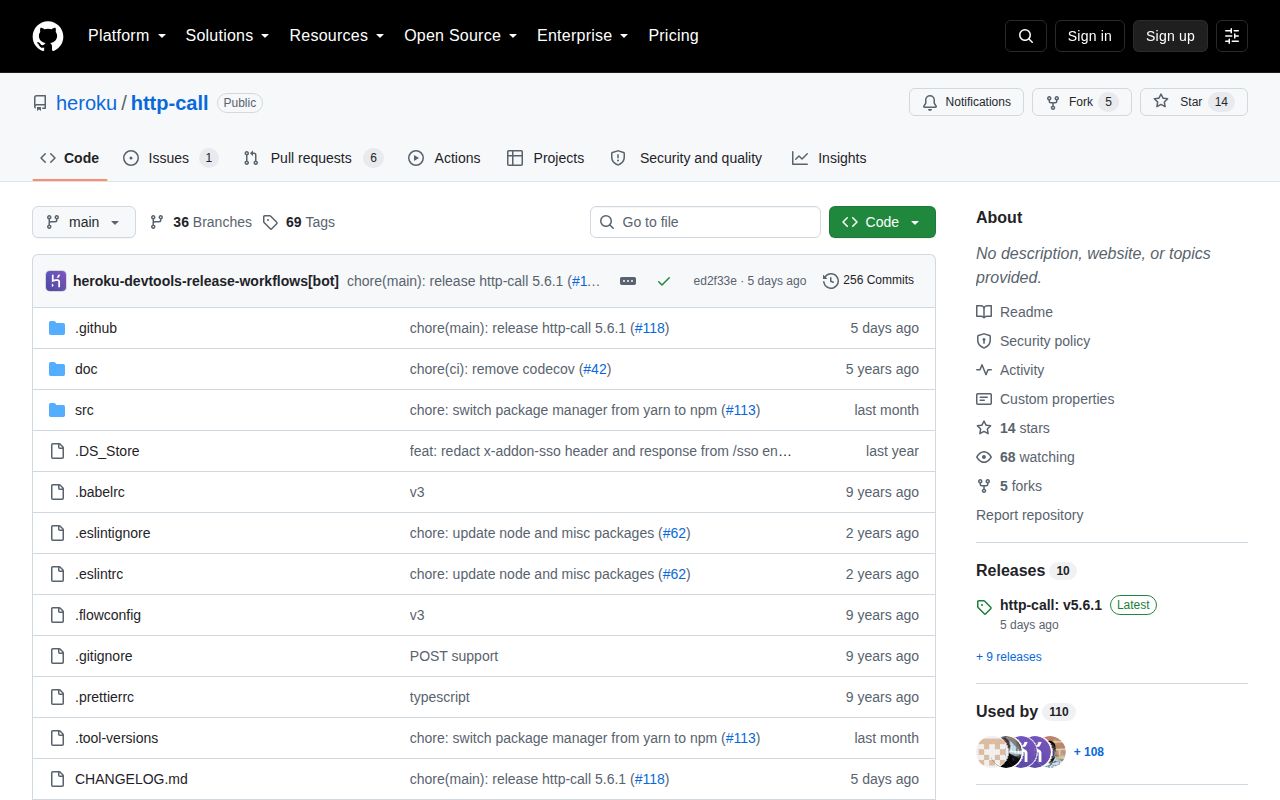
http-call 5.3.0 is the old unscoped Heroku HTTP client for Node. It wraps the core http and https modules with JSON encoding and parsing, redirects, proxy environment support, selected network retries, response streaming, and automatic collection of APIs that paginate through a Next-Range header. Calls resolve to an object containing body, statusCode, headers, request, response, and the final URL; non-2xx responses reject with HTTPError. The current repository now publishes this code as @heroku/http-call 5.6.1. That scoped line has fixes that never reached npm's unscoped 5.3.0 package.
http-call 5.3.0 installed in 1 second with 12 packages and 0 audit findings in our sandbox, but its browser build failed and its npm line has not received the repository's 5.6.1 fixes. Keep it for compatible legacy Heroku code; new work should use @heroku/http-call, Node fetch, or a client with explicit retry and redirect controls.
We installed it
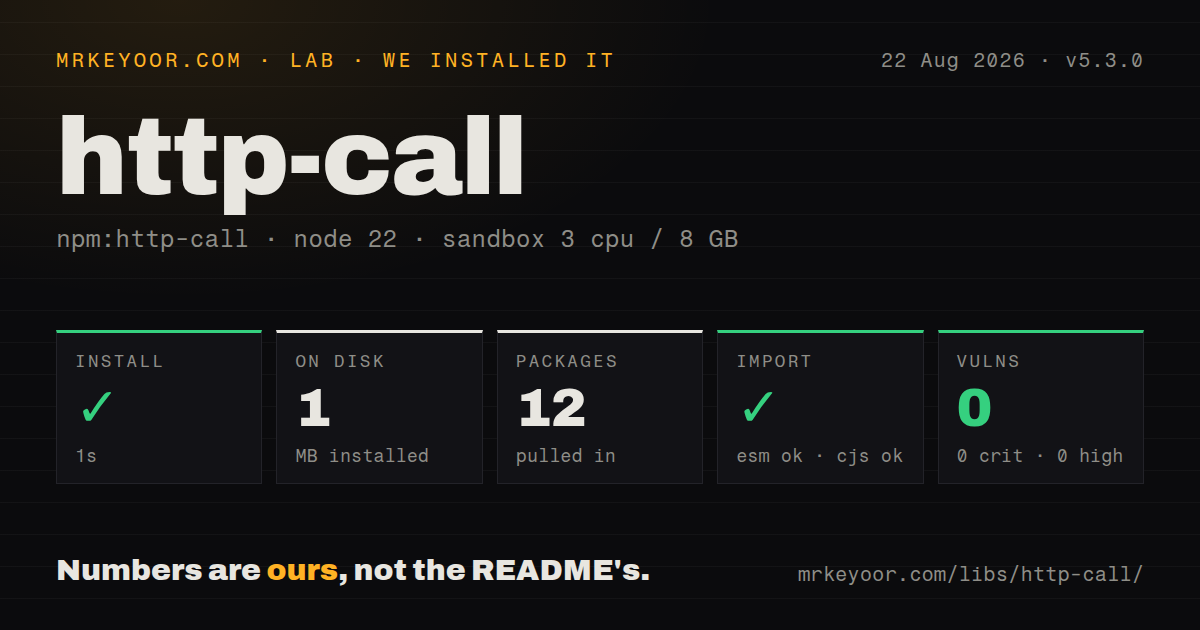
| Install | ✓ · 1s | 12 packages on disk · 1 MB |
| Import | ✓ | ESM import works · require() works · CommonJS package |
| Browser | n/a | could not be bundled for the browser (Node-only code, most likely) |
| Types | ✓ | TypeScript types bundled |
| Known vulns | 0 | 0 critical · 0 high · 0 moderate · 0 low (npm audit) |
Answers from our run
Does http-call install cleanly?
Yes. In a fresh container with an empty cache, npm install http-call finished in 1 seconds, leaving 12 packages and 1 MB on disk. npm audit reported no known vulnerabilities.
Can http-call run in a browser?
Not directly: esbuild could not bundle it for the browser in our run, which normally means it depends on Node built-ins. Use it on the server, or find a browser-targeted alternative.
Does http-call work with both ESM and CommonJS?
Yes. Both import 'http-call' and require('http-call') worked in Node 22 in our run. The package is published as CommonJS.
Does http-call include TypeScript types?
Yes, type declarations ship inside the package, so no @types install is needed.
http-call or @heroku/http-call: which should you use?
@heroku/http-call: Choose it when existing HTTP and Next-Range code needs the maintained scoped releases and newer redirect protections. http-call 5.3.0 installed in 1 second with 12 packages and 0 audit findings in our sandbox, but its browser build failed and its npm line has not received the repository's 5.6.1 fixes.
When should you not use http-call?
This is a new service. Node fetch avoids another dependency, while @heroku/http-call 5.6.1 is the maintained successor for this particular API.
Use it if
- An existing Heroku CLI integration already depends on HTTP.get, HTTP.create, HTTPError, or automatic Next-Range collection.
- A legacy CommonJS service needs JSON response parsing and proxy variables on Node 8 or later without changing its request layer.
- The API returns array pages through Heroku's Next-Range header and the complete result is small enough to collect in memory.
- You can pin this exact old behavior while planning a move to @heroku/http-call or the platform fetch API.
- This is a new service. Node fetch avoids another dependency, while @heroku/http-call 5.6.1 is the maintained successor for this particular API.
- Redirects may cross origins with credentials. Version 5.3.0 predates the scoped line's fix that strips authorization, cookie, proxy-authorization, and x-addon-sso headers on cross-origin redirects.
- POST or PATCH requests cannot tolerate automatic replay. The 5.3.0 implementation retries eligible connection failures across methods and exposes no public switch to disable that policy.
- Responses can be large. Ordinary calls buffer the body, and Next-Range mode concatenates every array page unless partial: true is set.
- The client must run in a browser. Our esbuild browser build failed because this package relies on Node HTTP, TLS, filesystem, and proxy behavior.
Setup reality
We installed http-call 5.3.0 in a fresh Node 22 Bookworm sandbox. npm took 1 second, placed 12 packages on disk, and used 1 MB. The package is 88 KB unpacked, declares 6 direct dependencies and no peers, and npm audit found 0 known vulnerabilities. It is CommonJS without an exports map; require() and ESM import both worked. TypeScript declarations are bundled, and the declared engine floor is Node 8.
No credential file is required. Headers carry tokens in the usual way, while HTTP_PROXY, HTTPS_PROXY, and NO_PROXY can select a proxy without code changes. SSL_CERT_FILE and SSL_CERT_DIR add corporate certificates when the proxy agent is built. Version 5.3.0 reads those certificate files synchronously. Its http and http:headers debug namespaces can print request details, so keep production debug settings under review.
The unscoped build has no default timeout, AbortSignal option, or redirect-disable option. Set timeout on each request or through HTTP.create. JSON conversion depends on Content-Type: response parsing requires application/json or a +json type, and an object request body is serialized when the content type is absent or exactly application/json. HTTPError contains a buffered error body after any non-2xx response.
Selected DNS and socket failures can be attempted up to 5 times with backoff, including write methods. Next-Range collection also keeps fetching until the header ends and joins array bodies in memory; partial: true stops after 1 page. Our browser bundle failed, which confirms this is server-side code rather than an isomorphic client.
Patterns
Read a JSON endpoint get-json
const { HTTP } = require('http-call')

const result = await HTTP.get('https://api.example.com/users/42')
console.log(result.statusCode, result.body)
The body is parsed only when the response Content-Type is application/json or ends in +json.
Declare a TypeScript response shape type-response
import { HTTP } from 'http-call'

type User = { id: string; email: string }
const { body } = await HTTP.get<User>('https://api.example.com/users/42')
The generic adds compile-time typing only. Version 5.3.0 does not validate the received JSON shape.
Send a JSON object post-json
const { body } = await HTTP.post('https://api.example.com/orders', {
  body: { sku: 'INK-42', quantity: 2 },
})
An object is stringified and receives application/json when no Content-Type was supplied.
Encode a form body yourself send-form
const body = new URLSearchParams({ grant_type: 'client_credentials' }).toString()
await HTTP.post('https://api.example.com/token', {
  headers: { 'content-type': 'application/x-www-form-urlencoded' },
  body,
})
The package has no form builder. A non-JSON Content-Type sends the string you provide.
Give the call a deadline set-timeout
await HTTP.get('https://api.example.com/slow', { timeout: 10_000 })Version 5.3.0 has no default timeout and accepts no AbortSignal, so a missing timeout can leave a call open.
Reuse host and headers create-client
const API = HTTP.create({
  protocol: 'https:',
  host: 'api.example.com',
  timeout: 10_000,
  headers: { accept: 'application/json' },
})
const { body } = await API.get('/v1/orders')
HTTP.create returns a configured subclass. A full URL passed later can replace the configured origin.
Inspect a rejected status handle-http-error
const { HTTP, HTTPError } = require('http-call')
try {
  await HTTP.get('https://api.example.com/private')
} catch (error) {
  if (error instanceof HTTPError) console.error(error.statusCode, error.body)
  else throw error
}
HTTPError covers non-2xx responses. Network, timeout, redirect, and JSON parse failures use other errors.
Pipe a successful download stream-download
const { pipeline } = require('node:stream/promises')
const { createWriteStream } = require('node:fs')
const { response } = await HTTP.stream('https://example.com/archive.zip')
await pipeline(response, createWriteStream('archive.zip'))
Successful bodies can stream, while error responses are read before HTTPError is created.
Fetch one Next-Range page stop-auto-pagination
const page = await HTTP.get('https://api.example.com/events', { partial: true })
console.log(page.body, page.headers['next-range'])
Without partial: true, GET array pages are fetched and concatenated until Next-Range disappears.
Put query parameters in the URL send-query
const query = new URLSearchParams({ state: 'open', limit: '25' })
const { body } = await HTTP.get(`https://api.example.com/issues?${query}`)
Version 5.3.0 has no params option, so URLSearchParams or equivalent code must serialize the query.
Let deployment select the proxy use-proxy-environment
process.env.HTTPS_PROXY = 'http://proxy.internal:8080'
process.env.NO_PROXY = 'localhost,.internal'
const { body } = await HTTP.get('https://api.example.com/status')
HTTP_PROXY, HTTPS_PROXY, and NO_PROXY are read by the package. Prefer setting them outside application code in real deployments.
Resolve the final origin before adding credentials avoid-cross-origin-secret
const url = new URL('/v1/me', 'https://api.example.com')
if (url.origin !== 'https://api.example.com') throw new Error('unexpected origin')
await HTTP.get(url.href, { headers: { authorization: `Bearer ${token}` } })
Unscoped 5.3.0 predates the fix that removes sensitive headers when a redirect changes origins.
Alternatives
| Package | Registry | Pick it when |
|---|---|---|
| @heroku/http-call | npm | Choose it when existing HTTP and Next-Range code needs the maintained scoped releases and newer redirect protections. |
| undici | npm | Choose it for Node fetch plus pools, dispatchers, streaming bodies, and lower-level connection control. |
| got | npm | Choose it for a Node client with documented hooks, cancellation, pagination, streams, and configurable retries. |
| axios | npm | Choose it when one request API must work in Node and browsers and the team uses instances or interceptors. |
More web backend guides
ws · urllib3 · requests · undici · anyio · express · the whole shelf →
How this guide is made: grounded in the library's documentation, release notes, changelog, and issue history, on a fixed rubric — not a hands-on install of every release. The 50 most-downloaded entries are additionally install-verified in clean containers. Corrections: contact the desk.