html-to-image review
html-to-image 1.11.13 captures one live DOM subtree as an SVG data URL, PNG, JPEG, Blob, canvas, or RGBA byte array. It clones the element, copies computed styles and pseudo-elements, fetches fonts and images, places the serialized HTML inside SVG `foreignObject`, then paints that SVG onto a canvas for raster outputs. Version 1.11.13 adds `-webkit-mask` and `-webkit-mask-image` support. Our browser build measured 13.4 KB minified and 5.3 KB gzipped, so the code is small; asset loading and browser rendering rules create most of the operational risk.
html-to-image 1.11.13 added 5.3 KB gzipped in our browser build and installed with 0 dependencies and 0 audit findings, which is a small cost for controlled client-side exports. Skip it for server screenshots, hostile cross-origin content, huge documents, or output that must be identical across browsers.
We installed it
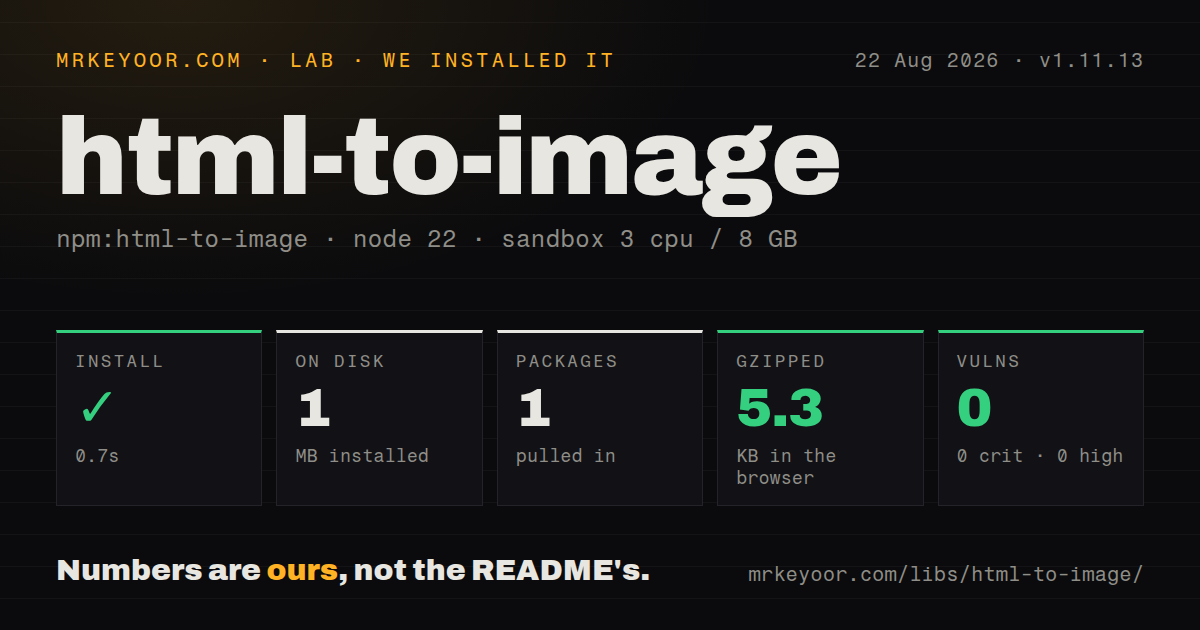
| Install | ✓ · 0.7s | 1 package on disk · 1 MB |
| Import | ✓ | ESM import works · require() works · CommonJS package |
| Browser | 5.3 KB | gzipped (13.4 KB minified), bundled with esbuild |
| Types | ✓ | TypeScript types bundled |
| Known vulns | 0 | 0 critical · 0 high · 0 moderate · 0 low (npm audit) |
Answers from our run
Does html-to-image install cleanly?
Yes. In a fresh container with an empty cache, npm install html-to-image finished in 0.7s, leaving 1 package and 1 MB on disk. npm audit reported no known vulnerabilities.
How much does html-to-image add to a browser bundle?
5.3 KB gzipped (13.4 KB minified) when the whole package is bundled for the browser with esbuild. Importing only part of it is usually smaller.
Does html-to-image work with both ESM and CommonJS?
Yes. Both import 'html-to-image' and require('html-to-image') worked in Node 22 in our run. The package is published as CommonJS.
Does html-to-image include TypeScript types?
Yes, type declarations ship inside the package, so no @types install is needed.
html-to-image or html2canvas: which should you use?
html2canvas: Use it when you want a long-established canvas renderer and can test its CSS subset against your page. html-to-image 1.11.13 added 5.3 KB gzipped in our browser build and installed with 0 dependencies and 0 audit findings, which is a small cost for controlled client-side exports.
When should you not use html-to-image?
The capture must run in Node without a browser DOM. html-to-image depends on document, SVG foreignObject, Image, and Canvas APIs.
Use it if
- A user needs to export a controlled share card, chart wrapper, receipt, or other moderate DOM subtree from the browser.
- The same capture path must return SVG, PNG, JPEG, Blob, Canvas, or pixel data depending on the caller.
- You can serve fonts and images from the same origin or with CORS headers that permit browser fetching.
- Export-only dimensions, styles, element filtering, and a fixed pixel ratio cover the required visual adjustments.
- The capture must run in Node without a browser DOM. html-to-image depends on `document`, SVG `foreignObject`, `Image`, and Canvas APIs.
- Pixel output must match across Chrome, Firefox, and Safari. The README says Chrome performs significantly better on large DOM trees, and each browser interprets SVG and CSS details.
- The target contains cross-origin fonts, images, or a tainted canvas without suitable CORS permission. The final canvas read or encoding step can fail.
- You need multi-page PDF layout, headers, page breaks, or print CSS. This package produces an image of one node and has no pagination engine.
- Exports include huge or deeply nested documents. The README warns that large captures can hit data-URI limits, while cloning and embedding every descendant raises time and memory use.
Setup reality
We installed html-to-image 1.11.13 in a fresh Node 22 Bookworm sandbox. npm completed in 0.7 seconds, left 1 package using 1 MB on disk, and found 0 known vulnerabilities. The package has 0 direct and 0 peer dependencies, bundled TypeScript declarations, and a 520 KB unpacked size. It is CommonJS without an exports map; both require() and ESM import worked. Our full browser import built to 13.4 KB minified and 5.3 KB gzipped.
There are no credentials or config files. Capture after the target's fonts and images finish loading. The library fetches @font-face URLs, <img> sources, and CSS background images before serialization, so remote assets need CORS headers. imagePlaceholder fills failed image requests, while cacheBust appends a changing query and can turn one export into fresh network traffic.
Output dimensions depend on the element, width and height, canvas sizing options, and device pixel ratio. Set pixelRatio: 1 when a stable 1x result matters. The default uses the device ratio, which can multiply canvas memory on high-density screens. Very large DOM trees can still exceed browser canvas or data-URI limits even with automatic scaling enabled.
Repeated exports should call getFontEmbedCSS() once and pass its result as fontEmbedCSS when every card uses the same fonts. A filter removes a node and all descendants and never receives the root. Catch rejected promises, block duplicate export clicks, and revoke object URLs created from Blobs. Version 1.11.13 still relies on foreignObject, so Internet Explorer remains unsupported.
Patterns
Download a node as PNG download-png
import { toPng } from 'html-to-image'

const node = document.querySelector('#share-card')
if (!(node instanceof HTMLElement)) throw new Error('share card missing')
const url = await toPng(node, { cacheBust: true })
const link = document.createElement('a')
link.download = 'share-card.png'
link.href = url
link.click()
`cacheBust: true` adds a changing query to asset requests. Wait for the node's fonts and images before starting the 1.11.13 capture.
Render an opaque JPEG export-jpeg
import { toJpeg } from 'html-to-image'

const url = await toJpeg(node, {
  quality: 0.9,
  backgroundColor: '#ffffff',
  pixelRatio: 2,
})
JPEG has no alpha channel, so set `backgroundColor`. A 2x pixel ratio raises canvas dimensions and memory use.
Preview a captured Blob create-blob
import { toBlob } from 'html-to-image'

const blob = await toBlob(node, { pixelRatio: 1 })
if (!blob) throw new Error('capture produced no blob')
const url = URL.createObjectURL(blob)
preview.src = url
preview.addEventListener('load', () => URL.revokeObjectURL(url), { once: true })
`toBlob` may return `null` when canvas encoding fails. Revoke each object URL after its consumer finishes loading.
Remove marked descendants exclude-private-elements
import { toPng } from 'html-to-image'

const url = await toPng(node, {
  filter: child => !child.classList?.contains('private'),
})
A false filter result removes that element and its complete subtree. The filter callback does not run for the root node.
Override dimensions and clone styles set-export-layout
const url = await toPng(node, {
  width: 1200,
  height: 630,
  backgroundColor: '#fff',
  style: { margin: '0', transform: 'none' },
})
`width` and `height` apply to the cloned node. `canvasWidth` and `canvasHeight` scale the rendered canvas instead.
Embed shared fonts once reuse-font-data
import { getFontEmbedCSS, toSvg } from 'html-to-image'

const fontEmbedCSS = await getFontEmbedCSS(firstCard)
const first = await toSvg(firstCard, { fontEmbedCSS })
const second = await toSvg(secondCard, { fontEmbedCSS })
Reuse `fontEmbedCSS` only when both nodes use the same font rules. It avoids repeating discovery, downloads, and base64 encoding.
Discard unneeded font formats prefer-woff2
const url = await toPng(node, {
  preferredFontFormat: 'woff2',
})
Without `preferredFontFormat`, matching `@font-face` rules can cause every declared source format to be downloaded and embedded.
Fill an image that cannot be fetched fallback-image
const transparent = 'data:image/gif;base64,R0lGODlhAQABAAAAACw='
const url = await toPng(node, { imagePlaceholder: transparent })
`imagePlaceholder` covers a failed fetch. It cannot make a successfully loaded cross-origin canvas safe to read.
Add content after capture draw-on-canvas
import { toCanvas } from 'html-to-image'

const canvas = await toCanvas(node, { pixelRatio: 1 })
const ctx = canvas.getContext('2d')
if (!ctx) throw new Error('2D context unavailable')
ctx.fillStyle = '#111827'
ctx.fillText('Exported locally', 16, canvas.height - 16)
Canvas access or later encoding can throw when captured cross-origin content taints the bitmap.
Inspect one RGBA pixel read-pixels
import { toPixelData } from 'html-to-image'

const width = node.scrollWidth
const pixels = await toPixelData(node, { pixelRatio: 1 })
const x = 10
const y = 20
const offset = 4 * (y * width + x)
const rgba = pixels.slice(offset, offset + 4)
Each output pixel occupies 4 bytes in RGBA order. Coordinate math must include the selected pixel ratio.
Export a React ref once capture-react-ref
const cardRef = useRef(null)
const [busy, setBusy] = useState(false)

async function exportCard() {
  if (!cardRef.current || busy) return
  setBusy(true)
  try {
    saveDataUrl(await toPng(cardRef.current))
  } finally {
    setBusy(false)
  }
}
A React ref can be null, and state updates immediately before capture may need a render frame before the DOM clone sees them.
Copy an explicit CSS property set limit-copied-styles
const url = await toPng(node, {
  includeStyleProperties: [
    'background', 'color', 'display', 'font',
    'height', 'margin', 'padding', 'transform', 'width',
  ],
})
Omitted computed properties disappear from the clone. Test this optimization against every component type included in exports.
Alternatives
| Package | Registry | Pick it when |
|---|---|---|
| html2canvas | npm | Use it when you want a long-established canvas renderer and can test its CSS subset against your page. |
| dom-to-image-more | npm | Use it when an older dom-to-image integration needs a maintained compatible fork. |
| modern-screenshot | npm | Use it to compare another DOM-cloning implementation on pages that expose html-to-image edge cases. |
More web frontend guides
postcss · react · react-dom · tailwindcss · clsx · htmlparser2 · the whole shelf →
How this guide is made: grounded in the library's documentation, release notes, changelog, and issue history, on a fixed rubric — not a hands-on install of every release. The 50 most-downloaded entries are additionally install-verified in clean containers. Corrections: contact the desk.