google-api-python-client review
google-api-python-client 2.199.0 creates Python resource methods from Google Discovery documents bundled with the package. One install can call Drive, Gmail, Calendar, Sheets, YouTube, Admin SDK, and many other discovery-based HTTP APIs through chains ending in `execute()`. Version 2.199.0 mainly refreshes descriptions for a long list of Google services and drops Python 3.7 through 3.9. Google labels the client complete and in maintenance mode, and recommends service-specific Cloud Client Libraries for new Cloud projects.
google-api-python-client 2.199.0 left 20 packages and 127 MB in our sandbox despite having only 5 direct dependencies, so it earns its place when one service needs a Discovery client or one process spans several Google APIs. For a supported Google Cloud service, install its dedicated client instead.
We installed it
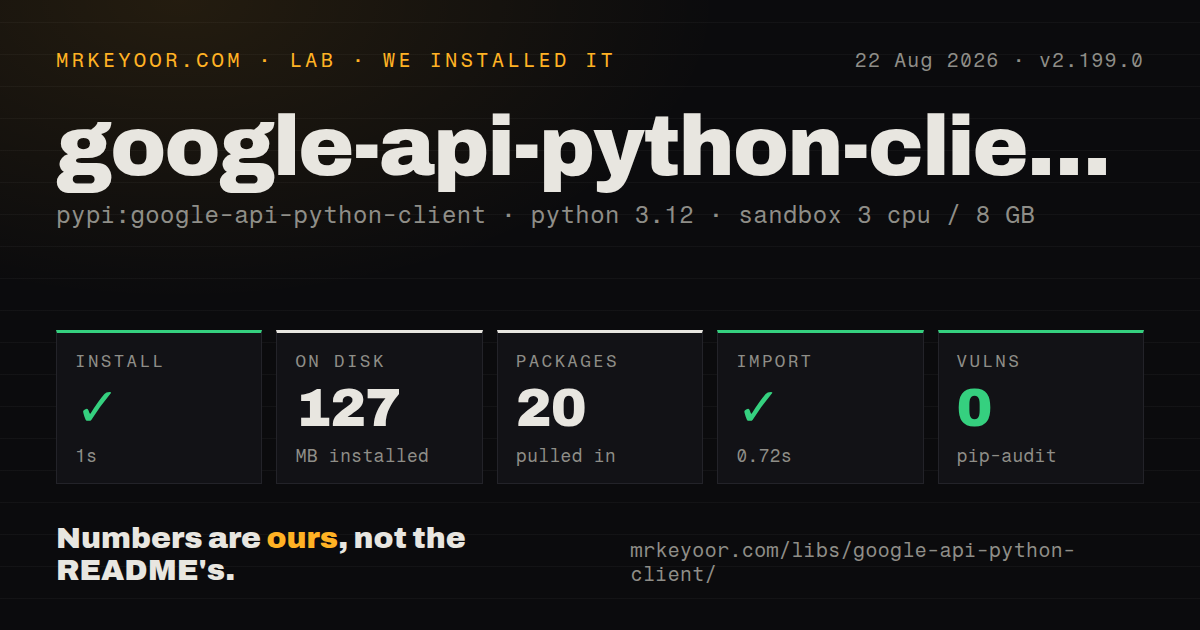
| Install | ✓ · 1s | 20 packages on disk · 127 MB |
| Import | ✓ | import apiclient in 0.72s · pure Python · requires Python >=3.10 |
| Known vulns | 0 | (pip-audit) |
Answers from our run
Does google-api-python-client install cleanly?
Yes. In a fresh container with an empty cache, pip install google-api-python-client finished in 1 seconds, leaving 20 packages and 127 MB on disk. pip-audit reported no known vulnerabilities.
What does google-api-python-client need to run?
Python >=3.10, and nothing compiled: it is pure Python. In our run import apiclient succeeded in 0.72s.
google-api-python-client or google-cloud-storage: which should you use?
google-cloud-storage: Use it for Cloud Storage resources, retries, upload helpers, and a service-specific API surface. google-api-python-client 2.199.0 left 20 packages and 127 MB in our sandbox despite having only 5 direct dependencies, so it earns its place when one service needs a Discovery client or one process spans several Google APIs.
When should you not use google-api-python-client?
For Cloud Storage, BigQuery, Pub/Sub, Firestore, and other services with dedicated Cloud Client Libraries, follow Google's own advice and use the service package for new code.
Use it if
- You need a Google Workspace or consumer API that has no dedicated modern Python client.
- One backend calls several discovery-based Google APIs and can reuse the same authentication, pagination, media, and batch conventions.
- The job requires resumable uploads, chunked downloads, or HTTP batches provided by the shared client.
- Bundled Discovery documents are preferable to downloading an API description during startup.
- For Cloud Storage, BigQuery, Pub/Sub, Firestore, and other services with dedicated Cloud Client Libraries, follow Google's own advice and use the service package for new code.
- A small container or function should avoid the 127 MB environment we measured if it only calls one supported service.
- Static request and response models are required. The package has no `py.typed` marker, and Discovery-generated methods give editors less information than dedicated clients.
- An asyncio request path cannot tolerate blocking calls. `execute()` uses synchronous HTTP and must run in a worker thread if it stays in an async application.
- Do not share one `httplib2.Http` instance across threads. Google's thread-safety guide requires a separate transport per thread.
- For a Sheets-only or Drive-only script, gspread or PyDrive2 may provide a smaller vocabulary closer to the task.
Setup reality
Our fresh Python 3.12 install of google-api-python-client 2.199.0 completed in 1 second. It produced an environment of 20 packages and 127 MB, and pip-audit found 0 known vulnerabilities. The pure-Python package lists 5 direct dependencies, requires Python 3.10+, has no py.typed marker, and uses Apache 2.0. Importing the compatibility name apiclient succeeded in 0.72 seconds.
Authentication usually takes longer than installation. Public endpoints may accept an API key. User data needs an OAuth client, consent, exact scopes, and protected refresh credentials. Server code can use Application Default Credentials or a service account, but that account sees no user's Drive files until they are shared. Workspace domain-wide delegation requires administrator approval for the scopes and explicit user impersonation. A disabled API can return 403 even with valid credentials.
build() in version 2.199.0 constructs resource methods from Discovery descriptions shipped in the distribution instead of fetching them at startup. That removes one network dependency and helps explain the 127 MB environment. Description updates make up much of the frequent release stream, so pin the client when an unexpected service schema change would be risky. Use a fields mask because responses are ordinary nested dictionaries and omitted-field mistakes otherwise surface at runtime.
Every execute() call blocks, and httplib2.Http is not thread-safe. Create an authorized transport for each worker rather than sharing one across a pool. Batch completion does not imply that all subrequests succeeded; inspect each callback. Resumable uploads require repeated next_chunk() calls until a final response arrives. When Google returns 403, read the structured reason before retrying because disabled APIs, exhausted quota, and missing scopes can use the same status.
Patterns
Use an API key for public data build-api-key-client
from googleapiclient.discovery import build

youtube = build("youtube", "v3", developerKey=API_KEY)
result = youtube.search().list(
    part="snippet", q="python", maxResults=5
).execute()
An API key identifies the Cloud project and quota consumer. It does not authorize access to private Google user data.
Build a client from default credentials use-application-default-credentials
import google.auth
from googleapiclient.discovery import build

credentials, project_id = google.auth.default(
    scopes=["https://www.googleapis.com/auth/drive.readonly"]
)
drive = build("drive", "v3", credentials=credentials)
Application Default Credentials must be available through a supported source, and the selected API must be enabled in the credential project.
Read credentials from a service account use-service-account
from google.oauth2 import service_account
from googleapiclient.discovery import build

credentials = service_account.Credentials.from_service_account_file(
    "service-account.json",
    scopes=["https://www.googleapis.com/auth/drive.readonly"],
)
drive = build("drive", "v3", credentials=credentials)
A service account has its own identity. Share Drive content with that address or configure approved Workspace delegation.
Act as a Workspace user impersonate-workspace-user
delegated = credentials.with_subject("user@example.com")
admin = build("admin", "directory_v1", credentials=delegated)
users = admin.users().list(customer="my_customer").execute()
An administrator must authorize the service account and every requested OAuth scope before `with_subject()` can access domain data.
Run local user consent run-installed-app-oauth
from google_auth_oauthlib.flow import InstalledAppFlow

flow = InstalledAppFlow.from_client_secrets_file(
    "client_secret.json", SCOPES
)
credentials = flow.run_local_server(port=0)
print(credentials.to_json())
`google-auth-oauthlib` is installed separately. Protect the refresh credential and repeat consent when the scope list changes.
Walk every result page paginate-list-method
resource = drive.files()
request = resource.list(
    pageSize=100, fields="nextPageToken,files(id,name)"
)
while request is not None:
    response = request.execute()
    for item in response.get("files", []):
        print(item["id"], item["name"])
    request = resource.list_next(request, response)
A narrow `fields` mask must include `nextPageToken`; without it, `list_next()` cannot find the following page.
Ask only for required fields request-partial-response
response = drive.files().list(
    q="trashed = false",
    fields="nextPageToken,files(id,name,mimeType)",
).execute()
Fields that are absent from the mask are absent from the returned dictionary, so callers must not assume a full resource body.
Inspect the reason inside an HTTP error classify-http-error
import json
from googleapiclient.errors import HttpError

try:
    request.execute()
except HttpError as error:
    payload = json.loads(error.content.decode("utf-8"))
    reason = payload.get("error", {}).get("errors", [{}])[0].get("reason")
    print(error.resp.status, reason)
    raise
A 403 can mean missing scope, disabled API, quota policy, or another cause. Branch on the structured reason before deciding to retry.
Send a resumable upload upload-resumable-media
from googleapiclient.http import MediaFileUpload

media = MediaFileUpload("report.pdf", mimetype="application/pdf", resumable=True)
request = drive.files().create(
    body={"name": "report.pdf"}, media_body=media, fields="id"
)
response = None
while response is None:
    status, response = request.next_chunk()
`next_chunk()` may return progress without a resource. Continue until the final response is non-null and preserve enough state for interrupted jobs.
Download media incrementally download-media-in-chunks
import io
from googleapiclient.http import MediaIoBaseDownload

buffer = io.BytesIO()
request = drive.files().get_media(fileId=file_id)
downloader = MediaIoBaseDownload(buffer, request)
done = False
while not done:
    status, done = downloader.next_chunk()
Stored binary files use `get_media()`. Native Google Docs files require `export_media()` plus an export MIME type.
Collect independent calls in one batch execute-batch-request
def finished(request_id, response, exception):
    if exception:
        failures[request_id] = exception
    else:
        results[request_id] = response

batch = drive.new_batch_http_request(callback=finished)
for file_id in file_ids:
    batch.add(drive.files().get(fileId=file_id), request_id=file_id)
batch.execute()
The outer HTTP batch can complete while individual requests fail. Record the exception passed to every callback.
Give each thread its own transport isolate-thread-transports
import httplib2
import google_auth_httplib2

def authorized_http():
    return google_auth_httplib2.AuthorizedHttp(
        credentials, http=httplib2.Http()
    )

def fetch(file_id):
    return drive.files().get(fileId=file_id).execute(
        http=authorized_http()
    )
`httplib2.Http` is not thread-safe. Build a distinct authorized HTTP object for every concurrent worker.
Alternatives
| Package | Registry | Pick it when |
|---|---|---|
| google-cloud-storage | PyPI | Use it for Cloud Storage resources, retries, upload helpers, and a service-specific API surface. |
| google-cloud-bigquery | PyPI | Use it when BigQuery is the only service and typed jobs, tables, rows, and query helpers matter. |
| google-api-core | PyPI | Use it as shared infrastructure when building around generated Google Cloud clients rather than Discovery resources. |
More web backend guides
ws · urllib3 · requests · undici · anyio · express · the whole shelf →
How this guide is made: grounded in the library's documentation, release notes, changelog, and issue history, on a fixed rubric — not a hands-on install of every release. The 50 most-downloaded entries are additionally install-verified in clean containers. Corrections: contact the desk.