gifwrap review
gifwrap 0.10.1 reads, edits, and writes GIFs in Node by expanding every frame into an RGBA `Buffer`. Our browser bundle attempt failed, which agrees with the README's Node-only limit and its filesystem and `Buffer` use. The package can decode files or bytes, create frames, crop and scale bitmaps, quantize colors, control loop and delay metadata, then encode through an omggif-based codec. Its bitmap shape matches Jimp, but Jimp is optional and is not installed with gifwrap.
gifwrap 0.10.1 installed in 1.5 seconds with 4 packages and 10 MB on disk in our sandbox, while its browser bundle failed. It fits controlled Node jobs that need frame-level GIF edits; do not put unbounded uploads through it or expect current browser support.
We installed it
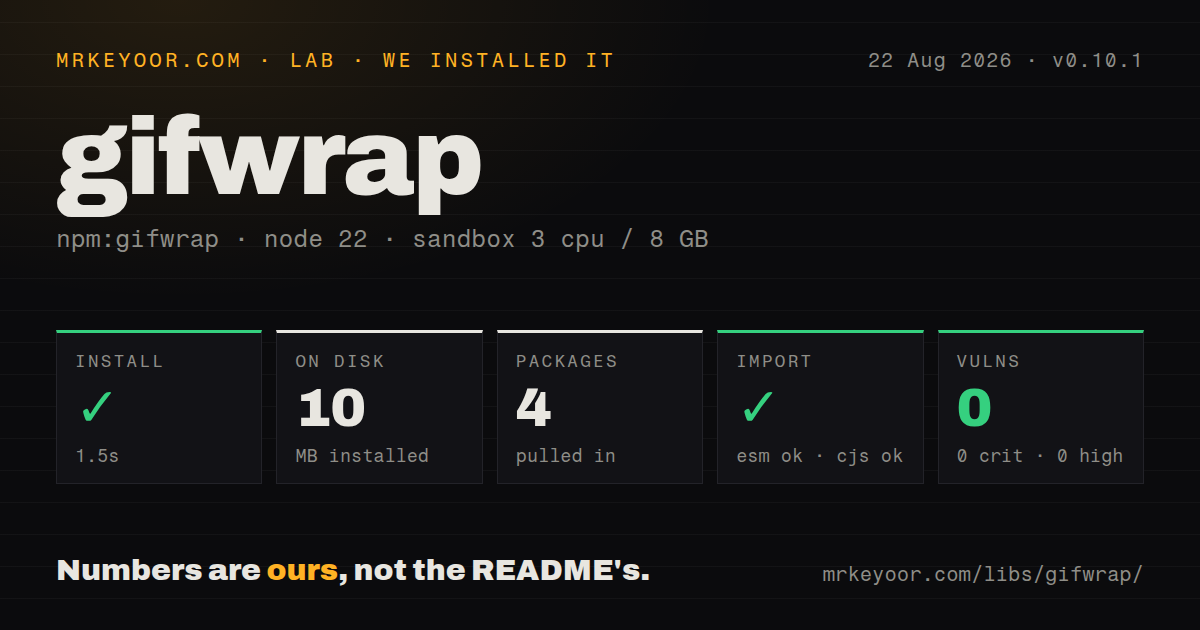
| Install | ✓ · 1.5s | 4 packages on disk · 10 MB |
| Import | ✓ | ESM import works · require() works · CommonJS package |
| Browser | n/a | could not be bundled for the browser (Node-only code, most likely) |
| Types | ✓ | TypeScript types bundled |
| Known vulns | 0 | 0 critical · 0 high · 0 moderate · 0 low (npm audit) |
Answers from our run
Does gifwrap install cleanly?
Yes. In a fresh container with an empty cache, npm install gifwrap finished in 2 seconds, leaving 4 packages and 10 MB on disk. npm audit reported no known vulnerabilities.
Can gifwrap run in a browser?
Not directly: esbuild could not bundle it for the browser in our run, which normally means it depends on Node built-ins. Use it on the server, or find a browser-targeted alternative.
Does gifwrap work with both ESM and CommonJS?
Yes. Both import 'gifwrap' and require('gifwrap') worked in Node 22 in our run. The package is published as CommonJS.
Does gifwrap include TypeScript types?
Yes, type declarations ship inside the package, so no @types install is needed.
gifwrap or sharp: which should you use?
sharp: Use it for actively maintained, high-throughput server image work when native libvips binaries are acceptable. gifwrap 0.10.1 installed in 1.5 seconds with 4 packages and 10 MB on disk in our sandbox, while its browser bundle failed.
When should you not use gifwrap?
Uploads are large or untrusted: every decoded pixel occupies four RGBA bytes per frame, and the repository has an open memory-exhaustion report
Use it if
- A Node batch job must inspect or rewrite every frame of a small animated GIF
- Generated RGBA frames need GIF encoding with explicit delay, loop, offset, and disposal values
- Existing Jimp-shaped bitmap data should move into GIF frames without adding Jimp as a dependency
- A pure JavaScript codec is preferable to installing a native image binary
- Uploads are large or untrusted: every decoded pixel occupies four RGBA bytes per frame, and the repository has an open memory-exhaustion report
- The code runs in a browser: the README says Node only, and our esbuild browser target could not build the package
- Partial alpha, APNG, WebP, video, or interlaced GIF output is required: nonzero alpha becomes opaque and the default codec cannot encode interlacing
- Photographic frames must retain full color: GIF allows at most 256 indexes, so these inputs need lossy quantization and may show banding
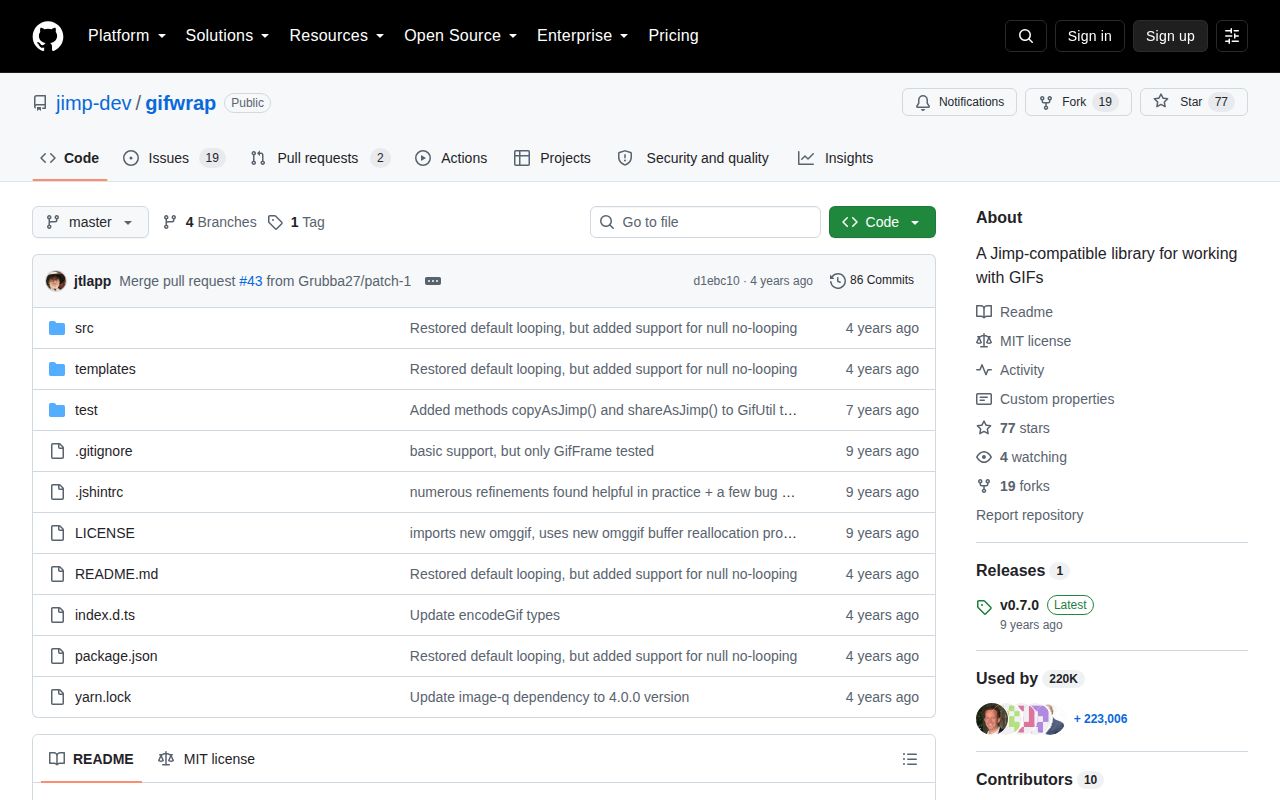
- A maintained media parser is mandatory: 0.10.1 was released in March 2022, the last push was in December 2022, and GitHub lists 21 open issues and pull requests
Setup reality
Our fresh install of gifwrap 0.10.1 took 1.5 seconds and left 4 packages using 10 MB on disk. The package has 2 direct dependencies, no peers, bundled TypeScript types, and 0 known audit vulnerabilities. Its unpacked size is 6,364 KB under the MIT license.
No native compiler, credentials, service, or config file is needed. gifwrap is CommonJS without an exports map; require() and ESM import both worked in our Node 22 sandbox. The esbuild browser bundle failed. Treat that log as a platform boundary: this code expects Node Buffer and filesystem APIs, though GifCodec can accept and return in-memory buffers when your application owns I/O.
Decoded frames stay in memory as width by height RGBA buffers, four bytes per pixel before object overhead. A compressed animation can therefore expand sharply when every frame is retained. Enforce byte, dimension, and frame-count limits before decoding uploads. Cloning frames or quantizing a whole animation adds more memory, so keep this work outside latency-sensitive request handlers.
GIF stores at most 256 color indexes, and transparency consumes one of them. Run one of GifUtil's mutating quantizers before encoding high-color frames. Processing the complete frame set together can reduce palette flicker, but costs more CPU and memory. Delays use centiseconds, loops: 0 repeats forever, and disposal matters for offset frames. GifUtil.write() overwrites its target; your code owns directory creation, atomic replacement, collisions, and cleanup.
Patterns
Decode every frame from disk read-gif-file
const { GifUtil } = require('gifwrap');

const gif = await GifUtil.read('input.gif');
console.log({ width: gif.width, height: gif.height, frames: gif.frames.length });
All frame buffers remain in memory. Check file bytes and decoded dimensions before accepting an uploaded animation.
Decode bytes without file I/O decode-gif-buffer
const { GifCodec } = require('gifwrap');

const codec = new GifCodec();
const gif = await codec.decodeGif(encodedBuffer);
Pass a complete GIF buffer and catch `GifError` when malformed input reaches the codec.
Build one colored frame create-frame
const { GifFrame } = require('gifwrap');

const frame = new GifFrame(160, 90, 0x3366ffff, {
  delayCentisecs: 10,
  disposalMethod: GifFrame.DisposeToBackgroundColor,
});
Packed colors use `0xRRGGBBAA`; a delay of 10 centiseconds is 100 milliseconds.
Encode repeating frames to a file write-animation
const { GifFrame, GifUtil } = require('gifwrap');

const frames = [
  new GifFrame(80, 80, 0xff0000ff, { delayCentisecs: 12 }),
  new GifFrame(80, 80, 0x0000ffff, { delayCentisecs: 12 }),
];
await GifUtil.write('colors.gif', frames, { loops: 0 });
`loops: 0` repeats forever. The write helper replaces its destination instead of performing an atomic swap.
Produce bytes for an object store encode-to-buffer
const { GifCodec } = require('gifwrap');

const encoded = await new GifCodec().encodeGif(frames, { loops: 3 });
await uploadObject(encoded.buffer, 'image/gif');
The resolved `Gif` retains encoded bytes and frame references, so release it promptly after large jobs.
Change pixels by coordinate edit-rgba-pixels
for (const frame of gif.frames) {
  frame.scanAllCoords((x, y, index) => {
    if (x < 20) {
      frame.bitmap.data[index] = 255;
      frame.bitmap.data[index + 1] = 0;
      frame.bitmap.data[index + 2] = 0;
      frame.bitmap.data[index + 3] = 255;
    }
  });
}
Each pixel occupies four RGBA bytes. GIF encoding treats alpha 0 as transparent and every nonzero alpha as opaque.
Reduce one animation to 256 indexes quantize-colors
const { GifUtil } = require('gifwrap');

GifUtil.quantizeWu(gif.frames, 256, 5, {
  ditherAlgorithm: 'FloydSteinberg',
  serpentine: true,
});
await GifUtil.write('quantized.gif', gif.frames, gif);
The quantizer changes the supplied frames in place. A shared pass can keep palette choices steadier between frames.
Crop each frame to a rectangle crop-frames
for (const frame of gif.frames) {
  frame.reframe(10, 20, 120, 80);
}
Offsets are measured against the old bitmap. Provide a fill color when the new rectangle extends beyond its bounds.
Enlarge pixels by an integer scale-pixel-art
for (const frame of gif.frames) {
  frame.scale(3);
}
`scale()` accepts an integer of at least 1 and expands pixels without smooth interpolation.
Detect frames that need quantization check-palette
for (const [index, frame] of gif.frames.entries()) {
  const palette = frame.getPalette();
  if (palette.indexCount > 256) throw new Error(`Frame ${index} needs quantization`);
}
A transparent frame spends one index on transparency, leaving at most 255 opaque color indexes.
Keep source pixels unchanged clone-before-editing
const { GifUtil } = require('gifwrap');

const edited = GifUtil.cloneFrames(gif.frames);
edited.forEach((frame) => frame.greyscale());
Cloning duplicates bitmap buffers and can nearly double the frame memory held by the process.
Alternatives
| Package | Registry | Pick it when |
|---|---|---|
| sharp | npm | Use it for actively maintained, high-throughput server image work when native libvips binaries are acceptable |
| gifencoder | npm | Use it when the job only streams generated frames into a GIF and does not need decoding helpers |
| gifsicle | npm | Use it to call the established GIF optimizer binary for compression and command-line transformations |
More utils guides
lru-cache · type-fest · ajv · zod · p-limit · find-up · the whole shelf →
How this guide is made: grounded in the library's documentation, release notes, changelog, and issue history, on a fixed rubric — not a hands-on install of every release. The 50 most-downloaded entries are additionally install-verified in clean containers. Corrections: contact the desk.