gcloud-aio-bigquery review
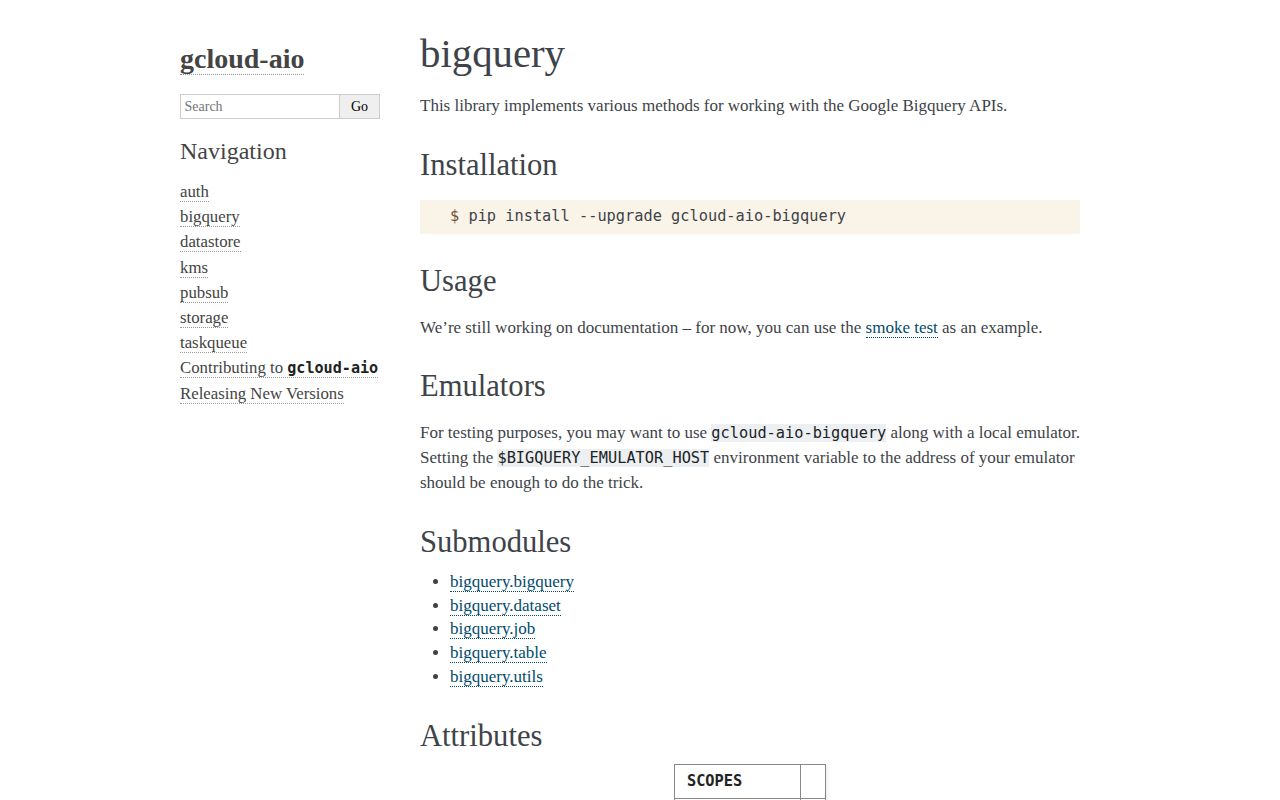
gcloud-aio-bigquery 7.1.0 is an asyncio wrapper around the BigQuery REST v2 endpoints for datasets, tables, and jobs. Calls return the API's dictionaries instead of a large set of Python resource objects. That makes it useful in an aiohttp service that wants native async I/O, but it also leaves query bodies, pagination, retries, and many error decisions with the caller. This project is maintained outside Google and shares authentication code with the other gcloud-aio packages. Version 7.1.0 added a location value to `Job`, so get, result, and cancel requests can address regional jobs correctly.
gcloud-aio-bigquery 7.1.0 installed in 0.6 seconds, imported in 0.02 seconds, and left 18 packages using 30 MB with 0 audit findings in our sandbox. It suits async services that prefer REST-shaped data, provided the application owns job polling, session lifetime, write defaults, and partial insert failures.
We installed it
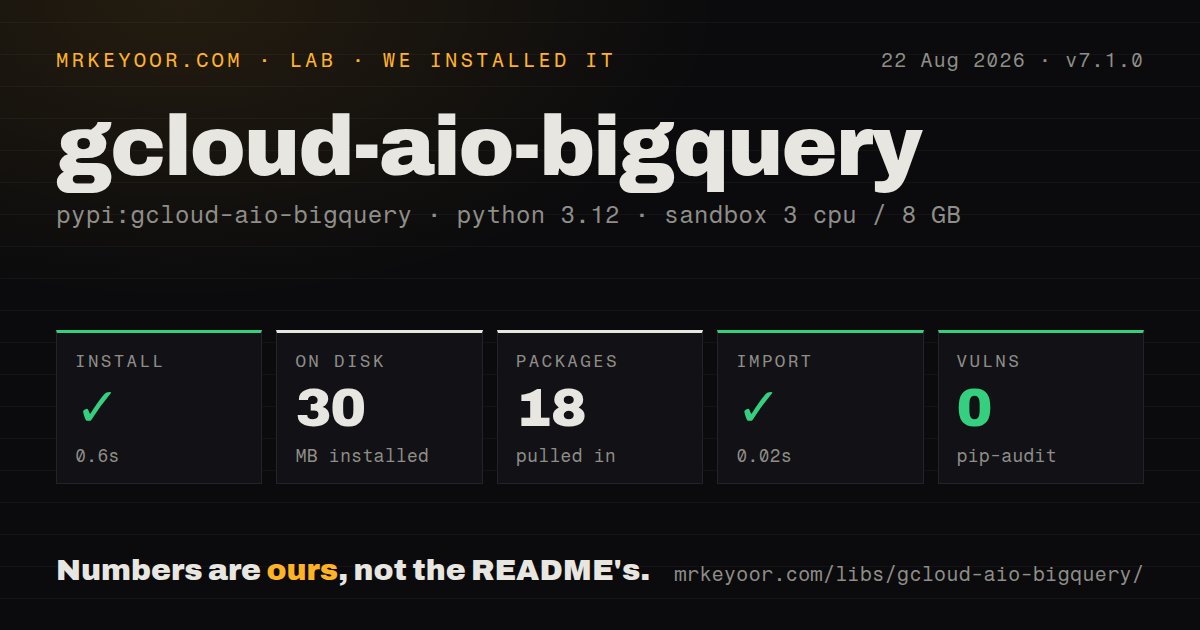
| Install | ✓ · 0.6s | 18 packages on disk · 30 MB |
| Import | ✓ | import gcloud in 0.02s · pure Python · py.typed · requires Python >=3.8,<4.0 |
| Known vulns | 0 | (pip-audit) |
Answers from our run
Does gcloud-aio-bigquery install cleanly?
Yes. In a fresh container with an empty cache, pip install gcloud-aio-bigquery finished in 0.6s, leaving 18 packages and 30 MB on disk. pip-audit reported no known vulnerabilities.
What does gcloud-aio-bigquery need to run?
Python >=3.8,<4.0, and nothing compiled: it is pure Python. In our run import gcloud succeeded in 0.02s, and the package ships py.typed for type checkers.
gcloud-aio-bigquery or google-cloud-bigquery: which should you use?
google-cloud-bigquery: Use Google's official client for richer resource classes, dataframe support, and the broadest documentation. gcloud-aio-bigquery 7.1.0 installed in 0.6 seconds, imported in 0.02 seconds, and left 18 packages using 30 MB with 0 audit findings in our sandbox.
When should you not use gcloud-aio-bigquery?
Install google-cloud-bigquery when Google support, dataframe helpers, richer configuration classes, and wider examples matter more than native asyncio transport
Use it if
- An asyncio service needs BigQuery REST calls without sending Google's synchronous client to a thread pool
- Your team is comfortable constructing BigQuery REST dictionaries and reading raw response dictionaries
- The workload needs queries, streaming inserts, table metadata, load jobs, or copy jobs through one small client
- Other gcloud-aio packages already share your aiohttp session and authentication token
- Install google-cloud-bigquery when Google support, dataframe helpers, richer configuration classes, and wider examples matter more than native asyncio transport
- Avoid the response converter when queries return DATETIME, GEOGRAPHY, or TIME; the 7.1.0 parser logs an unsupported field type and raises KeyError for those schema types
- Choose a client with built-in waiting when application code cannot own polling; `Job.result()` checks status once and raises OSError while the job is pending
- Do not accept the write helpers' defaults blindly: query jobs default to legacy SQL, loads default to WRITE_TRUNCATE, and streaming inserts ignore unknown fields by default
- Use a modeled client when raw REST dictionaries are too loose for your codebase; request spelling, page tokens, partial row errors, and response shape checks remain your responsibility
Setup reality
Our install of gcloud-aio-bigquery 7.1.0 completed in 0.6 seconds and put 18 packages totaling 30 MB on disk. pip-audit found 0 known vulnerabilities. The distribution has 1 direct dependency, supports Python 3.8 through versions below 4.0, contains only Python code, and includes py.typed. import gcloud succeeded in 0.02 seconds in the Python 3.12 sandbox.
Authentication comes from gcloud-aio-auth. Pass a service-account JSON path or file object through service_file, provide a Token, or let the token discover credentials in Google Cloud. Set project yourself when discovery would be ambiguous. The service identity needs BigQuery permissions for each method, while a load job also needs access to its gs:// source. There is no client configuration file.
The wire format stays visible. Job.query() accepts the REST query body, dataset and table methods return dictionaries, and callers pass pageToken for another page. Version 7.1.0 added location to Job; supply it for regional jobs so get, result, and cancel calls send the location parameter. Watch the defaults: use_legacy_sql=True, WRITE_TRUNCATE for loads, and ignore_unknown=True for streaming rows.
Clients create or accept an HTTP session, so use async with or close the owner after requests finish. Share one aiohttp.ClientSession across related clients to reuse connections. Job.result() makes 1 status request and raises OSError unless the state is DONE; build a deadline, sleep, and error check around polling. Streaming insertion can return HTTP success with insertErrors, which means every response needs row-level inspection before acknowledging the batch.
Patterns
Run a GoogleSQL query run-query
from gcloud.aio.bigquery import Job, query_response_to_dict

async def recent_orders():
    async with Job(project='acme-prod', location='US') as jobs:
        response = await jobs.query({
            'query': 'SELECT order_id FROM `acme-prod.sales.orders` LIMIT 50',
            'useLegacySql': False,
        })
        return query_response_to_dict(response)
`Job.query()` sends a BigQuery REST query request; set `useLegacySql` to false because this dictionary does not get a GoogleSQL default from the helper.
Bind a named query parameter parameterize-query
request = {
    'query': 'SELECT * FROM `acme-prod.sales.orders` WHERE state = @state',
    'useLegacySql': False,
    'parameterMode': 'NAMED',
    'queryParameters': [{
        'name': 'state',
        'parameterType': {'type': 'STRING'},
        'parameterValue': {'value': 'paid'},
    }],
}
response = await jobs.query(request)
Version 7.1.0 accepts the REST dictionary as written and does not provide parameter builder objects, so field names must match BigQuery REST v2.
Start a regional query job start-query-job
from gcloud.aio.bigquery import Job

jobs = Job(project='acme-prod', location='EU')
created = await jobs.insert_via_query(
    'SELECT CURRENT_DATE() AS run_date',
    use_legacy_sql=False,
)
job_id = created['jobReference']['jobId']
gcloud-aio-bigquery 7.1.0 added `location` to Job; pass it for regional get, result, and cancel requests.
Wait for a job with a deadline poll-job
import asyncio

async def wait_for_done(job, attempts=30):
    for _ in range(attempts):
        resource = await job.get_job()
        status = resource.get('status', {})
        if status.get('state') == 'DONE':
            if status.get('errorResult'):
                raise RuntimeError(status.get('errors', []))
            return resource
        await asyncio.sleep(1)
    raise TimeoutError(job.job_id)
`Job.result()` performs 1 status check and raises `OSError` while work is pending, so a bounded polling loop belongs in application code.
Cancel a regional job cancel-job
from gcloud.aio.bigquery import Job

async with Job(
    job_id='bquxjob_123',
    project='acme-prod',
    location='EU',
) as job:
    response = await job.cancel()
The 7.1.0 client sends `location=EU` with cancellation when the Job was constructed with that location.
Insert rows and catch partial failures stream-rows
from gcloud.aio.bigquery import Table

async with Table('sales', 'events', project='acme-prod') as table:
    response = await table.insert(
        [{'event_id': 'evt-42', 'kind': 'checkout'}],
        ignore_unknown=False,
        insert_id_fn=lambda row: row['event_id'],
    )
    if response.get('insertErrors'):
        raise RuntimeError(response['insertErrors'])
BigQuery can return a 2xx response with `insertErrors`; inspect that field before treating every row as accepted.
Append a Parquet load load-parquet
from gcloud.aio.bigquery import Disposition, SourceFormat, Table

table = Table('sales', 'orders', project='acme-prod')
job = await table.insert_via_load(
    ['gs://acme-import/orders/*.parquet'],
    source_format=SourceFormat.PARQUET,
    write_disposition=Disposition.WRITE_APPEND,
)
`insert_via_load()` defaults to `WRITE_TRUNCATE`; passing `WRITE_APPEND` prevents the helper from replacing the destination table.
Copy a table into another dataset copy-table
from gcloud.aio.bigquery import Table

source = Table('staging', 'orders', project='acme-prod')
job = await source.insert_via_copy(
    destination_project='acme-prod',
    destination_dataset='warehouse',
    destination_table='orders',
)
The 7.1.0 copy helper builds a `WRITE_TRUNCATE` job, so an existing destination table is replaced.
Create a dataset resource create-dataset
from gcloud.aio.bigquery import Dataset

async with Dataset(project='acme-prod') as datasets:
    created = await datasets.insert({
        'datasetReference': {
            'projectId': 'acme-prod',
            'datasetId': 'scratch',
        },
        'location': 'EU',
    })
`Dataset.insert()` forwards the REST dictionary, so project, dataset ID, and location must be supplied in BigQuery's resource shape.
Create a typed table create-table
from gcloud.aio.bigquery import Table

resource = {
    'schema': {'fields': [
        {'name': 'order_id', 'type': 'STRING', 'mode': 'REQUIRED'},
        {'name': 'total', 'type': 'NUMERIC', 'mode': 'NULLABLE'},
    ]},
}
async with Table('sales', 'orders', project='acme-prod') as table:
    created = await table.create(resource)
`Table.create()` mutates the supplied dictionary by adding a 3-part `tableReference` before it sends the request.
Follow a table page token paginate-tables
from gcloud.aio.bigquery import Dataset

async with Dataset('sales', project='acme-prod') as dataset:
    params = {'maxResults': 100}
    while True:
        page = await dataset.list_tables(params=params)
        for item in page.get('tables', []):
            print(item['tableReference']['tableId'])
        token = page.get('nextPageToken')
        if not token:
            break
        params['pageToken'] = token
Version 7.1.0 returns `nextPageToken` without fetching another page; callers must send it back as `pageToken`.
Reuse one aiohttp session share-session
from aiohttp import ClientSession
from gcloud.aio.bigquery import Dataset, Table

async with ClientSession() as session:
    datasets = Dataset(project='acme-prod', session=session)
    orders = Table('sales', 'orders', project='acme-prod', session=session)
    dataset_page = await datasets.list_datasets()
    table_resource = await orders.get()
A caller-supplied session stays under caller ownership; close it after all clients finish so the 2 requests can reuse its connection pool.
Alternatives
| Package | Registry | Pick it when |
|---|---|---|
| google-cloud-bigquery | PyPI | Use Google's official client for richer resource classes, dataframe support, and the broadest documentation. |
| google-cloud-bigquery-storage | PyPI | Use the BigQuery Storage API when high-throughput table reads are the main requirement. |
| aiogoogle | PyPI | Use one generic async discovery client across BigQuery and other Google APIs when lower-level request building is acceptable. |
More data guides
numpy · pandas · fsspec · lxml · pyarrow · sqlalchemy · the whole shelf →
How this guide is made: grounded in the library's documentation, release notes, changelog, and issue history, on a fixed rubric — not a hands-on install of every release. The 50 most-downloaded entries are additionally install-verified in clean containers. Corrections: contact the desk.