fuzzy review
fuzzy 0.1.3 is a synchronous subsequence matcher for short in-memory lists. A query such as `bcn` matches `baconing` because those letters appear in order, then the package scores the match, sorts results, and can wrap the chosen characters for display. Our browser build was 1.4 KB minified and 0.8 KB gzipped. This is a filter and highlighter, with no edit-distance typo correction, index, tokenization, or language-aware search. The current version dates to October 2016 and fixed a React Native blocking bug; it did not change the small `test`, `match`, `filter`, and `simpleFilter` API.
fuzzy 0.1.3 installed in 0.4 seconds and produced a 0.8 KB gzipped browser bundle in our sandbox, but its first-subsequence scoring and synchronous full-list scan limit it to small pickers and command menus. Install Fuse.js or fuzzysort when typo handling, several fields, or a large candidate set affects the result quality.
We installed it
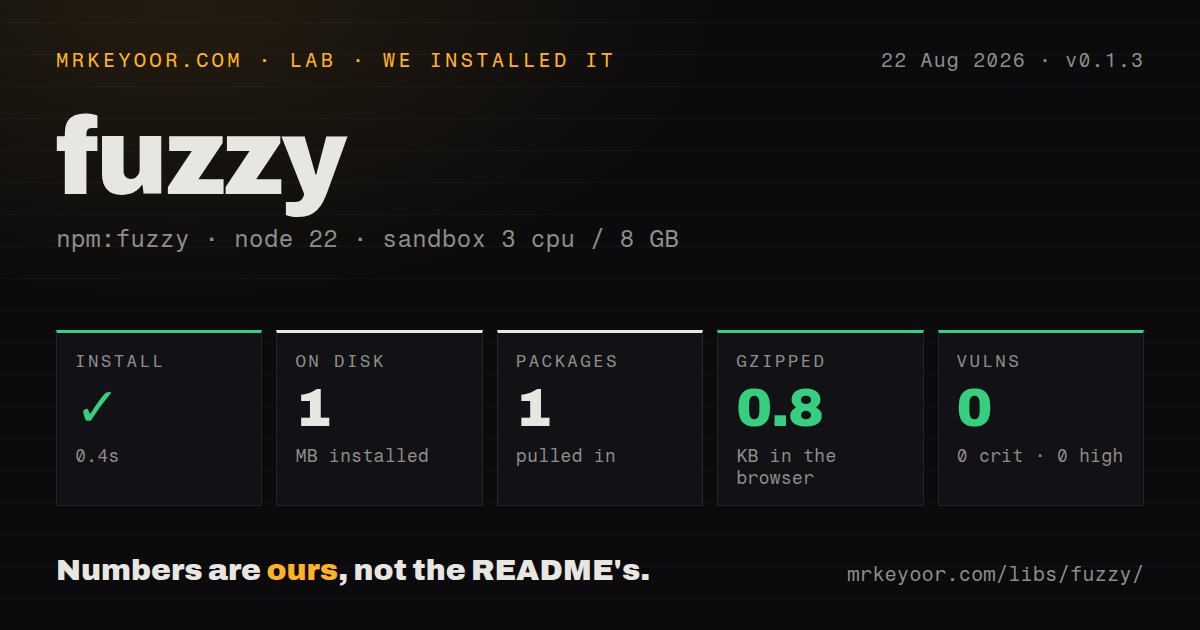
| Install | ✓ · 0.4s | 1 package on disk · 1 MB |
| Import | ✓ | ESM import works · require() works · CommonJS package |
| Browser | 0.8 KB | gzipped (1.4 KB minified), bundled with esbuild |
| Types | ✓ | TypeScript types bundled |
| Known vulns | 0 | 0 critical · 0 high · 0 moderate · 0 low (npm audit) |
Answers from our run
Does fuzzy install cleanly?
Yes. In a fresh container with an empty cache, npm install fuzzy finished in 0.4s, leaving 1 package and 1 MB on disk. npm audit reported no known vulnerabilities.
How much does fuzzy add to a browser bundle?
0.8 KB gzipped (1.4 KB minified) when the whole package is bundled for the browser with esbuild. Importing only part of it is usually smaller.
Does fuzzy work with both ESM and CommonJS?
Yes. Both import 'fuzzy' and require('fuzzy') worked in Node 22 in our run. The package is published as CommonJS.
Does fuzzy include TypeScript types?
Yes, type declarations ship inside the package, so no @types install is needed.
fuzzy or fuzzysort: which should you use?
fuzzysort: Choose it for faster client-side ranking and explicit match indexes. fuzzy 0.1.3 installed in 0.4 seconds and produced a 0.8 KB gzipped browser bundle in our sandbox, but its first-subsequence scoring and synchronous full-list scan limit it to small pickers and command menus.
When should you not use fuzzy?
Users expect misspellings, transpositions, or edit-distance matches. fuzzy only accepts query characters found in order.
Use it if
- A command menu or picker has a modest array in memory and ordered-character matching is good enough.
- You need the matched characters returned with custom wrappers for a result label.
- Each object has one searchable string that a synchronous `extract` callback can return.
- A 0.8 KB gzipped browser cost matters more than typo correction or a search index.
- Users expect misspellings, transpositions, or edit-distance matches. `fuzzy` only accepts query characters found in order.
- The best occurrence inside a string matters. The README says it chooses the first subsequence, so `bass` can match scattered letters in `bodacious bass` instead of the final word.
- The candidate set is large enough to stall a browser. Filtering and sorting are synchronous, while worker and async batching support remain README TODO items.
- Search must combine weighted fields. The `extract` option produces one string, and multi-string object matching is still listed as unfinished.
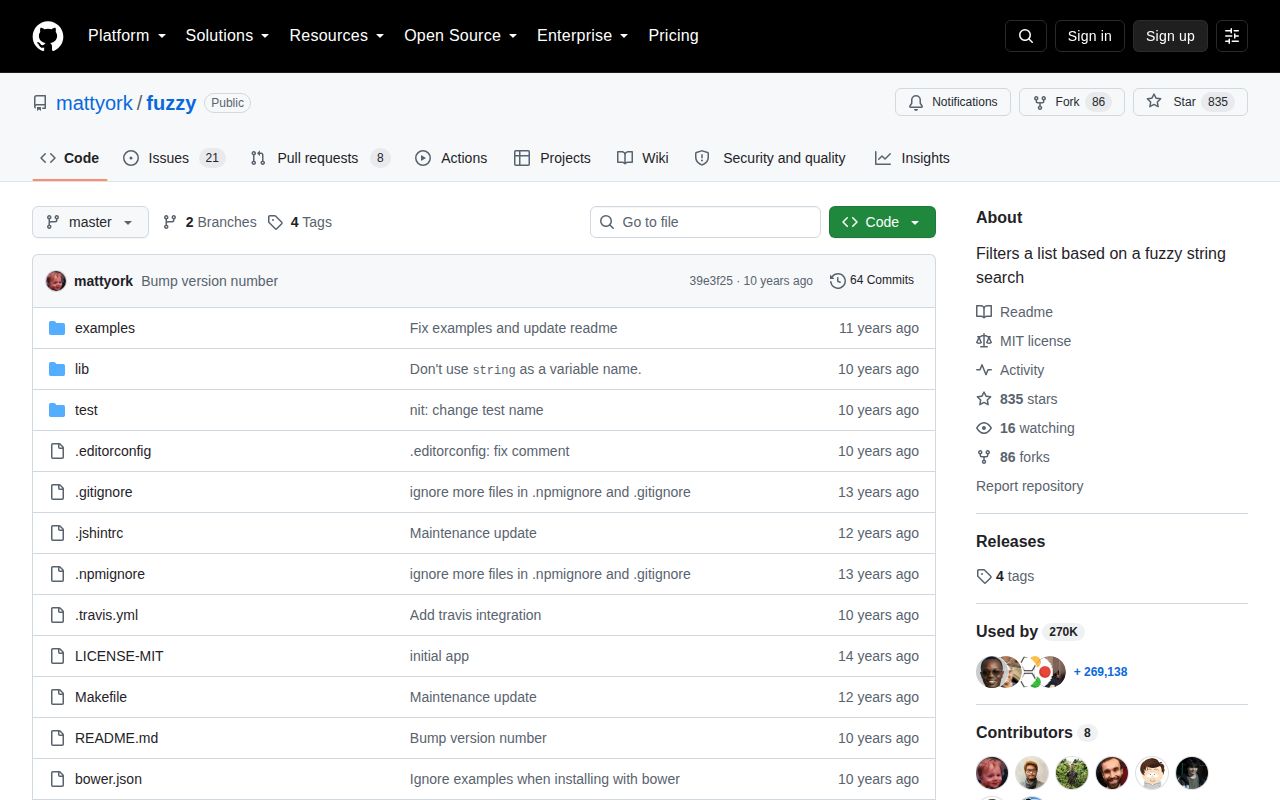
- Active maintenance is a requirement. npm 0.1.3 was published in 2016 and the repository's last push was in December 2021.
Setup reality
We installed fuzzy 0.1.3 in 0.4 seconds in a fresh Node 22 Bookworm sandbox. It left 1 package and 1 MB on disk, with 0 direct dependencies, 0 peer dependencies, and 56 KB unpacked. npm audit found 0 known vulnerabilities. The package declares Node 0.6 or newer, and its license field was unknown in our package inspection even though the repository contains an MIT license file.
There are no credentials, config files, native builds, or postinstall steps. The package is CommonJS without an exports map. Both require() and ESM import worked in our check, and TypeScript declarations were bundled. The declaration surface is small because the API itself has only four operations.
Every query walks the supplied values synchronously, and filter sorts the successful matches. simpleFilter skips the ranking result objects and preserves the matching values. A browser bundle that imports the whole package measured 1.4 KB minified and 0.8 KB gzipped, but that small transfer does not prevent a large array from blocking the main thread. Debounce input or move the work outside the UI thread yourself.
The pre and post strings are concatenated into the rendered result. The library does not escape candidate text, so HTML highlighting needs escaped source strings. Matching ignores case by default, failed match calls return null, exact matches score Infinity, and object filtering can inspect only the single string returned by extract.
Patterns
Rank matching strings filter-strings
const fuzzy = require('fuzzy');

const ranked = fuzzy.filter('bcn', ['baconing', 'narwhal', 'a mighty bear canoe']);
console.log(ranked.map((hit) => hit.original));
`filter` returns result objects sorted by score, rather than returning the original strings directly.
Test one candidate test-subsequence
const isMatch = fuzzy.test('cfg', 'config.js');
console.log(isMatch);
The query characters must occur in order. They do not have to be adjacent.
Inspect one scored match inspect-score
const hit = fuzzy.match('abc', 'a-b-c');
if (hit) console.log(hit.score, hit.rendered);
A failed call returns `null`; an exact string match receives an `Infinity` score.
Wrap matched characters highlight-characters
const hit = fuzzy.match('bcn', 'baconing', { pre: '<mark>', post: '</mark>' });
console.log(hit && hit.rendered);
The package inserts wrappers without HTML escaping. Escape untrusted candidate strings before rendering this output.
Search one field in objects search-object-field
const commands = [{ id: 1, label: 'Open file' }, { id: 2, label: 'Close editor' }];
const hits = fuzzy.filter('of', commands, { extract: (command) => command.label });
console.log(hits[0]?.original.id);
`extract` returns one searchable string per item; the package cannot weight or combine several fields.
Turn on case-sensitive matching match-case
const hit = fuzzy.match('Ab', 'Abacus', { caseSensitive: true });
const miss = fuzzy.match('Ab', 'abacus', { caseSensitive: true });
Version 0.1.3 ignores case unless `caseSensitive` is true.
Keep matching values in input order preserve-input-order
const matches = fuzzy.simpleFilter('ab', ['alphabet', 'cab', 'clock']);`simpleFilter` returns matching values without scores or rendered highlighting and does not rank them.
Cap autocomplete rendering cap-visible-results
function search(query, labels) {
  return fuzzy.filter(query, labels).slice(0, 20);
}
Slicing happens after the package scans and sorts all candidates, so this reduces rendering work rather than matching work.
Debounce browser searches debounce-input
let timer;
input.addEventListener('input', (event) => {
  clearTimeout(timer);
  timer = setTimeout(() => render(fuzzy.filter(event.target.value, labels)), 100);
});
There is no async or worker API. One very large search can still block the browser after the debounce delay.
Import from Node ESM import-from-esm
import fuzzy from 'fuzzy';

const hits = fuzzy.filter('cfg', ['config.js', 'package.json']);
The package is CommonJS and has no exports map; this default import depends on Node's CommonJS interoperability.
Recover the original item keep-original-object
const [hit] = fuzzy.filter('inv', invoices, { extract: (invoice) => invoice.customerName });
if (hit) console.log(hit.original);
Each result keeps the original array member on `original` and its source position on `index`.
Handle an empty search before filtering handle-empty-query
function findLabels(query, labels) {
  if (query.length === 0) return labels;
  return fuzzy.filter(query, labels).map((hit) => hit.original);
}
Handle the empty state in application code so its ordering and result limit are explicit.
Alternatives
| Package | Registry | Pick it when |
|---|---|---|
| fuzzysort | npm | Choose it for faster client-side ranking and explicit match indexes. |
| fuse.js | npm | Choose it for typo tolerance, weighted object keys, and an index. |
| fast-fuzzy | npm | Choose it for a maintained TypeScript-oriented matcher with configurable normalization. |
More utils guides
lru-cache · type-fest · ajv · zod · p-limit · find-up · the whole shelf →
How this guide is made: grounded in the library's documentation, release notes, changelog, and issue history, on a fixed rubric — not a hands-on install of every release. The 50 most-downloaded entries are additionally install-verified in clean containers. Corrections: contact the desk.