fs-exists-sync review
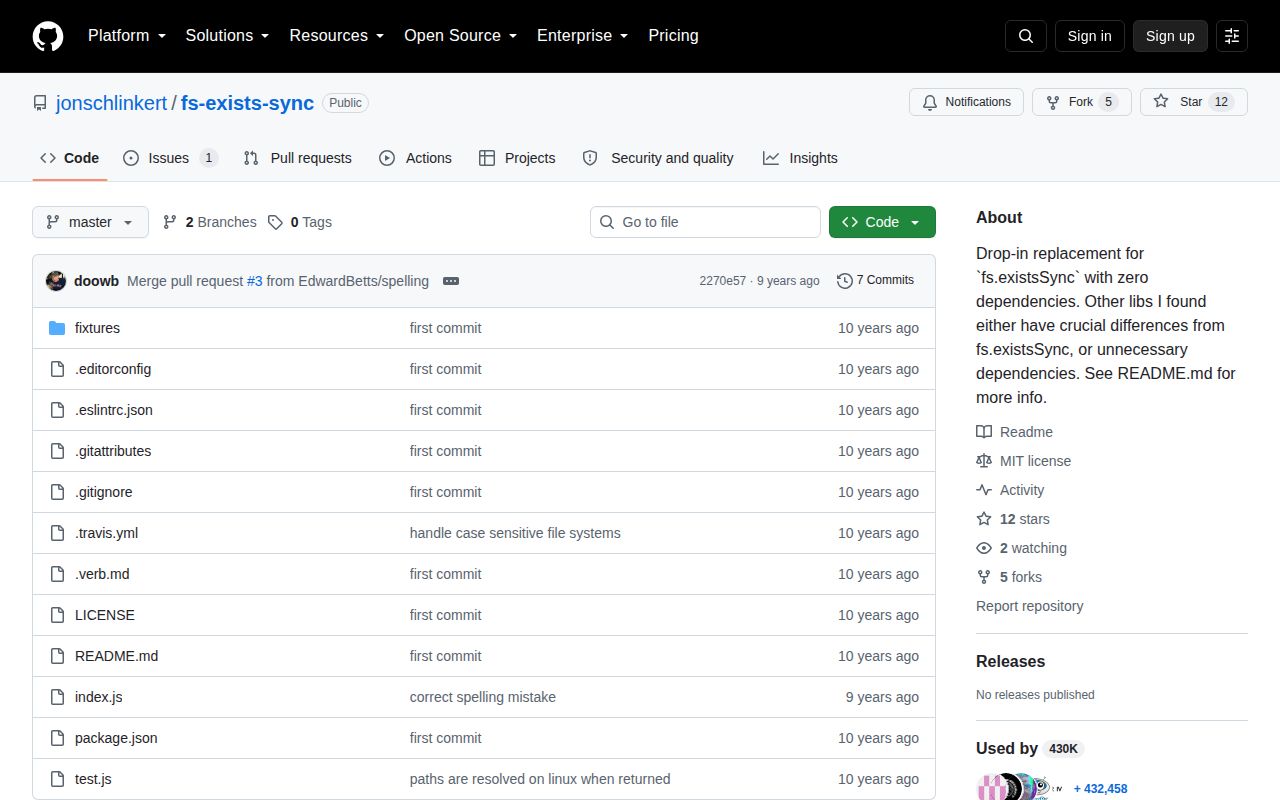
fs-exists-sync 0.1.0 synchronously checks a path from CommonJS code. A successful check returns the path string, while a miss or invalid input returns `false`; that differs from the boolean contract of Node's built-in `fs.existsSync`. On Linux, a failed direct access triggers a case-insensitive scan of the parent directory and may return an absolute path with the on-disk spelling. The only published version dates to 2016. Our install found no TypeScript declarations, and the browser build failed because the implementation depends on Node filesystem APIs.
fs-exists-sync 0.1.0 installed in 0.6 seconds as 1 package using 1 MB in our sandbox, but its browser bundle failed and it adds semantics that `fs.existsSync` does not have. Do not install it for new code unless string-or-false returns and Linux case recovery are explicit requirements.
We installed it
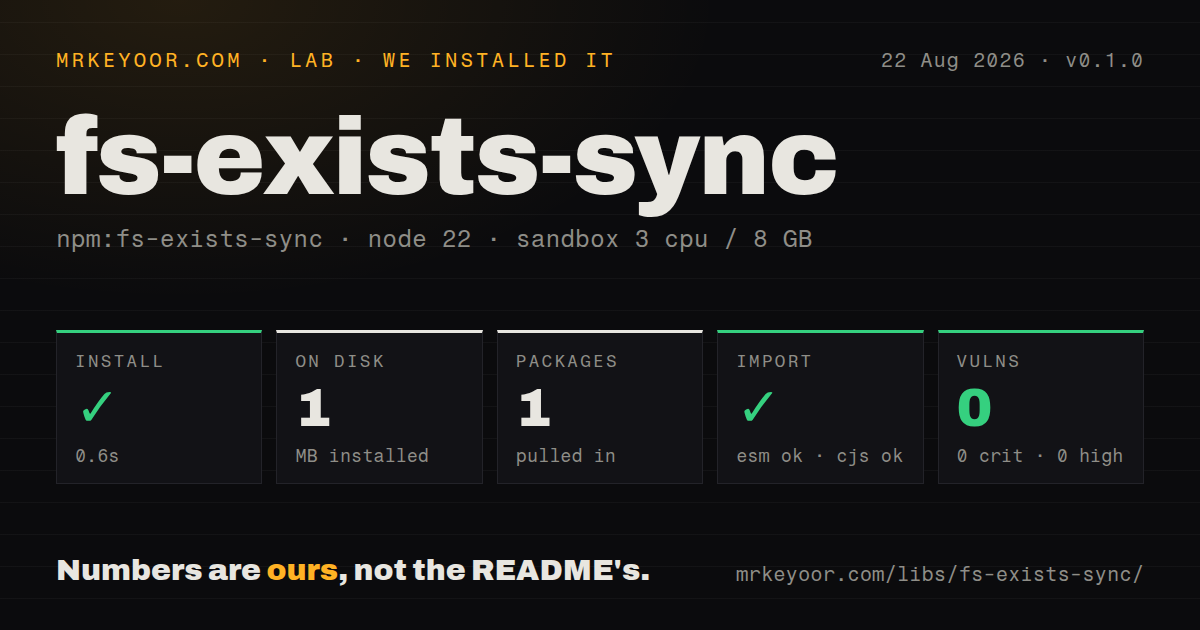
| Install | ✓ · 0.6s | 1 package on disk · 1 MB |
| Import | ✓ | ESM import works · require() works · CommonJS package |
| Browser | n/a | could not be bundled for the browser (Node-only code, most likely) |
| Types | — | no TypeScript types found |
| Known vulns | 0 | 0 critical · 0 high · 0 moderate · 0 low (npm audit) |
Answers from our run
Does fs-exists-sync install cleanly?
Yes. In a fresh container with an empty cache, npm install fs-exists-sync finished in 0.6s, leaving 1 package and 1 MB on disk. npm audit reported no known vulnerabilities.
Can fs-exists-sync run in a browser?
Not directly: esbuild could not bundle it for the browser in our run, which normally means it depends on Node built-ins. Use it on the server, or find a browser-targeted alternative.
Does fs-exists-sync work with both ESM and CommonJS?
Yes. Both import 'fs-exists-sync' and require('fs-exists-sync') worked in Node 22 in our run. The package is published as CommonJS.
Does fs-exists-sync include TypeScript types?
No type declarations were found in our install, so TypeScript users need their own declarations.
fs-exists-sync or path-exists: which should you use?
path-exists: Use it when a maintained helper with asynchronous and synchronous boolean checks fits an ESM project. fs-exists-sync 0.1.0 installed in 0.6 seconds as 1 package using 1 MB in our sandbox, but its browser bundle failed and it adds semantics that fs.existsSync does not have.
When should you not use fs-exists-sync?
You want a boolean existence check. node:fs already provides existsSync without another package or a string-or-false return type.
Use it if
- Legacy code relies on the successful return value being a path string rather than `true`.
- A Linux path with the wrong filename case should recover to the actual directory entry.
- You support Node versions as old as 0.10 and need its `accessSync` versus `statSync` compatibility branch.
- You want a boolean existence check. `node:fs` already provides `existsSync` without another package or a string-or-false return type.
- The code runs on a request path where synchronous I/O is unacceptable. A miss on Linux can add a synchronous directory read.
- Filename case errors must stay errors. This package deliberately converts some wrong-case Linux paths into matches.
- The caller passes `Buffer` or `URL` paths supported by modern Node filesystem methods. Version 0.1.0 accepts only non-empty strings.
- Your policy requires recent releases, bundled TypeScript types, ESM packaging, or browser support. This package supplies none of those.
Setup reality
We installed fs-exists-sync 0.1.0 in 0.6 seconds in our fresh Node 22 sandbox. The result was 1 package using 1 MB on disk, with 0 known vulnerabilities from npm audit. The package has 0 direct and 0 peer dependencies, 20 KB unpacked, an MIT license, and a declared Node floor of 0.10. It is CommonJS without an exports map; both require() and ESM import worked, but no TypeScript declarations were present.
There are no credentials, config files, native builds, or initialization calls. The first integration trap is the return value: success is a non-empty string and failure is false. A strict exists(path) === true check is therefore wrong. When direct access succeeds, the string is usually exactly what the caller supplied. Code that needs a stable absolute path must resolve it separately.
On Linux, every caught access failure enters a synchronous recovery branch. The implementation resolves the requested path, reads a directory, and compares entries without case. A request for readme.md can find README.md and return the resolved spelling. Permission failures also enter this catch path, and misses in large directories pay for readdirSync. Files and directories both count; the function does not tell them apart.
Our esbuild browser bundle failed because the code uses Node's filesystem and path modules. Keep it server-side. Checking existence before opening also leaves the usual time-of-check versus time-of-use race. If the next action is reading or opening, perform that action and handle ENOENT. New Node code usually needs only fs.existsSync, while asynchronous server flows should use fs.access or handle the real operation's error.
Patterns
Use the result as a truthy value check-path
const exists = require('fs-exists-sync');

if (exists('config.json')) {
  console.log('config exists');
}
A successful 0.1.0 call returns the input path string, so `=== true` incorrectly rejects an existing path.
Keep the path returned by the check capture-matched-path
const exists = require('fs-exists-sync');

const found = exists('README.md');
if (found !== false) console.log('found at', found);
Direct success normally returns the supplied string, which can still be relative; Linux case recovery can return a resolved path.
Observe Linux case recovery recover-filename-case
const found = exists('./readme.md');
if (found) console.log(found);
// May end in README.md on Linux
The case-insensitive directory scan runs only after direct access fails and only when `process.platform` is `linux`.
Accept a directory match check-directory
const directory = exists('./fixtures');
if (directory) console.log('directory is present');
Version 0.1.0 treats files and directories as existing paths; it does not classify the result.
Require a regular file distinguish-file
const fs = require('node:fs');
const found = exists('./settings.json');
const isFile = found !== false && fs.statSync(found).isFile();
This makes a second synchronous filesystem call and leaves a race. Open the file directly when that is the actual goal.
Choose a fallback path use-default-value
const configPath = exists('./app.config.json') || './defaults.json';
console.log(configPath);
The expression depends on the package's exact union: a non-empty path string on success or `false` on failure.
See the input boundary reject-invalid-input
console.log(exists());   // false
console.log(exists('')); // false
console.log(exists(42)); // false
Only non-empty strings pass the 0.1.0 guard; modern Node APIs can accept path `Buffer` and `URL` values that this wrapper rejects.
Handle the read operation instead avoid-exists-race
const fs = require('node:fs');
try {
  const text = fs.readFileSync('./config.json', 'utf8');
  console.log(text);
} catch (error) {
  if (error.code !== 'ENOENT') throw error;
  console.log('use defaults');
}
One direct read removes the separate existence-check window and distinguishes `ENOENT` from permission or parse failures.
Load the CommonJS export from ESM load-from-esm
import { createRequire } from 'node:module';
const require = createRequire(import.meta.url);
const exists = require('fs-exists-sync');
console.log(Boolean(exists('./package.json')));
The package has no ESM entry or exports map. `createRequire` makes the CommonJS boundary explicit in Node.
Describe the actual TypeScript return declare-types
declare module 'fs-exists-sync' {
  function exists(filepath?: unknown): string | false;
  export = exists;
}
Our install found no declarations. Use `string | false`, since typing the result as boolean hides the package's successful path value.
Alternatives
| Package | Registry | Pick it when |
|---|---|---|
| path-exists | npm | Use it when a maintained helper with asynchronous and synchronous boolean checks fits an ESM project. |
| fs-extra | npm | Use it when path checks sit beside higher-level copy, move, empty, and ensure operations. |
| graceful-fs | npm | Use it for compatibility around Node filesystem operations and descriptor exhaustion, not merely one existence check. |
More utils guides
lru-cache · type-fest · ajv · zod · p-limit · find-up · the whole shelf →
How this guide is made: grounded in the library's documentation, release notes, changelog, and issue history, on a fixed rubric — not a hands-on install of every release. The 50 most-downloaded entries are additionally install-verified in clean containers. Corrections: contact the desk.