flask-login review
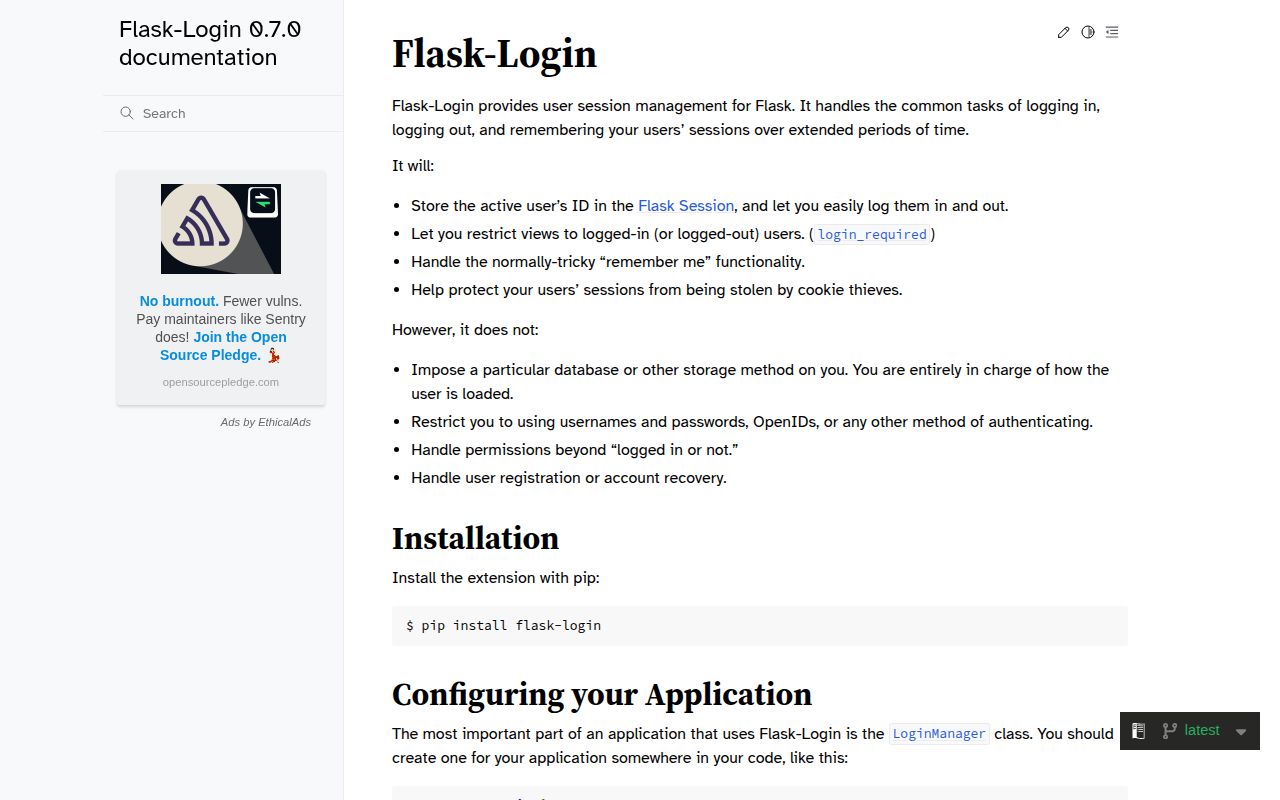
Flask-Login 0.6.3 manages login state for Flask applications that use sessions. You provide a LoginManager, a callback that reloads a user from the ID stored in the session, and a user object with the expected properties. The extension provides current_user, login and logout helpers, protected-view decorators, remember cookies, and fresh-login checks. It does not register users, verify passwords, reset credentials, assign roles, issue JWTs, or implement OAuth. Version 0.6.3 is the Flask 3 and Werkzeug 3 compatibility release. Our Python 3.12 install pulled 8 packages and imported successfully.
Flask-Login 0.6.3 installed in 0.4 seconds as 8 packages using 3 MB, imported in 0.62 seconds, and had 0 audit findings in our sandbox. Use it for Flask session state when your application already owns authentication; do not install it expecting passwords, registration, roles, tokens, or redirect safety.
We installed it
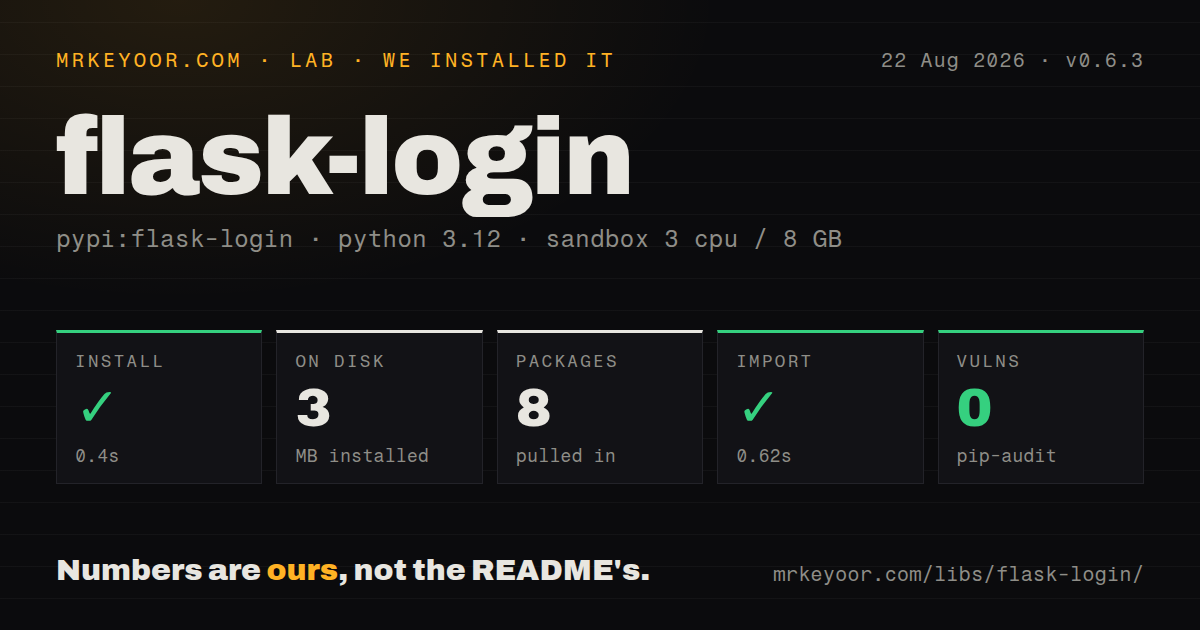
| Install | ✓ · 0.4s | 8 packages on disk · 3 MB |
| Import | ✓ | import flask_login in 0.62s · pure Python · requires Python >=3.7 |
| Known vulns | 0 | (pip-audit) |
Answers from our run
Does flask-login install cleanly?
Yes. In a fresh container with an empty cache, pip install flask-login finished in 0.4s, leaving 8 packages and 3 MB on disk. pip-audit reported no known vulnerabilities.
What does flask-login need to run?
Python >=3.7, and nothing compiled: it is pure Python. In our run import flask_login succeeded in 0.62s.
flask-login or authlib: which should you use?
authlib: Choose it for OAuth 2, OpenID Connect, or JWT protocols rather than local cookie-session plumbing. Flask-Login 0.6.3 installed in 0.4 seconds as 8 packages using 3 MB, imported in 0.62 seconds, and had 0 audit findings in our sandbox.
When should you not use flask-login?
You need a complete identity product. Flask-Login supplies no registration, password hashing, reset email, verification, rate limiting, roles, OAuth, or two-factor flow.
Use it if
- A server-rendered Flask app already owns its user database and password checks but needs one consistent cookie-session layer.
- Users come from LDAP, a service, or a custom store that can be hidden behind the user_loader callback.
- Sensitive routes need a fresh-login check after a session was restored from a remember cookie.
- Blueprints or HTML views need current_user and a predictable redirect to one or more login endpoints.
- You need a complete identity product. Flask-Login supplies no registration, password hashing, reset email, verification, rate limiting, roles, OAuth, or two-factor flow.
- The service is a stateless bearer-token API. request_loader can inspect headers, but the extension's main contract and most helpers revolve around Flask sessions.
- Security fixes must arrive on a frequent release schedule. Version 0.6.3 shipped in October 2023, and the repository's latest recorded push was August 2025.
- Redirect validation must be automatic. The docs warn that the next parameter can create an open redirect and leave host validation to application code.
- You need typed package internals. The pure-Python wheel has no py.typed marker, so strict type checking needs local stubs or selective ignores.
Setup reality
We installed Flask-Login 0.6.3 in a fresh Python 3.12 Bookworm sandbox. The install finished in 0.4 seconds, left 8 packages, and occupied 3 MB. Its 2 direct dependencies are Flask and Werkzeug; the wheel is pure Python and requires Python 3.7 or newer. import flask_login worked in 0.62 seconds. pip-audit reported 0 known vulnerabilities, and the package does not ship py.typed.
Set Flask's SECRET_KEY before testing sessions, then initialize LoginManager and register user_loader. The callback receives the stored ID as a string and must return the matching user or None. Convert integer primary keys explicitly. A stale or deleted account should produce None rather than an exception. UserMixin supplies the normal four user properties, but applications with suspended accounts should override is_active and keep get_id stable across profile edits.
login_user does not check a password. Verify credentials, rate-limit failures, and rotate or clear any application session data yourself. The generated next destination must be checked against the current host before redirecting. Configure login_view or unauthorized requests return 401. Remember cookies also deserve explicit production settings for Secure, SameSite, lifetime, and domain; the extension cannot infer your TLS or subdomain policy.
A remembered login is not fresh, which lets fresh_login_required force reauthentication before billing or credential changes. Session protection defaults to basic; strong mode can delete a session when its client fingerprint changes, so test it on mobile networks and reverse proxies. request_loader runs when no session user is available and can authenticate headers, but every request pays for that lookup. FlaskLoginClient can inject a user in tests after assigning it as app.test_client_class.
Patterns
Attach LoginManager to Flask initialize-manager
from flask import Flask
from flask_login import LoginManager

app = Flask(__name__)
app.config['SECRET_KEY'] = os.environ['SECRET_KEY']

login_manager = LoginManager()
login_manager.login_view = 'auth.login'
login_manager.init_app(app)
SECRET_KEY signs the session cookie. Setting login_view changes an unauthorized HTML request from a bare 401 into a login redirect.
Reload a user by stored ID load-session-user
@login_manager.user_loader
def load_user(user_id: str):
    return db.session.get(User, int(user_id))
The ID returns from the session as text. Return None for a deleted or invalid account so a stale cookie does not raise a server error.
Supply the required user properties define-user-contract
from flask_login import UserMixin

class User(UserMixin, db.Model):
    id = db.Column(db.Integer, primary_key=True)
    disabled = db.Column(db.Boolean, default=False)

    @property
    def is_active(self):
        return not self.disabled
UserMixin provides get_id and the normal state properties; override is_active when suspended accounts must be rejected.
Log in after password verification start-session
user = User.query.filter_by(email=email).first()
if user and check_password_hash(user.password_hash, password):
    login_user(user, remember=remember)
    return redirect(url_for('dashboard'))
return render_template('login.html', error='Invalid credentials')
Flask-Login never checks the password. Use the same failure text for missing users and bad passwords to avoid exposing registered addresses.
Reject an external return URL validate-next-url
from urllib.parse import urljoin, urlparse

def is_safe_target(target):
    host = urlparse(request.host_url)
    candidate = urlparse(urljoin(request.host_url, target))
    return candidate.scheme in {'http', 'https'} and candidate.netloc == host.netloc
The documentation warns that redirecting to an unchecked next value creates an open redirect; validate scheme and host before using it.
Require a session for a route protect-view
@app.get('/settings')
@login_required
def settings():
    return render_template('settings.html', user=current_user)
Place login_required below the route decorator so Flask registers the wrapped view, and remember that OPTIONS requests are exempt.
Reauthenticate before a sensitive action require-fresh-login
@app.post('/billing/card')
@fresh_login_required
def change_card():
    update_payment_method(current_user)
    return '', 204
A session restored from a remember cookie is not fresh. Configure refresh_view or a needs_refresh_handler to send the user through reauthentication.
Mark the current session fresh confirm-reauthentication
@app.post('/reauth')
def reauth():
    if check_password_hash(current_user.password_hash, request.form['password']):
        confirm_login()
        return redirect(url_for('billing'))
    return render_template('reauth.html', error='Invalid credentials'), 401
confirm_login updates freshness after your own credential check; it does not verify the password itself.
Clear login state with POST log-out
@app.post('/logout')
@login_required
def logout():
    logout_user()
    session.clear()
    return redirect(url_for('index'))
logout_user removes Flask-Login state and its remember cookie. session.clear also removes application values, so keep it only when full session reset is intended.
Set remember-cookie policy explicitly harden-remember-cookie
app.config.update(
    REMEMBER_COOKIE_SECURE=True,
    REMEMBER_COOKIE_HTTPONLY=True,
    REMEMBER_COOKIE_SAMESITE='Lax',
    REMEMBER_COOKIE_DURATION=timedelta(days=14),
)
Production mode does not infer HTTPS or SameSite policy. Match duration, domain, and path to the actual login design.
Authenticate a header when no session exists load-request-user
@login_manager.request_loader
def load_from_request(req):
    token = req.headers.get('Authorization', '').removeprefix('Bearer ')
    return find_user_by_token(token) if token else None
request_loader runs during request authentication and should return None on failure. A token-first API usually fits a dedicated JWT or OAuth library better.
Inject a logged-in test user test-authenticated-client
from flask_login import FlaskLoginClient

app.test_client_class = FlaskLoginClient

with app.test_client(user=user, fresh_login=True) as client:
    response = client.get('/settings')
    assert response.status_code == 200
Assign FlaskLoginClient before passing user or fresh_login; the default Flask test client does not accept those arguments.
Alternatives
| Package | Registry | Pick it when |
|---|---|---|
| authlib | PyPI | Choose it for OAuth 2, OpenID Connect, or JWT protocols rather than local cookie-session plumbing. |
| flask-security-too | PyPI | Choose it when registration, password workflows, roles, and two-factor features should arrive together. |
| flask-praetorian | PyPI | Choose it for a Flask API centered on JWT access and refresh tokens plus role checks. |
More web backend guides
ws · urllib3 · requests · undici · anyio · express · the whole shelf →
How this guide is made: grounded in the library's documentation, release notes, changelog, and issue history, on a fixed rubric — not a hands-on install of every release. The 50 most-downloaded entries are additionally install-verified in clean containers. Corrections: contact the desk.