find-pkg review
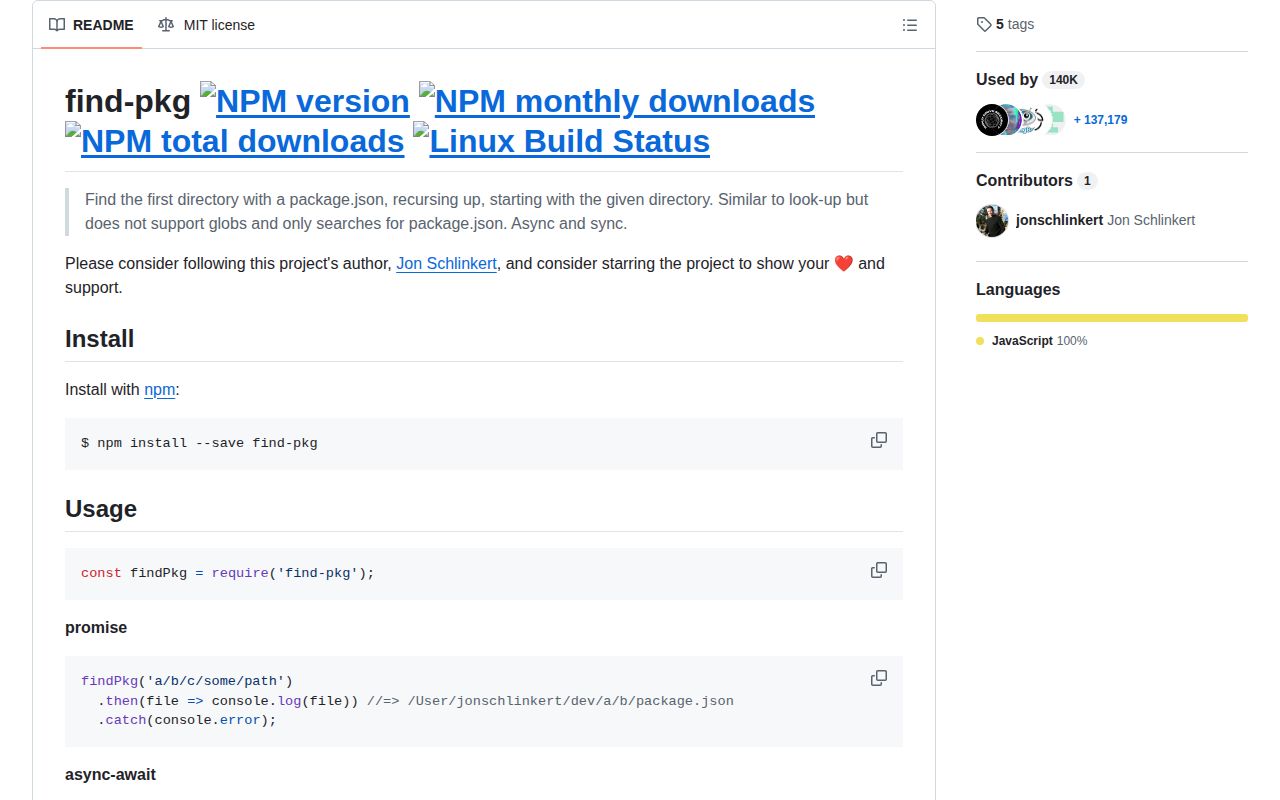
find-pkg 2.0.0 walks upward from a directory until it finds the nearest package.json, then returns that file's absolute path. It has promise, callback, and synchronous entry points, but it does not read or validate the manifest. The current release requires Node 8 or newer and narrows the search to package.json files; it does not accept the glob patterns supported by broader file-finding tools. The package is CommonJS, has no declarations, and depends on find-file-up.
find-pkg 2.0.0 took 2 seconds and 1 MB in our sandbox, but its browser bundle failed and no TypeScript declarations shipped. Keep it in older Node tooling that needs the nearest package.json path; choose pkg-dir or find-up for new ESM projects or broader searches.
We installed it
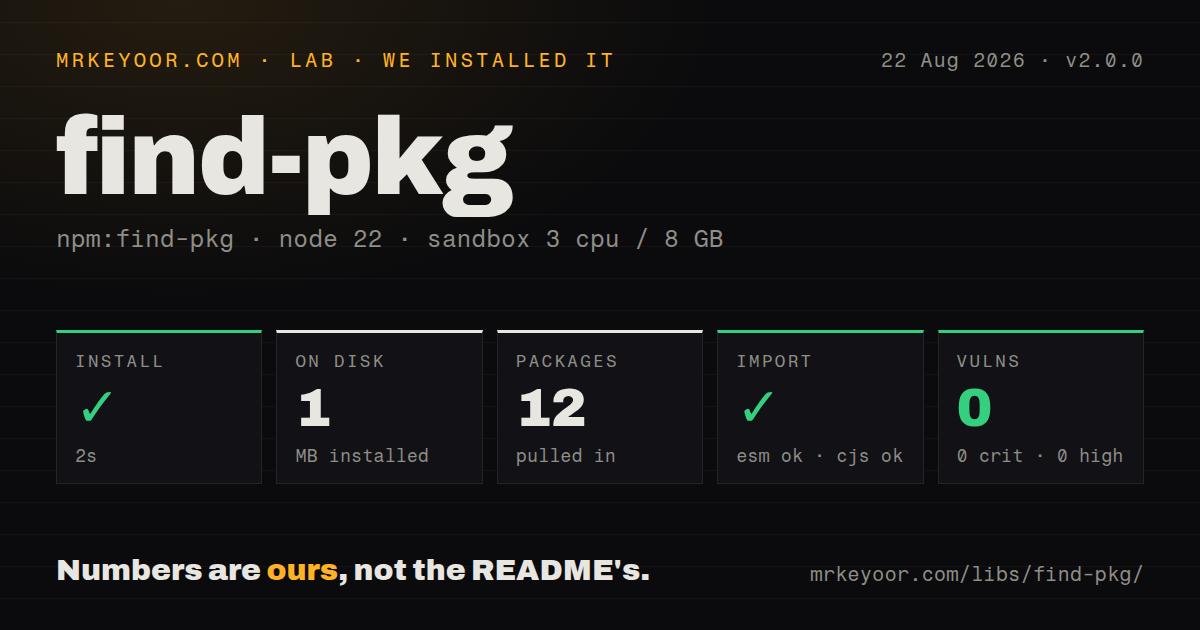
| Install | ✓ · 2s | 12 packages on disk · 1 MB |
| Import | ✓ | ESM import works · require() works · CommonJS package |
| Browser | n/a | could not be bundled for the browser (Node-only code, most likely) |
| Types | — | no TypeScript types found |
| Known vulns | 0 | 0 critical · 0 high · 0 moderate · 0 low (npm audit) |
Answers from our run
Does find-pkg install cleanly?
Yes. In a fresh container with an empty cache, npm install find-pkg finished in 2 seconds, leaving 12 packages and 1 MB on disk. npm audit reported no known vulnerabilities.
Can find-pkg run in a browser?
Not directly: esbuild could not bundle it for the browser in our run, which normally means it depends on Node built-ins. Use it on the server, or find a browser-targeted alternative.
Does find-pkg work with both ESM and CommonJS?
Yes. Both import 'find-pkg' and require('find-pkg') worked in Node 22 in our run. The package is published as CommonJS.
Does find-pkg include TypeScript types?
No type declarations were found in our install, so TypeScript users need their own declarations.
find-pkg or pkg-dir: which should you use?
pkg-dir: Use it when the package root directory is the result you need, especially in native ESM code. find-pkg 2.0.0 took 2 seconds and 1 MB in our sandbox, but its browser bundle failed and no TypeScript declarations shipped.
When should you not use find-pkg?
You need a package directory rather than its manifest path; pkg-dir returns the directory directly and avoids a path.dirname step
Use it if
- You maintain CommonJS tooling that must locate the package.json governing a nested source directory
- You need promise, callback, and synchronous forms behind the same small API
- Your search target is always package.json and walking to the filesystem root is acceptable
- Node 8 compatibility matters more than native ESM, an exports map, or bundled TypeScript declarations
- You need a package directory rather than its manifest path; pkg-dir returns the directory directly and avoids a path.dirname step
- You need to find filenames other than package.json or match globs; the README explicitly limits this package to package.json
- You want an actively maintained dependency; version 2.0.0 and the repository's last push both date to March 2018
- You require bundled TypeScript declarations or a native ESM export; our installed package had neither types nor an exports map
- You are building browser code; our esbuild browser bundle failed because the search relies on Node filesystem and path behavior
Setup reality
Our fresh install of find-pkg 2.0.0 finished in 2 seconds. It left 12 packages and 1 MB on disk, with 1 direct dependency, no peer dependencies, and 0 findings from npm audit. The published package itself is 24 KB unpacked and declares Node >=8.
There are no credentials, environment variables, native builds, or config files. Pass a starting directory, or omit it to start at process.cwd(). The result is the absolute path to package.json. A clean miss resolves to undefined, so check the value before calling readFile. find-pkg does not parse JSON for you.
Version 2.0.0 is CommonJS with no exports map. Both require() and ESM import worked on our Node 22 box, although ESM consumers are relying on Node's CommonJS interop rather than a native module entry. No TypeScript declarations shipped, so a strict TypeScript project needs a local declaration or a different package.
The browser bundle failed in our esbuild check. That is expected for code that climbs directories through Node's filesystem APIs, and it rules out client-side use. The sync method blocks while it searches, while the default method returns a promise and also accepts a Node-style callback. Repository activity stopped in 2018, so compatibility work for newer module conventions is unlikely.
Patterns
Find the nearest package.json find-nearest-manifest
const findPkg = require('find-pkg');

const file = await findPkg('/workspace/app/src/routes');
if (!file) throw new Error('No package.json found');
console.log(file);
Version 2.0.0 returns an absolute package.json path or undefined; it does not return the package directory.
Search from the launch directory start-at-cwd
const findPkg = require('find-pkg');

const file = await findPkg();
An omitted start value uses process.cwd(), which follows where Node was launched rather than where the calling module lives.
Search from the current CommonJS module search-from-module
const findPkg = require('find-pkg');

const file = await findPkg(__dirname);
Starting at __dirname finds the manifest containing this source file, even when the process was launched elsewhere.
Read the manifest after finding it parse-manifest
const fs = require('node:fs/promises');
const findPkg = require('find-pkg');

const file = await findPkg();
if (!file) throw new Error('No package.json found');
const pkg = JSON.parse(await fs.readFile(file, 'utf8'));
find-pkg only finds the package.json path; read errors and invalid JSON still reject in your own code.
Convert the result to a package root derive-package-root
const path = require('node:path');
const findPkg = require('find-pkg');

const file = await findPkg('/workspace/app/src');
const root = file ? path.dirname(file) : undefined;
path.dirname removes the package.json filename; pkg-dir is a better fit when every caller performs this conversion.
Call find-pkg with a callback use-callback
const findPkg = require('find-pkg');

findPkg('/workspace/app/src', (error, file) => {
  if (error) throw error;
  console.log(file || 'outside a package');
});
A search that reaches the filesystem root cleanly supplies undefined as the path instead of treating absence as an error.
Find the manifest during CLI startup search-synchronously
const findPkg = require('find-pkg');

const file = findPkg.sync(process.cwd());
if (!file) process.exitCode = 1;
The sync call blocks filesystem access, so keep it to startup or build scripts rather than request handlers.
Return an explicit null on a miss handle-missing-manifest
const findPkg = require('find-pkg');

async function nearestPackage(start) {
  return (await findPkg(start)) || null;
}
Version 2.0.0 resolves undefined for a clean miss; normalizing it to null can make an API response or cache entry clearer.
Use the CommonJS export from ESM import-from-esm
import findPkg from 'find-pkg';

const file = await findPkg(process.cwd());
ESM import worked in our Node 22 check, but the package is still CommonJS and publishes no exports map.
Describe the package for TypeScript add-typescript-declaration
// types/find-pkg.d.ts
declare module 'find-pkg' {
  function findPkg(start?: string): Promise<string | undefined>;
  namespace findPkg {
    function sync(start?: string): string | undefined;
  }
  export = findPkg;
}
Our 2.0.0 install contained no declarations; keep any local shim limited to the calls your project has verified.
Alternatives
| Package | Registry | Pick it when |
|---|---|---|
| pkg-dir | npm | Use it when the package root directory is the result you need, especially in native ESM code. |
| find-up | npm | Use it when you must walk upward for arbitrary filenames, directories, or multiple candidates. |
| resolve-package-path | npm | Use it when you are resolving an installed dependency's package.json and repeated lookups benefit from memoization. |
More utils guides
lru-cache · type-fest · ajv · zod · p-limit · find-up · the whole shelf →
How this guide is made: grounded in the library's documentation, release notes, changelog, and issue history, on a fixed rubric — not a hands-on install of every release. The 50 most-downloaded entries are additionally install-verified in clean containers. Corrections: contact the desk.