file-type review
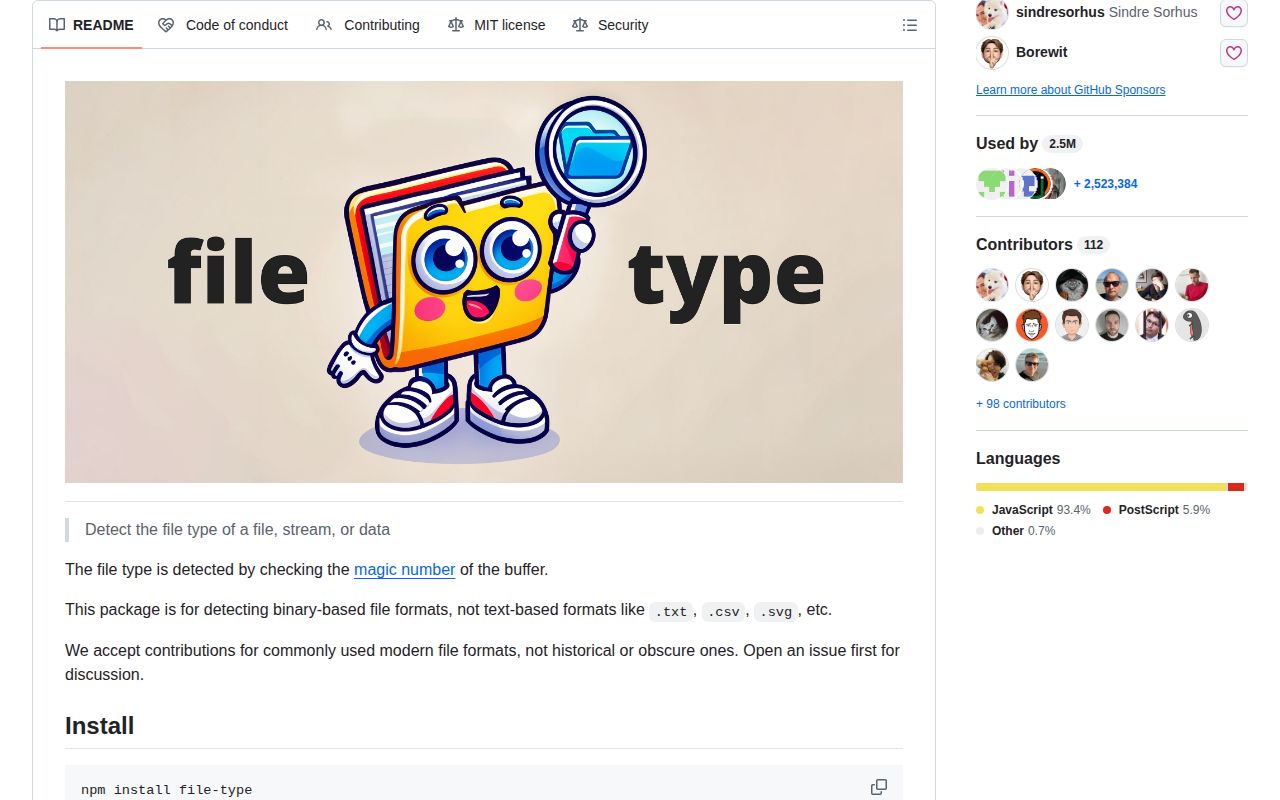
file-type 22.0.2 examines magic bytes and returns an extension plus MIME hint for a path, byte array, Blob, web stream, or tokenizer. It targets binary formats; plain text, CSV, and core SVG detection are explicitly outside its scope. The 22.0.2 patch fixes ZIP entries with data descriptors on Node 24 and prevents UTF-16 LE text from being classified as MPEG audio. A match identifies a signature, not a safe or complete file. Our full browser import measured 64.6 KB minified and 19.1 KB gzipped.
file-type 22.0.2 took 2.6 seconds to install 10 packages and produced a 19.1 KB gzipped browser bundle in our sandbox, with 0 audit findings. It is a useful binary-upload hint on Node 22+, but it cannot validate a file, scan malware, or identify ordinary text formats.
We installed it
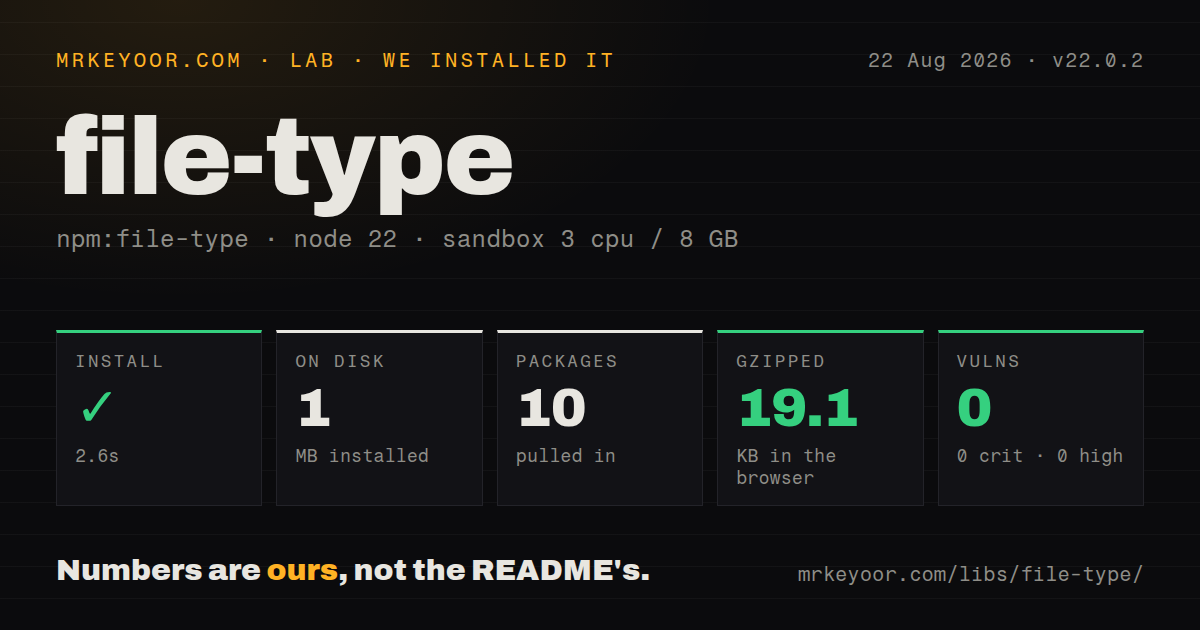
| Install | ✓ · 2.6s | 10 packages on disk · 1 MB |
| Import | ✓ | ESM import works · require() works · ESM package with exports map |
| Browser | 19.1 KB | gzipped (64.6 KB minified), bundled with esbuild |
| Types | — | no TypeScript types found |
| Known vulns | 0 | 0 critical · 0 high · 0 moderate · 0 low (npm audit) |
Answers from our run
Does file-type install cleanly?
Yes. In a fresh container with an empty cache, npm install file-type finished in 3 seconds, leaving 10 packages and 1 MB on disk. npm audit reported no known vulnerabilities.
How much does file-type add to a browser bundle?
19.1 KB gzipped (64.6 KB minified) when the whole package is bundled for the browser with esbuild. Importing only part of it is usually smaller.
Does file-type work with both ESM and CommonJS?
Yes. Both import 'file-type' and require('file-type') worked in Node 22 in our run. The package is published as ESM with an exports map.
Does file-type include TypeScript types?
No type declarations were found in our install, so TypeScript users need their own declarations.
file-type or magic-bytes.js: which should you use?
magic-bytes.js: Choose it for synchronous byte matching and a smaller browser-oriented signature table. file-type 22.0.2 took 2.6 seconds to install 10 packages and produced a 19.1 KB gzipped browser bundle in our sandbox, with 0 audit findings.
When should you not use file-type?
Inputs are text, CSV, or SVG and lack a dependable core binary signature. The README excludes these formats.
Discussed on
Use it if
- An upload service needs to compare sender-provided names and content types with the bytes it received.
- Remote S3 or HTTP objects should be identified through range-capable tokenizers before a full transfer.
- One detector table must cover common images, archives, media, fonts, executables, and compound containers.
- Unknown binary formats can be rejected by an allowlist before a specialized decoder touches them.
- Inputs are text, CSV, or SVG and lack a dependable core binary signature. The README excludes these formats.
- Production still runs Node 20 or earlier. file-type 22 declares Node 22 as its minimum engine.
- A signature result would be treated as malware scanning, sanitization, or full validation. The maintainers describe detection as a best-effort hint.
- The browser checks one or two known headers. Our namespace bundle was 19.1 KB gzipped, which can exceed a small local signature check.
- Callers only have Node Readable streams and cannot convert them. Version 22 stream helpers accept web ReadableStream instances.
Setup reality
We installed file-type 22.0.2 in a fresh Node 22 Bookworm sandbox. npm took 2.6 seconds and left 10 packages occupying 1 MB. The package declares 4 direct dependencies and no peers, with 164 KB unpacked. npm audit found 0 known vulnerabilities. It requires Node 22, uses ESM with an exports map, and both require() and ESM import worked in our check. We found no TypeScript declarations.
No config file or credentials are required. Detection helpers return promises, including fileTypeFromBuffer(). A miss resolves to undefined, which must be an explicit rejection branch in an upload allowlist. The result's ext and mime are routing hints; enforce request-size limits, decode the selected format, and isolate expensive processing separately.
fileTypeFromStream() consumes a web ReadableStream. Convert an fs stream with Readable.toWeb(), or use fileTypeFromFile() when the filesystem is available. fileTypeStream() samples bytes and returns a replayable stream carrying fileType. Its default sample is 4,100 bytes; a smaller value reduces buffering per concurrent request while also reducing the signatures it can identify.
HTTP and S3 tokenizers can seek to relevant ranges instead of downloading an entire object. Custom detectors run ahead of built-ins and are not safe to share concurrently. Create a parser per call when using them. A detector that moves tokenizer.position and returns undefined prevents later detectors from evaluating the original position. Our complete browser build was 64.6 KB minified and 19.1 KB gzipped, so import it client-side only when the supported table earns that cost.
Patterns
Detect a local file identify-file-path
import { fileTypeFromFile } from 'file-type';

const detected = await fileTypeFromFile('incoming/upload.bin');
if (!detected) throw new Error('Unsupported binary type');
No signature match resolves to undefined rather than throwing.
Inspect bytes already in memory identify-memory-bytes
import { fileTypeFromBuffer } from 'file-type';

const detected = await fileTypeFromBuffer(bytes);
console.log(detected?.ext, detected?.mime);
fileTypeFromBuffer returns a promise even though the input bytes are already available.
Allow specific detected types enforce-upload-allowlist
const allowed = new Set(['image/jpeg', 'image/png']);
const detected = await fileTypeFromBuffer(body);
if (!detected || !allowed.has(detected.mime)) throw new Error('File type rejected');
Reject undefined too. Body caps and decoder validation remain separate controls.
Check a browser File inspect-browser-file
import { fileTypeFromBlob } from 'file-type';

const selected = fileInput.files[0];
const detected = await fileTypeFromBlob(selected);
File inherits from Blob. Repeat detection on the server because the sender controls browser code and request metadata.
Convert an fs stream convert-node-readable
import fs from 'node:fs';
import { Readable } from 'node:stream';
import { fileTypeFromStream } from 'file-type';

const webStream = Readable.toWeb(fs.createReadStream(path));
const detected = await fileTypeFromStream(webStream);
Version 22 expects a web ReadableStream, not a Node stream.Readable.
Detect without losing stream bytes sample-and-replay-stream
import { fileTypeStream } from 'file-type';

const replayable = await fileTypeStream(response.body, { sampleSize: 4100 });
console.log(replayable.fileType);
await consume(replayable);
The returned stream starts at byte 0 after fileTypeStream buffers its sample.
Check the built-in MIME set validate-supported-mime
import { supportedMimeTypes } from 'file-type';

if (!supportedMimeTypes.has(expectedMime)) {
  throw new Error('MIME is not covered by this detector');
}
supportedMimeTypes and supportedExtensions are Set instances, so use has() for membership.
Detect a remote object by ranges probe-http-ranges
import { makeTokenizer } from '@tokenizer/http';
import { fileTypeFromTokenizer } from 'file-type';

const tokenizer = await makeTokenizer(url);
const detected = await fileTypeFromTokenizer(tokenizer);
A range-capable tokenizer can seek without transferring the full remote object.
Add an XML detector extend-xml-detection
import { detectXml } from '@file-type/xml';
import { fileTypeFromFile } from 'file-type';

const detected = await fileTypeFromFile('map.kml', { customDetectors: [detectXml] });
KML, SVG, RSS, and other XML-family formats require the separate detector.
Use the result as a storage hint route-by-extension
const detected = await fileTypeFromFile(source);
if (!detected) throw new Error('Unknown file');
await rename(source, `${target}.${detected.ext}`);
A detected extension is suitable for routing, but it does not prove that the full file is well formed.
Allow a shifted MPEG frame set-mpeg-tolerance
const detected = await fileTypeFromBuffer(bytes, { mpegOffsetTolerance: 10 });The default tolerance is 0. Raising it accepts malformed media with a slightly shifted first frame and can increase false matches.
Create a parser per concurrent call isolate-custom-parser
import { FileTypeParser } from 'file-type';

async function detect(path) {
  const parser = new FileTypeParser({ customDetectors: [myDetector] });
  return parser.fromFile(path);
}
Custom-detector parser instances are not safe for concurrent reuse, so construct one for each overlapping operation.
Alternatives
| Package | Registry | Pick it when |
|---|---|---|
| magic-bytes.js | npm | Choose it for synchronous byte matching and a smaller browser-oriented signature table. |
| mime-types | npm | Choose it when trusted filename extensions are enough and file contents need no inspection. |
| mmmagic | npm | Choose libmagic-backed recognition when a native addon is acceptable in deployment. |
More utils guides
lru-cache · type-fest · ajv · zod · p-limit · find-up · the whole shelf →
How this guide is made: grounded in the library's documentation, release notes, changelog, and issue history, on a fixed rubric — not a hands-on install of every release. The 50 most-downloaded entries are additionally install-verified in clean containers. Corrections: contact the desk.